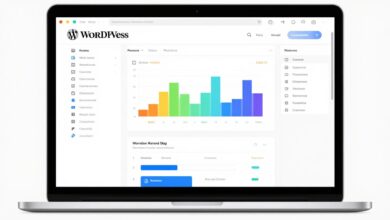
Expect a practical, repeatable guide that works across modern stacks — cloud, hybrid, edge, and serverless. This intro sets the stage for clear steps you can apply today.
Pro-level monitoring in 2026 means real-time visibility, fewer false alarms, and faster root cause analysis. You will get a brief preview of the workflow: define success → instrument → collect → visualize → alert → iterate.
The focus covers server health, web and app metrics, network signals, and database checks. By centralizing metrics, logs, and traces you gain end-to-end visibility and link technical signals to business outcomes like uptime and response time.
What you’ll gain: fewer outages, better user experience, clearer capacity planning, and less midnight firefighting.
Key Takeaways
- Follow a repeatable workflow that turns monitoring into a system.
- Aim for real-time visibility and reliable alerts with fewer false positives.
- Centralize metrics, logs, and traces for faster root cause work.
- Cover servers, apps, networks, and databases across all deployment types.
- Connect technical signals directly to business outcomes like uptime.
What server performance monitoring is and what it covers today
Modern monitoring needs more than a simple ping. Basic server monitoring checks reachability and core health. It answers: are hosts up, is disk space available, and are services running.
Server performance monitoring digs deeper. It measures efficiency under load and spots bottlenecks that slow response times. This practice catches “alive but unhealthy” cases where uptime exists but users suffer.
Server monitoring vs. server performance monitoring
Think of monitoring as the heartbeat and performance as the muscle. One tells you a system is reachable. The other shows whether it handles work well.
How pros connect metrics, logs, and traces for full visibility
Teams centralize metrics (what changed), logs (what happened), and traces (where it happened). Correlating these signals avoids guessing during incidents.
- Start wide: service-level health views.
- Drill down: host and resource metrics.
- Confirm with logs and traces before making changes.
| Scope | Primary Signal | Example Check | Outcome |
|---|---|---|---|
| Basic monitoring | Reachability | Ping, service port | Detects outages |
| Performance monitoring | Resource use & latency | CPU under load, response time | Finds slowdowns |
| Observability | Metrics + logs + traces | Request traces, error logs | Fast root cause |
| Modern coverage | Varied signals | Containers, serverless metrics | Broad visibility |
Why server monitoring is critical for uptime, security, and user experience
A live view of systems surfaces tiny anomalies that may indicate deep infrastructure problems before they escalate.
Signals that point at bigger problems
Small performance blips can signal failing disks, misconfigured hypervisors, noisy neighbors, or runaway threads.
Unusual CPU spikes or strange network patterns often reveal security risks like crypto-mining or exfiltration.
Business impact of downtime and slow systems
Uptime and fast response time matter for revenue and trust. A single hour of downtime costs large enterprises about $300,000.
Short delays hurt conversions, raise support tickets, and damage brand perception. Progressive Insurance notes that a 30-second processing lag can cost millions.
Compliance and risk reduction for US organizations
Monitoring helps prove controls for audits and regulatory reviews. It reduces risk by detecting software bugs and hardware faults early.
Security monitoring also supports incident response and legal obligations in regulated industries.
- Business protection: monitoring is more than a dashboard; it defends revenue and productivity.
- Early warning: tiny anomalies reveal larger problems before they spread.
How to Monitor Server Performance Like a Pro with a repeatable workflow
Define measurable targets first, then collect the signals that prove you met them. A repeatable workflow keeps checks consistent and helps your team respond fast.


Define what “good” looks like for your web server and applications
Set service-level targets: uptime, response time, and error rate. Combine these with infrastructure baselines for CPU, memory, disk, and network.
Keep targets simple. Use thresholds that match user impact and business goals.
Instrument, collect, visualize, alert, and iterate
Instrument both the web server and the application layer so you can separate platform issues from code issues.
- Gather signals: metrics, logs, and traces.
- Build a minimal dashboard focused on key metrics and then refine it.
- Set alerts with clear severity and review them regularly.
Choose monitoring tools based on what you run, how fast you scale, and the detail your team needs.
Create an ownership model for your team’s monitoring responsibilities
Assign who owns alerts, who maintains dashboards, who is on-call, and who drives post-incident fixes.
Make regular reviews and runbook updates part of the cadence so monitoring stays useful as systems evolve.
Key server performance metrics to track in real time
Real-time metrics reveal where bottlenecks form and which resources need immediate attention.
CPU usage, load, and saturation signals
Look beyond a single percent. Track load averages, run-queue length, and cpu steal on virtual hosts.
High cpu usage can be sustained (capacity), spiky (batch jobs), or tied to one process (regression or compromise).
Memory usage, swapping, and leak patterns
Differentiate page cache from working set. Watch swapping and slow growth that signals memory leaks over days.
Disk space, disk I/O, and throughput constraints
Alert before free disk space hits critical levels; low space can break logging or databases.
Also monitor queue depth, IOPS, and slow writes that cascade into timeouts and errors.
Network latency, bandwidth, packet loss, and bottlenecks
Measure latency, bandwidth saturation, and packet loss. Noisy routes cause intermittent slowness that’s hard to debug.
Uptime, response time, and user experience indicators
Combine uptime, response, and error-rate checks with synthetic tests for a clear user experience view.
Tip: Build 30–90 day baselines so normal patterns stand out and anomalies pop immediately.
Choosing server monitoring tools that fit your infrastructure and needs
Start by mapping what systems and services you run, then choose tools that fill the gaps. Create a short inventory: hosts, clouds, hypervisors, containers, and critical applications. That list reveals which visibility you lack and which monitoring solutions make sense.
Agent-based vs. agentless options
Agent-based monitoring installs a small collector on hosts and gives deep, real-time metrics and process-level telemetry. It is best when you need detailed traces and rich application signals.
Agentless approaches use SNMP, WMI, or SSH. They roll out faster and suit locked-down systems or devices where installing software is not possible.
On-premises vs. cloud solutions for hybrid systems
On-premises setups give tight control and can meet strict regulatory needs for data residency in the United States. They fit organizations that must keep raw data local.
Cloud-based monitoring scales quickly and covers hybrid estates with less ops overhead. Many providers offer managed ingestion, retention, and integrations for cloud-native resources.
What to look for in monitoring tools
- Dashboards: clear service views and drill-down paths.
- Integrations: broad connectors (Datadog-like coverage, or open-source adapters such as Zabbix/Nagios).
- Scalability: high-cardinality support and cost controls for growth.
- Hidden needs: retention, searchability, RBAC, multi-team workflows, and predictable pricing.
Run a proof-of-value: instrument one critical service end-to-end and verify you get faster detection, clearer insights, and shorter incident resolution. This simple test prevents costly rewrites later.
Setting up dashboards that reveal trends, patterns, and anomalies fast
A clear dashboard turns scattered telemetry into obvious next steps for operators. Design each view so the top row answers Are users impacted right now? That single glance should guide on-call decisions and reduce wasted clicks.

Golden signals and service-level views for web and application performance
Start with the golden signals: latency, traffic, errors, and saturation. Chart these as primary widgets for web and application visibility.
Place SLO-focused widgets first: uptime, response time, and error rate. Follow with resource widgets that show CPU, memory, disk, and network.
Drill-down views for servers, resources, and dependencies
Build drill-down paths that move from service → host → process/container → downstream dependency. Each click should narrow scope and preserve context.
- Service dashboard: SLOs, key metrics, recent anomalies.
- Host view: resources and per-process signals.
- Dependency pane: DB, cache, and queue latencies.
Visualize trends and patterns with multiple windows: last hour, day, week, and 90 days. Use overlays, percentiles (p95/p99), and clear thresholds so spikes show against historical baselines.
Finally, enforce consistent naming and tags across environments. That small step makes dashboards reusable across hybrid systems and keeps insights reliable.
Alerts that work: thresholds, anomaly detection, and smart routing
Effective alerts begin with the user experience, not raw resource numbers. Start by alerting on service impact: downtime, high error rates, or long response times. Resource warnings come next when they explain or predict user harm.
Practical thresholds and why sustained breaches matter
Quick thresholds: CPU sustained above 85% for 5+ minutes, memory pressure that triggers swapping, disk space under 15% free, and network latency or packet loss above 200ms/1% respectively. Brief spikes rarely need urgent action; sustained breaches do.
Reduce alert fatigue with grouping and severity
Group related alerts so one incident does not flood channels. Dedupe identical signals from multiple hosts. Use P1–P3 severity: P1 for outages, P2 for degraded user experience, P3 for capacity warnings.
Notification channels and routing
Route based on severity and ownership. Use email for low-severity summaries, chat for collaborative troubleshooting, and on-call paging for P1 incidents. Ensure each alert lists the responsible team and escalation path.
AI, anomaly detection, and actionable insights
Apply AI/ML for seasonal baselines, predictive disk fill alerts, and fast pattern recognition. Unusual cpu or network patterns can signal security issues, so tag and route those alerts to security tools and on-call analysts for swift review.
| Metric | Practical Threshold | When it matters |
|---|---|---|
| CPU | >85% for 5+ minutes | Sustained saturation, regression, or crypto-mining |
| Memory | Swapping observed or working set growth > baseline | Leaks or under-provisioning affecting latency |
| Disk space | <15% free or forecasted fill in 7 days | Log/database failures and write errors |
| Network | Latency >200ms or packet loss >1% | User impact, routing issues, or outages |
Baseline and trend analysis for proactive capacity planning
Begin by converting vague expectations into measurable baselines for each service tier. Capture daily peaks, weekly cycles, deploy events, and business seasonality so you have clear patterns to compare over time.
Building a 30–90 day baseline
Collect metrics for 30–90 days and record peaks and typical usage windows. Use that data for simple analysis: daily max, weekly swings, and anomaly points tied to deployments.
Forecasting resource usage
Estimate growth rates for CPU, memory, storage, and network. Forecasts let you schedule capacity expansions before bottlenecks emerge and reduce emergency spend on rushed upgrades.
Spotting early warning signs
Watch for slow, steady memory growth, rising GC pauses, or creeping I/O latency. Those patterns often signal leaks or storage pressure well before user impact appears.
Annotate dashboards with deploys and config changes so trend shifts link back to causes. Keep baseline data long enough to see year-over-year cycles for US business peaks and use those charts as evidence in budget planning.
Centralizing observability data to speed root cause analysis
Bringing telemetry into a single place prevents teams from chasing partial clues during high-pressure incidents. Centralized data gives a single pane of truth so infrastructure, app, and DB teams see the same story.

Correlating logs, metrics, and traces across servers and applications
Click from a metric spike straight into relevant logs and traces. That flow surfaces the exact request, the failing host, and the database queries involved.
Practical correlation means time-aligned views, common IDs, and service tags that let you move from symptom to cause in minutes.
Finding the “blast radius” during incidents
Map which services, hosts, regions, and downstream dependencies show the same anomalies.
- Filter by tags (service, env, host, version, region) to reveal impacted scope.
- Use dependency graphs to spot shared resources and single points of failure.
- Mark affected users and transactions to prioritize remediation.
Turning incident insights into lasting monitoring improvements
After an incident, convert findings into new dashboards, clearer alerts, and updated runbooks. Track MTTA and MTTR as outcomes that improve with better observability.
Treat monitoring as a product: review it regularly, iterate on solutions based on incident insights, and align data and tags with how the system evolves.
Monitoring across physical, virtual, cloud, edge, and serverless environments
Monitoring strategies must adapt when infrastructure spans racks, VMs, cloud regions, edge nodes, and managed functions. Each environment exposes different signals and ownership rules, so pick checks that match where your workloads run.
Physical servers: space, power, hardware maintenance, and security risks
On-prem racks need planning for space, cooling, and power draw. U.S. data centers used about 2% of electricity in 2023, so efficiency matters for cost and uptime.
Track power, thermal sensors, hardware lifecycle events, and physical access controls. Physical security and routine maintenance reduce hardware failures that affect your infrastructure and systems.
Virtual servers and hypervisor limits
Virtual machines can hide contention. If you only watch inside a VM, hypervisor issues from VMware or Hyper-V create mystery latency.
Use host-level metrics and tools that surface resource contention so you can link guest behavior with platform limits and maintain performance.
Cloud, hybrid, edge, and functions
In cloud and hybrid setups, providers own some layers, but you still own alerting, cost signals, and user impact. Track usage and billing alongside technical metrics.
Edge nodes face intermittent network and decentralization. Prefer lightweight agents, store-and-forward telemetry, and local buffering. For function-based compute, focus on execution time, concurrency, and error rates since CPU usage is often not visible.
Database performance monitoring that supports faster applications
Databases often decide whether an application feels fast or slow during peak load. Effective database oversight links query behavior, indexes, and waits with user-facing response times. This gives clear evidence when the database is the root cause or merely a victim of upstream issues.
Snapshots vs continuous monitoring
Snapshots capture the current state: locks, active queries, and resource usage at that moment. They are useful for isolating incidents.
Continuous monitoring records trends over days and weeks so recurring bottlenecks surface before users complain. Use both: snapshots for fast triage and continuous data for capacity planning.
Response time and throughput: the metrics that matter
Response time is the time until the first row returns. It maps directly to perceived latency.
Throughput measures queries per unit time and shows how load affects user experience. Track both alongside error rates and waits.
SQL Server tools and practical techniques
- Query Store — historical plans and runtime stats for regression hunting.
- DMVs & Live Query Statistics — live snapshots of waits and expensive queries.
- Extended Events — lightweight tracing for targeted investigations.
- Windows PerfMon counters — bridge OS-level I/O, CPU, and memory with SQL Server behavior.
Using query and index insights under load
Focus on top waits, missing indexes, and parameter sniffing. Tune the heaviest queries and add or refine indexes based on usage patterns.
Correlate DB waits with application traces so incident responders can prove whether database delays caused the outage or reflected upstream pressure.
Conclusion
A concise, outcome-driven monitoring plan ties goals to signals and reduces surprise outages.
Define targets, watch key metrics in real time, build dashboards that guide fast diagnosis, and set alerts that prompt correct action without noise. These steps align server health with business needs and improve overall performance.
Effective monitoring protects uptime and lifts user experience by catching issues before they become outages. Tools help, but process wins: assign ownership, keep baselines current, and run post-incident improvements.
Start small—audit your metrics, logs, and traces for one critical service. Identify the largest visibility gap, fix that first, and expand the same workflow across servers, apps, and databases for reliable solutions and centralized insights.
FAQ
What does server performance monitoring cover today?
How is server monitoring different from server performance monitoring?
How do pros connect metrics, logs, and traces for full visibility?
How can performance issues indicate bigger infrastructure problems?
What is the business impact of downtime and slow response times?
How does monitoring help US organizations with compliance and risk reduction?
How should teams define what “good” looks like for web servers and applications?
What is a repeatable workflow for instrumenting and improving monitoring?
How do I create an ownership model for monitoring responsibilities?
Which server metrics matter most in real time?
What signals indicate CPU saturation versus normal load?
How can I spot memory leaks and swap issues quickly?
What disk metrics should alert me before performance degrades?
Which network metrics reveal bottlenecks affecting applications?
How do I choose monitoring tools for my infrastructure?
When should I use agent-based monitoring instead of agentless?
What features matter most in monitoring platforms?
How do I build dashboards that reveal trends and anomalies fast?
What are practical alert thresholds for common metrics?
How can teams reduce alert fatigue?
Which notification channels work best for on-call teams?
Can AI and machine learning improve anomaly detection?
How do I build a 30–90 day baseline for capacity planning?
What early warning signs predict capacity bottlenecks?
How do you centralize observability data for faster root cause analysis?
How can I find the “blast radius” during incidents?
What should be done after incidents to improve monitoring?
How do monitoring needs differ across physical, virtual, and cloud environments?
What challenges come with edge and serverless monitoring?
How should database performance be monitored for faster apps?
What SQL Server tools help with deep performance analysis?
How can query and index insights reduce slowdowns under load?
-
-
-
-