1. Introduction to Shopify
The digital era has transformed the way we discover, purchase, and sell products and services. E-commerce is no longer a fringe option—it’s a necessity for modern businesses. If you’re looking to jump into the world of online selling, you’ve likely come across Shopify. Built with user-friendliness and scalability in mind, Shopify stands as one of the most popular e-commerce platforms in the world.
This guide serves as a comprehensive resource for entrepreneurs, hobbyists, and established brands seeking to understand the full potential of Shopify. We’ll go over the nitty-gritty—everything from the platform’s basic setup to advanced marketing techniques—so you can confidently launch, manage, and grow your online store.
What is Shopify?
Shopify is a cloud-based, multi-channel e-commerce solution. Founded in 2006 by Tobias Lütke, Daniel Weinand, and Scott Lake, Shopify started as a solution to a simple need: to launch a straightforward and customizable online snowboarding store. Over time, it evolved into a platform that powers millions of businesses across 175 countries. Shopify’s user-friendly interface, robust features, and extensive ecosystem of themes and apps make it an excellent choice for sellers of all sizes.

Why This Guide?
While Shopify prides itself on simplicity, each merchant’s journey can be unique. From choosing the right plan to optimizing your site’s SEO, there are critical steps along the way. This all-in-one guide helps you:
- Understand the platform’s core features
- Choose the right plan for your business goals
- Navigate design and customization options
- Implement best practices in marketing, SEO, and more
Whether you’re a first-time entrepreneur or a seasoned e-commerce pro, the insights shared here will help elevate your Shopify store to new heights. Let’s dive right in.
2. The Rise of E-Commerce: Why Shopify Matters
To fully appreciate Shopify’s role in the e-commerce ecosystem, we need to examine the current trends in online retail. The growth in online shopping has been nothing short of explosive. Consumers worldwide increasingly prefer buying products from the comfort of their home or on mobile devices while on the go.
E-Commerce Growth Statistics
- Global Expansion: E-commerce sales are growing year-over-year across regions, with especially high growth in the Asia-Pacific markets. North America, Europe, and Australia also see steady adoption.
- Changing Consumer Behavior: Shoppers are looking for convenience, personalization, and reliability. They rely heavily on peer reviews, influencer recommendations, and social media promotions.
- Niche Market Opportunities: A large part of e-commerce growth is in specialized niches—think handmade jewelry, eco-friendly products, or digital offerings. This fragmentation means you can find a profitable corner if you understand your target audience.
Why Shopify Stands Out
When it comes to building an online store, you’ll find numerous options—WooCommerce, BigCommerce, Magento, Wix, and more. Each has its pros and cons, but Shopify consistently ranks near the top for many reasons:
- Ease of Use: Even if you have minimal technical expertise, you can launch a functional Shopify store in hours.
- SaaS Model: Shopify runs on a Software-as-a-Service model, meaning that hosting, security updates, and technical maintenance are taken care of behind the scenes.
- Scalability: From a one-product shop to high-volume businesses (via Shopify Plus), the platform is designed to grow alongside you.
- Extensive Ecosystem: Thousands of apps, plugins, themes, and resources help you customize every aspect of your store.
- Security and Reliability: Shopify’s servers are built to handle large traffic spikes—crucial if you’re running massive sales campaigns.
Key Shopify-Driven Trends
- Omnichannel Selling: With Shopify, you can sell on your own website, social media channels, online marketplaces, and even in physical retail stores using Shopify POS (Point of Sale).
- Dropshipping Made Easy: With integrations like Oberlo (now an in-house Shopify app) and other third-party solutions, you can run a dropshipping business without carrying inventory.
- Cross-Border Commerce: Expand your business to multiple countries by localizing language, currency, and shipping. Shopify’s built-in features make international selling more straightforward than ever.
The Competitive Edge
Whether you’re a solo entrepreneur or part of a larger enterprise, you need a platform that delivers powerful features without overwhelming you. Shopify’s continuous development—rolling out new themes, integrations, and features—ensures you stay ahead of the competition. They also invest significantly in research and education, providing resources like Shopify Compass (free webinars and tutorials) to help you succeed.
In summary, Shopify is more than just a tool—it’s a robust ecosystem that supports a wide range of e-commerce ventures. By leveraging its comprehensive features, you’re aligning yourself with a platform built to address modern shopping behaviors and consumer demands.

3. Shopify’s Core Features and Benefits
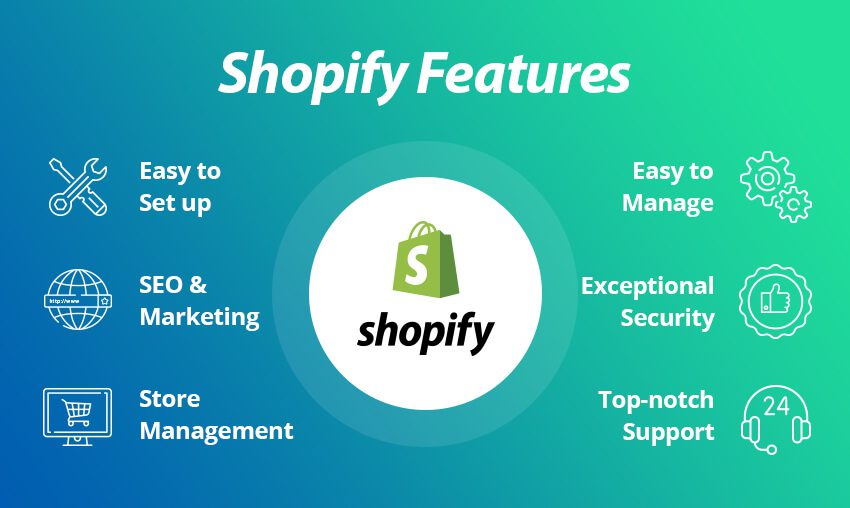
Before delving into the step-by-step setup, let’s explore the key features that make Shopify a leader in the e-commerce industry.
3.1 User-Friendly Dashboard
Shopify’s administration panel is organized to help you quickly navigate essential features:
- Home: Provides a snapshot of store performance (sales, orders, and visitor data).
- Orders: Manage customer orders, track shipping, and handle refunds all in one place.
- Products: Add, edit, or remove products and variants. Organize them into collections for easier navigation.
- Customers: Access buyer information, track purchase history, and manage customer segments.
- Analytics: Review store metrics like conversion rates, average order value (AOV), and traffic sources.
- Marketing: Launch campaigns, track ad performance, and manage promotions.
- Discounts: Create and manage coupon codes, automatic discounts, or special offers.
- Apps: Install third-party integrations from the Shopify App Store.
3.2 Website Builder and Templates
Shopify offers both free and premium themes, many of which are optimized for mobile devices. Each theme can be easily customized via the drag-and-drop editor or, for advanced users, through direct editing of HTML and CSS. This ensures your store reflects your brand identity without having to start from scratch.
Key Highlights
- Responsive Design: Themes automatically adapt to various screen sizes, important for mobile shoppers.
- Customization: Tweak colors, fonts, images, and layouts. Add homepage sections like slideshows, featured collections, or image galleries.
- Theme Store: More than 70 designer-made themes, with additional options from third-party marketplaces.
3.3 Secure Shopping Cart
Shopify is PCI DSS Level 1 compliant. This ensures that all credit card transactions and customer data storage meet the highest security standards. Your customers can check out confidently, which is vital for building trust.
3.4 Multiple Payment Options
Shopify supports a wide range of payment gateways, including:
- Shopify Payments: The default option, which simplifies the checkout process and can help you avoid additional transaction fees.
- PayPal: One of the most recognizable and widely used payment platforms.
- Third-Party Gateways: From Stripe to Authorize.net, you can integrate numerous options to cater to global customers.
- Buy Now, Pay Later (BNPL): Integrations with Klarna, Afterpay, and others let customers pay in installments.
3.5 Multi-Channel Integration
One of Shopify’s strengths is its unified dashboard for managing various sales channels:
- Online Store: Your main website hosted on a custom domain.
- Social Media: Sell directly on Facebook, Instagram, TikTok, and Pinterest.
- Marketplaces: Integrate with Amazon, Etsy, and eBay to broaden your reach.
- POS: Shopify’s Point of Sale system helps integrate in-person and online sales data.
3.6 Shopify App Store
With thousands of apps available, you can add functionalities like:
- Email Marketing (Klaviyo, Omnisend)
- Accounting (QuickBooks, Xero)
- Inventory and Order Management (ShipStation, Stock Sync)
- Customer Loyalty and Rewards (Smile.io)
- Reviews and UGC (Yotpo, Judge.me)
This modular approach means you only pay for extra tools you actually need, keeping costs manageable.
3.7 Abandoned Cart Recovery
Abandoned carts are a huge loss for online retailers. Shopify’s built-in abandoned cart recovery tool automatically sends emails to remind visitors about the items they left in their carts. This feature can significantly boost sales without any extra marketing spend.
3.8 SEO-Friendly Architecture
Shopify offers clean URL structures, meta tag editing, and automatic sitemaps. These features, alongside a speedy hosting environment, lay the groundwork for strong search engine rankings.
3.9 Analytics and Reporting
Data-driven decisions are crucial for growth. Shopify’s analytics include:
- Real-Time Statistics: See who’s on your store and which pages they’re viewing.
- Order and Sales Reports: Break down sales by channel, location, and time frame.
- Product Reports: Identify best-sellers and underperforming items.
- Customer Reports: Gauge repeat purchase rates and lifetime customer value (LCV).
- Marketing Analytics: Measure ROI on campaigns, track traffic sources, and convert data into actionable insights.
3.10 Customer Support and Community
Shopify’s support is available 24/7 via phone, live chat, or email. Additionally, the Shopify Community Forum offers peer-to-peer advice from other merchants and experts. Tutorials, documentation, and webinars further assist you in mastering the platform.
Benefits at a Glance
- Scalability: Works for small startups and large enterprises alike.
- Customization: Vast array of themes and apps cater to diverse business models.
- Security: PCI-compliant for secure transactions.
- Ease of Use: Minimal technical skills needed for basic functionality.
- Powerful Integrations: Connect with leading marketing, analytics, and logistic tools.
- Global Reach: Easily sell across borders with multi-currency and multi-language features.
By focusing on these core advantages, Shopify addresses the three main pillars of e-commerce success: streamlined operations, a polished customer experience, and the flexibility to grow as your brand evolves.
4. Plans and Pricing: Understanding the Value
One key decision when adopting Shopify is selecting the right plan. Pricing is tiered to accommodate businesses at different stages of growth. Let’s break down the primary offerings:
4.1 Shopify Lite
- Cost: $9/month
- Ideal For: Those who want to sell primarily on social media or embed a “Buy” button on an existing website.
- Features: Basic buy button, chat support, discount code creation, and invoicing.
With Shopify Lite, you don’t get a standalone online store, but you can still leverage Shopify’s robust back-end for transactions, product management, and inventory.
4.2 Basic Shopify
- Cost: $29/month
- Ideal For: New businesses or smaller stores with a limited product range.
- Features: Full online store, unlimited products, two staff accounts, discount codes, and more.
Basic Shopify covers all the essentials of running a standard e-commerce site, including the ability to add a custom domain.
4.3 Shopify Plan (Standard)
- Cost: $79/month
- Ideal For: Growing stores looking for more advanced reporting, additional user accounts, and better shipping discounts.
- Features: Includes all Basic Shopify features plus professional reports, five staff accounts, and more comprehensive shipping rate discounts.
For many mid-sized stores, the Standard Shopify plan offers a sweet spot of cost versus features, especially if you’re looking to expand your team.
4.4 Advanced Shopify
- Cost: $299/month
- Ideal For: Larger businesses with higher sales volume, multiple team members, and complex reporting needs.
- Features: All Standard features plus advanced reports, third-party calculated shipping rates, and up to 15 staff accounts.
If real-time carrier shipping and deep analytics matter to you, Advanced Shopify is worth the investment.
4.5 Shopify Plus
- Cost: Starting at $2,000/month (custom pricing)
- Ideal For: High-volume merchants and enterprises needing dedicated resources, custom integrations, and priority support.
- Features: Dedicated account manager, advanced customizations, high-level automation tools, and more. Shopify Plus merchants often enjoy more flexible checkout experiences and can handle massive traffic spikes.
4.6 Transaction Fees and Payment Gateways
Shopify Payments has 0% transaction fees beyond standard credit card processing rates. If you use a third-party gateway (e.g., PayPal, Stripe, etc.), you’ll pay an additional transaction fee ranging from 0.5% to 2%, depending on your plan. Higher-tier plans generally have lower transaction fees, making them more cost-effective for high-revenue stores.
4.7 Evaluating Costs vs. Benefits
Choosing the correct plan involves projecting your average monthly sales and the features you truly need. For instance:
- Basic might suffice if you’re just starting out with a limited budget.
- Standard can help you scale and offers beneficial tools like professional reports.
- Advanced is worthwhile if advanced analytics and real-time shipping rate calculations are crucial.
- Plus is geared towards businesses processing high volume or needing specialized solutions.
Cost-Saving Tips
- Annual Billing: Shopify offers discounts if you pay annually rather than monthly.
- Use Shopify Payments: Avoid extra transaction fees by using Shopify Payments if available in your region.
- Test Apps Before Purchasing: Many apps have a free trial; ensure they deliver ROI before committing.
- Negotiate Shipping: Once you process enough volume, you might be able to negotiate better shipping rates directly with carriers or through third-party logistics providers.
In conclusion, your plan choice should align with both current needs and future aspirations. Starting smaller and upgrading later is a common path, but if you anticipate rapid growth, you may save money and hassle by choosing a higher plan from the start.


5. How to Set Up Your Shopify Store, Step by Step
Word Count: ~1,200
Now that you understand Shopify’s features and plan structures, it’s time for a practical guide. Here’s a step-by-step process to get your store up and running.
5.1 Sign Up for an Account
- Navigate to Shopify.com: Click “Start Free Trial” to begin. You’ll be prompted to enter your email, password, and store name.
- Answer Preliminary Questions: Shopify may ask about your business goals to tailor recommendations.
You’ll land on the admin dashboard, your central command center for building and managing your store.
5.2 Add Products
- Go to “Products”: Click “Add product” to fill in essential details like title, description, and price.
- Media: Upload high-quality images or videos. Clear, attractive media significantly improves conversion rates.
- Organization: Add product types, tags, and collections for easier navigation. For instance, “Winter Collection” could group your coats, hats, and scarves.
- Variants: If your item comes in multiple sizes, colors, or styles, set them up under “Variants.”
SEO Tip: Use descriptive keywords in your product titles and descriptions. For example, instead of “Blue Shirt,” write “Men’s Slim-Fit Blue Cotton Dress Shirt.”
5.3 Configure Settings
5.3.1 General Settings
- Store Name: Make sure it reflects your branding.
- Legal Business Name: If you’re registered, enter the official name for invoicing.
- Contact Details: Provide an up-to-date email and phone number.
5.3.2 Payment Providers
- Shopify Payments: If available in your country, enable it for a streamlined checkout.
- PayPal: Usually auto-linked with the email address you used to register.
- Alternative Providers: Set up Stripe, Authorize.net, or any relevant local gateway.
5.3.3 Shipping and Delivery
- Shipping Zones: Define where you ship and how much you charge. You can create domestic and international zones with different rates.
- Shipping Profiles: For products requiring special shipping (e.g., fragile items), create a separate profile.
- Carrier Calculated Rates: If you’re on Advanced Shopify or higher, enable real-time rates from USPS, FedEx, or UPS.
5.3.4 Taxes
- Automatic Tax Calculation: Shopify can auto-calculate taxes based on your location and customers’ addresses in many regions.
- VAT or GST: If selling internationally, ensure you comply with local regulations.
5.3.5 Legal Pages
- Refund Policy: Clearly state your refund terms to protect both you and your customers.
- Privacy Policy: Required by law in many jurisdictions to disclose data usage.
- Terms of Service: Outline usage rights, disclaimers, and limitations of liability.
5.4 Choose a Theme
- Explore the Theme Store: Browse free and paid themes. Focus on aesthetics, features, and user reviews.
- Preview: Use the “Demo” option to see how a theme might look with a sample catalog.
- Customize: Within the editor, tweak colors, fonts, layout, and sections. Don’t forget to add your logo and brand visuals.
User Experience Tip: Keep your site clean and easy to navigate. Cluttered designs frustrate shoppers and can increase bounce rates.
5.5 Set Up a Domain
- Buy Through Shopify: Purchase a custom domain directly in Shopify for seamless integration.
- Use an Existing Domain: If you already own a domain, you can connect it through your domain registrar’s DNS settings.
- Subdomain vs. Primary Domain: Decide whether you want a subdomain (like “shop.yoursite.com”) or a direct domain (like “www.yourstore.com”).
SEO Tip: Having your own domain (e.g., yourbrand.com) generally appears more professional than a myshopify.com subdomain.
5.6 Payment and Checkout Settings
In “Settings” → “Checkout,” customize:
- Customer Accounts: Decide if you want to make account creation optional or mandatory.
- Additional Scripts: Advanced users can add tracking scripts (e.g., Google Analytics, Facebook Pixel) at this stage.
5.7 Test Your Checkout
Before you go live, do a test transaction:
- Enable Test Mode: If using Shopify Payments, you can simulate a checkout with test credit card numbers.
- Check Order Flow: Verify you receive order confirmations, tax calculations, and shipping charges appear correctly.
- Abandoned Cart Email: Abandon a cart intentionally to ensure the automated email sends correctly.
5.8 Launch Your Store
Once satisfied:
- Remove Password Protection: By default, Shopify stores are password-protected. In “Online Store” → “Preferences,” disable the password for public access.
- Final Checks: Confirm all pages (Home, Products, Contact) display correctly. Review your legal pages, shipping policies, and returns policy.
Pro Tip: Keep track of your store’s speed using tools like Google PageSpeed Insights. Slow load times can hurt SEO and user experience.
5.9 Post-Launch: Essential First Steps
- Connect Analytics: Install Google Analytics 4 and the Facebook Pixel for deeper insights.
- Set Up Email Marketing: Integrate with apps like Klaviyo or Mailchimp to capture leads and automate campaigns.
- Social Media Profiles: Update your social channels with your store URL. Encourage followers to visit and shop.
- Collect Reviews: Use apps like Judge.me or Yotpo to gather and display customer feedback.
By completing these steps diligently, you build a strong foundation for your Shopify store. The goal is to create a seamless experience for customers and to equip yourself with the insights and tools you need to refine your store over time.
6. Choosing and Customizing the Perfect Shopify Theme
Word Count: ~800
Your theme is the face of your brand. A well-chosen design can improve user engagement, highlight your products, and create a memorable customer experience. Here’s how to select and customize a theme that fits your brand’s aesthetic and functional requirements.
6.1 Free vs. Paid Themes
Free Themes: Ideal for beginners on a budget. Often minimalistic, mobile-friendly, and frequently updated by Shopify. Examples include “Debut,” “Brooklyn,” and “Narrative.”
Paid Themes: Ranging from $100 to $350, paid themes generally offer:
- More layout options
- Advanced features like product filters, video headers, or AJAX carts
- Premium customer support from theme developers
6.2 Factors to Consider
- Industry Fit: Look for themes optimized for your niche, such as fashion, electronics, or food and beverage. You can filter themes by industry in the Shopify Theme Store.
- Customization Freedom: Some themes have extensive settings for typography, color schemes, and layout sections. If you need unique design elements, ensure the theme is flexible.
- Performance: Check the theme’s loading speed and performance metrics. Slow themes can deter potential buyers.
- Customer Support: Paid theme developers usually offer dedicated support, which can be invaluable for troubleshooting.
6.3 Customizing Your Theme
- Header and Navigation: Update your logo, tagline, and main menu. Ensure categories and pages are clearly labeled.
- Homepage Layout: Create sections for featured products, bestsellers, or new arrivals. Use eye-catching hero banners to communicate promotions or brand values.
- Color and Fonts: Pick colors that match your brand palette. Ensure text is easily readable.
- Product Page: Showcase high-quality images, user-generated content (reviews or social media posts), and key product details.
- Footer: Include links to FAQs, contact information, social media icons, and newsletter signup forms.
- Responsive Design: Test your customizations on mobile devices and tablets. A large portion of customers shop on mobile, so a responsive layout is critical.
6.4 Utilizing Advanced Theme Customizations
For advanced users or those hiring developers:
- Liquid Templates: Shopify’s templating language allows deeper customization. You can modify layout structure, product loop displays, and more.
- CSS and JavaScript: Add custom styles or interactive elements for a unique experience.
- Third-Party Apps: Some apps let you embed custom code (HTML, CSS, or JavaScript) on specific pages without altering your main theme files.
6.5 A/B Testing Your Design
Continuous improvement is the key to e-commerce success. Conduct A/B tests to compare different homepage banners or product page layouts. Tools like Google Optimize (which can be integrated into Shopify) let you gather data on user engagement, helping you refine your store’s design based on real customer behavior.
Tips for Effective Testing
- Focus on One Variable at a Time: For instance, test your call-to-action button color while keeping other elements static.
- Run Tests for Sufficient Time: Gather enough data to ensure your results are statistically significant.
- Analyze and Iterate: Implement the winning variant and move on to test another element, like a new hero image or product description style.
A visually appealing and user-friendly theme can make a significant difference in your conversion rate and overall brand perception. Balancing aesthetics with performance and navigational simplicity ensures a stellar customer experience, which in turn drives sales and brand loyalty.


7. Essential Shopify Apps and Integrations
Word Count: ~800
Shopify’s modular design allows merchants to install apps from the Shopify App Store, expanding store functionality in everything from marketing to logistics. While it’s tempting to install numerous apps, focus on ones that genuinely enhance your sales funnel and customer experience.
7.1 Must-Have App Categories
- Email Marketing
- Klaviyo: Offers robust segmentation and email automation flows, integrating seamlessly with Shopify.
- Omnisend: Known for multi-channel marketing, including SMS and push notifications.
- Reviews and Social Proof
- Loox: Collects product reviews and displays them in a photo-centric format.
- Yotpo: Comprehensive review platform with additional UGC (User-Generated Content) features.
- Conversion Optimization
- Privy: Pop-ups and email capture forms designed to increase newsletter signups and reduce cart abandonment.
- OptinMonster: Advanced lead generation and exit-intent pop-ups to capture more leads.
- Analytics and Reporting
- Google Analytics (Enhanced E-commerce): Track customer journeys from landing to checkout.
- Plug in SEO: Identifies issues with meta tags, broken links, and more for better SERP performance.
- Shipping and Fulfillment
- ShipStation: Centralized order management and shipping for multiple carriers.
- Easyship: Offers dynamic shipping rates and global fulfillment options.
- Customer Service
- Gorgias: Integrated helpdesk that connects with Shopify orders, allowing quick issue resolution.
- Re:amaze: Multi-channel support, including live chat and social media.
7.2 Dropshipping Integrations
- DSers (previously Oberlo for AliExpress dropshipping)
- Spocket (US/EU suppliers)
- Printful (print-on-demand for apparel, accessories, and more)
By automating order fulfillment, you can focus on marketing and customer acquisition rather than warehousing or shipping logistics.
7.3 Selecting Quality Apps
- Check Reviews: User reviews often provide a clear picture of an app’s reliability and customer support.
- Test Usability: Many apps have free plans or trials. Install them and test thoroughly before committing.
- Performance Impact: Each app loads scripts or styles on your store. Too many apps can slow site speed, so use them sparingly.
- Support: Ensure the app developer offers responsive and helpful support channels.
7.4 Integrating Third-Party Tools
If you run a multi-faceted business, you might need to integrate:
- Accounting Software: QuickBooks, Xero for automated bookkeeping and financial reports.
- CRM: HubSpot or Salesforce to manage leads and customer relationships.
- ERP Systems: NetSuite or SAP for advanced inventory and supply chain management.
These integrations typically require either a native Shopify app or a custom solution via Shopify’s API.
7.5 Balancing App Usage
The right selection of apps can streamline your workflow, boost conversions, and improve customer relationships. However, installing too many apps leads to:
- Higher monthly costs
- Slower site performance
- Potential code conflicts
Regularly audit your apps to ensure they’re delivering measurable benefits. Remove or replace any that no longer serve a crucial function.
By thoughtfully curating your app stack, you’ll build a powerful, efficient, and user-friendly store that provides top-notch experiences—from browsing to checkout to post-purchase support.
8. Managing Payments, Transactions, and Checkout
Word Count: ~800
A smooth checkout experience is essential for conversions. Cart abandonment rates can surge if your store lacks popular payment methods or is cumbersome to navigate. Here’s how to optimize payments and checkout in Shopify.
8.1 Enabling Shopify Payments
Shopify Payments, if available in your country, is the most straightforward solution. Benefits include:
- 0% Transaction Fees: You only pay credit card processing fees.
- Streamlined Setup: Everything is managed within Shopify, eliminating the need for external payment gateways.
- Chargeback Protection: Some regions offer optional chargeback protection for eligible transactions.
8.2 Alternative Payment Methods
- PayPal: Widely recognized, offering buyer protection and quick checkout.
- Credit Cards via Third-Party Gateways: Stripe, Square, and others might provide specialized rates for certain businesses.
- Digital Wallets: Apple Pay, Google Pay, and others offer one-tap checkout experiences, crucial for mobile shoppers.
- Buy Now, Pay Later (BNPL): Affirm, Klarna, Afterpay, etc. These services can boost average order values by allowing customers to pay in installments.
8.3 Checkout Customization
In your Shopify admin, under Settings → Checkout, you can:
- Require/Optional Accounts: Decide if customers must create an account or can checkout as guests.
- Order Notes: Enable a field for gift messages or special requests.
- Upsell Opportunities: Some third-party apps let you offer cross-sells or upsells during checkout.
Best Practice: Keep checkout steps minimal. A one-page checkout or a clear, multi-step checkout can both work, but ensure it’s quick to complete.
8.4 Addressing Fraud and Security
- Fraud Analysis: Shopify’s built-in fraud detection flags high-risk orders, letting you decide whether to proceed, request more info, or cancel.
- PCI Compliance: Shopify automatically handles PCI DSS compliance, reducing your workload.
- Two-Factor Authentication: Protect your admin account with an extra layer of security.
8.5 Handling Refunds and Chargebacks
- Initiate Refunds: From the “Orders” tab, select an order, click “Refund,” and specify the amount to be returned.
- Partial Refunds: If an item is defective or partially returned, you can adjust the refund amount.
- Chargeback Disputes: Provide evidence (tracking info, customer communication) to your payment provider to dispute chargebacks.
8.6 Streamlining the Process
A frictionless checkout reduces abandoned carts. Focus on:
- Auto-Fill Options: Let browsers auto-fill saved addresses and credit card info.
- Clear Shipping Costs: Display shipping fees as early as possible. Surprise costs at checkout lead to abandonments.
- Mobile Optimization: Large buttons, minimal text entry, and easy navigation for smartphone users.
8.7 Post-Purchase Automation
After checkout, keep the momentum going:
- Order Confirmation Emails: Automated via Shopify, but you can customize the template with brand elements and additional marketing (like a referral code).
- Thank You Pages: Some apps let you promote related products or invite customers to join your loyalty program right after they buy.
Payments and checkout might not be the most glamorous aspects of running a store, but they’re among the most critical. By offering diverse payment methods, optimizing the user flow, and ensuring robust security, you provide customers with a seamless shopping experience that builds trust and encourages repeat business.

9. Inventory Management and Dropshipping with Shopify
Word Count: ~1000
When starting an e-commerce store, one of the biggest decisions you’ll make is how to source and manage inventory. Whether you hold your own stock or opt for a dropshipping model, Shopify provides tools and integrations to keep you organized.
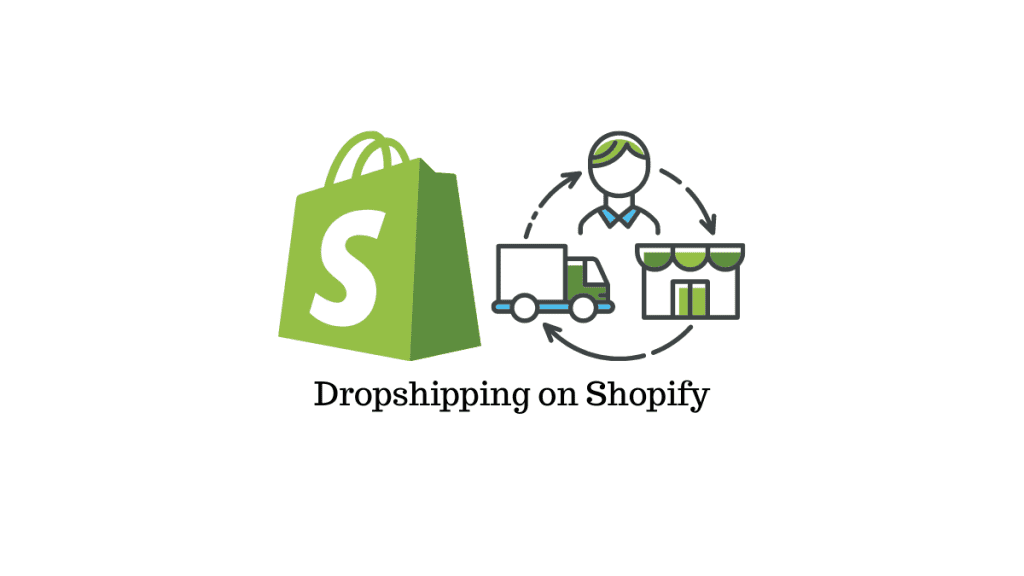
9.1 Traditional Inventory vs. Dropshipping
Traditional Inventory: You purchase items in bulk and store them yourself (or in a warehouse), then fulfill orders manually or via a fulfillment service.
- Pros: Greater control over quality, packaging, and shipping times. Typically higher profit margins (buying in bulk).
- Cons: High upfront costs, the risk of unsold stock, and the complexity of managing storage and shipping logistics.
Dropshipping: You partner with suppliers who produce or stock items and ship them directly to your customers.
- Pros: No upfront inventory costs, minimal risk of leftover stock, and easier to add or remove products.
- Cons: Less control over shipping, potential quality issues, and slimmer margins due to supplier fees or higher product costs.
9.2 Shopify’s Inventory Management Features
- Product Organization: Categorize products into collections, tags, and product types for quick identification.
- SKU Tracking: Assign a unique SKU (Stock Keeping Unit) to each variant and track inventory across multiple locations.
- Low Stock Alerts: Set notifications for when stock reaches a certain threshold.
- Bulk Editing: The bulk editor allows you to update prices, stock levels, and other attributes across multiple products simultaneously.
9.3 Dropshipping with Shopify
For many new entrepreneurs, dropshipping is an attractive option due to its low startup costs. Shopify has specialized integrations to simplify this process.
DSers (Formerly Oberlo)
- Integration with AliExpress: Import products directly from AliExpress suppliers.
- Auto-fulfill: When a customer places an order, DSers sends shipping details to the supplier automatically.
- Price Markups: Adjust prices based on supplier cost to maintain healthy margins.
Spocket
- Local Suppliers: Focus on US and EU suppliers for faster shipping and higher-quality products.
- Branded Invoicing: Some suppliers offer custom packaging and branded invoices.
Print-on-Demand (POD)
If you’re selling custom designs on t-shirts, mugs, or phone cases, POD services like Printful, Printify, or Gooten can be integrated into Shopify. You upload designs, and the service handles printing and shipping once an order is placed.
9.4 Best Practices for Dropshipping
- Supplier Vetting: Check reviews, order samples, and assess shipping times before committing.
- Competitive Analysis: Dropshipping is competitive. Unique branding, better store design, and top-notch customer service help you stand out.
- Clear Shipping Policies: If products ship from overseas, set realistic expectations for delivery times.
- Quality Assurance: Even without handling items directly, maintain strict standards for suppliers. Negative feedback can hurt your store’s reputation.
9.5 Combining Models
Some businesses utilize a hybrid approach, carrying best-selling items in-house for faster shipping while dropshipping slower-moving or specialized products. This offers the benefits of quick fulfillment while reducing overhead on less popular items.
9.6 Automation Tools
Managing high order volumes or diverse product catalogs requires efficient systems. Apps like Stock Sync update inventory counts based on supplier feeds, reducing manual updates. Order management solutions like ShipStation or OrderCup centralize multi-channel orders in one dashboard.
9.7 Avoiding Stockouts and Overstocks
- Regular Audits: Periodically verify that recorded stock levels match the actual items in storage.
- Forecasting: Analyze past sales and seasonal trends to predict future demand. Tools like Inventory Planner can automate this process.
- Just-In-Time (JIT): Work closely with suppliers to restock items as they’re needed, minimizing storage costs.
9.8 Handling Returns and Exchanges
When a product is shipped from a third-party or a distant warehouse, returns can be complicated:
- Clear Return Policy: Specify return addresses and procedures upfront.
- Automation: Some apps handle return labels and restock inventory automatically.
- Customer Communication: Keep buyers informed about the timeline for refunds or replacements.
Proper inventory management and the choice between traditional holding or dropshipping can significantly impact your bottom line, brand reputation, and customer satisfaction. Regardless of the model, leverage Shopify’s built-in tools and the broader ecosystem of apps to streamline your operations, maintain healthy profit margins, and deliver exceptional experiences to your customers.
10. Content Marketing and SEO on Shopify
Word Count: ~1,200
A beautiful store and quality products won’t drive revenue if potential customers can’t find you. Search engine optimization (SEO) and content marketing are essential for attracting organic traffic and building credibility. Shopify offers robust features to help you rank higher in search results and create engaging content.
10.1 Understanding the Shopify SEO Basics
- Clean URLs: Shopify automatically generates SEO-friendly URLs but you can edit them under your product or page settings.
- Meta Titles and Descriptions: Customize meta tags in the “Search engine listing preview” section of each product, collection, and blog post.
- Structured Data: Shopify themes often include basic schema markup. Rich snippets for reviews, product prices, and availability can boost click-through rates.
- SSL Certificate: All Shopify stores come with an SSL certificate, which is crucial for security and SEO (Google favors HTTPS).
10.2 Keyword Research
Before optimizing pages, identify relevant keywords that align with your products and brand values. Tools like Google Keyword Planner, Ahrefs, or SEMrush can guide you in finding high-traffic, low-competition keywords.
- Long-Tail Keywords: “Organic cotton baby romper for newborns” is more targeted than “baby clothes.”
- Buyer Intent: Focus on phrases indicating purchase readiness (e.g., “buy organic baby romper online”).
10.3 On-Page Optimization
- Product Pages:
- Title Tag: Include primary keywords, but keep it under ~60 characters.
- Description: Write a detailed, unique description highlighting features, benefits, and unique selling points.
- Alt Text for Images: Help search engines understand image content (and improve accessibility).
- Collection Pages:
- Collection Title: For example, “Summer Footwear Collection 2025.”
- Introductory Text: Provide an overview of the collection, weaving in relevant keywords.
- Blog Posts:
- Topic Relevance: Write about trends or problem-solving related to your niche.
- Internal Linking: Link to relevant products or other blog posts to encourage deeper site navigation.
- Calls to Action: Convert readers into buyers or subscribers with strategic CTAs.
10.4 Technical SEO Considerations
- Site Speed: Optimize images, minimize app usage, and consider a fast-loading theme.
- Mobile-Friendly: Most Shopify themes are responsive, but test your site across devices.
- Canonical Tags: Avoid duplicate content by using canonical URLs. Shopify typically handles this automatically, but verify in your site code.
- 404 Errors: Set up 301 redirects for any deleted or moved pages to preserve SEO value.
10.5 Building Backlinks
Backlinks from reputable sites signal to Google that your store is authoritative. Strategies include:
- Guest Blogging: Write for industry blogs and link back to relevant product or category pages.
- Influencer Collaborations: Reviews and mentions from influencers can drive direct traffic and help with SEO if they link back to your store.
- PR and Media Coverage: Pitch to media outlets or join relevant podcasts to boost brand visibility and earn high-quality backlinks.
10.6 Content Marketing Tactics
Content marketing goes beyond blog posts. Engage customers with:
- Product Guides: Create detailed buying guides that compare materials, functionalities, and pricing.
- Video Tutorials: Show customers how to use, style, or set up your products. Embed them on product pages or share on social platforms like YouTube.
- Email Newsletters: Send weekly or monthly updates featuring blog posts, product launches, or sales.
- User-Generated Content (UGC): Encourage customers to share images or videos of your products in use. Feature the best submissions in blog posts or on product pages.
10.7 Leveraging Shopify’s Blogging Platform
- Regular Posting: Maintain a consistent schedule. Even one quality post per week can keep your audience engaged.
- Categories and Tags: Organize posts into categories (e.g., “How-to Guides,” “Style Tips,” “Customer Stories”).
- Visuals: Use images, infographics, or short videos to break up text and make articles more engaging.
10.8 Measuring Success
Use analytics to gauge the effectiveness of your SEO and content efforts:
- Google Analytics: Track organic traffic, bounce rates, and conversions from search.
- Google Search Console: Monitor keyword rankings, click-through rates (CTR), and discover any technical issues.
- Shopify Reports: Check which blog posts lead to sales or how certain keywords drive traffic.
Pro Tip: Pay attention to metrics like dwell time (how long someone stays on a page) and scroll depth. These user engagement signals can indirectly influence SEO rankings.
10.9 Ongoing Optimization
SEO is not a one-time task. Search engines continually update algorithms, and user behavior shifts over time. Regularly optimize product listings, update old blog posts, and add fresh content. Monitor competitor strategies to stay ahead and adapt your content plan accordingly.
By combining Shopify’s built-in SEO features with a robust content marketing strategy, you create a powerful engine for attracting and retaining customers. Over time, organic search can become one of your most cost-effective and reliable traffic sources—fueling both brand growth and bottom-line revenue.
11. Email Marketing and Automation
Word Count: ~700
Email marketing remains a high-ROI channel for online businesses. By integrating email campaigns and automation with your Shopify store, you can nurture prospects, re-engage existing customers, and drive repeat sales.
11.1 Building Your Email List
- Pop-ups: Offer a small discount or free shipping in exchange for a newsletter sign-up.
- Checkout Opt-In: Encourage customers to subscribe during checkout for future updates or special offers.
- Lead Magnets: Provide an e-book, style guide, or exclusive tutorial in return for an email address.
11.2 Segmenting Your Audience
An all-in-one approach to email can dilute your message. Segment by:
- Purchase History: Target loyal customers versus one-time buyers.
- Browsing Behavior: Send product recommendations based on viewed items.
- Geographic Location: Offer region-specific deals or shipping information.
- Engagement Level: Identify inactive subscribers and create win-back campaigns.
11.3 Crafting Effective Campaigns
- Welcome Series: A short email series that introduces your brand story, highlights best-sellers, and offers a first-purchase discount.
- Abandoned Cart Emails: Automatic reminders encouraging customers to complete their purchase. Include product images, a checkout link, and an incentive if appropriate.
- Post-Purchase Follow-Up: Solicit feedback, offer product care tips, or suggest complementary items.
- Seasonal Promotions: Tie special offers to holidays, seasons, or relevant cultural events.
- Newsletter: Regular updates about new product launches, blog posts, or brand news.
11.4 Automation Tools
- Shopify Email: Basic email marketing features built directly into your admin panel. Good for simple campaigns.
- Klaviyo: Advanced segmentation and automation flows. Deep Shopify integration for personalized product recommendations.
- Omnisend: Multi-channel automation (SMS, email, push notifications) with visual workflow builders.
- Mailchimp (via third-party integration): Popular for general email marketing, though integration with Shopify is less direct than before.
11.5 Best Practices for Email Design
- Mobile Responsiveness: Majority of email opens happen on mobile devices.
- Clear CTAs: Use prominent buttons or links to guide subscribers toward desired actions.
- Personalization: Insert customer names, recommend items based on past purchases, and tailor subject lines to entice opens.
- Brand Consistency: Reflect your store’s design elements in email templates.
11.6 Avoiding Spam Filters
- Double Opt-In: Confirm new subscribers’ intent to join your list, reducing bounce rates and spam complaints.
- Consistent Sending Schedule: Sporadic sending can be flagged as suspicious. Keep a steady pace.
- Maintain List Hygiene: Remove or re-engage inactive subscribers to boost open rates and sender reputation.
- CAN-SPAM/GDPR Compliance: Include an unsubscribe link, provide clear mailing address info, and follow local regulations for data privacy.
11.7 Tracking Performance
Common metrics include:
- Open Rate: Percentage of subscribers who opened the email.
- Click-Through Rate (CTR): Number of people who clicked on a link or CTA within the email.
- Conversion Rate: Purchases or other desired actions resulting from the email.
- Bounce Rate: Invalid email addresses or technical errors.
- Unsubscribe Rate: Indicators of content relevance and email frequency.
Email marketing thrives on continuous testing. Experiment with subject lines, email layouts, and send times. Use the data from these tests to refine future campaigns. Over time, a well-executed email marketing strategy can serve as a backbone for your retention efforts and become a reliable revenue channel.
12. Leveraging Social Media and Influencer Marketing
Word Count: ~700
Social media platforms play a crucial role in modern e-commerce. By connecting directly with your audience, you can build brand loyalty, showcase products, and spark word-of-mouth recommendations. Shopify’s integrated tools also make it straightforward to sync and manage products on various social channels.
12.1 Major Social Platforms and Strategies
- Facebook:
- Facebook Shop: Integrate your Shopify catalog to let users browse and buy directly on Facebook.
- Page vs. Group: Use a branded Facebook page for announcements and a private group for community engagement.
- Ads: Target lookalike audiences or retarget site visitors to drive conversions.
- Instagram:
- Shoppable Posts: Tag products in images or Reels to link directly to your Shopify store.
- Stories: Showcase behind-the-scenes content, flash sales, or user-generated content to keep followers engaged.
- Influencer Collaborations: Partner with creators who match your brand aesthetic for sponsored posts or giveaways.
- TikTok:
- Short-Form Videos: Present product tutorials, unboxings, or comedic skits.
- TikTok Shopping: Shopify integration lets users buy directly from your TikTok profile.
- Viral Challenges: Engage with or create trending hashtags and challenges relevant to your niche.
- Pinterest:
- Rich Pins: Display real-time product information like pricing and availability.
- Boards: Group products or blog content into themed boards (e.g., “Summer Outfits,” “DIY Home Decor”).
- Lifestyle Imagery: Pinterest users seek inspiration. Showcase how your products fit into various lifestyles.
12.2 Developing a Consistent Brand Voice
Social media is where your brand’s personality can shine. Decide on a tone—friendly, playful, authoritative, etc.—and maintain consistency across platforms. This uniformity helps customers recognize your brand instantly.
12.3 Influencer Marketing
Collaborations with influencers can introduce your products to engaged audiences. Tips for success:
- Choose the Right Influencer: Look beyond follower counts. Engagement rate and content relevance are more important indicators of real influence.
- Negotiate Terms: Clarify deliverables, compensation (flat fee, commission, free products), and usage rights for any content produced.
- Micro vs. Macro Influencers: Micro-influencers (1,000 to 50,000 followers) often have highly engaged, niche communities. Macro-influencers (>100k followers) can offer massive reach but might cost significantly more.
- Disclosure and Authenticity: Ensure compliance with platform regulations and legal guidelines (e.g., FTC in the U.S.). Authentic endorsements resonate more than forced promotions.
12.4 Social Listening and Community Engagement
- Respond Promptly: Answer customer inquiries, thank users for positive mentions, and address complaints publicly before moving them to private channels.
- User-Generated Content: Encourage customers to tag you or use branded hashtags. Repost their content to build social proof and make them feel valued.
- Contests and Giveaways: Excellent for boosting follower counts and engagement. Ensure your rules are transparent and comply with each platform’s guidelines.
12.5 Tracking Social ROI
- UTM Parameters: Add trackable links to your posts so you can see which platforms drive the most sales.
- Platform Insights: Facebook, Instagram, TikTok, and Pinterest all offer built-in analytics. Monitor metrics like engagement, reach, and click-through rates.
- Google Analytics: Use the “Acquisition” report to view traffic and conversions from different social networks.
Social media and influencer marketing can significantly amplify your store’s visibility, but success hinges on genuine engagement. Authentic storytelling, community building, and strategic collaborations create a positive feedback loop—leading to ongoing brand awareness, loyalty, and sales growth.
13. Advanced Marketing Tactics (Paid Advertising, Upsells, and More)
Word Count: ~900
Once your store is set up and you’ve explored organic marketing channels, it might be time to invest in paid advertising or advanced promotional strategies. Below are methods to accelerate growth and increase average order values.
13.1 Paid Advertising Platforms
- Google Ads:
- Search Campaigns: Target keywords related to your products to capture high-intent buyers.
- Shopping Ads: Visual product listings showing prices and images directly in search results.
- Remarketing: Show tailored ads to users who visited your site but didn’t purchase.
- Facebook and Instagram Ads:
- Lookalike Audiences: Base your campaign on your existing customers to find similar prospects.
- Carousel and Collection Ads: Showcase multiple products within a single ad unit.
- Video Ads: Engage potential customers with short, visually appealing storytelling.
- TikTok Ads:
- In-Feed Ads: Play between user content, typically 9-15 seconds long.
- Branded Hashtag Challenges: Encourage user participation, increasing brand visibility.
- Spark Ads: Amplify organic content from your own profile or user-generated posts.
- Pinterest Ads:
- Promoted Pins: Target audiences based on interests, keywords, or demographics.
- Shopping Ads: Present product pins for direct buying opportunities.
13.2 Upselling and Cross-Selling
Upselling: Encourage customers to buy a higher-priced version of the product they’re viewing. For instance, if they’re looking at a 32 GB phone, showcase a 64 GB model.
Cross-Selling: Suggest complementary products. If they’re buying a laptop, offer a protective case, mouse, or laptop stand.
Shopify apps like Bold Upsell or ReConvert can automate these offers based on cart content or user behavior.
13.3 Loyalty Programs and Referrals
- Points-Based Rewards: Award points for each purchase, social share, or review. Let customers redeem these points for discounts or free products.
- VIP Tiers: Offer perks (exclusive products, early sale access) to top-spending customers.
- Referral Programs: Incentivize existing customers to recommend your store. Tools like ReferralCandy or Smile.io handle tracking and rewards.
13.4 Bundling and Volume Discounts
Encourage larger purchases by bundling related items at a discounted price. For example, “Starter Kit” bundles often outperform individual product sales. Volume discounts (e.g., “Buy 2, Get 1 Free”) also attract bargain hunters and increase average order value.
13.5 Seasonal and Flash Sales
- Black Friday/Cyber Monday: Prepare special landing pages, marketing materials, and upsell offers to maximize this peak shopping period.
- Holiday-Specific Promotions: From Valentine’s Day to back-to-school sales, tap into seasonal buying habits.
- Limited-Time Offers: Generate urgency with countdown timers and “last chance” messaging.
13.6 Retargeting and Email Remarketing
Bring back browsers who left without purchasing:
- Dynamic Retargeting Ads: Show them the exact product they viewed.
- Abandoned Cart Emails: Offer incentives like free shipping or a discount code to nudge completion.
13.7 Influencer and Affiliate Programs
While we covered influencer marketing in a prior section, setting up an affiliate program lets satisfied customers or professional affiliates earn a commission for promoting your products. This performance-based model reduces upfront marketing costs.
- Refersion or LeadDyno: Popular apps for affiliate management within Shopify.
- Commission Tiers: Offer higher percentages to top performers.
13.8 Using Analytics to Refine
Advanced marketing strategies need data-driven adjustments:
- A/B Testing: Run tests on ad creatives, landing pages, or email subject lines.
- Attribution Models: Understand which channels contribute to conversions. Use Google Analytics or marketing automation tools for multi-touch attribution.
- ROAS (Return on Ad Spend): Monitor each campaign closely. Scale up what works and cut back on underperforming ads.
By strategically mixing paid advertising, upsells, loyalty schemes, and other advanced tactics, you’ll accelerate your store’s revenue growth and profitability. Success in advanced marketing requires constant experimentation, careful budgeting, and a keen eye on analytics. As you refine your approach, these tactics can form the backbone of a sustainable and thriving e-commerce enterprise.
14. Analyzing Sales Data and Store Analytics
Word Count: ~600
To optimize your Shopify store over time, you need reliable data on customer behavior, traffic sources, and conversion funnels. Fortunately, Shopify’s native analytics and third-party tools provide ample insights.
14.1 Shopify Analytics
Within the Shopify admin, you’ll find:
- Overview Dashboard: High-level metrics (total sales, average order value, online store sessions).
- Reports: Breakdowns by sales over time, product analytics (units sold, sales by SKU), and customer segmentation.
- Live View: Real-time data on current visitors, their locations, and active carts.
14.2 Google Analytics and GA4
Integrating Google Analytics offers deeper insights:
- Behavior Flow: Visualize how users navigate from landing page to exit.
- E-commerce Tracking: Track product performance, cart additions, checkout behavior, and refunds.
- Audience Insights: Demographics, interests, and geo-locations to refine targeting.
Tip: Use Google Tag Manager to manage multiple tracking codes (Facebook Pixel, Google Analytics, etc.) in one place.
14.3 Conversion Funnels
Pinpoint where customers drop off:
- Product Page to Cart: Are product pages detailed enough? Do you have strong CTAs?
- Cart to Checkout: Simplify cart review. Provide multiple payment options.
- Checkout to Purchase: Eliminate unnecessary fields. Offer guest checkout if possible.
14.4 Customer Lifetime Value (CLV)
CLV estimates the total net profit from a customer over the duration of their relationship with your brand. Focus on upselling and retention strategies to boost CLV, as retaining existing customers is often cheaper than acquiring new ones.
14.5 Segmentation and Personas
Analyze which products are popular among different demographic segments. Tailor marketing messages and promotions to these unique groups. Over time, refine buyer personas (e.g., “Budget Shoppers,” “Eco-Conscious Parents,” “Tech Enthusiasts”) to create more personalized campaigns.
14.6 Data-Driven Decision Making
Consistently review key performance indicators:
- Conversion Rate: Percentage of visitors who complete a purchase.
- Average Order Value (AOV): Total revenue divided by the number of orders.
- Customer Acquisition Cost (CAC): Costs spent on marketing and advertising divided by the number of new customers gained.
- Return on Ad Spend (ROAS): Revenue earned per dollar spent on ads.
Actionable Insight: If CAC is too high, find ways to optimize your ad targeting or look into organic channels. If AOV is low, implement bundling or upsell offers.
14.7 Continuous Improvement
Data analysis is an iterative process. Combine quantitative data (metrics, reports) with qualitative feedback (customer reviews, surveys) to uncover hidden insights. By adjusting strategies based on real-world performance metrics, you’ll keep your Shopify store aligned with market demands and consumer expectations.
15. Scaling Your Business with Shopify Plus
Word Count: ~600
For high-growth brands generating substantial revenue, Shopify Plus offers advanced features, dedicated support, and the capacity to handle thousands of transactions per minute. If you’re aiming to expand internationally or streamline complex operations, Shopify Plus may be worth the investment.
15.1 Key Advantages of Shopify Plus
- Dedicated Merchant Success Manager: Personalized guidance for optimization, expansion, and integration.
- Enhanced APIs: More extensive API resources for integrating with custom apps, ERP systems, and third-party logistics (3PL) providers.
- Launchpad: Automate flash sales, product releases, and theme changes at scheduled times.
- Script Editor: Customize checkout logic. For instance, apply automatic discounts or specialized shipping rules for VIP customers.
- Multiple Storefronts: Operate several international sites, each with localized currencies and languages.
15.2 When to Upgrade
Common triggers for upgrading include:
- Annual Revenue: Typically above $1-2 million.
- Complex Integrations: Need for a fully integrated ERP, advanced inventory management, or custom checkouts.
- International Expansion: Managing multiple currencies, languages, and shipping logistics across regions.
- Frequent High-Traffic Events: Seasonal spikes, flash sales, or viral campaigns requiring robust server performance.
15.3 Migrating to Shopify Plus
If you’re on a lower-tier plan (e.g., Advanced Shopify), migrating to Plus usually involves:
- Planning: Evaluate existing apps, storefronts, and custom code for compatibility.
- Implementation: Coordinate with the Shopify Plus team and possibly a Shopify Expert or agency.
- Testing: Conduct thorough tests of integrations, payment gateways, and multi-store management tools.
- Launch: Switch over during a low-traffic period to minimize potential disruption.
15.4 Cost-Benefit Analysis
Shopify Plus starts around $2,000 per month, which can be high for smaller businesses. However, the platform can save costs in other areas:
- Lower Transaction Fees: If you process a large number of orders, even a small decrease in fees can offset monthly costs.
- Custom Development: The robust API and Script Editor let you build unique customer experiences without an external e-commerce platform.
15.5 Alternative Enterprise Platforms
Before committing to Shopify Plus, compare it with other enterprise-level solutions like BigCommerce Enterprise or Magento Commerce. Factors to consider include:
- Hosting and Security: Shopify Plus is fully hosted, while Magento might require separate hosting.
- Customization: Evaluate how open each platform is to custom features.
- Long-Term Maintenance: Determine ongoing development and technical support needs.
For brands poised for rapid expansion and complex operational needs, Shopify Plus can deliver a scalable, customizable solution to handle global sales and heavy traffic. The move to Plus signifies a new phase in your e-commerce journey, ensuring your store infrastructure can support ambitious growth goals.

16. Shopify Success Stories and Case Studies
Word Count: ~800
Nothing inspires confidence like hearing success stories from real brands that have leveraged Shopify to grow exponentially. Below are a few notable examples:
16.1 Gymshark
- Industry: Athletic Apparel
- Growth Story: Started by a young entrepreneur in the UK, Gymshark rapidly grew into a global brand, thanks partly to influencer marketing on Instagram and YouTube. The brand leveraged Shopify’s robust platform and integrated payment solutions to handle massive traffic spikes during product launches.
16.2 Kylie Cosmetics
- Industry: Beauty
- Milestone: Generated millions in revenue within minutes of launching new product lines.
- Shopify’s Role: Handled huge surges in traffic. Shopify Plus offered custom checkout experiences and seamless international shipping integrations.
16.3 Bombas
- Industry: Socks and Apparel
- Social Impact: For every item purchased, they donate to homeless shelters.
- E-Commerce Strategy: A robust mix of content marketing and targeted Facebook ads. Their user-friendly Shopify store and subscription model streamlined repeat purchases.
16.4 MVMT Watches
- Industry: Watches and Accessories
- Approach: Leveraged social media ads to target millennials, highlighting style and affordability.
- Scale: Sold over 600,000 watches in 160+ countries. Later acquired by Movado Group.
16.5 Lessons Learned
- Brand Differentiation: Unique brand identity and story resonate more than generic offerings.
- Influencer Collaborations: Tapping into influencer audiences can propel rapid growth.
- Scalability: Shopify’s architecture can handle sudden traffic bursts during flash sales or viral campaigns.
- Customer Experience: Streamlined sites, mobile optimization, and easy checkouts encourage repeat purchases.
While these are high-profile examples, thousands of smaller merchants also find success on Shopify every day. Learn from their journeys—focus on storytelling, customer engagement, and robust marketing. Shopify’s features support scaling, whether you’re selling 10 orders a week or 10,000 orders an hour.
17. Common Pitfalls and How to Avoid Them
Word Count: ~700
Launching a Shopify store is straightforward, but sustaining growth requires vigilance. Let’s look at frequent mistakes and strategies to overcome them.
17.1 Inadequate Market Research
- Pitfall: Selling products without understanding target demographics or existing competition.
- Solution: Conduct thorough research using tools like Google Trends, competitor analysis, and customer surveys.
17.2 Overreliance on Paid Ads
- Pitfall: Pouring too much budget into Facebook or Google Ads without building brand equity or organic presence.
- Solution: Diversify marketing efforts. Combine organic search, social media marketing, and email campaigns for a balanced approach.
17.3 Poor Website Navigation
- Pitfall: Cluttered menus, missing search functionality, or confusing category structures.
- Solution: Use descriptive category names, add a prominent search bar, and conduct user testing to spot navigation pain points.
17.4 Neglecting Mobile Optimization
- Pitfall: Assumption that desktop layouts automatically work on mobile. This leads to formatting errors, slow load times, or broken links on smartphones.
- Solution: Choose a responsive theme, compress images, and conduct mobile-specific performance tests regularly.
17.5 Ignoring Customer Service
- Pitfall: Slow responses to inquiries, unclear return policies, or no live chat feature. This erodes trust.
- Solution: Offer 24/7 support channels if possible (chat, email, phone). Maintain transparent policies and promptly address complaints.
17.6 Failure to Track KPIs
- Pitfall: Making decisions based on guesswork rather than data.
- Solution: Set up Google Analytics, Shopify reports, and other tracking tools. Monitor conversion rates, average order value, and customer acquisition costs regularly.
17.7 Adding Too Many Apps
- Pitfall: Installing numerous apps can bloat your site and slow loading speed, hurting user experience and SEO.
- Solution: Periodically audit app usage. Remove or replace any that aren’t providing measurable ROI or synergy with your business goals.
17.8 Underestimating Inventory Complexity
- Pitfall: Over-selling products, leading to backorders or shipping delays.
- Solution: Use Shopify’s inventory tracking system or integrate with advanced warehouse management software. Automate stock updates to avoid miscounts.
17.9 Overlooking Shipping Costs
- Pitfall: Surprising customers at checkout with high shipping fees, causing cart abandonment.
- Solution: Offer transparent shipping rates or consider free shipping over a certain order value. Use real-time carrier calculations when possible.
17.10 Inconsistent Branding
- Pitfall: Using mismatched visuals, color schemes, or messaging across product images, ads, and social media.
- Solution: Develop a brand style guide outlining color palettes, fonts, and brand voice. Apply it consistently.
Avoiding these pitfalls not only saves time and money but also sets the stage for a stronger, more resilient brand presence. By proactively addressing common issues, you’ll maintain a smooth-running store that resonates with customers and fosters lasting loyalty.
18. Customer Service and Retention Strategies
Word Count: ~700
Retaining customers is more cost-effective than constantly acquiring new ones. A strong retention strategy—centered on outstanding customer service—can generate repeat purchases, positive word-of-mouth, and brand advocacy.
18.1 Multi-Channel Support
- Live Chat: Respond in real-time to pre-purchase inquiries. Tools like Gorgias or Re:amaze integrate with Shopify.
- Email Support: Standard for less urgent issues. Ensure a 24- to 48-hour turnaround time.
- Phone Support: Provides a personal touch. Recommended for high-priced or complex products.
- Social Media: Monitor mentions and direct messages. Rapidly address public complaints or questions.
18.2 Personalization and CRM
Keep detailed notes on customer interactions and order history. This data allows for:
- Customized Recommendations: Suggest relevant products or promotions.
- Preferred Communication Channels: Some customers might prefer email, others might favor chat or phone.
- Loyalty Program Integration: Track points or rewards seamlessly across support channels.
18.3 Returns and Exchanges
Make returns simple to encourage trial purchases and reduce dissatisfaction:
- Clear Policy: Outline acceptable reasons, time frames, and any restocking fees.
- Pre-Printed Labels: Offer hassle-free return labels. This small convenience goes a long way in fostering trust.
- Exchanges: Incentivize exchanges instead of outright returns. Offer free shipping or store credit bonuses.
18.4 Post-Purchase Engagement
- Thank You Emails: Express appreciation, provide useful tips, or suggest complementary products.
- Feedback Requests: Encourage customers to share reviews or testimonials. Use these insights to refine products or services.
- Anniversary and Milestone Offers: Send discounts on the anniversary of their first purchase or after a certain number of orders.
18.5 Loyalty Programs
Reward repeat buyers with:
- Points for Purchases: Exchangeable for discounts or freebies.
- Tiered Benefits: Exclusive perks for top spenders or frequent shoppers.
- Referral Bonuses: Motivate existing customers to recruit friends or family.
18.6 Community Building
Foster a sense of belonging:
- User Groups or Forums: Enable customers to share tips, reviews, and experiences.
- Live Webinars or Q&A Sessions: Provide insights into product usage, industry trends, or new features.
- Social Media Challenges: Encourage UGC (user-generated content) and peer interaction.
18.7 Measuring Retention Success
Track customer service metrics and retention KPIs:
- First Response Time: Average time to respond to a support query.
- Resolution Time: Duration from initial contact to issue resolution.
- Repeat Purchase Rate: Percentage of customers who’ve made multiple purchases.
- Net Promoter Score (NPS): Measures customer satisfaction and likelihood of recommending your brand.
By centering your e-commerce strategy around stellar customer service and retention, you transform one-time buyers into loyal advocates. This long-term relationship boosts revenue and can create a powerful moat against competitors in an increasingly crowded marketplace.
19. International Expansion and Localization
Word Count: ~800
The internet allows even small brands to reach customers around the globe. Shopify has built-in tools to simplify cross-border selling and create localized experiences, ensuring you connect with international audiences effectively.
19.1 Multi-Currency Support
- Shopify Payments: Automatically display prices in the visitor’s local currency. Customers see estimated conversions based on real-time rates.
- Rounding Rules: Tweak how final prices appear (e.g., rounding $19.32 to $19.99) to maintain consistent pricing aesthetics.
- Payment Gateways: Verify if your chosen gateway supports multi-currency transactions.
19.2 Multi-Language Stores
- Shopify Markets: Lets you set up multiple languages and currency options within a single store.
- Third-Party Translation Apps: Tools like Weglot or Langify can auto-translate store content or let you manually fine-tune translations.
- Localized Domain Extensions: For high-value markets, you may opt for domain ccTLDs (e.g., .co.uk, .de, .fr) to enhance local trust.
19.3 Shipping and Fulfillment
Global shipping can be complicated:
- Carrier Calculated Shipping: Offer accurate quotes from DHL, UPS, FedEx, or local carriers.
- Duties and Taxes: Display or collect these costs at checkout to avoid surprises on delivery. Shopify’s cross-border tools can calculate these in advance for some regions.
- Fulfillment Centers: Partner with 3PL services that have international warehouses. Store inventory closer to customers to reduce shipping times and costs.
19.4 Localization Beyond Language
- Cultural Preferences: Adapt product selection, marketing visuals, and promotional calendars for local holidays and cultural nuances.
- Pricing Strategy: Adjust prices to reflect local purchasing power, tax structures, and competition.
- Customer Support: Provide support channels in the local language if you have significant customer volume from that region.
19.5 Legal and Compliance
- Regulations: Understand local e-commerce laws, VAT rules (in the EU, for example), or GST requirements (in countries like Australia, Canada).
- Privacy and Data Protection: Comply with GDPR in Europe or other regional data protection laws.
- Returns Policy: Clarify international return or exchange rules and shipping costs.
19.6 Payment Preferences
Different regions have specific preferences:
- Bank Transfers: Popular in some parts of Europe.
- Cash on Delivery: More common in certain Asian markets.
- Digital Wallets: Alipay or WeChat Pay in China, Paytm in India, etc.
Offering local payment methods can drastically improve conversion rates in new markets.
19.7 Market Testing
Before fully committing:
- Pilot Launch: Translate essential pages and offer limited products to gauge demand.
- Analytics: Evaluate key metrics like site traffic, conversion rate, and average order value in the new market.
- Scale or Pivot: If results are promising, expand product lines or local marketing efforts. If not, reassess or test a different region.
Going international can open vast growth opportunities, but success requires a strategic approach—localizing language, currency, marketing campaigns, and even product lines. Shopify’s platform simplifies many aspects of global e-commerce, letting you focus on delivering a personalized experience to customers worldwide.
20. Future of E-Commerce and Shopify’s Role
Word Count: ~600
E-commerce continues to evolve rapidly. Emerging technologies, shifting consumer behaviors, and new business models are reshaping online retail. Shopify remains at the forefront, adapting its platform to meet new demands and trends.
20.1 Emerging Trends
- Augmented Reality (AR): Enabling “try before you buy” experiences for fashion, furniture, or cosmetics. Expect more Shopify themes and apps to embrace AR capabilities.
- Voice Commerce: Growing usage of virtual assistants (Alexa, Google Assistant) could lead to voice-enabled Shopify stores.
- AI-Driven Personalization: Machine learning algorithms will enhance product recommendations, dynamic pricing, and predictive inventory management.
- Sustainable and Ethical Sourcing: Consumers increasingly care about eco-friendly production, fair labor practices, and transparent supply chains.
20.2 Shopify’s Investment in Innovation
- Shopify Fulfillment Network: Aims to offer fast, reliable shipping infrastructure comparable to Amazon’s.
- Headless Commerce: Allows merchants to decouple the front-end and back-end for highly customized brand experiences.
- International Expansion: Ongoing improvements in multi-currency, multi-language, and cross-border logistics to simplify global selling.
20.3 Adapt or Fall Behind
Online retail is competitive. Brands that embrace new technologies, adopt data-driven strategies, and continually refine user experiences will outpace those that remain static. Shopify’s ecosystem offers the flexibility and tools to keep pace with evolving consumer demands.
20.4 Continuous Learning and Networking
Stay up-to-date by following:
- Shopify Podcasts and Webinars: Insights from Shopify experts and fellow merchants.
- Trade Shows and Conferences: E-commerce Expo, IRX, or Shopify Unite for networking and trend-spotting.
- Industry Blogs: Keep tabs on e-commerce media outlets for the latest developments and case studies.
20.5 The Bottom Line
The future of e-commerce is bright and largely driven by consumer demand for convenience, personalization, and social engagement. Shopify continues to lead by delivering the infrastructure merchants need to innovate and compete globally. As you scale your store, remain agile and open to experimentation—new opportunities emerge regularly in this fast-paced digital landscape.
21. Conclusion and Next Steps
Word Count: ~500+
You’ve just explored a comprehensive guide to building and growing an online store with Shopify. From basic setup and theme selection to advanced marketing and international expansion, each step you take sets the foundation for a successful e-commerce venture.
Key Takeaways
- Platform Strengths: Shopify offers an intuitive interface, robust security, and a vast ecosystem of apps that cater to diverse business needs.
- Customization and Scalability: Whether you’re selling a single product or launching a global brand, Shopify’s plans and features adapt to your growth trajectory.
- Data-Driven Growth: Use built-in analytics and third-party tools to understand customer behavior, refine marketing efforts, and improve ROI.
- Customer-Centric Approach: Focus on excellent service, transparent policies, and continuous engagement to foster loyalty and repeat purchases.
- Global Opportunities: With Shopify’s localization tools and multi-currency support, reaching international audiences is more accessible than ever.
Action Steps
- Start Your Free Trial: If you haven’t already, sign up for a free trial at Shopify.com to get hands-on experience.
- Plan Your Marketing Strategy: Outline a mix of content marketing, SEO, social media, and potentially paid ads.
- Optimize for Mobile: Ensure your theme, checkout, and loading speeds are mobile-friendly.
- Leverage Apps Wisely: Start with essential functionality (SEO, reviews, email marketing) and add more based on ROI and genuine need.
- Measure, Learn, Repeat: Continually review performance metrics and iterate. Adapt to market changes, customer feedback, and new platform features.
Ongoing Education
- Shopify Compass: Offers free webinars and tutorials on store design, marketing, and more.
- Official Shopify Blog: Regular updates on platform changes, success stories, and best practices.
- Community Forums: Engage with fellow merchants, share experiences, and get problem-solving tips.
Finally, remember that e-commerce success is a journey. Even the most profitable stores continually adapt their product offerings, marketing techniques, and customer engagement strategies. With Shopify as your partner, you’re equipped with the tools, support, and innovative features needed to navigate the dynamic world of online retail.
Your e-commerce empire awaits—go forth and build it with Shopify!