Exploring the digital world means keeping an eye out for dangers. As we go through the year, website owners need to stay ahead of threats. They must protect their online space from bad actors.
Knowing the latest threats is key to defending your site. By staying up-to-date, you can protect your users’ data and keep your brand strong.
This guide covers the biggest security issues for WordPress sites today. We offer simple, effective ways to fix these problems before they cause trouble. Taking charge of your online space is more important than ever for success.
Key Takeaways
- Prioritize regular software updates to close known entry points.
- Audit third-party plugins to ensure they meet modern safety standards.
- Implement strong authentication protocols for all administrative accounts.
- Monitor site traffic patterns to detect automated hacking attempts early.
- Maintain frequent off-site backups to ensure rapid recovery during incidents.
Introduction to WordPress Security in 2026
In 2026, cybercriminals are getting smarter. They use advanced tools to scan websites for weaknesses. In 2024, WordPress faced almost 8,000 new security threats, about 22 a day.
With the digital world changing fast, site owners must keep up. Old ways of protecting sites are not enough. It’s now key to apply a WordPress Security Patch to keep your site safe.
Types of Cyber Threats
Today’s threats often come from bots that never stop. These bots look for weak spots in software or server settings. Knowing these common threats is the first step to a strong defense.
- Automated Bot Scans: Bots search the web for known weaknesses in themes and plugins.
- AI-Driven Exploits: Attackers use AI to find code patterns that could lead to a breach.
- Credential Stuffing: Tools test many stolen passwords to get into sites without permission.
Importance of Regular Updates
Regular updates are the best way to fight off these attacks. When a WordPress Security Patch is released, it fixes a known problem. Not updating leaves your site open to attacks.
Keeping your software up to date protects your site from new threats. By doing this, you make your site a safer place for visitors. A secure site is one that visitors can trust.
Common Threats to WordPress Websites
Building a secure site starts with knowing the common attacks. A detailed WordPress Vulnerability List helps protect your online space from harm.
Types of Cyber Threats
Most security problems come from outside the core software. Third-party plugins are often the source of new vulnerabilities, making up about 96 percent.
Attackers look for outdated or weak plugins to get into your database. They might inject bad scripts or send visitors to dangerous sites. Knowing these tactics helps keep your site safe.
Importance of Regular Updates
Keeping your software up to date is the best defense. Developers regularly release fixes for new WordPress Vulnerability List issues. This keeps your site safe from known threats.
Waiting too long to update leaves your site open to attacks. Consistency is key for lasting security. Automating updates closes the gap hackers use to get in.
Vulnerability 1: Outdated Plugins and Themes
Ignoring your plugins and themes is like leaving your front door open. In 2025, over 14,000 WordPress sites faced security issues due to weak passwords and outdated software. These are common entry points for hackers. To stay safe, it’s key to regularly update your site with Web Security Measures.
Identifying Vulnerable Plugins
Wondering if your site is at risk? Modern WordPress sites alert you to updates. But, don’t just wait for these alerts. Proactive monitoring is vital for a healthy site.
Look at your dashboard for plugins not updated in over six months. If a plugin is no longer supported, it’s time for a change. Use Web Security Measures like scanners to find outdated code.
Steps to Update Plugins Securely
Updating your site doesn’t have to be hard. By following a clear process, you can keep your site running smoothly. Always perform a full backup before updating.
After backing up, test updates in a staging area if you can. This ensures new versions work with your site. Once everything checks out, update your live site. These simple yet powerful Web Security Measures will keep your WordPress safe.
Vulnerability 2: Weak User Credentials
Your login page is like the front door of your website. Weak passwords leave it open to intruders. Many site owners don’t see the danger of simple passwords. Yet, it’s a main way for hackers to get in. Making sure your access control is strong is key to Cybersecurity for WordPress.
Attackers use automated methods to guess passwords. This can lead to a full site takeover in just minutes. By setting stricter password standards, you lower the chance of unauthorized access.
How to Create Strong Passwords
A strong password is your first defense against hackers. Avoid common words, birthdays, or personal info that’s easy to guess.
To keep your passwords safe, follow these tips:
- Use a minimum of 16 characters, mixing uppercase and lowercase letters.
- Add numbers and special symbols to make it more complex.
- Don’t use the same password for different sites.
- Use a password manager to create and store unique, complex passwords for each account.
Implementing Two-Factor Authentication
Even with a strong password, your account can be at risk if your login details are leaked. Two-factor authentication (2FA) is a must for modern Cybersecurity for WordPress.
2FA adds a second step, like a code sent to your phone. Even if hackers find your password, they can’t get into your dashboard without this extra code.
“Multi-factor authentication is the single most effective way to prevent unauthorized access to your digital assets.”
Most security plugins make it easy to add 2FA to your site. This feature gives you peace of mind and blocks many attacks based on passwords.
Vulnerability 3: Insecure Hosting Environment
Choosing the right host is key to keeping your site safe. Many focus on their site’s content but forget about the server it runs on. Your hosting environment is like the foundation of your website. A weak foundation can ruin even the safest plugins.
Choosing a Secure Hosting Provider
Look for hosts that focus on proactive security, not just fixing problems after they happen. A good host has tools like server firewalls and malware scanners. These tools help stop threats before they hit your site.
Make sure your host keeps your site separate from others. This stops problems on other sites from affecting yours. Also, check if your host updates their servers regularly. This keeps your site safe from known threats.
Understanding Server Security Settings
Automated bots scan the web looking for weak spots in server settings. If your server is too open, these bots can get in and cause trouble. To keep your site safe, disable services you don’t need and limit file access.
Configuring your server right is like having a guard for your data. By limiting what can be accessed and enforcing strict rules, you make it harder for hackers to get in. These steps are important for keeping your site safe long-term.
| Security Feature | Basic Hosting | Managed Secure Hosting |
|---|---|---|
| Server-Level Firewall | Limited | Advanced/Custom |
| Malware Scanning | Manual | Automated/Real-time |
| Account Isolation | No | Yes |
| Security Updates | User-Managed | Fully Automated |
Vulnerability 4: Cross-Site Scripting (XSS)
Even a well-configured server can be tested by sophisticated XSS attacks hidden within plugins. Recently, an A-grade red alert issue was identified in a popular plugin. But the server configuration successfully prevented the exploit from executing. This incident highlights why relying on a single layer of defense is never enough for your website.

What is XSS?
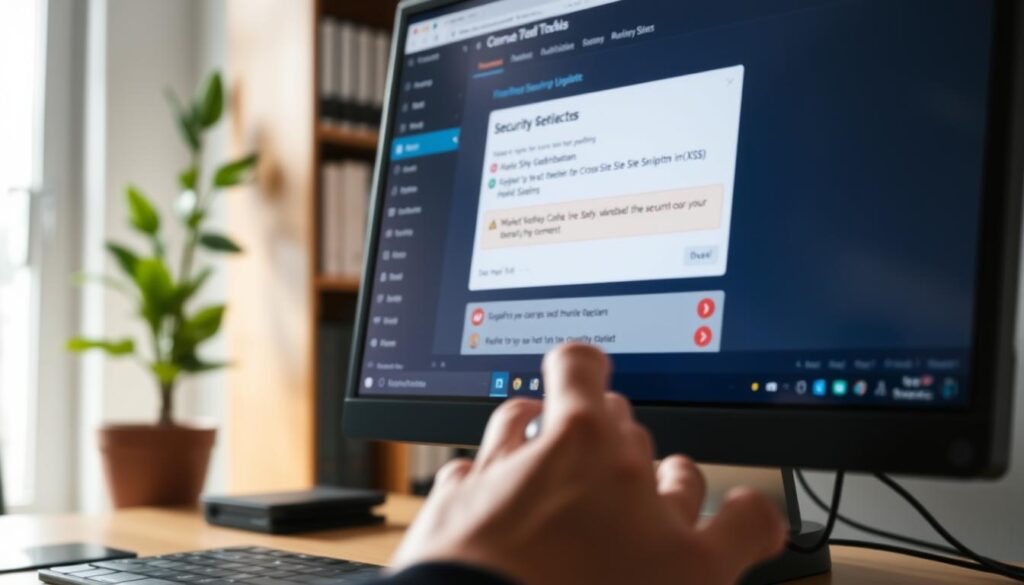
Cross-Site Scripting, commonly known as XSS, occurs when an attacker injects malicious scripts into your website. These scripts then execute in the browsers of your unsuspecting visitors. Because the code appears to come from your trusted domain, the browser often treats it as legitimate content.
The consequences of these attacks can be severe. Attackers may use these scripts to steal sensitive user data, hijack active sessions, or redirect your traffic to malicious websites. It is a silent threat that can damage your reputation and compromise your users’ privacy without you even noticing.
How to Defend Against XSS Attacks
Defending your site requires a proactive approach to maintenance and coding standards. By staying diligent, you can neutralize these threats before they ever reach your audience. Consistent WordPress Security Updates are your first line of defense, as these patches frequently address known XSS vulnerabilities found in themes and plugins.
Beyond updates, you should implement the following best practices to harden your environment:
- Sanitize all user inputs: Never trust data coming from a user or an external source.
- Escape output data: Ensure that any data displayed on your site is properly encoded to prevent browser execution.
- Use a Web Application Firewall (WAF): A WAF acts as a shield, filtering out malicious requests before they hit your server.
- Keep your software current: Regularly apply WordPress Security Updates to ensure all known holes are patched.
By combining these strategies, you create a robust security posture. Remember that WordPress Security Updates are not just optional tasks; they are essential components of a healthy, secure website that protects both you and your visitors.
Vulnerability 5: SQL Injection Flaws
Keeping your database safe from unauthorized access is key for WordPress Data Breach Protection. SQL injection flaws are a big risk for keeping your data safe online.
Understanding SQL Injection
SQL injection happens when someone puts bad code into your website’s fields. This manipulation lets them get info they shouldn’t see.
Once in, they can see, change, or delete your database. This is a big problem, as it often targets places where people enter information, like login forms and search bars.
How to Protect Your Database
To protect your database well, you need to be proactive. Here are some important steps to take:
- Use Prepared Statements: Always use parameterized queries to keep user input safe.
- Validate All Inputs: Don’t trust what users send; clean and check every piece of information.
- Limit Database Privileges: Make sure your database user only has the access it needs.
- Keep Plugins Updated: Update your plugins often to fix security holes.
By making your database harder to hack, you make it safer for your users. Taking these steps now will help keep your online transactions and user data safe.
Vulnerability 6: Insecure File Permissions
If your file permissions are too loose, you’re leaving your digital front door open. Many site owners focus on passwords but ignore the server structure. This structure controls who can read, write, or execute files. Proper configuration is key to WordPress Data Breach Protection and keeps your core files safe.
Importance of Proper File Permissions
Incorrect file permissions can let attackers modify or delete critical system files. If permissions are too broad, a hacker can inject malicious code into your theme or plugin files. Consistency is key when managing these settings to ensure only authorized processes have write access.
“Security is not a product, but a process. By hardening your file system, you create a robust barrier that stops attackers in their tracks.”
Regularly auditing your file structure helps catch unauthorized changes. These changes often go unnoticed during busy periods. Maintaining strict WordPress Data Breach Protection requires minimizing your attack surface. This means restricting access to the minimum required for your site to function.
How to Set the Right Permissions
You can adjust your file permissions using an FTP client like FileZilla or through your hosting provider’s file manager. The goal is to ensure directories are set to 755 and files are set to 644. These settings allow the server to read and execute files while preventing unauthorized users from making dangerous modifications.
| File/Folder Type | Recommended Permission | Access Level |
|---|---|---|
| All Directories | 755 | Owner: Read/Write/Execute |
| All Files | 644 | Owner: Read/Write |
| wp-config.php | 440 or 400 | Owner: Read Only |
Always double-check your wp-config.php file, as it contains sensitive database credentials. Setting this specific file to a read-only state provides an extra layer of security against exploits. By following these standard configurations, you significantly reduce the risk of unauthorized file manipulation on your server.
Vulnerability 7: Talented Attackers with Phishing Tactics
Phishing is a sneaky threat that targets the people behind your website, not the code. Even with strong firewalls, human error can open doors to unauthorized access. To protect your WordPress site, it’s key to teach your team about these sneaky tactics.
Recognizing Phishing Attempts
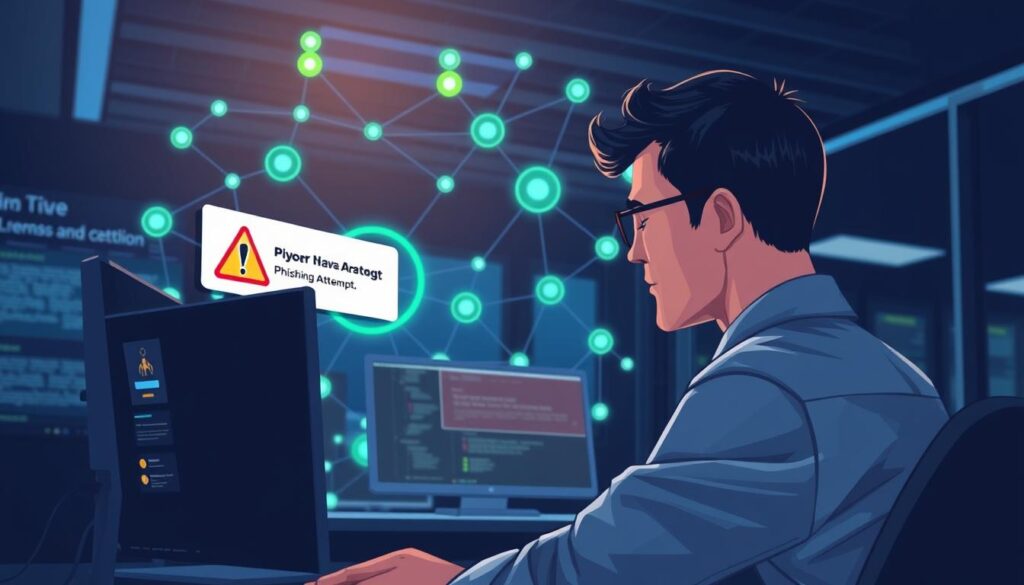
Attackers might pretend to be hosting providers, plugin developers, or even your team members to get your login details. Teach your staff to spot common signs of phishing. Look out for urgent requests for sensitive info, emails that don’t match, and links that seem off.
Always check the URL before clicking on any link in an email. If it looks wrong, like a misspelled domain, it’s probably a trap. Never give out your admin credentials via email, as real services won’t ask for your password that way.
Best Practices to Avoid Phishing
Having clear communication rules is key to keeping things secure. Tell your team to check any odd requests through a different channel, like a direct message or call. This way, you make your team a strong defense against breaches.
Make sure your team gets security awareness training. When they know the risks, they can help protect your site. Use the table below to teach your team how to spot safe vs. dangerous emails.
| Feature | Legitimate Email | Phishing Attempt |
|---|---|---|
| Sender Address | Official company domain | Generic or misspelled domain |
| Call to Action | Directs to official dashboard | Urgent link to login page |
| Tone | Professional and calm | High pressure or threatening |
| Attachments | Expected documents | Unexpected .zip or .exe files |
Vulnerability 8: Denial of Service (DoS) Attacks
Imagine your website suddenly becoming unreachable during your busiest sales period. A Denial of Service (DoS) attack is a malicious attempt to disrupt your server or network. It floods your site with too many requests, causing it to crash and leaving visitors unable to access your content.
Staying proactive is key to keeping your site up and running. Regularly applying WordPress Security Updates helps protect your site against known exploits. This keeps your site safe from attacks that could crash it during busy times.
What is a DoS Attack?
A DoS attack works by using up your server’s computational power or bandwidth. When your server gets too many requests, it slows down or shuts down. This locks out real users who are trying to visit your site or make purchases.
Attackers use botnets to send huge amounts of traffic at once. This makes it hard for servers to tell real users from malicious bots.
Mitigating DoS Threats
The best way to protect your site is with a multi-layered security approach. Cloud-based firewalls, or Web Application Firewalls (WAFs), are great at blocking harmful traffic. They analyze requests in real-time and block suspicious patterns.
When you add WordPress Security Updates to this, you create a strong defense. This keeps your site safe from traffic surges.
| Strategy | Primary Benefit | Implementation Level |
|---|---|---|
| Cloud-based WAF | Filters malicious traffic | High |
| Security Updates | Patches known vulnerabilities | Essential |
| Rate Limiting | Restricts request frequency | Moderate |
| CDN Integration | Distributes traffic load | High |
Early detection is key to keeping your site up. By watching your server logs and using good security tools, you can spot traffic spikes early. This helps keep your site accessible and secure for your visitors.
Vulnerability 9: Lack of Security Plugins
To boost your Cybersecurity for WordPress, consider adding a security plugin. Default settings alone can’t protect your site from today’s threats. These plugins act as a digital shield, watching for suspicious activity and blocking threats.
Essential Security Plugins to Consider
Several top plugins offer strong protection for your website. Wordfence is known for its strong firewall and threat detection. Sucuri is great for scanning and cleaning malware.
iThemes Security is easy to use and offers many features. These plugins help block common threats with automated firewalls and scanners. The right plugin can automate your site’s defense, giving you peace of mind.
How to Configure Security Plugins
After installing a plugin, set it up right to get the most out of it. Enable the web application firewall to block bad traffic. This is key for strong Cybersecurity for WordPress.
Then, schedule regular malware scans to keep your files safe. Set up email alerts for any login attempts or file changes. These steps keep your Cybersecurity for WordPress strong, protecting your data from threats.
Vulnerability 10: Inadequate Backup Solutions
Having a clean, recent copy of your data is key to Website Vulnerability Prevention. Even with top security, unexpected problems can happen. A strong backup plan is your best defense against losing data and downtime.

Importance of Regular Backups
Automated daily backups are crucial for disaster recovery if your site is attacked. Manual backups can lead to mistakes or forgotten schedules. Automated backups keep your data up-to-date without needing constant human help.
Off-site storage is also essential. Keeping backups on the same server as your site is risky. A server failure could wipe out both your site and backups. Storing backups in a separate, secure cloud location is safer.
Best Backup Plugins and Methods
Having a reliable backup system is vital for Website Vulnerability Prevention. Look for tools that automate scheduling and make restoring easy. UpdraftPlus or BlogVault are good choices for their ease of use and cloud integration.
To keep your site safe, follow these best practices:
- Schedule daily automated backups to avoid losing more than 24 hours of work.
- Store your backup files in off-site locations like Amazon S3, Google Drive, or Dropbox.
- Regularly test your restoration process in a staging environment to check for corruption.
- Keep at least three versions of your backups to prevent overwriting infected files.
A backup is only useful if you can restore it fast. Treating your backup strategy as a proactive part of Website Vulnerability Prevention helps your business recover quickly from security issues.
Importance of Regular Security Audits
Regular security audits are key to keeping your WordPress site safe. Security is not a one-time job but a continuous process. It means always watching your site for threats.
By doing these checks, you can find and fix a WordPress Security Patch before hackers can use it.
The digital world changes fast, with new threats popping up every week. In February 2026, there were 244 new vulnerabilities, with 80 not yet fixed. It’s vital to stay ahead of these threats to avoid big security problems.
How to Conduct a Security Audit
Doing an audit doesn’t have to be hard. First, check who has access to your site. Make sure only people you trust can manage it. Then, update your themes and plugins to the latest versions.
Also, check your file permissions and database settings for anything odd. A careful check ensures you catch all issues. Consistency is key for a secure online space.
Tools for Security Audits
The right tools make audits quicker and more precise. Automated scanners can scan your site fast to find outdated parts and mistakes. They give you a clear report, helping you know which WordPress Security Patch to fix first.
Here are some tools to help you:
- Vulnerability Scanners: Tools that compare your plugin versions against known databases.
- File Integrity Monitors: Systems that alert you if core files are modified without your permission.
- Log Analyzers: Software that tracks suspicious login attempts or unusual traffic patterns.
Conclusion: Strengthening Your WordPress Security
Protecting your WordPress site in 2026 needs constant watchfulness, automation, and the best security tools. Sticking to these habits builds a strong defense against new cyber threats.
By following the Web Security Measures in this guide, you can lower your risk of being hacked a lot. These steps make your website a tough target for bad actors.
Core Principles for Site Safety
Turning on auto-updates is a key habit that keeps your site safe from known threats. This simple step keeps your core files, themes, and plugins updated against vulnerabilities.
Regular monitoring helps you catch unusual activity early, before it turns into a big breach. Using trusted tools like Wordfence or Sucuri adds extra protection for your data.
Commitment to Ongoing Protection
Stay ahead by keeping your software up to date and focusing on your digital security. Regular maintenance stops small issues from becoming big problems for attackers.
Start using these Web Security Measures today to make your site safer for visitors. Your commitment to keeping your site safe builds trust and helps your online platform succeed in a tough digital world.