Running a small business means wearing multiple hats and stretching limited resources. What if you could clone yourself or add team members without increasing payroll? That’s exactly what AI tools for small business can help you achieve. These powerful technologies can automate repetitive tasks, provide valuable insights, and help you compete with larger companies—all while keeping costs manageable.
In this comprehensive guide, we’ll explore how artificial intelligence can transform your small business operations, highlight the most effective and affordable AI tools across key business functions, and show you how to implement them without needing a technical background or massive budget.
Table of Contents:
How AI Tools Can Benefit Small Businesses
Before diving into specific tools, let’s understand why AI has become a game-changer for small businesses:
Cost Efficiency
AI tools can handle tasks that would otherwise require hiring additional staff. From customer service to data analysis, these tools work 24/7 without overtime pay or benefits.
Time Savings
Automating repetitive tasks frees up your time to focus on strategic activities that directly impact growth. What used to take hours can now be completed in minutes.
Scalability
Unlike human resources, AI tools can easily scale with your business. As your needs grow, most platforms offer tiered pricing that allows you to expand capabilities without proportional cost increases.
Competitive Edge
AI provides access to sophisticated capabilities previously available only to larger companies with bigger budgets, helping level the playing field.
Data-Driven Decisions
AI tools can analyze vast amounts of data to uncover patterns and insights that would be impossible to spot manually, leading to better business decisions.
Improved Customer Experience
From personalized marketing to 24/7 customer support, AI helps deliver exceptional customer experiences that build loyalty and drive repeat business.
AI Tools for Marketing & Sales
Marketing and sales are critical for business growth but can be time-consuming. These AI tools help small businesses create compelling content, manage social media, and convert leads more effectively.

1. HubSpot
Key Features: AI-powered CRM, automated lead scoring, email personalization, content strategy recommendations, and marketing automation.
Pros
- Free tier available with basic CRM functionality
- All-in-one platform for marketing, sales, and customer service
- AI assistant (Breeze) helps create content and analyze data
- Intuitive interface suitable for non-technical users
Cons
- Full AI features require paid plans starting at $50/month
- Can be overwhelming if you don’t use all the features
- Steeper learning curve compared to single-purpose tools
Pricing: Free CRM with limited features; Starter plans from $50/month with AI capabilities.
Use Case: A local bakery uses HubSpot’s free CRM to track customer interactions and the AI assistant to create personalized email campaigns for different customer segments (birthday offers, seasonal promotions, etc.).
2. Canva
Key Features: AI-powered design tools, Magic Design for instant layouts, Magic Write for content generation, and Brand Kit for consistent branding.
Pros
- Generous free tier with access to basic AI features
- Extremely user-friendly for non-designers
- Thousands of templates for various marketing materials
- Integrated social media scheduling
Cons
- Advanced AI features require Pro plan ($12.99/month)
- Limited customization compared to professional design tools
- Can sometimes produce generic-looking designs
Pricing: Free plan with basic features; Pro plan at $12.99/month for advanced AI capabilities.
Use Case: A small consulting firm uses Canva’s AI to quickly create professional presentations, social media graphics, and marketing materials without hiring a designer.
3. Buffer
Key Features: AI content assistant for social media posts, automated scheduling, analytics, and multi-channel management.
Pros
- Free plan allows scheduling up to 10 posts per channel
- Intuitive calendar interface for content planning
- AI assistant helps generate post ideas and content
- Supports multiple social platforms
Cons
- AI-generated content sometimes needs significant editing
- Occasional glitches with LinkedIn page scheduling
- Limited analytics in free and lower-tier plans
Pricing: Free plan for up to 3 channels; Essentials plan at $6/month per channel.
Use Case: A small e-commerce shop uses Buffer to maintain consistent social media presence across Instagram and Facebook, scheduling posts in advance and using the AI to generate engaging captions.
Ready to boost your marketing efforts?
Start with Canva’s free plan to create professional marketing materials in minutes, no design skills required.
AI Tools for Customer Support
Providing excellent customer service is crucial but can be resource-intensive. These AI tools help small businesses deliver responsive support without hiring a large team.
1. Intercom
Key Features: AI chatbots, automated customer segmentation, personalized messaging, and support ticket management.
Pros
- Chatbots can handle common questions 24/7
- Seamless handoff from bot to human agent when needed
- Personalized messaging based on customer behavior
- Integrates with many business tools
Cons
- No free plan (starts at $74/month)
- Can be expensive for very small businesses
- Some advanced features require higher-tier plans
Pricing: Starter plan at $74/month, billed annually.
Use Case: An online boutique uses Intercom’s chatbot to answer common questions about shipping and returns, freeing up the owner to focus on product development.
2. Zendesk
Key Features: AI-powered ticket routing, automated responses, knowledge base, and omnichannel support.
Pros
- Comprehensive customer support solution
- AI helps categorize and prioritize support tickets
- Provides customer insights to improve service
- Scales well as business grows
Cons
- Starting price of $55/agent/month can be steep
- Advanced AI features require higher-tier plans
- Initial setup can be time-consuming
Pricing: Team plan starts at $55/agent/month (billed annually).
Use Case: A small SaaS company uses Zendesk to manage customer support across email, chat, and social media, with AI helping to route tickets to the right team member.
3. LiveChatAI
Key Features: AI chatbot trained on your business data, multi-channel support, and integration with popular platforms like Slack and email.
Pros
- Compatible with ChatGPT and GPT-4
- GDPR compliant service
- 24/7 automated customer support
- More affordable than enterprise solutions
Cons
- May require some setup to train on your business data
- Less established than some competitors
- Limited integration options compared to larger platforms
Pricing: Plans start at $29/month with a free trial available.
Use Case: A small IT services company uses LiveChatAI to handle basic troubleshooting questions, allowing their limited technical staff to focus on more complex issues.
AI Tools for Productivity & Project Management
Managing projects and staying organized is essential for small business success. These AI tools help streamline workflows and boost team productivity.

1. Notion AI
Key Features: AI writing assistant, knowledge management, project tracking, and collaborative workspace.
Pros
- Free plan available for basic features
- Clean, intuitive interface
- AI helps with writing, summarizing, and organizing information
- Highly customizable for different business needs
Cons
- AI features cost an additional $8/month per member
- Learning curve to utilize full capabilities
- Can be overwhelming with too many customization options
Pricing: Free plan available; Personal Pro at $8/month; AI add-on at $8/month per member.
Use Case: A marketing agency uses Notion AI to organize client projects, draft content briefs, and maintain a knowledge base of company processes.
2. Trello
Key Features: AI-powered automation (Butler), Kanban boards, task management, and team collaboration.
Pros
- Generous free plan with unlimited cards
- Visual interface makes project tracking intuitive
- Butler automation handles repetitive tasks
- Low learning curve for new users
Cons
- Limited advanced features in free plan
- May not scale well for very complex projects
- Some integrations require paid plans
Pricing: Free plan available; Standard plan at $6/month per user.
Use Case: A small construction company uses Trello to track client projects, with Butler automation handling task assignments and deadline reminders.
3. Notta
Key Features: AI meeting transcription, automatic summaries, action item extraction, and integration with popular meeting platforms.
Pros
- Free plan available with limited minutes
- Supports 50+ transcription languages
- Automatically identifies speakers
- Integrates with Zoom, Google Meet, and Microsoft Teams
Cons
- Free plan limited to 120 minutes per month
- Accuracy can vary with accents and audio quality
- Some advanced features require Business plan
Pricing: Free plan available; Pro plan at $13.99/month.
Use Case: A financial advisory firm uses Notta to transcribe client meetings, automatically extracting action items and key discussion points for follow-up.
Streamline your workflow today
Try Notion’s free plan to organize your projects, documents, and team collaboration in one place.
AI Tools for Financial Management
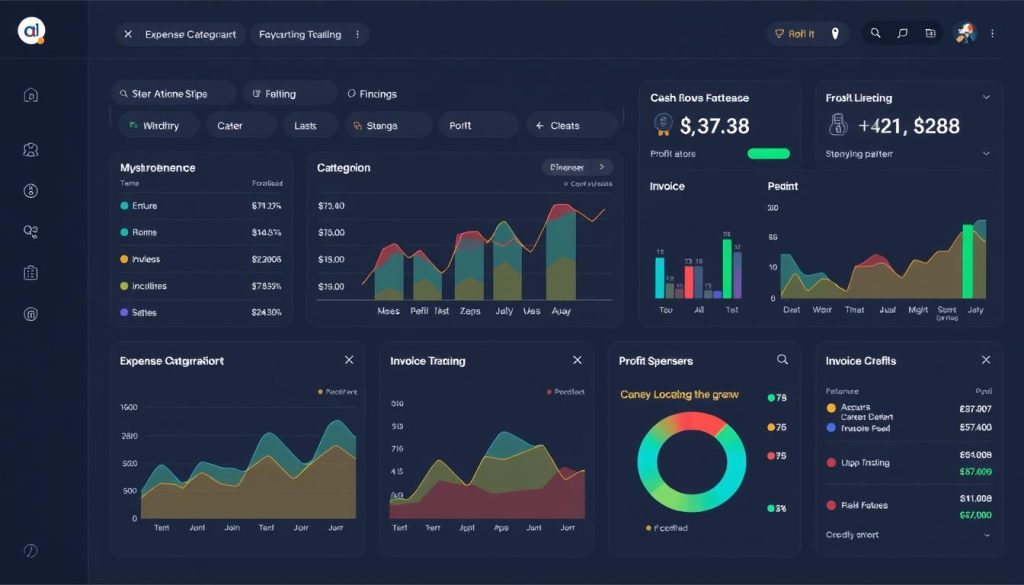
Managing finances efficiently is critical for small business success. These AI-powered tools help with accounting, invoicing, and financial planning.
1. QuickBooks with AI
Key Features: Automated expense categorization, invoice management, tax preparation assistance, and cash flow forecasting.
Pros
- AI automatically categorizes transactions
- Predicts cash flow based on historical data
- Widely used with excellent support resources
- Integrates with many business tools and banks
Cons
- Starting at $30/month after promotional period
- Advanced features require higher-tier plans
- Can have a learning curve for accounting novices
Pricing: Simple Start plan at $30/month (often discounted for first few months).
Use Case: A small retail shop uses QuickBooks to automatically track expenses, manage inventory costs, and forecast seasonal cash flow needs.
2. FreshBooks
Key Features: AI-powered expense tracking, time tracking, invoicing, and financial reporting.
Pros
- User-friendly interface designed for non-accountants
- Automated receipt capture and expense categorization
- Professional-looking invoice templates
- Mobile app for on-the-go financial management
Cons
- Lite plan ($15/month) limited to 5 billable clients
- Some advanced features only in higher tiers
- Less comprehensive than QuickBooks for complex businesses
Pricing: Lite plan starts at $15/month; Plus plan at $30/month.
Use Case: A freelance graphic designer uses FreshBooks to track time on client projects, automatically generate invoices, and monitor payment status.
3. Upmetrics
Key Features: AI-powered financial forecasting, business plan creation, pitch deck generation, and financial modeling.
Pros
- Simplifies complex financial projections
- Library of 400+ sample business plans
- AI helps create investor-ready pitch decks
- Useful for startups seeking funding
Cons
- No free plan (starts at $29/month)
- Primarily focused on planning rather than day-to-day accounting
- May have more features than very small businesses need
Pricing: Startup plan at $29/month; Business plan at $49/month.
Use Case: A tech startup uses Upmetrics to create financial projections and a professional business plan to present to potential investors.
AI Tools for Data Analysis
Making data-driven decisions can give small businesses a competitive edge. These AI tools help analyze data without requiring specialized expertise.

1. Zoho Analytics
Key Features: AI-powered data analysis, automated report generation, visual dashboards, and predictive analytics.
Pros
- Free plan available for up to 2 users
- Zia AI assistant helps analyze data with natural language queries
- Drag-and-drop interface for creating reports
- Integrates with many data sources
Cons
- Free plan limited to 10,000 rows of data
- Some advanced features only in higher tiers
- Can have a learning curve for complex analyses
Pricing: Free plan available; Basic plan at $24/month for 2 users.
Use Case: A small e-commerce business uses Zoho Analytics to track sales trends, identify best-selling products, and optimize inventory based on AI predictions.
2. Perplexity
Key Features: AI-powered research assistant, data analysis, trend identification, and information synthesis.
Pros
- Free plan with generous usage limits
- Quickly researches and summarizes information
- Helps identify market trends and competitor insights
- No technical expertise required
Cons
- Pro features require subscription ($20/month)
- Results depend on quality of input questions
- Not specialized for specific business domains
Pricing: Free plan available; Pro plan at $20/month.
Use Case: A small marketing agency uses Perplexity to quickly research industry trends, gather competitive intelligence, and generate insights for client strategies.
3. Gemini (formerly Google Bard)
Key Features: AI research assistant, data analysis, content generation, and integration with Google Workspace.
Pros
- Free version available with solid capabilities
- Seamless integration with Google Docs, Sheets, and Gmail
- Can analyze and visualize data from spreadsheets
- Helps with research and content creation
Cons
- Advanced features require Gemini Advanced ($20/month)
- Sometimes provides generic information
- May require verification of information
Pricing: Free version available; Gemini Advanced at $20/month.
Use Case: A small consulting firm uses Gemini to analyze client data, generate reports, and create presentation content directly within Google Workspace.
Start making data-driven decisions
Try Zoho Analytics’ free plan to transform your business data into actionable insights.
How to Choose the Right AI Tools for Your Small Business
With so many options available, selecting the right AI tools can feel overwhelming. Here’s a framework to help you make the best choice for your business:

Identify Your Needs
- What specific tasks consume most of your time?
- Which business processes could benefit from automation?
- What are your biggest operational pain points?
- Which areas of your business need the most improvement?
Consider Your Budget
- Start with free plans or trials when available
- Calculate potential ROI (time saved × hourly cost)
- Consider annual plans for better pricing
- Factor in implementation and training costs
Evaluate Ease of Use
- Is the interface intuitive for your team?
- How steep is the learning curve?
- What training resources are available?
- Is customer support responsive and helpful?
Check Integration Capabilities
- Does it work with your existing tools?
- Can it connect to your website or e-commerce platform?
- Are there APIs available for custom integrations?
- Will it create data silos or streamline workflows?
Assess Scalability
- Will the tool grow with your business?
- How do features and pricing change at higher tiers?
- Can you easily add more users or functionality?
- Is there an enterprise option if needed later?
Review Security & Compliance
- How is your data protected and stored?
- Is the tool compliant with relevant regulations?
- What happens to your data if you cancel?
- Are there data ownership concerns?
Pro Tip: Start Small and Expand
Rather than implementing multiple AI tools at once, start with 1-2 that address your most pressing needs. Once your team is comfortable with those, gradually add more tools to your stack. This approach minimizes disruption and allows you to see clear benefits before further investment.
Common Challenges When Implementing AI Tools (And How to Overcome Them)
While AI tools offer tremendous benefits, small businesses often face hurdles during implementation. Here’s how to address the most common challenges:

Data Privacy Concerns
Many small business owners worry about how AI tools handle sensitive business and customer data.
The Challenge:
AI tools require access to your data to function effectively, raising questions about privacy, security, and compliance with regulations like GDPR or CCPA.
The Solution:
- Review privacy policies and terms of service carefully
- Choose tools with strong security credentials (SOC 2, GDPR compliance)
- Understand what data is collected and how it’s used
- Use data anonymization when possible
- Implement proper access controls within your team
Learning Curve
New technology often comes with a learning curve that can be intimidating for small business teams.
The Challenge:
Team members may resist adopting new tools due to fear of complexity or concern about the time investment required to learn them.
The Solution:
- Start with user-friendly tools designed for non-technical users
- Utilize free training resources provided by the tool vendors
- Designate a “champion” on your team to master the tool first
- Begin with basic features before exploring advanced capabilities
- Schedule dedicated time for learning and experimentation
Integration Issues
Getting AI tools to work seamlessly with existing systems can be challenging.
The Challenge:
AI tools that don’t integrate well with your current tech stack can create data silos and workflow disruptions.
The Solution:
- Prioritize tools that offer native integrations with your existing software
- Consider platforms like Zapier to connect tools without native integration
- Test integrations thoroughly before full implementation
- Document integration processes for team reference
- Consult with the tool’s support team for integration assistance
Cost Management
Subscription costs can add up quickly if not carefully managed.
The Challenge:
As you add more AI tools, monthly subscription costs can strain small business budgets, especially if you’re paying for features you don’t use.
The Solution:
- Start with free plans or trials to evaluate value before committing
- Regularly audit your tool usage and eliminate underutilized subscriptions
- Consider all-in-one platforms that replace multiple single-purpose tools
- Look for annual billing options that offer discounts
- Calculate ROI by tracking time saved and results generated
Unrealistic Expectations
AI tools are powerful but not magical—setting realistic expectations is crucial.
The Challenge:
Expecting AI tools to completely replace human judgment or deliver perfect results immediately can lead to disappointment.
The Solution:
- Understand that AI tools augment human capabilities rather than replace them
- Recognize that AI improves over time as it learns from your data
- Set measurable goals for what you want the tool to achieve
- Plan for a period of adjustment and optimization
- Maintain human oversight, especially for customer-facing outputs
Getting Started: Your AI Implementation Roadmap
Ready to incorporate AI tools into your small business? Follow this step-by-step roadmap for a smooth implementation:
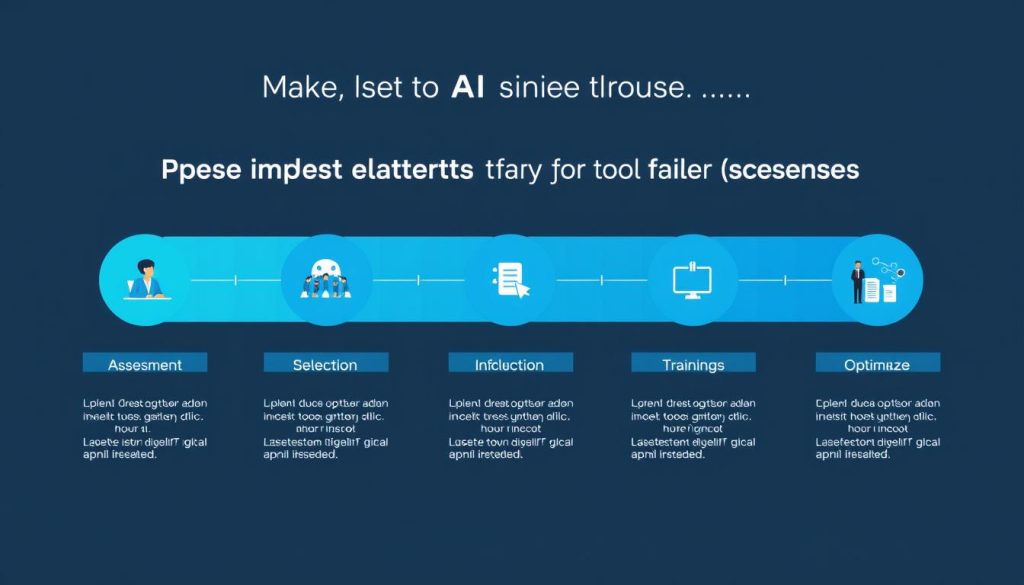
Identify time-consuming tasks, inefficiencies, and areas where human error occurs. Document your current workflows to understand what needs improvement.
Define specific goals for implementing AI tools. Examples include “Reduce customer response time by 50%” or “Decrease time spent on social media management by 5 hours per week.”
Use the criteria from the “How to Choose” section to identify 1-2 tools that address your most pressing needs. Prioritize tools with free trials or plans to test before committing.
Implement your chosen tool(s) in a limited capacity. For example, use an AI chatbot on one page of your website or try AI content generation for a single marketing channel.
Provide proper training and resources for team members who will use the tools. Designate champions who can help others and address questions.
Track key metrics related to your objectives. Compare before-and-after data to quantify improvements in efficiency, cost savings, or other goals.
Based on your results, refine your use of the tools and gradually expand to additional features or new tools as appropriate.
“We started with just one AI tool for customer service chatbots. After seeing how much time it saved, we gradually added tools for content creation, social media, and financial forecasting. The key was taking it one step at a time and making sure each tool delivered real value before adding another.”
Frequently Asked Questions About AI Tools for Small Business

How much should a small business budget for AI tools?
Most small businesses can start with -200 per month for essential AI tools. Many platforms offer free tiers or affordable starter plans that provide significant value. Start with free versions where available, then gradually invest in paid plans as you see ROI. Focus on tools that address your most pressing needs first rather than trying to implement everything at once.
Do I need technical expertise to use AI tools?
Most modern AI tools for small businesses are designed with non-technical users in mind. They typically feature intuitive interfaces, templates, and guided setups that don’t require coding or technical knowledge. Look for tools that advertise “no-code” or “user-friendly” features. Many providers also offer excellent onboarding resources, tutorials, and customer support to help you get started.
How quickly will I see results from implementing AI tools?
The timeline varies by tool and use case, but many small businesses see immediate benefits in terms of time savings. For example, AI chatbots can reduce customer response time instantly, while content creation tools can cut hours off your marketing workflow within days. More complex implementations like CRM systems might take 2-4 weeks to show significant results as they learn from your data and as your team adapts to new workflows.
Will AI tools replace my employees?
AI tools are designed to augment human capabilities, not replace them. They’re most effective at handling repetitive, time-consuming tasks, which frees up your team to focus on creative, strategic, and relationship-building activities that require human judgment and empathy. The most successful implementations use AI to handle routine work while redirecting human talent to higher-value activities that drive business growth.
Are AI tools secure for small business use?
Reputable AI tool providers invest heavily in security and compliance. Look for tools that offer SOC 2 compliance, GDPR compliance, and data encryption. Before implementing any tool, review their privacy policy and terms of service to understand how your data will be used and stored. For sensitive information, consider tools that offer additional security features or that allow you to control where your data is stored.
Conclusion: Future-Proofing Your Small Business with AI
AI tools are no longer luxuries reserved for large corporations with massive budgets. Today’s affordable, user-friendly AI solutions give small businesses the power to automate routine tasks, gain valuable insights, and deliver exceptional customer experiences—all while saving time and money.
By strategically implementing AI tools in key areas of your business—from marketing and customer support to productivity and financial management—you can level the playing field against larger competitors and position your business for sustainable growth.
Remember that successful AI implementation isn’t about adopting every available tool at once. Start with one or two solutions that address your most pressing challenges, measure the results, and gradually expand your AI toolkit as you become more comfortable with the technology and see tangible benefits.
The small businesses that thrive in the coming years will be those that embrace AI as a powerful ally in their growth journey. By starting now, you’ll gain valuable experience and competitive advantages that will serve your business well into the future.
Ready to transform your small business with AI?
Start with one of these powerful free tools today and experience the difference AI can make for your business.