

Last updated: March 2026
WordPress powers 43% of all websites on the internet in 2026. That’s over 850 million sites.
But here’s what changed everything: artificial intelligence.
AI tools now cut WordPress site building time by 70-90%. What used to take weeks now happens in hours. Design layouts generate automatically. Content writes itself. SEO optimization runs on autopilot.
The best AI tools for WordPress 2026 aren’t just fancy add-ons anymore. They’re essential weapons for anyone building sites professionally.
This guide reveals the top 15 AI tools that actually deliver results. You’ll see honest reviews, real pricing, and specific use cases. We tested each plugin extensively to show you what works and what doesn’t.
Whether you’re a beginner launching your first blog or a developer building client sites, you’ll find the perfect AI tools here. Let’s dive into the WordPress AI revolution that’s transforming how we build websites.
Table of Contents:
Build AI-Powered Sites 70% Faster
Stop wasting time on manual design and content. Host your AI-powered WordPress site on blazing-fast NVMe infrastructure built specifically for heavy AI tools. Get LiteSpeed caching, isolated environments, and staging areas for safe AI testing.
The AI Revolution in WordPress Site Building 2026
Artificial intelligence transformed WordPress from a simple blogging platform into an intelligent website creation ecosystem. The changes in 2026 are dramatic.
Agentic AI systems now understand context. These smart assistants don’t just follow commands. They anticipate your needs, suggest improvements, and execute complex workflows automatically.
Context-aware generation means AI tools remember your brand voice, design preferences, and content style. You don’t repeat yourself constantly. The AI learns and adapts.
Integration reached new heights. Gutenberg blocks now feature native AI capabilities. Elementor and Divi embedded AI directly into their core interfaces. You don’t switch between tools anymore.

Speed Impact: Build Sites 10x Faster
Professional designers report finishing full website projects in single afternoons instead of multi-week timelines. AI handles the repetitive tasks that consumed hours before.
Layout generation happens instantly. Describe your vision in plain language and watch complete page designs appear. Adjust colors, spacing, and elements with simple text commands.
Content creation accelerated beyond recognition. AI assistants draft blog posts, product descriptions, and landing page copy in minutes. The quality rivals professional copywriters when properly guided.
SEO Benefits: Rank Higher Automatically
SEO optimization became intelligent in 2026. AI tools analyze top-ranking competitors and suggest exact improvements for your content and pages.
Meta descriptions write themselves based on your content. Keyword suggestions appear in real-time as you type. Internal linking recommendations pop up automatically when relevant.
Technical SEO gets handled behind the scenes. AI plugins fix common issues like missing alt text, slow-loading images, and poor heading structure without manual intervention.
Conversion Optimization: Turn More Visitors Into Customers
AI tools now predict which design elements will convert best for your specific audience. They test variations automatically and implement winners.
Chatbots engage visitors intelligently, answering questions and guiding them toward purchases. Personalization happens at scale, showing different content to different visitor segments.
The combination of speed, SEO, and conversion improvements creates compound effects. Sites built with AI tools outperform traditionally built sites across every metric that matters.
AI Tools Need Powerful Hosting
Heavy AI plugins demand serious server resources. Generic shared hosting buckles under the load. Get NVMe SSD speeds, LiteSpeed caching, and dedicated resources that keep AI tools running smoothly even during traffic spikes.
Table of Contents
Full AI Website Builders: Complete Solutions for WordPress
These powerhouse platforms handle everything from initial design to final deployment. They represent the cutting edge of AI integration within the WordPress ecosystem.
1. 10Web AI Website Builder
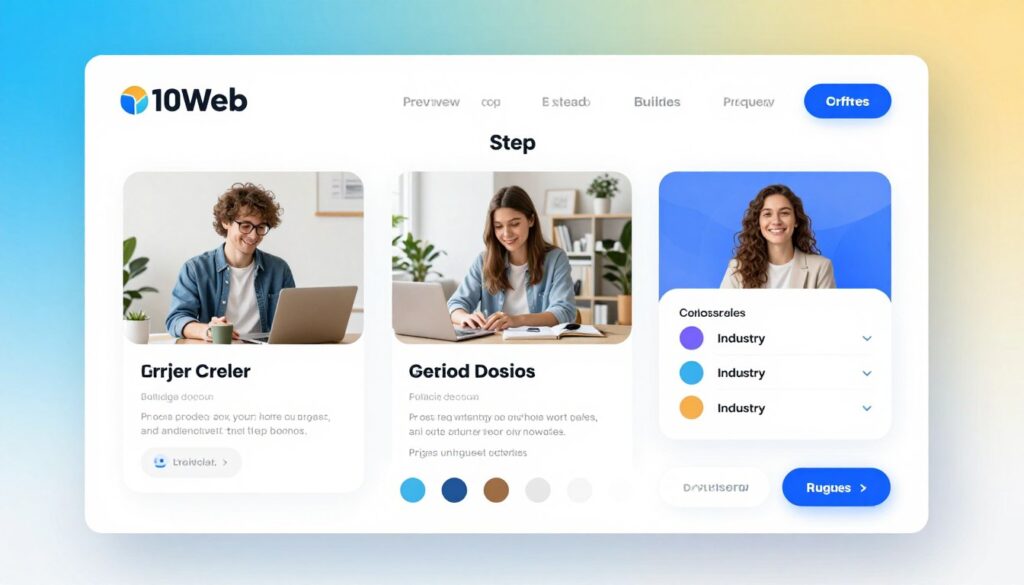
10Web stands as the most comprehensive AI website builder for WordPress in 2026. The platform combines automated site generation, hosting, and management into one seamless package.
The AI builder asks simple questions about your business. Within 60 seconds, it generates a complete, customized website with relevant content, images, and design elements.
Key Features
- Automated website generation based on business description and industry
- AI content writer creates original copy for all pages
- Smart image selection and optimization from stock libraries
- Integrated hosting with CloudFlare Enterprise CDN
- Automated PageSpeed optimization (90+ scores guaranteed)
- AI assistant for ongoing site edits and improvements
- Ecommerce functionality with WooCommerce integration
- Real-time collaboration tools for teams
Pros
- Fastest path from idea to live website (under 5 minutes)
- All-in-one solution eliminates need for multiple plugins
- Excellent hosting performance included in price
- Continuous AI improvements and updates
- Strong security features and automatic backups
Cons
- Locked into 10Web ecosystem (harder to migrate)
- Higher price point than standalone plugins
- Learning curve for customization beyond AI suggestions
- Limited control over hosting environment details
Pricing
| Plan | Price | Websites | Best For |
| Personal | $10/month | 1 | Bloggers, portfolios |
| Premium | $24/month | 3 | Small businesses |
| Agency | $60/month | 10 | Agencies, developers |
Best For: Complete beginners who want a fully functional website immediately, small businesses launching their first site, anyone who values speed over granular control.
Real Use Case: A local bakery owner with zero technical skills used 10Web to create a full website with menu, location map, and online ordering in 45 minutes. The AI generated appetizing descriptions for every product based on simple ingredient lists.
2. Elementor AI with Angie (Agentic Framework)
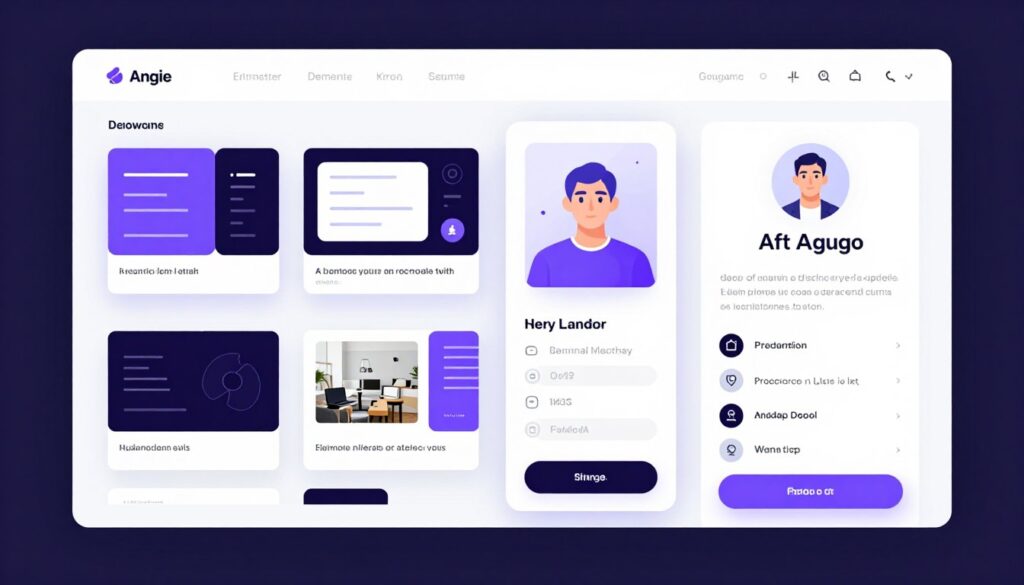
Elementor dominated the WordPress page builder market with over 6 million active installations. Their AI integration in 2026 raised the bar significantly with the introduction of Angie, an agentic AI assistant.
Angie doesn’t just execute commands. She understands project context, remembers previous design decisions, and proactively suggests improvements throughout the build process.
Key Features
- Text-to-design generation for entire page layouts
- AI-powered code generation for custom CSS and JavaScript
- Intelligent content suggestions within the editor
- Image generation and editing directly in Elementor
- Angie agentic assistant for workflow automation
- Container-based responsive design automation
- Smart widget recommendations based on content
- SEO optimization suggestions in real-time
Pros
- Seamless integration with the world’s most popular page builder
- Angie learns your design preferences over time
- Works on any WordPress hosting (not locked in)
- Massive template library enhanced by AI customization
- Active community and extensive documentation
Cons
- AI features require separate subscription on top of Elementor Pro
- Can slow down editor performance on lower-end hosting
- Steeper learning curve than simpler builders
- Some AI features still in beta phase
Pricing
| Component | Price | Notes |
| Elementor Pro | $59/year | Base page builder license |
| Elementor AI | $2.99/month | Unlimited AI generations |
| Total Cost | ~$95/year | For complete AI experience |
Best For: Designers who want maximum creative control, agencies building client sites, anyone already using Elementor who wants AI superpowers.
Real Use Case: A freelance web designer used Elementor AI to create 15 unique landing page variations for a client’s A/B testing campaign in one afternoon. Angie suggested conversion-optimized layouts based on industry benchmarks and automatically adjusted spacing and colors for visual harmony.

3. Divi AI
Divi brings a different approach to AI-powered WordPress site building. The visual builder philosophy combined with AI creates an intuitive experience where you see changes happen in real-time.
Elegant Themes integrated AI deeply into every aspect of Divi in 2026. Text generation, image creation, and layout suggestions all happen within the visual builder interface without disrupting your workflow.
Key Features
- AI text generation for any content block
- Image creation and editing within modules
- Automated code generation for custom functionality
- Smart layout suggestions based on content type
- Theme Builder integration with AI templates
- Visual history tracking with AI-suggested rollback points
- Responsive design automation across devices
- Integration with Divi’s massive layout library
Pros
- Unlimited website license included with membership
- Visual editing makes AI suggestions easy to implement
- No per-site fees or usage limits
- Lifetime access option available (one-time payment)
- Excellent integration between AI and visual builder
Cons
- Divi-specific learning required (different from Gutenberg)
- Can create bloated code if not optimized properly
- AI features less advanced than Elementor’s Angie
- Switching away from Divi later is challenging
Pricing
| Plan | Price | Websites | AI Included |
| Yearly Access | $89/year | Unlimited | Yes |
| Lifetime Access | $249 once | Unlimited | Yes |
Best For: Budget-conscious users building multiple sites, visual learners who prefer WYSIWYG editing, agencies wanting unlimited client licenses.
Real Use Case: A marketing agency built 8 client websites in one month using Divi AI. The AI generated initial layouts for each industry, then the team customized branding elements. The unlimited license meant zero additional costs per project.
AI Content & SEO Tools: Write Smarter, Rank Higher
Content creation and search optimization consume the most time in website management. These AI tools automate the heavy lifting while maintaining quality and relevance.

4. Rank Math Content AI
Rank Math evolved from a solid SEO plugin into an AI-powered content optimization powerhouse. The 2026 version includes GPT-5 level content generation tightly integrated with SEO best practices.
The plugin analyzes your target keyword, studies top-ranking competitors, and guides you toward creating content that outperforms existing search results.
Key Features
- AI content writing integrated directly in WordPress editor
- Competitive content analysis for any keyword
- Automated meta description and title generation
- Internal linking suggestions based on content relevance
- Schema markup automation for rich snippets
- Real-time SEO scoring with actionable recommendations
- Keyword research tool powered by AI
- Content improvement suggestions for existing posts
Pros
- Combines content creation and SEO optimization in one tool
- Significantly cheaper than standalone AI writing tools
- Works within familiar WordPress editor interface
- Excellent balance of automation and user control
- Regular updates with latest SEO algorithm changes
Cons
- AI content needs human editing for best results
- Credit-based system limits monthly usage
- Can slow down editor on content-heavy sites
- Learning curve for advanced SEO features
Pricing
| Plan | Price | AI Credits/Month | Best For |
| Pro | $59/year | 750 | Bloggers, small sites |
| Business | $199/year | 2500 | Content creators, agencies |
| Agency | $499/year | 10000 | Large agencies, publishers |
Best For: Bloggers focused on organic traffic, content marketers managing multiple WordPress sites, anyone wanting SEO and content tools unified.
Real Use Case: A niche blog owner used Rank Math Content AI to optimize 50 existing posts in one week. The AI identified missing keywords, suggested internal links, and rewrote meta descriptions. Organic traffic increased 45% within 60 days according to proper SEO implementation.
5. Jetpack AI Assistant
Automattic brought their considerable resources to AI content creation with the Jetpack AI Assistant. The integration with WordPress.com’s infrastructure provides unique advantages.
The assistant understands WordPress deeply since it comes from the same parent company. This native integration shows in the seamless experience and reliable performance.
Key Features
- Block-based AI content generation in Gutenberg
- Tone adjustment (professional, casual, technical, etc.)
- Spelling and grammar correction powered by AI
- Title and summary generation from existing content
- Translation capabilities for multilingual sites
- Image alt text generation for accessibility
- Integration with Jetpack’s security and performance features
- Works offline (processes cached when reconnected)
Pros
- Deep WordPress integration from official team
- Generous free tier for basic usage
- Works beautifully with Gutenberg blocks
- Backed by Automattic (WordPress parent company)
- Regular updates aligned with WordPress core
Cons
- Limited to Gutenberg editor (no Elementor/Divi support)
- Fewer features than specialized AI writing tools
- Requires WordPress.com account for activation
- Some users report inconsistent output quality
Pricing
Free tier: 20 requests per month
Unlimited plan: $10/month per site
Best For: Gutenberg users, WordPress.com site owners, casual bloggers needing occasional AI assistance.
6. GetGenie AI
GetGenie positions itself as the complete AI assistant for WordPress content creators. The tool combines content generation, SEO optimization, and competitor analysis in one interface.
The plugin supports over 37 use cases from blog post writing to product descriptions, email copy, and social media content. This versatility makes it popular with diverse content needs.
Key Features
- One-click blog post generation with SEO optimization
- WooCommerce product description automation
- Social media content creation for multiple platforms
- Competitor content analysis and gap identification
- SERP analysis with keyword ranking predictions
- Playground mode for experimenting with AI prompts
- Customizable AI templates for recurring content types
- GenieChat for conversational AI interactions
Pros
- Excellent for ecommerce product descriptions
- Wide range of content templates included
- Strong competitor analysis features
- Works with both Gutenberg and Classic editor
- Responsive customer support team
Cons
- Interface feels cluttered with too many options
- Credit limits restrictive on lower tiers
- Output quality varies between content types
- Slower generation speed than competitors
Pricing
| Plan | Price | Words/Month |
| Free | $0 | 2,500 |
| Personal | $19/month | 50,000 |
| Business | $49/month | 150,000 |
Best For: Ecommerce store owners, content agencies serving diverse clients, marketers needing multiple content formats.
Design & Layout AI: Beautiful Sites Without Design Skills
Visual design intimidates many WordPress users. These AI tools democratize professional design by automating layout creation, color selection, and visual harmony.
7. SeedProd AI
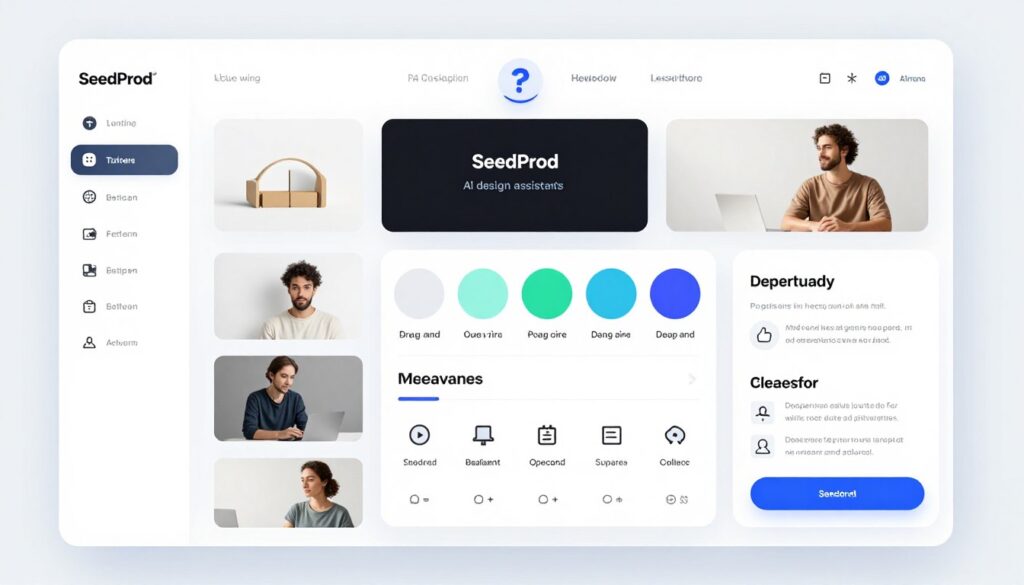
SeedProd built its reputation on creating high-converting landing pages. The 2026 AI enhancement transforms the already powerful builder into an intelligent design partner.
The AI analyzes your industry, target audience, and conversion goals to suggest layouts proven to perform well. It eliminates guesswork from landing page creation.
Key Features
- AI-powered landing page templates by industry
- Coming soon and maintenance mode pages with AI design
- Conversion-focused layout suggestions
- Smart block recommendations based on page purpose
- A/B testing integration with AI winner prediction
- WooCommerce integration for sales pages
- Email marketing platform connections
- Mobile-responsive design automation
Pros
- Specifically optimized for conversion-focused pages
- No page builder conflicts (works independently)
- Excellent template library enhanced by AI
- Fast loading pages with clean code
- Great for product launches and lead generation
Cons
- Limited to landing pages and specific page types
- Not suitable for full website building
- AI features less advanced than full site builders
- Higher price point for the features offered
Pricing
Plus: $99.50/year
Pro: $199.50/year
Elite: $399.50/year
Best For: Marketers launching campaigns, businesses collecting leads, anyone focused on conversion optimization over full site design.
8. Crocoblock AI Tools
Crocoblock provides a suite of Elementor add-ons that expand the builder’s capabilities dramatically. Their AI integration in 2026 brought intelligence to dynamic content and custom post types.
The tools shine for complex database-driven sites where content relationships matter. Real estate listings, directories, and membership sites benefit enormously.
Key Features
- AI-powered dynamic content suggestions
- Smart listing layouts for directories and databases
- Automated filtering and search functionality
- Form builder with intelligent field suggestions
- Custom post type template automation
- WooCommerce builder with AI product display optimization
- Popup and modal builder with trigger intelligence
- REST API integrations with AI data mapping
Pros
- Unmatched for complex dynamic WordPress sites
- All-access subscription includes entire toolkit
- Excellent documentation and video tutorials
- Active community and regular updates
- Powerful when combined with Elementor AI
Cons
- Requires Elementor Pro (additional cost)
- Steeper learning curve for advanced features
- Can impact performance if overused
- Overkill for simple blogs or portfolios
Pricing
All-Inclusive: $199/year (includes all Crocoblock plugins)
Best For: Advanced Elementor users, directory and listing sites, developers building custom WordPress solutions.
9. WordPress.com AI Assistant
WordPress.com offers integrated AI features for hosted users. The platform leverages Automattic’s infrastructure to provide AI capabilities without plugin installation.
This native approach means faster performance and zero configuration. The AI just works from day one.
Key Features
- Built-in content generation within block editor
- Design suggestions based on site purpose
- Automated image optimization and alt text
- Smart navigation menu organization
- Performance optimization recommendations
- Security monitoring with AI threat detection
- Backup automation with intelligent scheduling
- Traffic analytics with AI insights
Pros
- Zero setup required for hosted sites
- Included with premium WordPress.com plans
- Seamless integration with platform features
- Automatic updates without user intervention
- Good starting point for beginners
Cons
- Only available on WordPress.com (not self-hosted)
- Limited customization compared to plugins
- Platform lock-in concerns
- Less powerful than dedicated AI tools
Best For: WordPress.com hosted site owners, complete beginners, users wanting managed AI without technical overhead.
Automation & Chatbot Tools: Work Smarter, Not Harder
Automation eliminates repetitive tasks and chatbots provide 24/7 customer support. These AI tools handle routine work while you focus on strategy and growth.

10. AI Engine by Meow Apps
AI Engine brings comprehensive artificial intelligence capabilities to any WordPress site. The plugin focuses on chatbots but includes content generation, image creation, and more.
The chatbot builder stands out for its customization options. You control personality, knowledge base, and response style completely.
Key Features
- Customizable AI chatbot with personality controls
- Training on your specific content and data
- Content and image generation tools
- Embeddings for semantic search functionality
- Moderation system to filter inappropriate content
- Statistics and analytics dashboard
- Multiple AI model support (GPT-4, Claude, etc.)
- Developer-friendly with extensive API access
Pros
- Highly customizable chatbot personality and responses
- Works with various AI model providers
- One-time purchase option available
- Excellent for building custom AI features
- Active development with frequent updates
Cons
- Requires API keys from AI providers (additional costs)
- Complex setup for advanced features
- Documentation could be more comprehensive
- Interface feels technical rather than user-friendly
Pricing
Pro: $49/year or $159 lifetime
Plus API costs from OpenAI, Anthropic, or other providers
Best For: Developers wanting full control, businesses with specific chatbot requirements, tech-savvy users comfortable with API management.
11. Uncanny Automator with AI
Uncanny Automator connects WordPress plugins and external services through automation workflows. The 2026 AI enhancement adds intelligent decision-making to these connections.
The tool works like Zapier but specifically for WordPress. AI helps predict optimal automation paths and suggests improvements to existing workflows.
Key Features
- Visual automation builder with AI suggestions
- Connections to 150+ plugins and services
- AI-powered workflow optimization recommendations
- Smart trigger and action matching
- Conditional logic enhanced by machine learning
- Recipe templates for common automation tasks
- Error detection and automated fixes
- Detailed logs and performance analytics
Pros
- Eliminates countless manual repetitive tasks
- Works with virtually all major WordPress plugins
- Free version available with limited features
- Excellent time-saver for membership sites and courses
- AI makes complex automations accessible
Cons
- Premium integrations require paid version
- Can be overwhelming with so many options
- Troubleshooting failed automations takes time
- AI features still developing compared to core functionality
Pricing
Free: Limited recipes and integrations
Pro: $149/year for unlimited automations
Best For: Membership sites, online course creators, businesses with complex workflows, anyone wanting to eliminate manual data entry.
12. Tidio Lyro AI Chatbot
Tidio specializes in customer communication with live chat, chatbots, and email marketing combined. Lyro represents their AI chatbot that handles customer inquiries automatically.
The system learns from your website content, FAQs, and past conversations to provide accurate answers without human intervention.
Key Features
- AI chatbot trained on your specific business
- Seamless handoff to human agents when needed
- Multi-channel support (website, email, Messenger)
- Pre-built templates for common industries
- Visitor tracking and behavior analysis
- Integration with ecommerce platforms
- Mobile apps for managing conversations
- Automated abandoned cart recovery
Pros
- Beautiful, modern chat widget design
- Genuinely helpful AI responses (not robotic)
- Easy setup with minimal configuration
- Free tier generous enough for small sites
- Excellent for ecommerce customer support
Cons
- Lyro AI only available on higher pricing tiers
- Conversation limits on free and lower plans
- Some features require separate purchases
- Not as customizable as developer-focused tools
Pricing
| Plan | Price | Conversations | Lyro AI |
| Free | $0 | 50/month | No |
| Communicator | $19/month | Unlimited | No |
| Chatbots | $29/month | Unlimited | Yes |
Best For: Ecommerce stores, businesses with high customer inquiry volume, companies wanting professional chat without hiring support staff.
Developer & Advanced AI Tools: Code Smarter and Faster
These specialized tools target developers and technically advanced users. They automate coding tasks, generate complex functionality, and accelerate development workflows.

13. CodeWP – AI WordPress Code Generator
CodeWP represents a breakthrough for WordPress developers. The AI understands WordPress-specific coding patterns, functions, and best practices to generate production-ready code.
Simply describe what you need in plain language and receive properly formatted PHP, JavaScript, CSS, or SQL tailored for WordPress.
Key Features
- WordPress-specific code generation (plugins, themes, snippets)
- Support for WooCommerce, ACF, and major plugin APIs
- Code explanation and documentation generation
- Debugging assistance and error fixing
- Conversational coding interface
- Code snippet library with AI search
- Multiple programming language support
- Security and performance optimization suggestions
Pros
- Dramatically speeds up WordPress development
- Understands WordPress conventions and standards
- Excellent for learning and understanding code
- Saves hours on repetitive coding tasks
- Regular updates with latest WordPress changes
Cons
- Generated code still requires review and testing
- Limited to WordPress ecosystem specifically
- Subscription required for unlimited usage
- Complex custom solutions may need manual adjustments
Pricing
Free: 10 generations/month
Pro: $28/month for unlimited generations
Agency: $88/month with team features
Best For: WordPress developers, freelancers building custom solutions, agencies handling client customization requests, anyone learning WordPress development.
14. AI Power – All-in-One WordPress AI
AI Power attempts to be the Swiss Army knife of WordPress AI plugins. The tool combines content generation, image creation, chatbots, embeddings, and more in one comprehensive package.
The breadth of features means you get multiple AI capabilities without installing numerous separate plugins. Everything works together through one unified interface.
Key Features
- Content writer with customizable AI models
- Image generator (DALL-E, Stable Diffusion)
- ChatGPT-style chatbot builder
- Auto content writer for scheduled posting
- WooCommerce product generator
- Fine-tuning for custom AI models
- Semantic search with embeddings
- Prompt template library
Pros
- Comprehensive feature set in one plugin
- Active development with frequent feature additions
- Lifetime license option available
- Works with multiple AI model providers
- Good documentation and video tutorials
Cons
- Interface feels cluttered with so many options
- Some features overlap unnecessarily
- Requires separate API keys (additional costs)
- Can slow down WordPress admin if all features enabled
Pricing
Standard: $99/year
Premium: $189/year
Lifetime: $599 one-time
Best For: Users wanting one solution for all AI needs, budget-conscious buyers avoiding multiple subscriptions, experimenters trying various AI capabilities.
15. Opace AI Scribe – Voice to WordPress
Opace AI Scribe brings voice-powered content creation to WordPress. Speak your thoughts naturally and watch them transform into formatted blog posts, product descriptions, or page content.
The tool transcribes speech, organizes ideas into logical structure, and formats everything according to WordPress best practices. It’s particularly valuable for content creators who think better out loud.
Key Features
- Voice-to-text transcription with high accuracy
- Automatic content structuring and formatting
- Heading hierarchy generation from speech
- Punctuation and grammar correction
- Multiple language support
- Integration with WordPress block editor
- Keyword extraction and SEO suggestions
- Speaker identification for interviews
Pros
- Unique voice-first approach speeds content creation
- Great for podcasters and video creators
- Accessibility benefits for various disabilities
- Natural way to overcome writer’s block
- Accurate transcription quality
Cons
- Niche use case (not everyone prefers voice input)
- Requires quiet recording environment
- Editing still needed after transcription
- Limited to content creation functionality
Pricing
Starter: $15/month for 5 hours transcription
Professional: $39/month for 20 hours
Best For: Podcasters, video content creators, voice-preference users, accessibility-focused websites, busy content creators on the go.
Comprehensive Comparison Table: All 15 AI Tools
This detailed comparison helps you evaluate options side-by-side across the metrics that matter most for WordPress site building.
| Tool Name | Primary Function | Starting Price | Best For | Rating |
| 10Web AI | Full website builder | $10/month | Complete beginners | 4.6/5 |
| Elementor AI | Page builder AI | $2.99/month | Designers | 4.7/5 |
| Divi AI | Visual builder AI | $89/year | Unlimited projects | 4.5/5 |
| Rank Math Content AI | SEO + Content | $59/year | Bloggers, SEO focus | 4.6/5 |
| Jetpack AI | Content assistant | Free (20/month) | Gutenberg users | 4.3/5 |
| GetGenie AI | Content + SEO | $19/month | Ecommerce | 4.4/5 |
| SeedProd AI | Landing pages | $99.50/year | Conversions | 4.5/5 |
| Crocoblock AI | Dynamic content | $199/year | Directories | 4.6/5 |
| WordPress.com AI | Platform features | Included | WP.com hosted | 4.2/5 |
| AI Engine | Chatbots | $49/year | Custom chatbots | 4.4/5 |
| Uncanny Automator | Automation | Free limited | Workflows | 4.5/5 |
| Tidio Lyro | Customer chat | $29/month | Support | 4.5/5 |
| CodeWP | Code generation | $28/month | Developers | 4.6/5 |
| AI Power | All-in-one AI | $99/year | Variety seekers | 4.3/5 |
| Opace AI Scribe | Voice-to-text | $15/month | Voice content | 4.2/5 |
Feature Matrix: What Each Tool Offers
| Feature | Best Tools | Notes |
| Website Building | 10Web, Elementor AI, Divi AI | Complete page and site creation |
| Content Writing | Rank Math, GetGenie, Jetpack | Blog posts and copywriting |
| SEO Optimization | Rank Math, GetGenie | Search ranking improvements |
| Chatbots | AI Engine, Tidio, AI Power | Customer support automation |
| Workflow Automation | Uncanny Automator | Task and process automation |
| Code Generation | CodeWP, AI Power | WordPress development |
| Ecommerce | GetGenie, Crocoblock, Tidio | Product pages and support |
| Landing Pages | SeedProd, Elementor AI | Conversion-focused design |
How to Choose the Right AI Tools for Your WordPress Site
Selecting AI tools requires matching your specific needs with the right capabilities. Consider these factors carefully before committing to subscriptions.
Budget Considerations
AI tools range from free to hundreds of dollars annually. Calculate total costs including base plugins, AI add-ons, and required API access.
Budget tiers break down like this:
- Free tier: Jetpack AI (20 requests/month), Uncanny Automator limited, WordPress.com AI for hosted sites
- Under $100/year: Divi AI ($89), Rank Math Pro ($59), AI Engine ($49)
- $100-$300/year: 10Web plans, Elementor AI + Pro, GetGenie Business, SeedProd
- $300+ annually: Agency tiers, Crocoblock, multiple tool combinations
Remember that cheaper isn’t always better. One comprehensive tool often provides more value than multiple limited plugins that don’t integrate well.
Skill Level Assessment
Your technical ability determines which tools will feel natural versus frustrating. Match tools to your comfort zone.
Beginners should prioritize:
- 10Web AI (handles everything automatically)
- Divi AI (visual editing feels intuitive)
- Jetpack AI (simple, minimal configuration)
- SeedProd (templates reduce complexity)
Intermediate users can handle:
- Elementor AI (more control, moderate complexity)
- Rank Math Content AI (balances features with usability)
- GetGenie (multiple features without overwhelming)
- Tidio Lyro (straightforward chatbot setup)
Advanced users and developers will appreciate:
- CodeWP (maximum code control)
- AI Engine (customizable everything)
- Crocoblock AI (complex dynamic content)
- Uncanny Automator (intricate workflow building)
Specific Need Matching
Your primary goal should drive tool selection. Different tools excel at different tasks.
Design-Focused Needs
If beautiful layouts matter most, choose tools strong in visual design automation.
- Elementor AI for maximum design control
- Divi AI for visual workflow
- SeedProd for conversion-optimized templates
- 10Web for instant complete designs
Content-Focused Needs
Writers and bloggers need robust content generation and SEO capabilities.
- Rank Math Content AI for SEO-optimized writing
- GetGenie for versatile content types
- Jetpack AI for Gutenberg integration
- Opace AI Scribe for voice-to-text workflow
Automation-Focused Needs
Businesses wanting to eliminate manual tasks should prioritize automation tools.
- Uncanny Automator for workflow automation
- AI Engine for custom chatbot logic
- Tidio Lyro for customer support automation
- AI Power for scheduled content generation
Development-Focused Needs
Developers building custom solutions need code-generation and technical tools.
- CodeWP for WordPress-specific code
- AI Engine for API flexibility
- Crocoblock for dynamic content systems
- AI Power for comprehensive development features
Integration Requirements
Consider how tools work with your existing WordPress setup. Compatibility matters significantly.
Check editor compatibility first. Some tools only work with specific editors:
- Gutenberg exclusive: Jetpack AI, WordPress.com AI
- Elementor required: Elementor AI, Crocoblock AI
- Divi required: Divi AI features
- Editor agnostic: Rank Math, GetGenie, AI Engine, CodeWP
Plugin ecosystem integration also matters. Tools like Uncanny Automator shine when you use many plugins that need connection. Standalone sites benefit from all-in-one solutions like 10Web instead.
Pro Tip: Start with one or two core AI tools rather than installing everything at once. Master those first, then expand as needs become clear. Too many AI plugins can conflict and slow your site unnecessarily.
Step-by-Step: Building a Full Site with AI in 2026
This practical walkthrough demonstrates how to build a complete WordPress site using AI tools. We’ll combine 10Web for the foundation with Elementor AI for customization.

Phase 1: Planning and Setup (15 minutes)
Step 1: Define your site purpose and gather requirements.
Write down your business type, target audience, main pages needed, and key features. Example: “Local bakery site with menu, online ordering, location map, about page, blog.”
Step 2: Sign up for 10Web AI Website Builder.
Choose the appropriate plan based on traffic expectations. Most new sites start fine with the Personal plan at $10/month.
Step 3: Answer the AI questionnaire.
10Web asks about your business type, industry, desired style, and color preferences. Be specific here – better input creates better output.
Phase 2: AI Generation (5 minutes)
Step 4: Review generated website options.
10Web produces 3-4 complete website variations. Each includes all pages, content, images, and styling. Browse through options and select your favorite foundation.
Step 5: Customize basic elements.
Change logo, adjust color scheme, replace hero images with your own. The AI suggestions work well but personalization makes sites unique.
Don’t overthink this phase. The AI provides professional starting points. You’ll refine details later.
Phase 3: Content Refinement (2-3 hours)
Step 6: Add Elementor AI for advanced editing.
Install Elementor Pro plugin and activate AI features. This gives you granular control over layouts while maintaining AI assistance.
Step 7: Refine page content with AI writing.
Use Rank Math Content AI or GetGenie to improve generated text. Target specific keywords for each page. The combination of 10Web’s initial content plus specialized AI refinement produces excellent results.
Example workflow for a service page:
- Review 10Web’s generated service description
- Open Rank Math Content AI panel
- Enter target keyword (e.g., “custom wedding cakes Boston”)
- Let AI suggest improvements and additions
- Edit for brand voice and local details
- Check SEO score and implement suggestions
Step 8: Optimize images and media.
Replace generic stock photos with real business images. Use AI tools to generate alt text automatically for accessibility and SEO benefits.
Phase 4: Feature Enhancement (1-2 hours)
Step 9: Add chatbot for customer support.
Install Tidio Lyro or AI Engine. Configure the chatbot to answer common questions about your business. Train it on your FAQ content and service details.
Step 10: Set up automation workflows.
Use Uncanny Automator to connect contact forms to email marketing, send welcome emails to new subscribers, or trigger notifications for important events.
Example automation: When someone submits the contact form, add them to your email list AND send them a discount code AND notify you via Slack.
Phase 5: SEO and Performance (1 hour)
Step 11: Configure Rank Math for search optimization.
Install Rank Math and run the setup wizard. Let the AI analyze your content and implement recommended improvements automatically.
Focus on these SEO essentials:
- Optimize meta titles and descriptions for all pages
- Add schema markup for rich snippets
- Create XML sitemap and submit to search engines
- Set up internal linking suggestions
- Enable breadcrumbs for navigation
Check our detailed Complete WordPress SEO Checklist 2026 for advanced optimization tactics.
Step 12: Test site speed and fix issues.
Run PageSpeed Insights test. 10Web’s hosting automatically handles most optimization, but verify scores above 90 for both mobile and desktop.
Common speed issues with AI sites and fixes:
- Too many AI-generated images: Compress with built-in tools or ImageOptim
- Heavy JavaScript from multiple plugins: Disable unused features
- Unoptimized fonts: Use system fonts or limit custom font weights
Learn more tactics in our guide: Top 10 Mistakes Killing Your Website Speed 2026.
Phase 6: Launch and Monitor (30 minutes)
Step 13: Final pre-launch checks.
Test all forms, verify links work, check mobile display, ensure contact information is accurate, test checkout process if ecommerce.
Step 14: Go live and set up monitoring.
Point your domain to the site, remove coming soon page, submit sitemap to Google Search Console, set up Google Analytics.
Step 15: Schedule regular AI updates.
Plan weekly or monthly content creation sessions using your AI writing tools. Set automation to publish blog posts on schedule. Monitor chatbot conversations for improvement opportunities.
Total Time Investment: 5-8 hours from zero to launched website with AI assistance. Compare this to 2-4 weeks for traditional development. The AI approach delivers 70-90% time savings while maintaining professional quality.
Advanced Tips & Best Practices for AI WordPress Tools
Mastering AI tools requires understanding their strengths, limitations, and optimal usage patterns. These advanced strategies maximize results while avoiding common pitfalls.
Combining Multiple AI Tools Effectively
The best results come from strategic tool combinations rather than relying on single solutions. Create workflows where each tool handles its specialty.
Recommended combinations:
For content-heavy sites:
- Rank Math Content AI (writing and SEO)
- Elementor AI (page layout and design)
- Tidio Lyro (reader engagement and support)
For ecommerce businesses:
- GetGenie (product descriptions and marketing copy)
- Crocoblock AI (dynamic product displays)
- Uncanny Automator (order processing and customer workflows)
- Tidio Lyro (sales support and abandoned cart recovery)
For agencies managing client sites:
- 10Web or Elementor AI (rapid site building)
- CodeWP (custom functionality requests)
- Rank Math (client SEO management)
- Uncanny Automator (client reporting automation)
The key is avoiding overlap. Don’t install three different content generators that do essentially the same thing. Choose best-in-class for each category.
Avoiding AI Hallucinations and Errors
AI tools occasionally generate incorrect information confidently. This “hallucination” problem requires human oversight.
Prevention strategies:
- Always fact-check statistics, dates, and specific claims
- Verify technical information before implementing
- Review AI-generated code in sandbox environments first
- Cross-reference important details with authoritative sources
- Use AI for first drafts, not final copy without review
Red flags indicating potential hallucinations:
- Suspiciously specific numbers without source citations
- Claims about recent events the AI couldn’t know about
- Technical solutions that sound plausible but use deprecated methods
- Brand or product information that seems outdated
The rule: Trust but verify. AI accelerates work tremendously, but human judgment remains essential for accuracy.
Maintaining Consistent Brand Voice
AI-generated content often sounds generic without proper guidance. Train your tools to match your specific voice and style.
Voice consistency techniques:
Create detailed AI prompts that include:
- Tone descriptors (professional, casual, friendly, authoritative)
- Reading level target (8th grade, college, technical expert)
- Sentence structure preferences (short punchy sentences vs. flowing prose)
- Vocabulary guidelines (industry jargon acceptable or plain language only)
- Perspective (first person “we/our”, second person “you/your”, third person)
Example brand voice prompt:
“Write in a friendly but professional tone appropriate for small business owners. Use short sentences and paragraphs. Avoid jargon – explain technical terms simply. Use second person ‘you/your’ to speak directly to readers. Be encouraging and helpful, never condescending. Reading level should be 8th-9th grade.”
Save successful prompts as templates. Most AI tools let you create reusable prompt libraries. This ensures consistency across all generated content.
Managing Performance Impact
AI plugins can slow WordPress sites if not managed properly. Multiple tools running simultaneously consume server resources.
Performance optimization tactics:
- Disable AI features you don’t actively use
- Limit the number of simultaneous AI plugins (aim for 3-4 max)
- Use AI during content creation, then disable for site visitors
- Choose all-in-one solutions over many single-purpose plugins
- Monitor hosting resource usage and upgrade if consistently maxed
- Implement caching to serve static versions to visitors
10Web and premium hosting providers like Arahoster handle AI site performance better than generic shared hosting. The infrastructure matters significantly.
Resource-intensive AI operations to watch:
- Real-time chatbots on every page (consider selective placement)
- Automatic image generation on upload (batch process instead)
- Continuous SEO analysis running (schedule periodic checks)
- Live AI suggestions while editing (toggle on/off as needed)
Data Privacy and AI Usage
AI tools send your content to external servers for processing. Understanding privacy implications protects your business and users.
Privacy considerations:
- Read privacy policies for AI services you use
- Understand where your data is processed and stored
- Avoid sending sensitive customer information through AI tools
- Check if AI providers use your content for model training
- Update your site’s privacy policy to disclose AI usage
- Consider GDPR compliance for European visitors
Most reputable WordPress AI tools offer data protection guarantees. But verify rather than assume. Your privacy policy should mention AI-powered features if they process user data.
Staying Current with AI Advances
AI technology evolves rapidly. Tools improve monthly with new capabilities and models. Stay informed to leverage the latest features.
Update strategies:
- Enable automatic plugin updates for AI tools (after testing in staging)
- Subscribe to tool changelogs and update announcements
- Test new AI features in staging before deploying to production
- Revisit AI tool selections annually (better options emerge constantly)
- Join WordPress AI communities for tips and discoveries
The AI landscape shifts quickly. Tools that lead today might fall behind tomorrow. Maintain flexibility in your toolkit rather than committing permanently to specific solutions.
Important: Always maintain backups before implementing new AI features or updates. The combination of WordPress core updates, theme changes, and AI plugin updates can occasionally conflict. A recent backup ensures quick recovery if issues arise. Learn best practices in our Website Security Checklist 2026.
Potential Drawbacks of AI Tools in 2026
AI tools deliver remarkable benefits but come with legitimate concerns. Understanding limitations helps set realistic expectations and plan accordingly.
Cost Accumulation
AI subscriptions add up quickly when building comprehensive toolkits. Individual prices seem reasonable until you total everything.
Common cost scenario for a professional site:
- 10Web or Elementor AI + Pro: $100-200/year
- Rank Math Content AI: $60-200/year
- Tidio chatbot: $350/year
- Uncanny Automator Pro: $150/year
- CodeWP for development: $336/year
- Total: $1,000-1,250 annually
Plus separate API costs for tools requiring OpenAI, Anthropic, or other provider access. These can add $20-100 monthly depending on usage volume.
Mitigation strategies:
- Start minimal – add tools only when clear ROI justifies cost
- Choose all-in-one solutions like AI Power or 10Web to consolidate expenses
- Take advantage of lifetime deals when available (Divi, some AppSumo offers)
- Calculate time savings value – $1,000/year becomes cheap if it saves 100+ hours
For businesses, AI tool costs remain far cheaper than hiring additional staff. For hobbyists, free tiers and selective tool choices keep costs manageable.
Platform Dependency
Heavy reliance on specific AI tools creates switching costs and vendor lock-in. Moving away from platforms like 10Web or Divi requires significant rebuild effort.
Dependency concerns:
- Proprietary AI-generated code may not work without the original plugin
- Site designs built entirely with one builder become difficult to migrate
- Workflow automation depends on specific plugin ecosystems
- Content generation history lives only in particular platforms
Reduce dependency risks by:
- Choosing WordPress-standard approaches when possible
- Exporting content regularly to portable formats
- Avoiding tools with proprietary shortcode systems
- Documenting customizations outside the AI platform
- Testing site functionality with AI plugins disabled periodically
Content Quality Variance
AI writing quality fluctuates based on prompts, context, and specific use cases. Generic content needs significant human editing to shine.
Quality issues to expect:
- Repetitive phrasing and sentence structures
- Generic statements lacking specific examples
- Occasional factual errors requiring verification
- Missing emotional resonance or authentic voice
- Tendency toward verbose explanations
The solution involves treating AI as a first-draft tool rather than final content producer. Budget time for human review, editing, and enhancement.
AI works best for content types like:
- Product descriptions (factual, structured information)
- FAQ answers (straightforward question responses)
- Technical documentation (following clear patterns)
- Meta descriptions and summaries (short, template-based)
Human expertise remains crucial for:
- Thought leadership and opinion pieces
- Personal stories and brand narratives
- Nuanced analysis requiring deep expertise
- Content requiring emotional connection
Learning Curve Investment
Despite promises of simplicity, AI tools require learning time. Each platform has unique interfaces, terminology, and optimal usage patterns.
Expect these learning investments:
- 2-4 hours understanding tool basics and interface navigation
- 4-8 hours experimenting with features and discovering capabilities
- 8-16 hours developing efficient workflows and prompt libraries
- Ongoing time staying current with updates and new features
The investment pays off as proficiency increases. Month two with a tool produces far better results than month one. But initial productivity may actually decrease during the learning period.
Accelerate learning through:
- Official tutorials and documentation
- YouTube video walkthroughs from expert users
- Community forums and Facebook groups
- Focused practice sessions rather than learning while under deadline
Privacy and Security Concerns
Sending content through AI services raises legitimate data security questions. Enterprise and healthcare sites face particular compliance challenges.
Security considerations:
- Most AI processing happens on external servers, not your hosting
- Content transmitted may be stored by AI providers temporarily
- Some providers use submitted content to improve models (opt-out often available)
- GDPR and privacy regulations may restrict certain AI tool usage
- Sensitive data should never go through public AI services
For regulated industries, investigate:
- Business Associate Agreements (BAA) for HIPAA compliance
- Data Processing Agreements (DPA) for GDPR compliance
- Self-hosted AI options (more complex but fully controlled)
- Enterprise AI plans with enhanced privacy guarantees
Most small businesses and standard websites face minimal privacy risks from AI tools. But understand the data flow before implementing AI features that touch customer information.
Read more about protecting your WordPress site in our comprehensive Website Security Checklist 2026.
How Arahoster Hosting Supercharges AI-Powered WordPress Sites
AI tools demand serious hosting infrastructure. Generic shared hosting buckles under the resource requirements of multiple AI plugins running simultaneously.
Arahoster built their WordPress hosting specifically for modern, resource-intensive sites. The performance difference becomes obvious when running AI-heavy toolkits.

NVMe SSD Speed Advantage
Arahoster uses NVMe solid-state drives exclusively. These drives deliver 6-7x faster read/write speeds compared to traditional SATA SSDs common on budget hosting.
Why this matters for AI sites:
- AI plugins generate and cache large amounts of data constantly
- Database queries multiply when AI tools analyze content and suggest improvements
- Image optimization and generation create intense disk I/O operations
- Chatbots query databases frequently to retrieve conversation context
NVMe speeds keep everything responsive even during peak AI usage. Page builders like Elementor AI load instantly instead of lagging. Content generation completes in seconds rather than timing out.
LiteSpeed Web Server and Caching
LiteSpeed outperforms Apache and Nginx for WordPress specifically. The server-level caching integration provides performance impossible with software-only solutions.
LiteSpeed benefits for AI-powered sites:
- LSCache plugin included free (normally $99+ equivalent)
- Object caching speeds up database-heavy AI queries
- Image optimization built into server stack
- Edge Side Includes (ESI) cache dynamic AI-generated elements separately
- Crawler optimization prevents AI bots from overloading servers
Sites running heavy AI toolkits achieve 90+ PageSpeed scores on Arahoster without complex optimization. The infrastructure handles the performance challenge automatically.
Compare this to shared hosting where AI sites commonly score 40-60 on speed tests despite optimization efforts. The server foundation matters enormously.
Isolated Resource Environments
Arahoster’s LVE (Lightweight Virtual Environment) technology isolates each account’s resources. Your AI-powered site gets dedicated CPU, RAM, and I/O regardless of other users.
This isolation prevents the “noisy neighbor” problem plaguing standard shared hosting. When someone else’s site gets hacked or experiences traffic spikes, your AI tools keep running smoothly.
Resource guarantees include:
- Dedicated CPU cores (not shared processing)
- Guaranteed RAM allocation (prevents out-of-memory errors)
- I/O bandwidth limits per account (ensures disk access)
- Entry process limits (prevents one site crashing server)
AI plugins consume significant resources. Guaranteed allocation means your chatbot keeps responding, automation workflows keep running, and content generation doesn’t fail during busy periods.
Staging Environments for Safe AI Testing
Every Arahoster plan includes one-click staging sites. This feature proves invaluable when testing new AI tools, features, or updates.
Staging workflow for AI tools:
- Clone production site to staging with one click
- Install and configure new AI plugin in staging
- Test functionality without affecting live visitors
- Verify no conflicts with existing plugins
- Push changes to production when satisfied
The ability to experiment safely accelerates AI tool adoption. You avoid the fear of breaking your live site when trying cutting-edge features.
Staging benefits extend beyond initial testing. Use staging to:
- Preview AI-generated content before publishing
- Test automation workflows without triggering real actions
- Compare performance impact of different AI tool combinations
- Train chatbots on staging before exposing to customers
Built-in Security and Backup Systems
AI tools introduce new attack surfaces since they connect to external services. Arahoster’s security stack protects against AI-specific vulnerabilities.
Security features:
- Imunify360 advanced firewall blocks malicious AI bot traffic
- Automatic malware scanning detects compromised AI plugin files
- Two-factor authentication secures admin access
- SSL certificates included free (essential for API connections)
- DDoS protection prevents chatbot abuse and scraping
Daily automated backups with 30-day retention provide peace of mind. If an AI tool update breaks something or generates problematic content, restoration takes minutes.
The backup system captures:
- Complete file system (themes, plugins, uploads)
- Full database (content, settings, AI-generated data)
- Email accounts and configurations
- SSL certificates and security settings
Expert WordPress Support Team
Arahoster’s support team understands WordPress deeply, including modern AI plugins. They help troubleshoot AI tool conflicts, resource usage issues, and performance optimization.
Support capabilities:
- 24/7 ticket system with AI and human agents
- Live chat during business hours
- WordPress-specific expertise (not generic hosting knowledge)
- Help with AI plugin configuration and optimization
- Proactive monitoring alerts before issues affect visitors
When AI-generated content causes unexpected server load, support helps optimize configurations. When chatbots consume excessive database queries, they suggest caching strategies.
This WordPress expertise differentiates Arahoster from generic hosts where support staff may never have heard of the AI plugins you’re using.
Pricing That Makes Sense
Arahoster positions between budget hosts (too slow for AI) and premium managed WordPress hosts (unnecessarily expensive). The sweet spot provides performance without premium pricing.
| Feature | Budget Hosting | Arahoster | Premium Managed |
| NVMe Storage | No (HDD/SATA) | Yes | Yes |
| LiteSpeed | No (Apache) | Yes | Some |
| AI Site Performance | Poor (40-60) | Excellent (90+) | Excellent (90+) |
| Resource Isolation | No | Yes (LVE) | Yes |
| Starting Price | $3-5/month | $12/month | $30-100/month |
The value proposition becomes clear when running AI-heavy sites. Budget hosting requires constant optimization and still underperforms. Premium managed hosting works great but costs 3-8x more.
Arahoster delivers premium performance at mid-range pricing. For AI-powered WordPress sites, this combination proves optimal.
Get 40% Off Arahoster WordPress Hosting
Build AI-powered WordPress sites on infrastructure designed for performance. NVMe speeds, LiteSpeed caching, isolated resources, and expert support keep your AI tools running smoothly even during traffic spikes. Start free trial, no credit card required.
Learn more about choosing the right hosting foundation in our comprehensive Best Web Hosting 2026 Comparison Guide.
Frequently Asked Questions About AI WordPress Tools
Is 10Web better than Elementor AI for building WordPress sites?
It depends on your needs and skill level. 10Web works better for complete beginners who want a fully functional site immediately with minimal effort. The all-in-one approach including hosting, AI generation, and management simplifies everything.
Elementor AI suits designers and developers who want maximum creative control while leveraging AI assistance. You get more customization options and aren’t locked into a specific hosting platform.
For fastest results with zero experience: choose 10Web. For professional design control: choose Elementor AI.
Are AI-generated WordPress sites SEO-friendly in 2026?
Yes, when implemented properly. AI tools like Rank Math Content AI and GetGenie specifically optimize for search engines. They analyze top-ranking competitors, suggest improvements, and follow SEO best practices automatically.
The key is combining AI generation with human review. Google’s algorithms detect and reward quality content regardless of creation method. AI-written content that provides value and satisfies search intent ranks well.
Follow these practices: verify facts, add unique insights, optimize for featured snippets, ensure proper heading structure, and focus on user experience. AI handles technical SEO excellently but humans ensure content truly helps readers.
What are the best free AI tools for WordPress?
Several quality free options exist with limitations:
- Jetpack AI Assistant: 20 free requests monthly, perfect for occasional content help
- GetGenie: 2,500 free words monthly on free tier
- Uncanny Automator: Limited free version handles basic automation
- WordPress.com AI: Free for WordPress.com hosted sites
These free tiers work well for testing AI capabilities or supporting low-volume usage. Serious content creation or business sites will hit limits quickly and need paid plans.
Do AI WordPress plugins slow down my website?
They can, but proper configuration and quality hosting prevent issues. AI plugins consume more server resources than traditional plugins, especially during active content generation or when chatbots handle conversations.
Mitigation strategies include using performance-optimized hosting like Arahoster, disabling AI features you don’t actively use, implementing caching properly, and limiting simultaneous AI tools to 3-4 essential plugins.
Most performance impact happens in the WordPress admin during editing. Visitor-facing pages load quickly when properly cached. Learn optimization tactics in our website speed guide.
Can AI tools create an entire WordPress website without coding?
Yes. Tools like 10Web AI Website Builder create complete, functional websites from simple descriptions in under 5 minutes. They generate pages, content, images, navigation, and styling automatically.
Elementor AI and Divi AI achieve similar results with slightly more user input. You describe what you want and the AI builds it visually.
The catch: these AI-generated sites work great as starting points but benefit from human customization. Generic AI sites look similar. Add your unique branding, real photos, and specific content to stand out.
Which AI WordPress plugin is best for ecommerce stores?
GetGenie AI and Crocoblock AI Tools lead for ecommerce. GetGenie excels at product description generation, creating hundreds of unique descriptions quickly. Crocoblock’s WooCommerce builder provides advanced product display customization.
Combine these with Tidio Lyro for customer support automation. The chatbot handles common questions, recommends products, and recovers abandoned carts automatically.
For complete store setup including design, 10Web or Elementor AI with WooCommerce integration work well. They handle layout while specialized AI tools manage content and customer interaction.
How much do AI WordPress tools typically cost?
Pricing varies widely based on features and usage limits:
- Budget tier: -20/month (basic AI assistance, limited generations)
- Professional tier: -100/month (robust features, higher limits)
- Agency tier: 0-500/month (unlimited usage, multiple sites, team features)
All-in-one platforms like 10Web (-60/month) often provide better value than combining multiple specialized tools. Lifetime deals for tools like Divi (9 one-time) eliminate ongoing costs.
Budget -150 monthly for a comprehensive AI toolkit supporting professional work. This investment saves 20-40 hours monthly in manual work.
Can AI tools help with WordPress security?
AI enhances security through smarter threat detection and automated responses. Plugins like Wordfence use AI to identify malicious patterns and block attacks in real-time.
AI security benefits include recognizing zero-day exploits, detecting unusual user behavior, predicting vulnerability risks, and automating security updates.
However, AI tools themselves introduce some security considerations since they connect to external services. Use reputable providers, keep plugins updated, and maintain good hosting security. Our security checklist covers comprehensive protection.
What’s the difference between Elementor AI and Divi AI?
Both integrate AI into visual WordPress builders but differ in approach and pricing:
Elementor AI: Modular approach with separate AI subscription (.99/month) plus Elementor Pro (/year). More granular control over individual elements. Larger ecosystem with more third-party integrations. Angie agentic assistant learns your preferences.
Divi AI: All-inclusive pricing (/year unlimited sites). Visual editing feels more intuitive for beginners. Stronger focus on theme building. Better value for multiple sites since one license covers everything.
Choose Elementor for maximum flexibility and control. Choose Divi for better value across multiple projects with less complexity.
Do I need coding skills to use AI WordPress tools in 2026?
No coding required for most AI WordPress tools. Platforms like 10Web, Elementor AI, and Divi AI provide visual interfaces where you describe what you want in plain language.
The AI handles technical implementation automatically. You focus on creative decisions and content quality rather than code syntax.
Developer-focused tools like CodeWP help programmers work faster but aren’t necessary for standard websites. Non-technical users can build professional sites entirely through visual AI tools and pre-built templates.
Basic WordPress familiarity helps (understanding posts vs pages, plugins, themes) but coding knowledge is optional in 2026.
How accurate is AI-generated content for WordPress blogs?
AI content accuracy in 2026 is good but not perfect. Expect 80-90% accuracy for factual content when using quality tools like Rank Math Content AI or GetGenie.
Common accuracy issues include outdated statistics, occasional factual errors (hallucinations), generic statements lacking depth, and missing recent developments the AI wasn’t trained on.
Best practices: treat AI as first-draft generator, fact-check all statistics and claims, add current examples and data, inject personal expertise, and review for brand voice consistency. AI accelerates content creation tremendously when combined with human oversight.
Can I use multiple AI plugins on the same WordPress site?
Yes, combining AI plugins is common and often recommended. Different tools excel at different tasks. A typical professional setup might include Elementor AI for design, Rank Math for SEO, and Tidio for chatbots.
Considerations when using multiple AI tools: monitor performance impact (3-4 plugins maximum recommended), ensure tools don’t conflict, disable overlapping features, and verify compatibility with your WordPress version and theme.
Quality hosting like Arahoster handles multiple AI plugins better than budget shared hosting. Resource allocation and server performance matter significantly for AI-heavy sites.
What’s the best AI tool for WordPress beginners in 2026?
10Web AI Website Builder ranks best for absolute beginners. The platform handles everything automatically from site generation to hosting and security. No technical decisions required.
Runner-up: Divi AI provides excellent results with slightly more learning investment. The visual interface makes sense intuitively and Elegant Themes offers extensive tutorials.
For beginners wanting to learn WordPress properly while leveraging AI: start with Jetpack AI Assistant (free tier) plus Rank Math for SEO. This combination teaches WordPress fundamentals while providing AI assistance.
How do AI chatbots for WordPress compare to human customer support?
AI chatbots in 2026 handle routine questions excellently, providing instant 24/7 responses. They excel at FAQs, product information, order status, and guiding users to resources.
Human support remains superior for complex issues, emotional situations, nuanced problem-solving, and building customer relationships. The best approach combines both.
Strategy: let AI chatbots handle 70-80% of simple inquiries automatically, escalating complex cases to humans. This reduces support costs while maintaining quality. Tools like Tidio Lyro and AI Engine offer seamless handoff between AI and human agents.
Are AI-powered WordPress themes better than traditional themes?
AI-powered themes like those from 10Web, Elementor, and Divi offer faster customization through intelligent suggestions rather than manual configuration. They adapt to your content automatically and suggest design improvements contextually.
Traditional themes provide more predictable behavior and sometimes cleaner code. They work well when you want exact control over every element.
The best choice depends on priorities: choose AI-powered for speed and suggestions, choose traditional for complete predictability. Many users combine approaches, using AI for rapid prototyping then traditional tools for final refinement.
What happens if I cancel my AI WordPress plugin subscription?
Content and designs created with AI tools generally remain functional after cancellation, but you lose ability to generate new content or access AI features. Specific impacts vary by tool.
Content tools (Rank Math, GetGenie): Published content stays intact, but you can’t generate new content or access AI suggestions.
Builders (Elementor AI, Divi AI): Existing pages remain editable with base builder, but AI generation features disappear.
All-in-one (10Web): Canceling affects hosting too since it’s bundled. Export your site before canceling.
Best practice: keep backups and understand cancellation policies before committing to AI tools with significant site dependencies.
Can AI tools help migrate my WordPress site to better hosting?
Yes, some AI-enhanced migration tools simplify the process. 10Web offers AI-powered migration that automatically handles the technical complexity of moving sites.
Traditional migration plugins like Duplicator or All-in-One WP Migration work reliably without AI. The process remains straightforward enough that AI assistance isn’t essential.
Arahoster provides free expert migration assistance regardless of which method you choose. Their support team handles technical details, ensuring smooth transitions without downtime. This human expertise often proves more valuable than AI automation for critical migration tasks.
How do I know if my website needs AI tools?
Consider AI tools if you experience these situations:
- Content creation consumes excessive time (more than 10 hours weekly)
- Design decisions feel overwhelming or slow down projects
- Customer support requests exceed your response capacity
- Manual repetitive tasks consume significant hours
- You want to build sites faster without sacrificing quality
- Budget constraints prevent hiring additional team members
Start with one AI tool addressing your biggest pain point. Expand to additional tools only when clear benefits justify costs. Not every WordPress site needs comprehensive AI toolkits.
What’s the difference between AI site builders and AI WordPress plugins?
AI site builders (like 10Web) create complete websites automatically including hosting, design, content, and management. They provide all-in-one solutions.
AI WordPress plugins (like Rank Math, Jetpack AI) add specific AI capabilities to existing WordPress installations. You mix and match plugins for desired functionality.
Site builders work best for beginners wanting complete solutions. Plugins suit users with existing WordPress sites who want to add AI capabilities selectively. Plugins offer more flexibility but require more decision-making.
Do AI tools work with all WordPress themes and builders?
Compatibility varies by tool. Some AI plugins work universally while others require specific builders.
Universal compatibility: Rank Math Content AI, GetGenie, Jetpack AI, AI Engine, Uncanny Automator work with any theme or builder.
Builder-specific: Elementor AI requires Elementor, Divi AI requires Divi Theme, Crocoblock requires Elementor.
Check compatibility before purchasing. Most AI tools specify requirements clearly. Testing in staging environments prevents costly mistakes.
Conclusion: Choosing Your AI WordPress Toolkit for 2026
The AI revolution transformed WordPress from a platform requiring technical expertise into an accessible powerhouse anyone can master. The tools reviewed in this guide represent the best options available in 2026.
Your perfect AI toolkit depends on specific needs, budget, and technical comfort level. No single solution dominates every use case.
Winner Categories: Best AI Tools by Use Case
Best Overall: Elementor AI with Angie
The combination of the world’s leading page builder with advanced agentic AI creates the most powerful WordPress design solution. Angie learns your preferences and proactively suggests improvements.
Perfect for: Professional designers, agencies, anyone wanting maximum creative control with AI assistance.
Rating: 4.7/5
Best for Complete Beginners: 10Web AI Website Builder
Zero technical knowledge required. Describe your business and receive a complete, professional website in minutes. Hosting, security, and management included.
Perfect for: First-time website owners, small businesses, anyone valuing speed over customization.
Rating: 4.6/5
Best Value: Divi AI
Unlimited websites for one annual price. Lifetime access option eliminates subscription fatigue. Excellent balance of features and cost.
Perfect for: Agencies building multiple client sites, budget-conscious users, anyone preferring visual editing.
Rating: 4.5/5
Best for Content Creators: Rank Math Content AI
Unmatched combination of AI writing and SEO optimization. Analyzes competitors and guides you toward top rankings while generating quality content.
Perfect for: Bloggers, content marketers, niche site owners, anyone focused on organic traffic growth.
Rating: 4.6/5
Best for Developers: CodeWP
WordPress-specific code generation saves hours on custom functionality. Understands WordPress conventions, WooCommerce, and major plugin APIs perfectly.
Perfect for: WordPress developers, freelancers, agencies handling complex customization requests.
Rating: 4.6/5
Best for Ecommerce: GetGenie AI
Product description generation at scale plus versatile content creation. WooCommerce integration and conversion-focused writing make it ideal for online stores.
Perfect for: Ecommerce businesses, dropshippers, anyone managing large product catalogs.
Rating: 4.4/5
Your Action Plan: Getting Started with AI WordPress Tools
Follow this roadmap to implement AI successfully on your WordPress site:
- Identify your primary need: Design, content, automation, or development? Choose the category matching your biggest challenge.
- Start with one core tool: Don’t overwhelm yourself. Master one AI solution before adding others. Build from strength.
- Upgrade your hosting if needed: AI tools demand performance. Budget hosting sabotages results. Arahoster’s WordPress hosting provides the foundation AI tools need to excel.
- Test in staging first: Use staging environments to experiment without risking your live site. Learn the tool safely.
- Review and edit AI output: Never publish AI-generated content without human review. Add your expertise and voice.
- Expand strategically: Add additional AI tools only when clear needs justify the investment. Quality beats quantity.
- Monitor performance: Track page speed, resource usage, and results. Optimize based on data, not assumptions.
- Stay current: AI technology evolves rapidly. Subscribe to tool updates and revisit choices annually.
The Future of AI and WordPress
AI integration with WordPress will deepen significantly beyond 2026. Expect these developments:
- Multimodal AI combining text, image, video, and voice seamlessly
- Predictive AI that anticipates user needs before they’re expressed
- Advanced personalization showing different content to different visitors automatically
- AI-powered accessibility ensuring universal website usability
- Autonomous site maintenance and optimization without human intervention
Early adopters gain competitive advantages. The learning curve exists, but the time investment pays compound returns as AI capabilities expand.
Ready to Transform Your WordPress Site?
The best AI tools for WordPress 2026 are here and proven. They cut site building time by 70-90% while maintaining professional quality. The technology works remarkably well when paired with proper hosting infrastructure.
Choose your AI toolkit based on this guide’s recommendations. Start with one tool that addresses your biggest challenge. Build skills and expand from there.
Remember that AI tools are assistants, not replacements for human creativity and judgment. The winning combination blends AI efficiency with human expertise, brand voice, and strategic thinking.
Your competitors are already leveraging these tools. The question isn’t whether to adopt AI for WordPress but how quickly you’ll implement it effectively.
Launch Your AI-Powered WordPress Site Today
Stop struggling with slow hosting that cripples AI tools. Get blazing-fast NVMe speeds, LiteSpeed caching, and isolated resources built specifically for modern WordPress sites. Free site migration, expert support, and 30-day money-back guarantee. Start building faster with AI tools that actually work at full speed.
For more resources on building successful WordPress sites, explore our comprehensive guides:
- WordPress Master Guide – Complete tutorial from basics to advanced
- Complete WordPress SEO Checklist 2026 – Rank higher in search results
- Website Security Checklist 2026 – Protect your AI-powered site
- Affiliate vs SaaS Business Model Guide – Monetization strategies
The AI revolution in WordPress has arrived. The tools are mature, accessible, and remarkably effective. Your journey to faster, smarter WordPress site building starts now.
Choose your tools wisely, pair them with solid hosting infrastructure, and watch your productivity soar. Welcome to the future of WordPress site building in 2026.




Good point about finding the right tools for the job – same applies to trading bots on MT5. I burned through two prop challenges before I realized one EA can’t handle every market regime, so I started running Ratio X Toolbox which gives you purpose-built systems for different conditions instead of chasing the next “holy grail” indicator. The MLAI bot specifically helped me dial in my risk management and stop blowing out on drawdown spikes. Have you found that specialization matters more than complexity when you’re automating your setups?