Starting a website or blog can feel overwhelming with so many choices. Choosing the right platform is crucial for your online success. In this article, we’ll look at three top website builders: WordPress, Wix, and Blogger.
Starting a blog is easy, but picking the right tool is hard. You need a platform that balances control, ease of use, and features well. WordPress offers control and flexibility, Wix is known for its user-friendly interface, and Blogger is simple yet effective.
Table of Contents:
Key Takeaways
- Compare the features of WordPress, Wix, and Blogger to determine which one suits your needs.
- Consider the level of control and customization you require.
- Evaluate the ease of use for each platform.
- Assess the pros and cons of each website builder.
- Choose the best platform based on your online goals.
Introduction to Website Builders
Website builders have changed how we create online presence. They offer easy-to-use tools for both individuals and businesses. We’ll compare WordPress, Wix, and Blogger in this section.
Each platform has its own core identity. WordPress is self-hosted, giving you control and flexibility. Wix is an all-in-one solution, with tools for creating and managing your site. Blogger is simple, perfect for starting a blog without hassle.
Let’s look at a comparison table to understand these platforms better:
| Platform | Core Identity | Key Features |
|---|---|---|
| WordPress | Self-hosted | Highly customizable, extensive plugin library |
| Wix | All-in-one | User-friendly interface, drag-and-drop editor, integrated hosting |
| Blogger | Basic | Simple blogging, integration with Google services |
Knowing these core identities and features is key to choosing the right website builder. Whether you want flexibility, ease of use, or simplicity, WordPress, Wix, and Blogger offer unique strengths.
Overview of WordPress in 2025
WordPress is a top choice for websites in 2025. It powers over 43% of all websites online. This shows it offers unique benefits to its users.
Key Features of WordPress
WordPress is known for its flexibility and wide range of features. Some key features include:
- Highly Customizable: Users can customize their sites with thousands of themes and plugins.
- SEO-Friendly: It’s built for SEO, with many plugins to boost SEO even more.
- User-Friendly Interface: It’s easy to use, even for those new to web design.
- Large Community: The WordPress community is huge and active, offering support and resources.
Matt Mullenweg, WordPress co-founder, said, “The best way to predict the future is to invent it.” WordPress keeps evolving, staying ahead in website creation.
Pros and Cons of WordPress
WordPress has both good and bad sides. Knowing these can help users decide if it’s right for them.
| Pros | Cons |
|---|---|
| Highly customizable and flexible | Can be overwhelming for beginners |
| Extensive plugin library for added functionality | Security vulnerabilities if not properly maintained |
| SEO-friendly and highly scalable | Requires regular updates and backups |
Ideal Users for WordPress
WordPress suits many users, from bloggers to big companies. Its flexibility and growth potential make it perfect for:
- Bloggers: A simple yet powerful platform for sharing content.
- Businesses: A professional site that can grow with the business.
- E-commerce Sites: Using plugins like WooCommerce for strong online stores.
As stated by
“WordPress is a powerful tool that can be used to create anything from a simple blog to a complex corporate website.”
This versatility is why WordPress is still a top pick in 2025.
Exploring Wix in 2025
In 2025, Wix is a top pick for making websites easy. It has a simple drag-and-drop tool. This lets users create sites that look great without coding skills.
Key Features of Wix
Wix has many features that make it great for building websites. Here are some key ones:
- Drag-and-Drop Editor: Makes it easy to add and move things on your site.
- Customizable Templates: Offers lots of templates that can be changed to fit your needs.
- App Market: Gives access to many apps to make your site better.
- SEO Tools: Has tools to help your site show up better in search results.
- Mobile Optimization: Makes sure your site works well on phones and tablets.
Pros and Cons of Wix
Wix has good points and not-so-good points.
Pros:
- User-Friendly Interface: It’s easy to use, even if you’re not tech-savvy.
- All-in-One Solution: It includes hosting and domain registration, making it easy to start.
- Constant Updates: Wix keeps adding new features and improving security.
Cons:
- Limited Flexibility: While you can customize, it might not be enough for advanced users.
- Ads on Free Plan: The free plan has ads, which might not be ideal for everyone.
- Cost: Premium features can be pricey, even with different plans.
Ideal Users for Wix
Wix is good for many types of users, including:
- Small Businesses: They need an easy-to-use online presence.
- Individuals: Like artists, bloggers, and freelancers who want a professional site.
- E-commerce Sites: Wix has easy-to-use e-commerce tools.
Overall, Wix is a flexible platform that meets many needs. It’s a favorite in 2025.
Understanding Blogger in 2025
Blogger, a free blogging service from Google, is still a good choice for hobbyists and casual bloggers in 2025. It’s easy to use and works well with other Google services. This makes it perfect for those who want to start a blog fast.
Key Features of Blogger
Blogger has some great features that users love. These include:
- Easy Integration with Google Services: Blogger works well with other Google services. This makes it easy to share and manage your blog.
- Simple and Clean Interface: The platform is easy to use. It’s great for those who aren’t tech-savvy.
- Customizable Templates: Blogger has many templates that you can customize. This helps your blog look just right.
- Basic SEO Tools: Blogger has basic SEO tools. These help your blog show up better in search results.
Pros and Cons of Blogger
Blogger has both good and bad points, like any other platform.
Pros:
- Free to Use: Blogger is free. This makes it easy for anyone to start a blog.
- Easy to Set Up: Starting a blog on Blogger is quick and simple.
- Integration with Google Services: Working well with Google services like Analytics and AdSense is a big plus.
Cons:
- Limited Customization: While you can customize some things, Blogger doesn’t offer as much as other platforms like WordPress.
- Limited Control Over Content: As a hosted platform, Blogger controls your content. This might worry some users.
- Outdated Features: Some think Blogger’s features and design are not as modern or flexible as other platforms.
In conclusion, Blogger is still a good choice for simple blogging needs in 2025. Its ease of use, Google service integration, and free access make it great for hobbyists and casual bloggers.
Ideal Users for Blogger
Blogger is a top pick for simple blogging. It’s easy to use and works well with Google services. This makes it great for beginners or those who like things straightforward.
Blogger is perfect for:
- Hobbyists who want to share their passions or interests with a wider audience.
- Individuals looking to test the waters before committing to a more advanced blogging platform.
- Users who prioritize ease of use and a clutter-free interface.
- Those already invested in the Google ecosystem, as Blogger integrates seamlessly with other Google services.
Blogger is simple, so users can create content easily. It’s ideal for:
- Personal bloggers who want to share their thoughts and experiences.
- Small businesses or solo entrepreneurs looking to maintain a simple blog.
- Event or project-based blogs where the focus is on sharing information rather than complex design.
In 2025, blogging will still be popular. Blogger will remain a top choice for those who value simplicity and effectiveness. Whether you’re new or experienced, Blogger’s ease and Google integration are big pluses.
Comparison of Ease of Use
Choosing a website builder means looking at how easy it is to use. When picking between WordPress, Wix, and Blogger, knowing how easy each is can help you decide.
User Interface Differences
The first thing you notice is the user interface (UI). Wix is known for its drag-and-drop editor, making it easy for beginners. WordPress is customizable but has a steeper learning curve. Blogger is simple but less flexible than WordPress.
“Wix has changed how we build websites,” says a web expert. “Its drag-and-drop feature makes it easy for anyone.”

Learning Curve for Each Platform
The learning curve is different for each platform. WordPress needs a lot of time to learn, but it’s worth it for its customization. Wix is easy to use right away, letting you make a website fast. Blogger is in the middle, simple but part of the Google world.
- WordPress: Steep learning curve, highly customizable
- Wix: User-friendly, drag-and-drop functionality
- Blogger: Simple, integrated with Google services
Choosing depends on your tech comfort and needs. If you want something easy, Wix is great. But if you need flexibility and customization, WordPress is worth learning.
Customization and Flexibility
In the world of website builders, customization and flexibility are key to success. Tailoring your website to your needs can greatly improve user experience and site performance.
When looking at WordPress, Wix, and Blogger, it’s important to see how they handle customization capabilities. Each platform has its own special features for different users.
Themes and Templates Overview
Themes and templates are the core of a website’s look, offering a base that can be changed to fit personal tastes. Here’s a look at what each platform provides:
| Platform | Number of Themes/Templates | Customization Options |
|---|---|---|
| WordPress | Thousands | Highly customizable, with extensive plugin support |
| Wix | Hundreds | User-friendly drag-and-drop editor with various customization options |
| Blogger | Dozens to hundreds | Simple customization options, with some flexibility through HTML/CSS editing |
As the table shows, WordPress leads with its huge theme and plugin selection, making it very adaptable.
Extensibility through Plugins
Plugins and integrations are key to a website’s growth. Here’s how the three platforms stack up in this area:
- WordPress: With thousands of plugins, WordPress is unmatched in extensibility, letting users add advanced features.
- Wix: Wix has a good range of integrations and apps, but not as much as WordPress.
- Blogger: Blogger’s extensibility is less than WordPress and Wix, with fewer third-party integrations.
In summary, for customization and flexibility, WordPress is the top choice, thanks to its vast theme and plugin library. Yet, Wix and Blogger also have their own strong points and weaknesses.
SEO Capabilities: WordPress vs Wix vs Blogger
Exploring website builders, we see how WordPress, Wix, and Blogger compare in SEO. SEO is key for your site’s visibility and reach.
WordPress is known for being search engine friendly. It’s flexible and has many SEO plugins, like Yoast SEO. These plugins help with keyword optimization and meta tags, making your site easier to find.
Wix has built-in SEO tools for non-tech users. It includes customizable meta tags and automatic sitemaps. But, Wix’s SEO is limited because it doesn’t allow external plugins.
Blogger works well with Google search. It has basic SEO settings like title and meta description customization. It’s easy to use but has fewer features than WordPress.
WordPress is the top choice for SEO due to its flexibility and plugins. But, Wix and Blogger are good for simple sites or beginners with their built-in tools.
Choosing between WordPress, Wix, and Blogger depends on your SEO needs and comfort level. WordPress is best for advanced SEO and customization. Wix and Blogger are great for simplicity and ease of use.
Pricing and Hosting Options
When picking a website builder, it’s key to look at pricing and hosting options. The cost includes setup and ongoing expenses. This is a major factor in your decision.
Cost Structure of Each Platform
The cost for WordPress, Wix, and Blogger differs a lot. WordPress needs you to pay for hosting separately. Costs range from a few dollars a month to over $100 for top-tier hosting.
Wix has a simple pricing model that includes hosting. This makes it easy for those who want a clear cost. Blogger, a free Google service, doesn’t charge for hosting. But, it limits customization and making money.

Free vs Paid Plans
All three offer free plans, but they’re not the same. Wix and Blogger have free plans hosted on their sites. Wix shows ads on free sites, and Blogger has limited options.
WordPress is free to download but needs paid hosting. Paid plans on all platforms give more features and flexibility. For example, Wix’s paid plans start at $14/month, while WordPress hosting costs vary.
When looking at pricing and hosting, think about what you get for your money. WordPress offers more control but might cost more. Wix is all-inclusive, which might appeal to some. Blogger is free, great for those on a tight budget or simple blogs.
In summary, your choice between WordPress, Wix, and Blogger depends on your needs, budget, and preferences.
Customer Support and Community Resources
Creating and keeping a website up needs good customer support and community resources. These are key for fixing problems, learning new things, and keeping up with updates.
Availability of Help and Documentation
WordPress, Wix, and Blogger all have lots of help and guides. WordPress has a huge community that makes lots of tutorials and guides. Wix has a Help Center with phone, email, and live chat support. Blogger, being part of Google, has a strong help center and forums.
WordPress is known for its huge library of user-made content. Wix is great for direct support through many ways. Blogger is good for those who know Google well.
Community Engagement and Forums
Each platform has its own community feel. WordPress has a big global community with many forums and events. Wix has an active community, mostly on its forums and social media. Blogger’s community is spread out, mostly on Google’s support.
WordPress has the best community resources, with thousands of forums and blogs. This network helps users find help, share knowledge, and work together. While Wix and Blogger offer good support, WordPress’s community is a big plus for those who like to collaborate.
In summary, each platform has its own strengths in customer support and community resources. WordPress is great for community, Wix for direct support, and Blogger for Google integration. Your choice depends on what matters most to you.
Security Features and Backups
Your website’s security depends on the platform it’s built on. It’s key to compare WordPress, Wix, and Blogger’s security features and backups. Knowing these can help protect your site from threats.
WordPress Security Features: WordPress is flexible and customizable. But, users must manage their own security and backups. It offers plugins like Wordfence and Sucuri to boost security, but users need to stay active.
Wix Security Features: Wix offers a managed experience. It has automatic backups and strong security, like SSL encryption and DDoS protection. This makes it a good choice for those who want less hassle.
Blogger Security Features: Blogger is part of Google’s ecosystem. It benefits from Google’s strong security. It has automatic backups and spam filtering, making it safe for bloggers.
Each platform has its own strengths and weaknesses:
- WordPress: Offers customizable security with plugins but needs user effort.
- Wix: Provides comprehensive security and automatic backups, perfect for those who want ease.
- Blogger: Uses Google’s security for strong protection and is easy to use.
Security experts say, “A secure website is not just about the platform; it’s also about how you manage it.” This shows how important it is to know your website builder’s security and backup options.
In summary, when looking at WordPress, Wix, and Blogger, consider their security and backup features. Understanding these can help you choose the best platform for your website’s safety and integrity.
Integrations with Other Tools and Services
Connecting your website with other tools and platforms can unlock its full potential. We’ll explore the integrations of WordPress, Wix, and Blogger. We’ll look at their plugins, APIs, and third-party integrations to see which offers the most flexibility and functionality.
WordPress is known for its huge library of plugins. It has thousands of integrations that can improve SEO and e-commerce. With plugins like Yoast SEO and WooCommerce, WordPress is very versatile. Its open-source nature lets developers create custom plugins, making it highly adaptable.
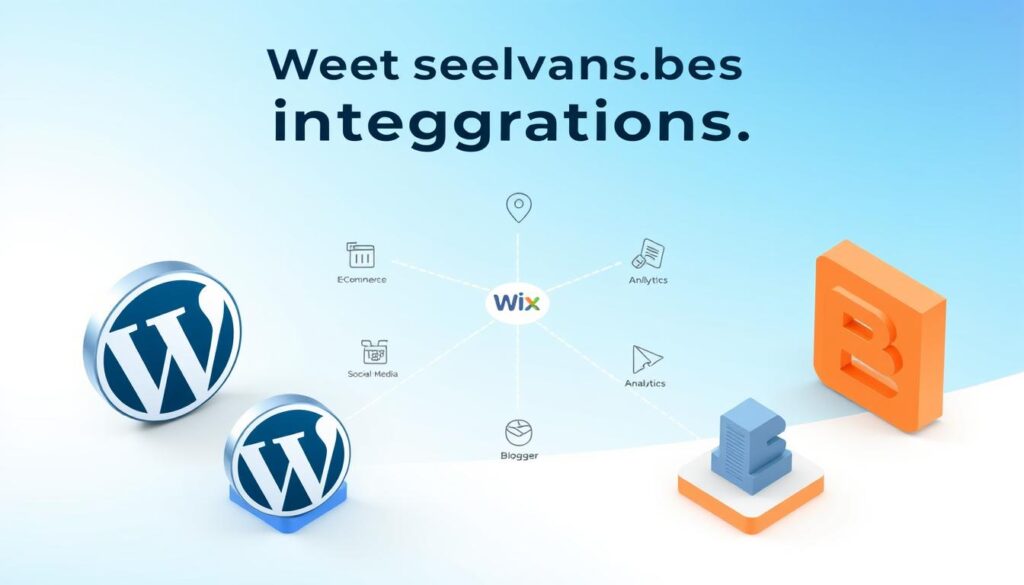
Wix takes a simpler approach to integrations with its App Market. It doesn’t have as many integrations as WordPress, but it offers a well-chosen selection of apps. These apps cover various business needs, from marketing to customer service. Wix is easy to use, even for those without coding skills.
Blogger is a straightforward blogging platform with fewer integrations than WordPress and Wix. It supports Google services like Google Analytics and Google AdSense. For more complex integrations, users might need third-party services or custom coding.
When comparing the three, their integration approaches differ:
- WordPress: Offers the most extensive range of integrations through its plugin architecture, ideal for users seeking high customization.
- Wix: Provides a balanced approach with its App Market, suitable for users looking for a straightforward, user-friendly experience.
- Blogger: Best for those within the Google ecosystem, offering seamless integration with Google services.
In conclusion, the choice of platform depends on your integration needs. WordPress is best for maximum flexibility and customization. Wix is great for a streamlined experience. Blogger is a solid choice for those deeply integrated with Google’s services.
Performance and Speed Analysis
Website performance is key for a good user experience and SEO. We’ll compare WordPress, Wix, and Blogger on their speed and performance. This section will explore how these platforms handle site loading times and user experience.
Site Loading Times
Fast site loading times keep visitors. Slow sites can lead to high bounce rates and hurt SEO. WordPress is fast, thanks to caching plugins and CDNs.
- WordPress: Offers many ways to optimize, like WP Rocket caching plugins.
- Wix: Uses its own tech for fast loading, but can be slower due to complex sites.
- Blogger: As a Google platform, it loads fast for users in the Google ecosystem.
Overall User Experience
User experience includes loading times and site functionality. Responsive design and mobile-friendliness are important. WordPress and Wix have many responsive themes, and Blogger has mobile-responsive templates.
- WordPress: Highly customizable for a tailored experience.
- Wix: Easy to use with drag-and-drop for a nice-looking site.
- Blogger: Simple for quick starts, perfect for bloggers.
Choosing between WordPress, Wix, and Blogger depends on your needs. Knowing each platform’s strengths and weaknesses helps you decide for your online presence.
Making the Final Choice: Which Is Best for You?
Choosing between WordPress, Wix, and Blogger depends on what you need for your website. We’ve compared the key points to help you decide.
When picking the top blogging platforms, look at their features, ease of use, and how customizable they are. Here’s a table to show the main differences:
| Platform | Ease of Use | Customization | Cost |
|---|---|---|---|
| WordPress | Moderate | High | Variable |
| Wix | Easy | Moderate | Fixed Plans |
| Blogger | Easy | Moderate | Free |
The table shows that WordPress lets you customize a lot but needs some tech skills. Wix is easy to use with drag-and-drop tools but has less customization than WordPress. Blogger is free, easy to use, and works well with Google services.
To choose the right one, think about these points:
- If you want flexibility and know some tech, WordPress might be best.
- For a simple, drag-and-drop interface, Wix is a good pick.
- For a free, easy platform that works with Google, Blogger is a good choice.
The best platform for you depends on your specific needs and goals. By looking at these factors and comparing WordPress, Wix, and Blogger, you can choose the right one for your online presence.
Conclusion: Recap and Recommendations
We’ve looked at WordPress, Wix, and Blogger to find the best website builder for 2025. WordPress stands out for serious bloggers and businesses. It offers flexibility and lots of customization options.
Wix is great for small businesses and individuals. It has a user-friendly interface and many templates. Blogger is perfect for hobbyists who want a simple, free platform.
Think about what you need when choosing a website builder. WordPress is best for those who want lots of customization and growth. Wix is good for ease of use and many templates. Blogger is ideal for a basic, free blog.
The right website builder for you depends on your needs. We hope this guide helps you make a great choice. It will help you build a successful online presence.