Last updated: March 2026
WordPress now powers over 43% of all websites on the internet. That’s nearly half of the web running on a single platform. But here’s the reality: simply using WordPress doesn’t guarantee search visibility.
In 2026, the SEO landscape has transformed dramatically. Google’s AI Overviews now dominate search results for informational queries. Core Web Vitals have become non-negotiable ranking factors. E-E-A-T signals determine which content gets featured and which gets buried.
The traffic game has changed too. Traditional blue-link clicks are declining as AI-generated answers capture user attention directly on search results pages. This shift means your WordPress site must work harder and smarter to earn visibility.
This complete WordPress SEO checklist 2026 delivers 150 actionable optimization points. You’ll discover exactly what search engines prioritize today. You’ll learn how to structure content for AI Overviews. You’ll implement technical optimizations that directly impact rankings.
Whether you run a blog, manage an e-commerce store, or operate a business website, this guide provides the roadmap. Each recommendation includes specific implementation steps for WordPress, recommended plugins, and measurable success criteria.
The checklist covers everything from foundational hosting choices to advanced schema markup. You’ll find strategies that work regardless of your technical skill level. And you’ll gain clarity on which optimizations deliver the highest SEO return on investment.
Table of Contents:
The Evolving SEO Landscape in 2026
Search engine optimization has undergone its most significant transformation in the past 18 months. Understanding these changes is critical before diving into tactical optimizations.
Google’s Ranking Factor Evolution
Google’s algorithm now processes over 200 ranking signals, but the weight distribution has shifted dramatically. Core Web Vitals moved from “nice to have” to mandatory baseline requirements. Sites that fail to meet minimum thresholds face ranking penalties regardless of content quality.
The search giant confirmed in February 2026 that user experience signals now account for approximately 35% of ranking determination. Page speed, interactivity, and visual stability directly impact where your pages appear in search results.
E-E-A-T (Experience, Expertise, Authoritativeness, Trustworthiness) has evolved beyond just medical and financial content. Google now applies these quality standards across all content categories. Demonstrating topical authority requires consistent publishing, author credentials, and external validation through links and mentions.
Mobile-first indexing is no longer a future consideration—it’s the present reality. Google exclusively uses mobile versions of pages for indexing and ranking. Desktop-only optimizations provide zero value in search results.
The AI Search Revolution
AI Overviews now appear in 67% of informational searches according to recent data from search analytics platforms. These AI-generated summaries sit above traditional organic results, capturing significant user attention before anyone clicks a link.
The impact on organic traffic patterns is measurable. Websites report 15-30% decreases in click-through rates for informational queries where AI Overviews appear. However, sites that optimize for these features see increased brand visibility and authority signals.
Multimodal content has become essential. Search engines now process and understand images, videos, audio, and text as interconnected content elements. Pages that provide information across multiple formats receive preference in AI Overview selections.
Structured data and schema markup directly feed AI systems. Properly implemented markup helps search engines extract, understand, and feature your content in AI-generated answers. Sites without structured data face significant disadvantages in visibility.
The Shift from Rankings to Visibility
Traditional ranking metrics tell an incomplete story. A number one ranking means less when AI Overviews, featured snippets, people also ask boxes, and video carousels occupy prime screen real estate.
Visibility optimization requires thinking beyond position tracking. You must optimize for featured snippet capture, inclusion in AI Overviews, appearance in people also ask sections, and selection for knowledge panels.
The average first-page result now competes with 8-12 other SERP features for user attention. Winning visibility requires optimizing content for multiple result types simultaneously rather than focusing solely on organic position.
Your hosting infrastructure serves as the foundation for all these optimization efforts—a topic we’ll explore in depth in the Foundation section below.
Table of Contents
- Schema Markup & Structured Data
- Mobile-First & User Experience Signals
- Security, Privacy & E-E-A-T Signals
- Advanced & Automation
- Off-Page & Link Building in 2026
- Monitoring, Auditing & Maintenance
- Complete 150-Point Printable Checklist
- WordPress SEO Plugins Comparison 2026
- How Arahoster Supercharges Your WordPress SEO
Foundation: Hosting, Theme & Initial Setup
Your WordPress site’s foundation determines the ceiling of your SEO potential. No amount of content optimization can compensate for slow servers, bloated themes, or misconfigured basic settings.
Choosing Fast, SEO-Optimized WordPress Hosting
Hosting directly impacts three critical ranking factors: page speed, uptime, and security. Google’s algorithm measures real user experiences through Core Web Vitals data. Slow hosting creates slow websites, which results in lower rankings.
Server response time (Time to First Byte) should stay under 600 milliseconds. Most shared hosting environments deliver TTFB times of 1-3 seconds, putting your site at an immediate disadvantage before content even loads.
Look for these hosting features specifically:
- NVMe SSD storage (5x faster than standard SSDs)
- Built-in server-level caching (Redis or Memcached)
- PHP 8.2+ support with OPcache enabled
- HTTP/3 and QUIC protocol support
- Automatic daily backups with one-click restoration
- Integrated CDN for global content delivery
- Dedicated resources (avoid oversold shared hosting)
- Staging environment for safe testing
- Automatic security updates and malware scanning
Database optimization matters significantly for WordPress performance. Your hosting should provide MySQL 8.0+ or MariaDB 10.5+ with proper query caching. Sites with thousands of posts especially benefit from optimized database configurations.
Start with SEO-Optimized Hosting
Your WordPress site’s speed, security, and reliability begin with your hosting choice. Arahoster’s WordPress-optimized plans include NVMe storage, built-in caching, automatic updates, and everything you need to meet 2026 SEO standards from day one.
Selecting Lightweight, Performance-Focused Themes
Your theme choice impacts page weight, rendering speed, and code quality. Many popular WordPress themes include unnecessary features, bloated code, and poor optimization practices.
Performance-focused themes like GeneratePress, Astra, Kadence, and Blocksy deliver clean code with minimal overhead. These themes typically load in under 30KB (uncompressed), compared to 200KB+ for feature-heavy alternatives.
Avoid themes with these characteristics:
- Bundled premium plugins (artificial feature inflation)
- Page builders integrated into theme code
- Multiple layout options you’ll never use
- Demo sites with 50+ pre-built templates
- Themes that haven’t been updated in 6+ months
- Poor mobile responsiveness requiring custom CSS fixes
Test potential themes using Query Monitor plugin to check database queries, HTTP requests, and load times. Quality themes generate fewer than 20 database queries per page load. Poorly coded themes can trigger 100+ queries, dramatically slowing performance.
Setting Up SEO-Friendly Permalink Structure
Permalink structure affects both user experience and search engine understanding of your content hierarchy. WordPress defaults to ugly URLs like “?p=123” that provide zero context about page content.
The optimal permalink structure for most sites is Post Name (example.com/page-title). This structure creates clean, readable URLs that include target keywords naturally.
Navigate to Settings → Permalinks in WordPress admin and select “Post name.” For sites with time-sensitive content like news sites, consider using “Day and name” structure (example.com/2026/03/15/page-title).
Never change permalink structure on established sites without implementing proper 301 redirects. Changing URLs without redirects breaks existing backlinks and loses accumulated SEO value.
Configuring Initial WordPress Settings
Several critical settings require configuration immediately after WordPress installation:
Site Visibility Settings: Navigate to Settings → Reading and ensure “Discourage search engines from indexing this site” is UNCHECKED. This checkbox blocks search engines when checked—a common mistake that prevents indexing entirely.
Discussion Settings: Configure comment moderation to prevent spam and maintain site quality. Excessive spam comments signal low-quality sites to search engines. Enable comment moderation for first-time commenters and implement spam protection.
Timezone Configuration: Set accurate timezone in Settings → General. Proper timestamp configuration helps with content freshness signals and proper schema markup implementation.
Default Category: Change the default “Uncategorized” category to something relevant. Every post assigned to “Uncategorized” signals poor content organization to search engines.

Technical SEO & Site Health
Technical SEO creates the infrastructure that allows search engines to discover, crawl, index, and rank your content effectively. Even exceptional content fails without proper technical implementation.
XML Sitemap Configuration and Submission
XML sitemaps provide search engines with a complete map of your site’s content structure. They help crawlers discover pages efficiently and understand update frequency and content priorities.
Modern WordPress SEO plugins automatically generate XML sitemaps. Yoast SEO, Rank Math, and All in One SEO create and update sitemaps dynamically as you publish content. Your sitemap typically appears at example.com/sitemap.xml or example.com/sitemap_index.xml.
Submit your sitemap through Google Search Console and Bing Webmaster Tools. Regular submission isn’t necessary—once submitted, search engines automatically check for updates. However, monitor your Search Console for sitemap errors or warnings.
Exclude these page types from sitemaps:
- Thank you pages and confirmation pages
- Internal search result pages
- Tag and date archive pages (in most cases)
- Duplicate content variations
- Password-protected or member-only content
- Paginated pages beyond page 1
For large sites with 10,000+ pages, implement sitemap index files that break content into logical segments. This structure helps search engines crawl more efficiently.
Robots.txt File Optimization
The robots .txt file controls which parts of your site search engines can crawl. Located at example.com/robots.txt, this text file provides crawling instructions to all search engine bots.
WordPress automatically generates a basic robots .txt file. However, optimization requires customization. Here’s a comprehensive WordPress robots .txt template:
User-agent: *
Disallow: /wp-admin/
Allow: /wp-admin/admin-ajax.php
Disallow: /wp-includes/
Disallow: /wp-content/plugins/
Disallow: /wp-content/themes/
Disallow: /wp-content/cache/
Disallow: /trackback/
Disallow: /feed/
Disallow: /comments/
Disallow: */feed/
Disallow: */trackback/
Disallow: /xmlrpc.php
Disallow: *?s=
Disallow: *&s= Sitemap: https://example.com/sitemap_index.xml
Edit your robots .txt file through your SEO plugin settings or via FTP. Never block CSS or JavaScript files—Google needs these resources to properly render and evaluate your pages.
Test robots .txt configuration using Google Search Console’s robots .txt Tester tool. This tool shows exactly what search engines see and highlights any syntax errors.
Canonical Tags Implementation
Canonical tags tell search engines which version of duplicate or similar content represents the authoritative source. WordPress often creates multiple URLs for the same content through pagination, categories, tags, and archive pages.
Your SEO plugin handles most canonical implementation automatically. Each post should have a canonical tag pointing to itself. Archive pages, category pages, and tag pages need proper canonicalization to avoid duplicate content issues.
Common canonical tag scenarios:
- Blog posts appearing in multiple categories—canonical points to original post URL
- Paginated content—page 2, 3, 4 each canonical to their own URLs
- Products with multiple URLs—canonical points to primary product page
- Syndicated content—canonical points to original source if republishing
Check canonical implementation by viewing page source and looking for <link rel=”canonical” href=”URL”> in the head section. Every page should have exactly one canonical tag.
Fixing Crawl Errors and Indexing Issues
Google Search Console provides critical data about how search engines interact with your site. Regular monitoring prevents small issues from becoming major ranking problems.
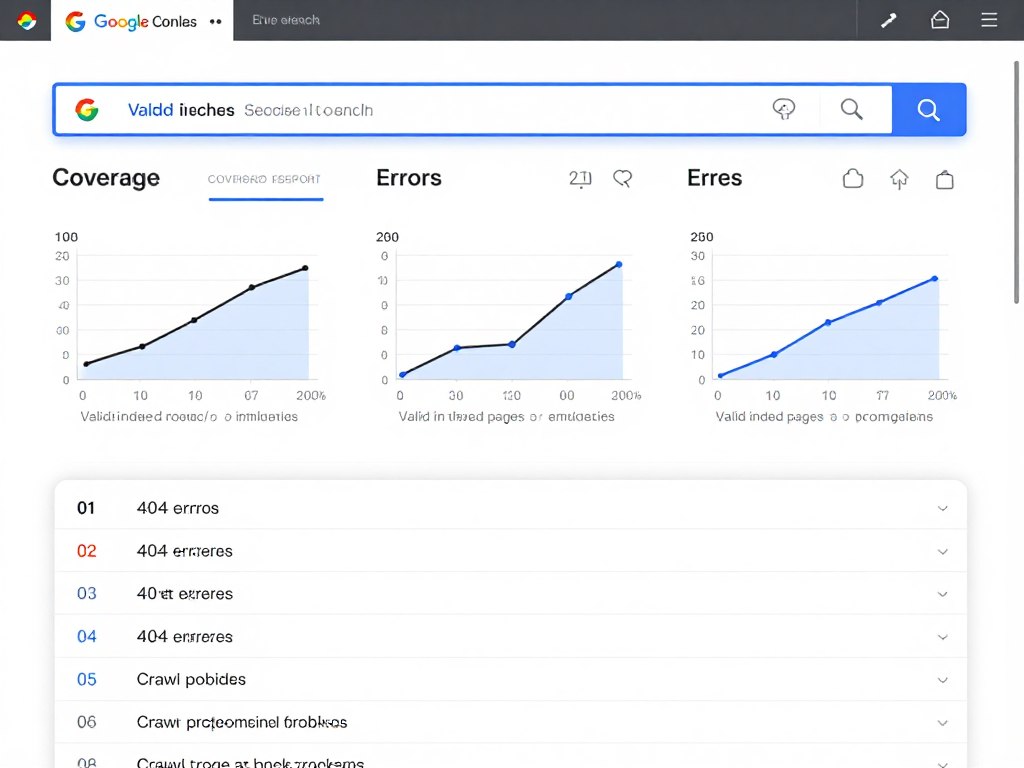
Navigate to Coverage report in Search Console to identify errors, valid warnings, and excluded pages. Common issues include:
404 Errors: Broken internal links or deleted pages without redirects. Fix by updating internal links or implementing 301 redirects to relevant alternative pages.
Server Errors (5xx): Indicate hosting or server configuration problems. These errors prevent indexing and signal reliability issues. Contact your hosting provider if errors persist.
Redirect Chains: Multiple consecutive redirects slow crawling and dilute link equity. Simplify redirect chains to single-hop redirects whenever possible.
Soft 404s: Pages that return 200 OK status but contain little or no content. Search engines treat these as errors. Either add substantial content or return proper 404 status.
The Page Indexing report shows which pages Google successfully indexed. Investigate pages marked as “Discovered – currently not indexed” or “Crawled – currently not indexed.” These statuses often indicate content quality issues or insufficient internal linking.
HTTPS and Security Certificate Setup
HTTPS is a confirmed ranking factor. Sites without SSL certificates face “Not Secure” warnings in browsers, dramatically impacting user trust and conversion rates.
Most quality hosting providers include free SSL certificates through Let’s Encrypt. Installation typically requires just a few clicks through hosting control panels. After installation, force HTTPS across your entire site.
Implement HTTPS correctly with these steps:
- Install SSL certificate through hosting provider
- Update WordPress Site URL and Home URL to https:// in Settings → General
- Implement automatic HTTP to HTTPS redirects via .htaccess or plugin
- Update internal links to use relative URLs or HTTPS absolute URLs
- Verify no mixed content warnings (HTTP resources on HTTPS pages)
- Submit HTTPS version of sitemap to Search Console
Use SSL Labs’ SSL Test tool to verify proper certificate configuration. Aim for an A or A+ rating. Lower grades indicate configuration issues that could impact security and user trust.
Core Web Vitals & Speed Optimization
Core Web Vitals represent Google’s standardized metrics for measuring real-world user experience. These three metrics directly impact rankings across all device types.
Understanding Core Web Vitals Thresholds 2026
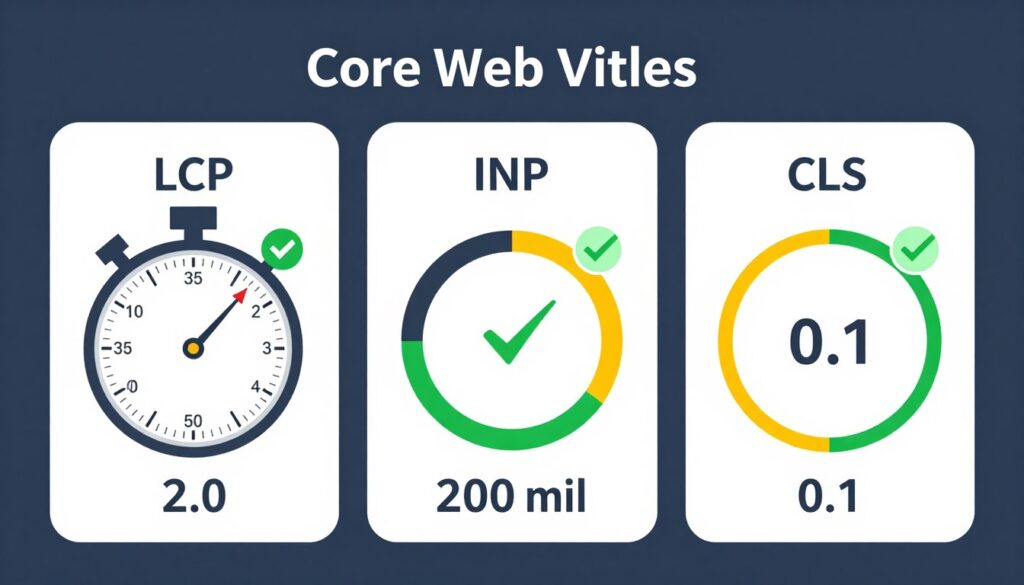
Google updated Core Web Vitals thresholds in January 2026 to reflect improved web performance standards. Your site must meet these targets for at least 75% of page loads:
Largest Contentful Paint (LCP): Measures loading performance. LCP should occur within 2.0 seconds of page start. This metric tracks when the largest content element becomes visible to users.
Interaction to Next Paint (INP): Replaced First Input Delay in 2024. INP should be less than 200 milliseconds. This metric measures overall page responsiveness to user interactions throughout the entire page visit.
Cumulative Layout Shift (CLS): Measures visual stability. CLS score should remain below 0.1. This metric quantifies how much page elements unexpectedly shift during loading.
Check your Core Web Vitals scores using PageSpeed Insights, Search Console’s Core Web Vitals report, or Chrome User Experience Report data. These tools show both lab data (simulated) and field data (real user measurements).
Field data always takes precedence for ranking purposes. Optimizing for real users on real devices matters more than achieving perfect lab scores.
Image Optimization for Performance
Images account for 50-70% of total page weight on most WordPress sites. Proper image optimization represents the fastest path to meaningful performance improvements.
Implement these image optimization practices:
Format Selection: Use WebP format for all images. WebP provides 25-35% better compression than JPEG with equivalent visual quality. WordPress 5.8+ includes native WebP support. For older sites, use plugins like ShortPixel or Imagify for automatic conversion.
Compression: Compress images before uploading. Aim for 80-85% quality for photographs—visual differences are imperceptible while file sizes drop dramatically. Tools like TinyPNG or built-in plugin compression maintain quality while reducing file sizes.
Responsive Images: WordPress automatically generates multiple image sizes. Ensure srcset attributes load properly so browsers fetch appropriately sized images for each device. Don’t force mobile devices to download desktop-sized images.
Lazy Loading: WordPress 5.5+ includes native lazy loading for images. This feature delays loading off-screen images until users scroll near them. Lazy loading reduces initial page weight and improves LCP scores.
Dimensions: Always specify width and height attributes on image tags. These dimensions prevent layout shift during loading, directly improving CLS scores. WordPress automatically adds dimensions for uploaded images.
Avoid using images for text when possible. Text embedded in images isn’t accessible, searchable, or responsive. Use web fonts and CSS for text elements instead.
Caching Strategies for WordPress
Caching stores pre-generated versions of pages, reducing server processing and dramatically improving response times. Multi-layered caching provides the best performance results.
Server-Level Caching: The most effective form of caching happens at the server level before WordPress even executes. Quality hosting providers include server-level caching through technologies like Redis, Memcached, or Varnish. Server-level optimizations like those provided by Arahoster’s NVMe storage and built-in caching can reduce LCP by 40-60%.
Page Caching: Stores complete HTML output for each page. When users request cached pages, WordPress skips database queries and PHP execution entirely. Plugins like WP Rocket, W3 Total Cache, and WP Super Cache handle page caching effectively.
Object Caching: Stores results of complex database queries. Object caching prevents WordPress from repeatedly executing expensive queries. Redis or Memcached provide object caching through plugins like Redis Object Cache.
Browser Caching: Instructs browsers to store static assets locally. Properly configured browser caching means returning visitors load pages almost instantly. Set long expiration times (1 year) for static resources that rarely change.
Clear cache after major site changes, theme updates, or plugin updates. Stale cache can show visitors outdated content or cause functionality issues.
CDN Implementation for Global Performance
Content Delivery Networks distribute your site’s static assets across global server networks. Users download resources from geographically nearby servers, reducing latency and improving load times worldwide.
Popular WordPress-compatible CDNs include Cloudflare, BunnyCDN, StackPath, and KeyCDN. Many hosting providers include integrated CDN services. Setup typically involves changing nameservers or installing a plugin.
CDN benefits extend beyond speed:
- Reduced server load and bandwidth consumption
- DDoS protection and security features
- Automatic image optimization
- HTTP/3 support for faster connections
- Hotlink protection to prevent bandwidth theft
Configure CDN to cache all static assets (CSS, JavaScript, images, fonts). Exclude dynamic content like checkout pages, user dashboards, and logged-in user areas from caching.
Reducing Plugin Bloat and Code Overhead
Every active plugin adds code that WordPress must execute on every page load. Excessive plugins create performance bottlenecks even when individual plugins appear lightweight.
Audit your plugins regularly using Query Monitor or P3 Plugin Performance Profiler. These tools show which plugins consume the most resources. Deactivate and delete unused plugins—even inactive plugins can create security vulnerabilities.
Replace multiple single-purpose plugins with comprehensive solutions when possible. For example, one quality SEO plugin typically performs better than three separate plugins for sitemaps, metadata, and redirects.
Avoid plugins that load resources on every page when functionality is needed on specific pages only. Contact form plugins shouldn’t load CSS and JavaScript on blog posts where no forms appear.
Consider custom code alternatives for simple functionality. Adding a few lines of code to your theme’s functions.php file often performs better than installing an entire plugin for basic features.
On-Page SEO Mastery
On-page SEO represents the optimization of individual pages to rank higher and earn more relevant traffic. These elements remain within your complete control.
Title Tag Optimization
Title tags serve as the clickable headline in search results. They represent one of the most important on-page ranking factors and significantly impact click-through rates.
Effective title tags follow these principles:
Length: Keep titles between 50-60 characters. Longer titles get truncated in search results. Mobile displays even fewer characters, making concision critical.
Keyword Placement: Include your primary keyword near the beginning of the title. Front-loaded keywords receive more weight from search algorithms and catch user attention faster.
Compelling Copy: Titles must attract clicks, not just include keywords. Use numbers, questions, power words, and specific benefits to increase appeal. “10 Proven Strategies” performs better than “Strategies for Success.”
Brand Inclusion: Add your brand name at the end when space permits. Brand visibility in search results builds recognition and trust over time.
Uniqueness: Every page needs a unique title tag. Duplicate titles confuse search engines about which page to rank for specific queries.
WordPress SEO plugins provide title tag templates that automatically format titles consistently across your site. Customize individual titles when default templates don’t optimize properly.
Meta Description Best Practices
Meta descriptions don’t directly influence rankings but dramatically affect click-through rates from search results. Compelling descriptions can double or triple your organic traffic for the same ranking position.
Write meta descriptions with these guidelines:
Length: Aim for 150-155 characters. Descriptions truncate at approximately 155 characters on desktop, fewer on mobile. Front-load the most important information.
Value Proposition: Clearly communicate what users gain by clicking. Answer the implicit question “What’s in it for me?” Focus on benefits rather than features.
Call to Action: Include action-oriented language when appropriate. Phrases like “Learn how,” “Discover,” or “Get started” encourage clicks.
Keyword Inclusion: Include target keywords naturally. Google bolds search terms that appear in descriptions, making your result more eye-catching.
Accuracy: Descriptions must accurately represent page content. Misleading descriptions create high bounce rates, signaling poor quality to search engines.
Google rewrites meta descriptions approximately 62% of the time. When your description doesn’t match search intent, Google generates alternatives from page content. Well-written descriptions aligned with search intent get displayed more consistently.
Heading Structure and Hierarchy
Proper heading structure helps search engines understand content organization and relationships between topics. Headings also improve readability and user experience.
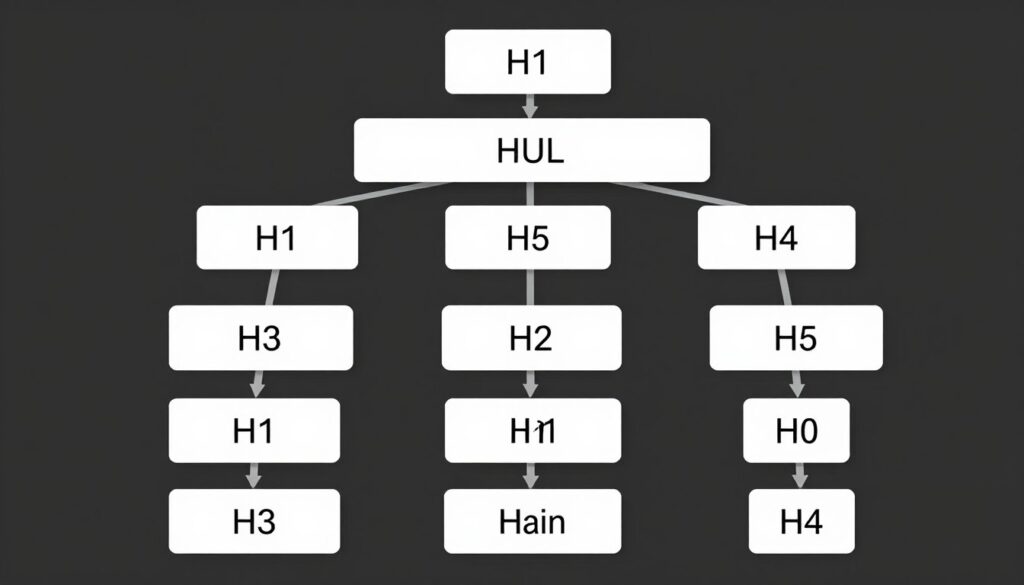
Each page should contain exactly one H1 tag—typically your main page title. Subsequent headings follow logical hierarchy: H2s for main sections, H3s for subsections, H4s for sub-subsections.
Never skip heading levels. Don’t jump from H2 directly to H4 without an H3 in between. Logical structure matters for accessibility and search engine comprehension.
Include keywords naturally in headings, especially H2 and H3 tags. Don’t stuff keywords awkwardly—prioritize readability and natural language. Question-based headings often perform well for featured snippet optimization.
WordPress block editor (Gutenberg) makes heading implementation straightforward. Select text and choose the appropriate heading level from block options. Avoid using bold text or larger font sizes instead of proper heading tags.
Content Length and Depth Recommendations
Content length requirements depend entirely on search intent and competition. Some queries require 3,000+ words while others need only 500 words to fully satisfy user intent.
Research top-ranking pages for your target keywords. Analyze the depth and comprehensiveness of their content. Your content should match or exceed the detail level of competing pages while remaining focused and relevant.
Quality trumps quantity always. A well-researched 1,200-word article provides more value than a rambling 4,000-word piece padded with filler content. Every paragraph should serve purpose.
Comprehensive content typically performs better for competitive keywords. In-depth guides demonstrate expertise and provide opportunities to rank for multiple related search terms through semantic keyword coverage.
Update and expand existing content rather than always creating new pages. Adding 500-1,000 words to a partially ranking page often yields better results than starting from scratch.
Keyword Placement and Density
Strategic keyword placement helps search engines understand page topics without requiring awkward keyword stuffing. Modern algorithms understand semantic relationships and context.
Include primary keywords in these critical locations:
- Title tag (preferably near the beginning)
- First paragraph (within the first 100 words)
- At least one H2 or H3 heading
- Image alt text (where naturally relevant)
- URL slug
- Meta description
Keyword density metrics (like 2% keyword density) are outdated and potentially harmful. Natural language should always take priority. Write for humans first, then verify search engines can understand your topic.
Use semantic variations and related terms throughout content. Include synonyms, related concepts, and contextually appropriate terminology. This approach helps pages rank for broader keyword sets while reading naturally.
Readability and User Experience Optimization
Google’s algorithm increasingly prioritizes content that provides positive user experiences. Dwell time, scroll depth, and engagement signals influence rankings.
Optimize readability with these techniques:
Short Paragraphs: Limit paragraphs to 2-4 sentences maximum. Large blocks of text intimidate readers and reduce engagement, especially on mobile devices.
Subheadings: Break content into scannable sections with descriptive subheadings. Most users scan rather than read word-for-word. Subheadings help them find relevant information quickly.
Bullet Points and Lists: Present complex information in list format when appropriate. Lists are easier to scan, understand, and remember than dense paragraphs.
Sentence Length: Vary sentence length for rhythm but favor shorter sentences. Aim for 15-20 words per sentence on average. Long, complex sentences lose readers.
Simple Language: Write at 8th-9th grade reading level unless your audience specifically requires technical jargon. Simple doesn’t mean simplistic—clarity demonstrates expertise.
Use tools like Hemingway Editor or Yoast SEO’s readability analysis to identify areas for improvement. These tools flag complex sentences, passive voice, and readability issues.
Content Strategy & Optimization for AI Overviews
Creating content that ranks in AI Overviews and featured snippets requires specific structural and strategic approaches. These formats now capture significant search visibility.
Structuring Content for Featured Snippets
Featured snippets appear above organic search results in position zero. They provide direct answers to user queries without requiring clicks. Optimizing for snippets increases brand visibility even when users don’t visit your site.
Common featured snippet formats include:
Paragraph Snippets: 40-60 word answers to “what is” or “why” questions. Place clear, concise definitions near the top of relevant content. Use the question as an H2 or H3 heading, followed immediately by the answer paragraph.
List Snippets: Numbered or bulleted lists answering “how to” queries. Structure process content with ordered lists. Include 5-10 items typically—Google often truncates longer lists with “More items…” links.
Table Snippets: Comparison data, pricing, specifications, or statistics. Format comparison information in HTML tables. Include clear column headers and organize data logically.
Answer questions directly and concisely before providing additional context. Front-load the core answer within the first 50-60 words, then expand with supporting details, examples, and related information.
Implementing FAQ and HowTo Schema
Schema markup provides structured data that helps search engines understand and display your content in enhanced formats. FAQ and HowTo schema specifically target AI Overview and rich result inclusion.
FAQ Schema: Structures question-and-answer content for enhanced display in search results. Use FAQ schema on pages containing 2-10 frequently asked questions. Each question-answer pair gets marked up individually.
WordPress plugins like Rank Math and Yoast SEO include visual FAQ block builders. These blocks automatically generate proper schema markup without requiring manual code. Simply add questions and answers through the block editor interface.
HowTo Schema: Structures step-by-step instructions for processes and tutorials. HowTo markup enables rich results showing steps directly in search listings. Include a total time estimate, required tools or materials, and clear step descriptions.
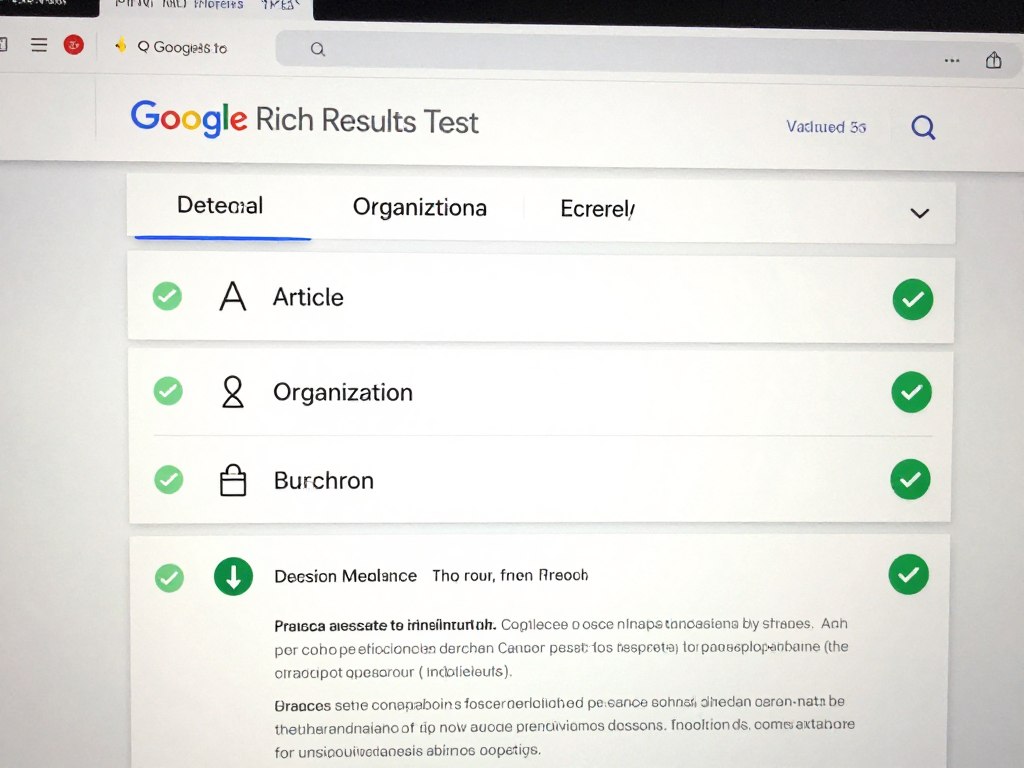
Test schema implementation using Google’s Rich Results Test tool. This validator confirms proper markup structure and previews how content might appear in search results.
Creating Answer-First Content
AI Overviews prioritize content that provides clear, immediate answers. Traditional content structures that build context before delivering answers perform poorly for AI selection.
Implement inverted pyramid writing:
- State the core answer or main point first
- Provide essential supporting details second
- Include additional context and examples third
- Add tangential or related information last
This structure serves both AI systems and human readers. Users get immediate value while those seeking depth can continue reading. AI systems can extract clear answers without parsing lengthy introductions.
Use clear, declarative sentences for key information. Avoid hedging or unnecessary qualifiers. “Core Web Vitals include LCP, INP, and CLS” performs better than “Generally speaking, Core Web Vitals typically consist of several metrics including…”
Multimodal Content Integration
Search engines now process multiple content formats as interconnected information sources. Pages incorporating text, images, video, and audio provide richer experiences and earn preference in rankings.
Images: Include relevant images with descriptive alt text that reinforces page topics. Diagrams, screenshots, infographics, and photos all contribute to content comprehensiveness. Original images typically perform better than stock photography.
Video: Embed relevant videos that supplement written content. YouTube videos, when embedded, contribute to page topic relevance. Consider creating custom videos for complex topics that benefit from visual demonstration.
Transcripts: Always provide text transcripts for video and audio content. Transcripts make multimedia content searchable and accessible. They also provide additional text content for search engines to index.
Charts and Data Visualization: Present statistical information through charts, graphs, and interactive visualizations. Visual data presentation improves comprehension and engagement while providing additional optimization opportunities through alt text and structured data.
Ensure all multimedia elements enhance rather than distract from core content. Every image, video, or interactive element should serve clear purpose related to page topics and user intent.
Internal & External Linking Strategy
Strategic linking creates site structure, distributes authority, and helps search engines understand content relationships. Both internal and external links play critical roles.
Internal Linking Best Practices
Internal links connect pages within your website. They serve multiple SEO functions: distributing page authority, establishing site architecture, and helping search engines discover and index content.
Implement these internal linking strategies:
Contextual Links: Place links naturally within content body text. Contextual links pass more value than footer or sidebar links. Link from relevant anchor text that describes the destination page topic.
Anchor Text Optimization: Use descriptive anchor text that includes target keywords for the destination page. Avoid generic phrases like “click here” or “read more.” Specific anchor text helps search engines understand link relationships.
Link Depth: Important pages should be accessible within 3 clicks from your homepage. Pages buried deeper in site architecture receive less crawler attention and accumulate less authority.
Quantity Balance: Include 2-5 internal links in every piece of content. Too few links create isolated content islands. Too many links dilute link equity and overwhelm readers.
Prioritize Important Pages: Link frequently to your most important pages—cornerstone content, service pages, and high-converting pages. These pages should have the most internal links pointing to them.
Use tools like Screaming Frog or Sitebulb to identify orphan pages (pages with zero internal links). These pages struggle to rank because search engines rarely discover and rarely assign importance to them.
External Link Strategy and Authority Signals
External links pointing to authoritative sources demonstrate content quality and thoroughness. They provide context for claims, cite research, and enhance credibility.
Link to external sources when:
- Citing statistics, research, or data
- Referencing industry standards or best practices
- Providing additional resources for deeper learning
- Acknowledging original sources of information
- Recommending tools or resources
Quality matters more than quantity for external links. Link to authoritative, reputable sources like .edu, .gov, established media outlets, academic journals, and recognized industry leaders.
Open external links in new tabs using target=”_blank” attribute. This practice keeps users on your site while still accessing external resources. Include rel=”noopener” for security when using target=”_blank”.
Avoid excessive external linking to low-quality or irrelevant sites. Every outbound link represents a potential exit point. Ensure each external link provides clear value to readers.
Building Topic Clusters and Content Hubs
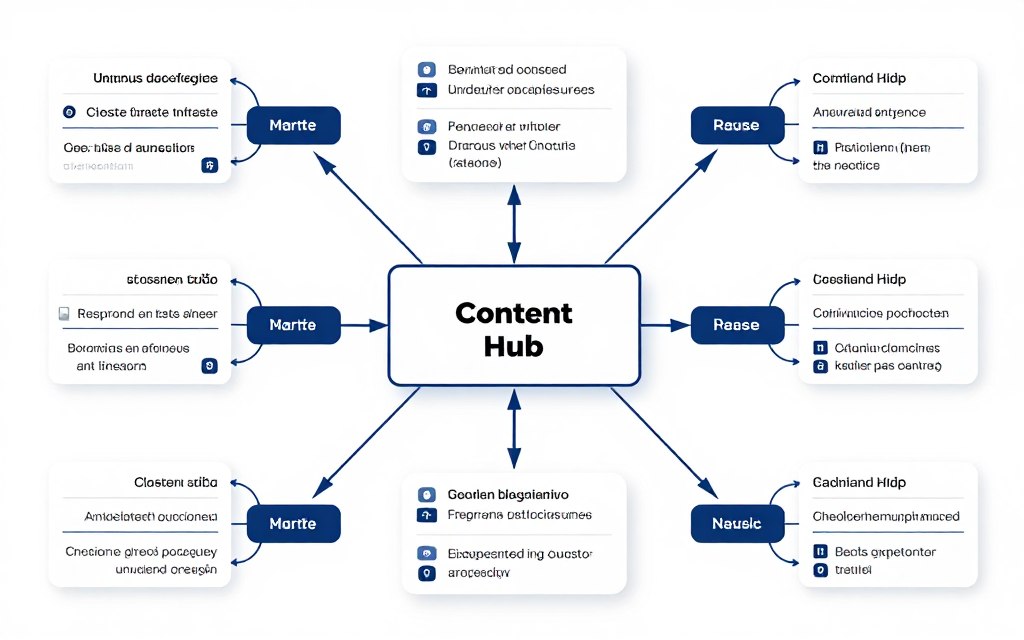
Topic clusters organize related content into hub-and-spoke structures. This architecture signals topical authority to search engines and improves user navigation.
Create topic clusters with this structure:
Pillar Content: Comprehensive guide covering a broad topic. This page serves as the hub, linking to all related spoke content. Pillar pages typically run 3,000-5,000+ words and cover topics at high level.
Cluster Content: Detailed pages exploring specific subtopics in depth. Each cluster page links back to the pillar page and relates to other cluster pages when relevant.
Internal Linking: Strong bidirectional linking connects pillar to clusters and clusters back to pillar. This structure distributes authority and clarifies content relationships for search engines.
For WordPress sites, consider creating custom category/tag structures that mirror your topic clusters. This organization enhances navigation and creates logical URL hierarchies.
Avoiding Common Linking Mistakes
Several linking errors damage SEO performance:
Broken Links: Links pointing to non-existent pages or removed content. Use tools like Broken Link Checker plugin to identify and fix broken links. Even internal broken links create poor user experience.
Redirect Chains: Multiple consecutive redirects before reaching final destination. Simplify chains to direct redirects. Each additional redirect degrades user experience and wastes link equity.
Excessive No-Follow Usage: Over-applying nofollow attributes to internal links. Reserve nofollow for untrusted external links, paid links, and user-generated content. Internal links should almost never use nofollow.
Orphan Pages: Pages with zero internal links pointing to them. Every important page needs at least one internal link from elsewhere on your site.
Audit linking structure quarterly using crawling tools. Regular audits identify and resolve issues before they significantly impact search performance.
Schema Markup & Structured Data
Schema markup provides explicit context about page content that search engines use for enhanced displays and better understanding. Implementation directly impacts rich result eligibility.
Essential Schema Types for WordPress Sites
Different content types benefit from different schema markup implementations. Choose schema types that match your content and business model.
Article Schema: Marks up blog posts, news articles, and content pages. Article schema includes headline, date published, date modified, author information, and featured image data. This markup enables display in Google News, Top Stories, and article-focused rich results.
Organization Schema: Provides company information including name, logo, contact information, and social profiles. Organization schema appears once per site, typically on the homepage. It helps search engines connect your brand across different content pieces.
Local Business Schema: Essential for businesses with physical locations. Includes address, phone number, business hours, accepted payment methods, and price range. Local Business schema enhances local search visibility and enables rich snippets with business details.
Product Schema: Required for e-commerce sites. Marks up product name, image, price, availability, and reviews. Product schema enables rich snippets showing prices, ratings, and availability directly in search results.
Review Schema: Structures customer reviews and ratings. Review schema enables star ratings display in search results. Aggregate rating schema combines multiple reviews into overall ratings.
FAQ Schema: Structures question-answer content for enhanced display. FAQ rich results show questions directly in search listings, often with expandable answers.
Breadcrumb Schema: Marks up breadcrumb navigation trails. Breadcrumb structured data displays site hierarchy in search results, replacing URL display with clickable navigation path.
Implementing Schema with WordPress Plugins
Manual schema implementation requires JSON-LD code insertion. WordPress plugins simplify this process with visual interfaces and automatic markup generation.
Rank Math: Comprehensive SEO plugin with extensive schema support. Rank Math includes schema templates for 20+ content types. The visual schema builder allows custom configurations without coding. Rank Math automatically implements Article, Organization, and Person schema on appropriate pages.
Yoast SEO: Automatically adds basic Organization and Person schema. Yoast’s graph approach connects related schema elements. Premium version includes advanced schema controls for custom post types.
Schema Pro: Dedicated schema plugin supporting 30+ schema types. Schema Pro offers granular control over schema implementation. It includes conditional logic for applying different schema to different page types automatically.
WP Schema: Lightweight plugin focused specifically on structured data. WP Schema supports Google’s recommended schema types without additional SEO features.
Choose one primary schema plugin to avoid conflicts. Multiple plugins generating schema create duplicate markup that confuses search engines and may trigger errors.
Testing and Validating Schema Implementation
Proper testing ensures schema markup follows guidelines and appears correctly to search engines.
Use these validation tools:
Google’s Rich Results Test: Tests individual URLs for rich result eligibility. This tool shows which rich results your page qualifies for based on implemented schema. It also flags errors and warnings that prevent rich result display.
Schema Markup Validator: Schema.org’s official validator checks markup syntax. This tool verifies JSON-LD structure follows schema.org specifications regardless of how Google interprets it.
Google Search Console: Monitor enhancement reports for implemented schema types. Search Console shows which pages have valid schema, which have errors, and which triggered warnings. Regular monitoring prevents issues from persisting.
Test new schema implementations before deploying site-wide. Errors in schema templates affect all pages using those templates. Fix template issues once rather than correcting thousands of individual pages.
Common Schema Mistakes to Avoid
Schema implementation errors prevent rich results and may trigger manual actions in extreme cases.
Missing Required Properties: Each schema type requires specific properties. Product schema needs price and availability. Review schema needs author and rating. Incomplete schema won’t generate rich results.
Marking Up Hidden Content: Never add schema for content not visible to users. Marking up hidden prices, reviews, or information violates guidelines and risks penalties.
Incorrect Schema Types: Match schema types to actual content. Don’t mark up blog posts as products or standard pages as recipes. Mismatched schema confuses search engines and prevents intended rich results.
Duplicate Schema: Multiple plugins or implementations creating redundant markup. Duplicate schema dilutes signals and may cause parsing errors. Use one schema source per page.
Review Google’s structured data guidelines regularly. Requirements evolve as Google adds new rich result types and updates existing ones.
Mobile-First & User Experience Signals
Google’s mobile-first indexing means the mobile version of your site determines rankings for all devices. Mobile optimization is mandatory, not optional.
Responsive Design Requirements
Responsive design adapts layouts automatically to different screen sizes. Modern WordPress themes use responsive frameworks by default, but verification and optimization remain necessary.
Test mobile responsiveness using these tools:
Google’s Mobile-Friendly Test: Checks if pages meet mobile usability standards. This tool identifies specific issues like text too small, clickable elements too close, or content wider than screen.
Chrome DevTools Device Mode: Simulates various mobile devices directly in your browser. Test different screen sizes, orientations, and device types. DevTools shows exactly how layouts adapt across devices.
Real Device Testing: Test on actual smartphones and tablets. Emulators don’t perfectly replicate real device performance, touch interactions, or rendering behaviors.
Common mobile responsiveness issues include:
- Images extending beyond viewport width
- Horizontal scrolling required to view content
- Tiny text requiring zooming to read
- Buttons or links too small for accurate tapping
- Fixed-width elements breaking layouts on small screens
Use relative units (percentages, em, rem) rather than fixed pixels for widths and spacing. This approach allows elements to scale proportionally across screen sizes.
Touch-Friendly Interface Elements
Mobile users interact through touch rather than mouse clicks. Interface elements must accommodate finger-based navigation.
Implement these touch-friendly practices:
Button Size: Make buttons at least 48×48 pixels. Smaller targets create frustration and accidental clicks. Apple recommends 44×44 points minimum, Google recommends 48×48 dp minimum.
Spacing: Maintain minimum 8-10 pixels between tappable elements. Close proximity causes frequent mis-taps. Users need clear space around buttons, links, and form fields.
Form Optimization: Use appropriate input types (email, tel, number) to trigger correct mobile keyboards. Large, clearly labeled form fields reduce input errors. Multi-step forms work better on mobile than long single-page forms.
Navigation Design: Implement mobile-appropriate navigation patterns. Hamburger menus work for secondary navigation, but keep primary navigation visible. Sticky headers help users access navigation without scrolling to top.
Avoid hover-dependent functionality entirely on mobile. Drop-down menus, tooltips, and other hover-triggered elements don’t translate to touch interfaces.
Mobile Page Speed Optimization
Mobile page speed requires additional considerations beyond general performance optimization. Mobile networks have higher latency and more variable connection quality than broadband.
Prioritize these mobile-specific optimizations:
Reduce Resource Sizes: Mobile devices download content over cellular connections with limited bandwidth. Compress images more aggressively. Minimize JavaScript and CSS files. Consider serving lighter content variations to mobile users.
Eliminate Render-Blocking Resources: Move non-critical JavaScript to page bottom or load asynchronously. Inline critical CSS for above-fold content. Defer non-essential resources until after initial render.
Minimize Redirects: Every redirect adds network round-trip time. Mobile connections amplify redirect penalties. Eliminate unnecessary redirects especially for mobile users.
Optimize for Flaky Networks: Implement service workers for offline functionality when appropriate. Use resource hints (preconnect, prefetch) to optimize external resource loading.
Test mobile performance using Google PageSpeed Insights or Lighthouse with mobile throttling enabled. Desktop performance scores don’t reflect mobile user experiences.
Avoiding Mobile Usability Errors
Google Search Console reports mobile usability issues that affect indexing and rankings. Regular monitoring prevents problems from accumulating.
Common mobile usability errors include:
Viewport Not Set: Missing or incorrect viewport meta tag prevents proper mobile rendering. Include this tag in your theme header: <meta name=”viewport” content=”width=device-width, initial-scale=1″>
Text Too Small: Font sizes below 12-14 pixels require zooming to read comfortably. Use minimum 16 pixels for body text on mobile devices.
Clickable Elements Too Close: Links, buttons, and form fields positioned too near each other cause accidental clicks. Google flags pages where tappable elements are closer than recommended spacing.
Content Wider Than Screen: Fixed-width elements forcing horizontal scrolling. All content must fit within viewport width without horizontal scrolling.
Check Search Console’s Mobile Usability report monthly. Fix flagged issues promptly—they directly impact mobile rankings.
Security, Privacy & E-E-A-T Signals
Experience, Expertise, Authoritativeness, and Trustworthiness signals determine content quality assessment. Security and privacy elements contribute directly to trust signals.
WordPress Security Hardening
Site security protects both users and search rankings. Hacked sites get deindexed, flagged with warnings, and lose accumulated authority.
Implement these security measures:
Strong Passwords: Use unique, complex passwords for all admin accounts. Password managers generate and store secure credentials. Enable two-factor authentication for administrator access.
Limited Login Attempts: Install plugins like Limit Login Attempts Reloaded to prevent brute force attacks. Limit failed login attempts before temporary account lockout.
Regular Updates: Keep WordPress core, themes, and plugins updated. Updates patch security vulnerabilities that hackers actively exploit. Quality hosting providers like Arahoster offer automatic security updates that apply patches immediately.
Security Plugins: Install comprehensive security plugins like Wordfence, Sucuri Security, or iThemes Security. These plugins add firewalls, malware scanning, and attack monitoring.
File Permissions: Set correct file permissions to prevent unauthorized modifications. Directories should be 755, files should be 644, and wp-config.php should be 440 or 400.
Database Security: Change default database table prefix from wp_ to something unique. Use complex database passwords. Implement database user permissions limiting access to necessary operations only.
Enable WordPress security headers through .htaccess or security plugins. Headers like X-Frame-Options, X-Content-Type-Options, and Content-Security-Policy add protection layers.
Privacy Policy and GDPR Compliance
Privacy compliance affects trust signals and legal obligations. Required privacy disclosures vary by location and site functionality.
Create comprehensive privacy policies that disclose:
- What personal information you collect
- How you collect that information (forms, cookies, analytics)
- How you use collected information
- Who you share information with (third parties, service providers)
- User rights regarding their data
- How users can request data deletion or modification
- Cookie usage and tracking disclosures
WordPress includes built-in privacy policy page creation tools. Navigate to Settings → Privacy to generate and customize your privacy policy. Link to this policy from your footer on every page.
For GDPR compliance, implement cookie consent banners using plugins like Complianz or CookieYes. These tools detect cookies on your site and generate appropriate consent mechanisms.
Provide clear opt-out mechanisms for email marketing and data collection. Never pre-check consent boxes—users must actively choose to opt in.
Demonstrating Expertise and Authority
E-E-A-T signals help Google assess content quality and determine ranking worthiness. Building these signals requires consistent effort across multiple elements.
Author Bios: Create detailed author profiles showcasing credentials, experience, and expertise. Include author photos, social profiles, and relevant qualifications. Link author names to comprehensive bio pages.
About Page: Publish thorough about pages explaining who creates content, their qualifications, and site purposes. Include team photos, credentials, awards, and company history. Transparency builds trust.
Content Attribution: Always attribute quotes, statistics, and research to original sources. Link to authoritative references. Proper attribution demonstrates research depth and intellectual honesty.
Regular Content Updates: Update existing content to maintain accuracy. Display “Last updated” dates prominently. Fresh, maintained content signals active expertise.
Original Research: Publish original data, case studies, surveys, or experiments when possible. Original research positions you as primary information source rather than aggregator.
Expert Contributors: Feature guest posts or quotes from recognized industry experts. Association with established authorities transfers credibility.
Building Trust Signals
Trust signals reassure both users and search engines about site legitimacy and reliability.
Implement these trust elements:
Contact Information: Display clear, accurate contact information including physical address, phone number, and email. Easily accessible contact details demonstrate legitimate business operations.
Social Proof: Feature customer testimonials, reviews, case studies, and client logos. Real feedback from real customers builds credibility.
Professional Design: Invest in quality design that communicates professionalism. Outdated, amateur design undermines content credibility regardless of quality.
Clear Policies: Publish transparent policies for returns, shipping, terms of service, and privacy. Clear policies demonstrate ethical business practices.
Security Badges: Display trust badges for SSL certificates, payment security, and business verification. While these don’t directly impact rankings, they improve conversion and user trust.
External Mentions: Earn mentions in media publications, industry blogs, and authoritative websites. External validation signals authority to both users and algorithms.
Advanced & Automation
Advanced optimization strategies and automation tools streamline SEO processes while improving results. These approaches scale efforts beyond manual optimization limits.
AI-Powered SEO Plugins and Tools
AI integration in SEO tools accelerates optimization through automated analysis and recommendations.
Rank Math: Incorporates AI suggestions for content optimization, internal linking, and schema selection. The plugin’s ContentAI feature analyzes top-ranking competitors and recommends improvements to match or exceed their optimization.
All in One SEO: Includes AI title and description generator that creates optimized metadata based on content analysis. The TruSEO score provides real-time optimization feedback as you write.
Jasper AI / Copy.ai Integration: AI writing assistants generate SEO-optimized content outlines, title variations, and meta descriptions. These tools analyze SERP competitors and suggest content improvements.
Surfer SEO: Analyzes top-ranking pages and provides specific recommendations for keyword usage, content length, heading structure, and semantic term inclusion. Direct WordPress integration streamlines optimization workflow.
Clearscope / MarketMuse: AI-driven content optimization platforms identify semantic keywords, content gaps, and competitive opportunities. These tools help create comprehensively optimized content that outperforms competitors.
AI tools accelerate optimization but shouldn’t replace strategic thinking. Review AI suggestions critically and maintain authentic voice and expertise in content.
Programmatic SEO for Scale
Programmatic SEO creates hundreds or thousands of optimized pages automatically through templates and data. This approach works for location pages, product variations, comparison pages, and directory listings.
Implement programmatic SEO with these steps:
- Identify scalable content opportunities (location pages, product comparisons, category aggregations)
- Create optimized page templates with variable fields
- Build or source data feeds containing variable information
- Generate pages programmatically using plugins or custom code
- Ensure each generated page provides unique value (not just swapped keywords)
WordPress plugins like WP All Import enable programmatic page creation from CSV or XML data feeds. Custom post types and advanced custom fields provide structure for programmatically generated content.
Quality remains critical—avoid thin programmatic content that swaps city names or product names without substantive differentiation. Google penalizes low-quality programmatic content while rewarding valuable implementations.
Learn more about ethical and effective programmatic SEO implementation in our comprehensive Programmatic SEO guide.
Google Search Console Integration and Monitoring
Google Search Console provides essential data about search performance, indexing status, and technical issues. Regular monitoring prevents problems and identifies opportunities.
Key Search Console reports to monitor:
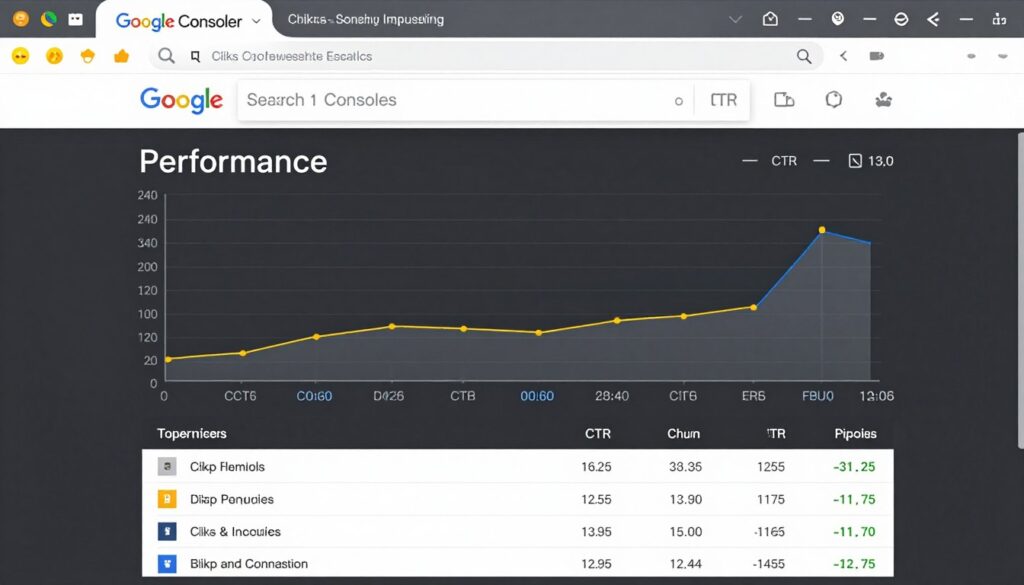
Performance Report: Shows queries, pages, clicks, impressions, CTR, and average position. Identify underperforming pages with high impressions but low CTR—these pages need better titles and descriptions. Find ranking keywords where you sit in positions 6-15—small improvements can dramatically increase traffic.
Coverage Report: Displays indexing status for all discovered pages. Monitor error categories and fix issues promptly. Check “Excluded” pages to ensure important content isn’t accidentally blocked.
Core Web Vitals Report: Groups pages by Core Web Vitals performance. Identify poor-performing URLs and prioritize optimization efforts. Focus on pages with high traffic potential first.
Mobile Usability Report: Flags mobile-specific issues affecting user experience. Address reported problems to maintain mobile search visibility.
Manual Actions: Shows any manual penalties applied to your site. Immediate action is required to resolve manual actions and request reconsideration.
Set up Search Console email notifications to receive alerts about critical issues, manual actions, and security problems.
Google Analytics 4 Setup for SEO Tracking
Google Analytics 4 measures user behavior, traffic sources, conversions, and engagement metrics that complement Search Console data.
Configure GA4 for SEO insights:
Enhanced Measurement: Enable enhanced measurement for automatic tracking of scrolls, outbound clicks, site search, video engagement, and file downloads. These interactions provide deeper understanding of user behavior.
Custom Events: Create custom events for SEO-relevant actions like newsletter signups, content downloads, or specific page views. Event tracking shows which content drives desired actions.
Landing Page Analysis: Analyze organic landing pages by engagement rate, bounce rate, and conversion. Identify high-potential pages that need optimization and low-performing pages that need improvement or consolidation.
Search Console Integration: Connect GA4 with Search Console for combined reporting. This integration shows full user journey from search query through on-site behavior.
Install GA4 using plugins like MonsterInsights or Site Kit by Google for simplified setup without manual code insertion.
Off-Page & Link Building in 2026
Backlinks remain one of the strongest ranking signals despite algorithm evolution. Quality link building requires strategic relationship development and valuable content creation.
Earning High-Quality Editorial Links
Editorial links earned through content quality provide the most SEO value. These links come naturally when you create resources others want to reference.
Strategies for earning editorial links:
Original Research and Data: Publish unique research, surveys, or data analysis. Original data becomes reference material for journalists, bloggers, and industry publications. Annual surveys or industry reports generate consistent backlink acquisition.
Ultimate Guides: Create the most comprehensive resource on specific topics. In-depth guides become go-to references that accumulate links over time. This complete WordPress SEO checklist exemplifies this approach.
Visual Assets: Develop infographics, charts, diagrams, and visual data representations. Visual content gets shared and linked more frequently than text-only content. Provide embed codes to make linking easier.
Expert Roundups: Feature insights from multiple industry experts in single posts. Participants naturally link to content featuring their contributions. This approach builds relationships while creating linkable assets.
Controversy and Opinion: Take informed positions on industry debates. Well-reasoned controversial content generates discussion and links as others respond or reference your perspective.
Focus on creating 10x content—resources ten times better than anything else ranking for target topics. Quality content naturally attracts links without outreach.
Strategic Guest Posting
Guest posting builds links while establishing authority and reaching new audiences. Quality over quantity determines success.
Effective guest posting practices:
Site Selection: Target sites with genuine audience overlap and editorial standards. Focus on domain authority above 30, active readership, and topical relevance. Avoid guest post mills and low-quality directories.
Content Quality: Write your best content for guest posts, not recycled or thin articles. Guest content should match or exceed quality of your own site’s content. Poor guest posts damage reputation and provide minimal SEO value.
Natural Integration: Include contextual links naturally within content. Avoid forced or awkward link insertion. One or two highly relevant links provide more value than multiple tenuous connections.
Relationship Building: View guest posting as relationship development rather than transactional link acquisition. Ongoing relationships with site owners provide more opportunities over time.
Diversify anchor text across guest posts. Over-optimization with exact-match keywords looks manipulative. Use branded anchors, naked URLs, and natural variations.
Digital PR and Media Outreach
Digital PR earns coverage in media publications, industry blogs, and news sites. These links provide strong authority signals and direct referral traffic.
Digital PR strategies:
Newsjacking: Connect your expertise to trending news and current events. Timely pitches to journalists covering related stories can earn quick coverage and links.
Expert Positioning: Build relationships with journalists through HARO (Help A Reporter Out) responses. Consistent, quality responses position you as go-to expert source for future articles.
Press Releases: Distribute newsworthy announcements through press release services. Real news (not just product announcements) generates media pickup and links. Focus on industry impact, not self-promotion.
Industry Awards: Apply for relevant industry awards and recognitions. Award recognition generates natural backlinks from awarding organizations and coverage sites.
Create unique story angles that provide value to journalists and their audiences. Purely self-promotional pitches get ignored—focus on audience benefit.
Broken Link Building
Broken link building identifies broken external links on other sites and offers your content as replacement. This approach provides value to site owners while earning backlinks.
Broken link building process:
- Identify target sites in your niche with resource pages or link roundups
- Use tools like Check My Links extension or Ahrefs to find broken links
- Create content that matches or improves upon dead linked content
- Reach out to site owners noting broken link and suggesting replacement
- Follow up once if no response, then move to next opportunity
Focus on pages with multiple broken links. Site owners are more motivated to fix pages with several issues. Your outreach helps them maintain site quality while earning you backlinks.
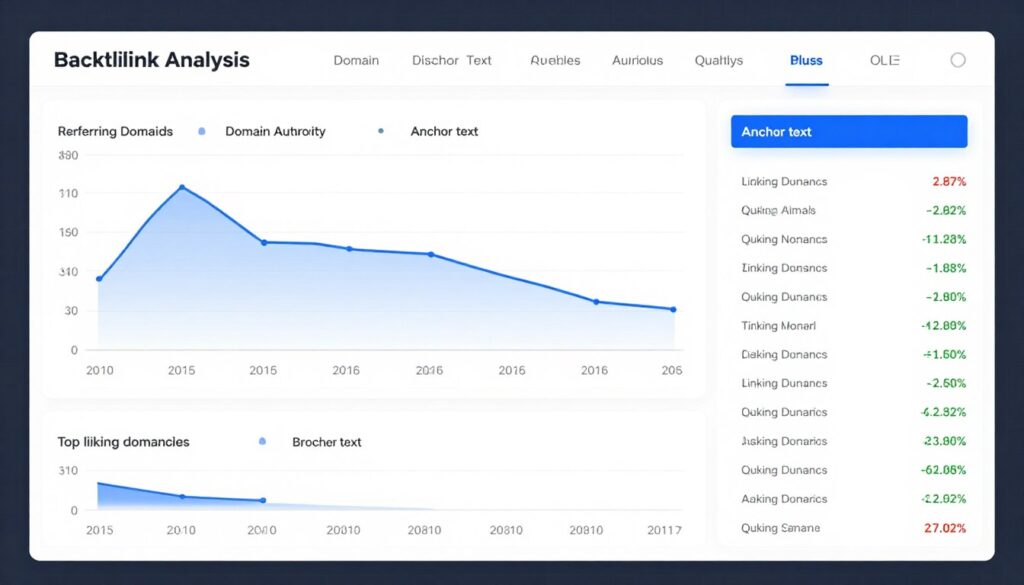
Monitoring Your Backlink Profile
Regular backlink analysis identifies new links, lost links, and toxic links requiring action.
Use these tools for backlink monitoring:
- Google Search Console Links report (free, shows sample of backlinks)
- Ahrefs Site Explorer (comprehensive backlink database)
- SEMrush Backlink Analytics (competitor comparison and analysis)
- Moz Link Explorer (domain authority and link quality metrics)
Monitor for toxic backlinks from spam sites, link farms, or obvious manipulation. Use Google’s Disavow Tool only for genuinely harmful links you cannot remove through outreach. Disavow carefully—incorrect use can harm rankings.
Monitoring, Auditing & Maintenance
SEO requires ongoing monitoring and maintenance rather than one-time setup. Regular audits identify issues before they significantly impact rankings.
Monthly SEO Maintenance Checklist
Perform these tasks monthly to maintain SEO health:
Search Console Review: Check Coverage report for new errors. Review Performance report for ranking changes. Monitor Core Web Vitals for performance degradation.
Analytics Analysis: Identify traffic changes and their causes. Analyze top landing pages for optimization opportunities. Check goal completions and conversion rates.
Rankings Tracking: Monitor target keyword positions using tools like SEMrush, Ahrefs, or AccuRanker. Identify ranking drops requiring immediate attention.
Backlink Monitoring: Check for new backlinks and lost links. Investigate significant link losses. Monitor for toxic backlinks requiring disavowal.
Content Updates: Review and update old content with new information. Refresh statistics, examples, and recommendations. Add new sections addressing emerging topics.
Technical Checks: Verify all pages remain indexable. Check for new broken links. Monitor site speed and Core Web Vitals trends.
Competitor Analysis: Track competitor rankings for shared keywords. Identify new content they’re publishing. Learn from their successes and failures.
Quarterly Comprehensive SEO Audits
Conduct thorough audits quarterly to identify structural issues and strategic opportunities:
Technical SEO Audit: Crawl entire site using Screaming Frog or Sitebulb. Identify technical issues like redirect chains, duplicate content, missing metadata, and crawl errors.
Content Audit: Review all site content for quality, relevance, and performance. Identify underperforming content needing improvement or consolidation. Find content gaps where competitors rank but you don’t.
Link Audit: Analyze internal linking structure. Identify orphan pages and opportunities to strengthen internal links. Review external link quality and diversity.
Performance Audit: Test page speed across sample pages. Verify Core Web Vitals compliance. Identify pages with performance issues.
Mobile Audit: Test mobile experience across devices. Check for mobile usability issues. Verify responsive design functions correctly.
Schema Audit: Verify structured data implementation across page types. Test for schema errors using Rich Results Test. Identify opportunities for additional schema types.
Essential SEO Tools and Resources
Effective SEO requires the right tool stack:
Crawling Tools:
- Screaming Frog SEO Spider (comprehensive site crawling)
- Sitebulb (visual audit reporting)
- Beam Us Up (free alternative crawler)
Rank Tracking:
- SEMrush Position Tracking
- Ahrefs Rank Tracker
- AccuRanker (daily ranking updates)
Technical Analysis:
- Google Search Console (essential free tool)
- Google PageSpeed Insights (performance testing)
- GTmetrix (detailed speed analysis)
Backlink Analysis:
- Ahrefs (largest backlink index)
- Majestic SEO (trust flow metrics)
- Moz Link Explorer (domain authority)
Content Optimization:
- Surfer SEO (on-page optimization)
- Clearscope (semantic keyword analysis)
- Frase (content brief generation)
Staying Current with Algorithm Updates
Google updates its algorithm hundreds of times annually. Staying informed prevents panic and enables strategic responses.
Monitor algorithm changes through:
- Google Search Central Blog (official announcements)
- Search Engine Journal (industry news)
- Search Engine Land (algorithm tracking)
- Barry Schwartz’s Search Engine Roundtable (daily updates)
- Marie Haynes’ newsletter (algorithm analysis)
Most algorithm updates reward quality improvements you should already be making. Focus on user experience, content quality, and technical excellence rather than chasing every minor update.
Implement Your Complete WordPress SEO Strategy
You now have a comprehensive roadmap for WordPress SEO success in 2026. Start with a solid foundation using SEO-optimized hosting that handles Core Web Vitals, security, and performance automatically. Arahoster’s WordPress-optimized plans give you the technical edge to implement these strategies effectively.
Complete 150-Point Printable WordPress SEO Checklist 2026
This comprehensive checklist organizes all optimization tasks by priority. Use it as your implementation roadmap and ongoing maintenance guide.
Critical Priority Items
| Item | Why It Matters | How to Do It in WordPress | Recommended Plugin/Tool |
| Install SSL certificate and force HTTPS | Confirmed ranking factor, builds user trust, prevents “Not Secure” warnings | Contact hosting provider for SSL installation, update Site URL in Settings → General to https:// | Really Simple SSL (automatic redirect setup) |
| Submit XML sitemap to Search Console | Helps search engines discover and index all important pages | SEO plugins auto-generate sitemaps, submit URL through Search Console | Yoast SEO, Rank Math, All in One SEO |
| Verify site isn’t blocking search engines | Prevents complete indexing failure—common site launch mistake | Settings → Reading, ensure “Discourage search engines” is unchecked | N/A (WordPress core setting) |
| Set up SEO-friendly permalink structure | Creates readable URLs that include keywords naturally | Settings → Permalinks, select “Post name” structure | N/A (WordPress core setting) |
| Install comprehensive SEO plugin | Provides tools for metadata, sitemaps, schema, redirects | Install from Plugins → Add New, configure basic settings | Rank Math, Yoast SEO, All in One SEO |
| Optimize Core Web Vitals (LCP under 2s) | Direct ranking factor affecting all search results | Optimize images, implement caching, upgrade hosting if needed | WP Rocket, ShortPixel, quality hosting |
| Implement mobile-responsive design | Google uses mobile version for all indexing decisions | Choose responsive theme, test on multiple devices | GeneratePress, Astra, Kadence themes |
| Fix all crawl errors in Search Console | Prevents indexing issues and wasted crawl budget | Review Coverage report, fix 404s with redirects or content restoration | Redirection plugin for 301 redirects |
| Create and optimize robots.txt file | Controls crawler access, prevents indexing of admin and low-value pages | Edit through SEO plugin or create file at site root via FTP | Yoast SEO File Editor, Rank Math |
| Configure canonical tags correctly | Prevents duplicate content issues from archives and categories | SEO plugins handle automatically, verify in page source | Rank Math, Yoast SEO |
High Priority Items
| Item | Why It Matters | How to Do It in WordPress | Recommended Plugin/Tool |
| Optimize all images (WebP format, compression) | Images typically account for 50-70% of page weight | Install image optimization plugin, bulk optimize existing images | ShortPixel, Imagify, Smush |
| Implement page caching | Reduces server load and dramatically improves response times | Install caching plugin, configure basic settings | WP Rocket, W3 Total Cache |
| Set up CDN for static assets | Improves global loading speeds and reduces server bandwidth | Sign up for CDN service, install integration plugin | Cloudflare, BunnyCDN |
| Write unique, optimized title tags for all pages | Most important on-page ranking factor and CTR driver | Edit via SEO plugin meta box on each page/post | Yoast SEO, Rank Math |
| Create compelling meta descriptions | Significantly impacts click-through rates from search results | Write 150-155 character descriptions in SEO plugin | Yoast SEO, Rank Math |
| Implement proper heading hierarchy | Helps search engines understand content structure and importance | Use block editor heading blocks, one H1 per page | N/A (WordPress core feature) |
| Add alt text to all images | Improves accessibility, helps images rank in image search | Edit image block or media library, add descriptive alt text | N/A (WordPress core feature) |
| Build internal linking structure | Distributes page authority, helps crawlers discover content | Add contextual links within content to related pages | Link Whisper (automated suggestions) |
| Implement schema markup (Article, Organization) | Enables rich results and helps search understand content type | Configure through SEO plugin schema settings | Rank Math, Schema Pro |
| Create and publish privacy policy | Required for GDPR compliance, builds trust signals | Use Settings → Privacy to create policy page | N/A (WordPress core tool) |
| Install security plugin with firewall | Prevents hacks that can destroy rankings and cause deindexing | Install security plugin, enable firewall and scanning | Wordfence, Sucuri Security |
| Remove plugin bloat | Each plugin adds code overhead impacting performance | Audit plugins with Query Monitor, deactivate unnecessary ones | Query Monitor, P3 Plugin Profiler |
| Enable lazy loading for images | Reduces initial page weight and improves LCP scores | Native in WordPress 5.5+, verify enabled in theme | N/A (WordPress core feature) |
| Set up Google Analytics 4 | Tracks user behavior, traffic sources, and conversions | Create GA4 property, install tracking via plugin | MonsterInsights, Site Kit |
| Connect Google Search Console | Essential for monitoring indexing, performance, and issues | Verify site ownership, submit sitemap | Site Kit by Google |
Medium Priority Items
| Item | Why It Matters | How to Do It in WordPress | Recommended Plugin/Tool |
| Add breadcrumb navigation | Improves site navigation, enables breadcrumb schema | Enable in theme or SEO plugin settings | Yoast SEO, Rank Math |
| Create detailed author bio pages | Demonstrates expertise for E-E-A-T signals | Fill out user profile, use author bio plugin for expanded bios | Simple Author Box |
| Implement FAQ schema on relevant pages | Enables rich results showing questions in search | Use SEO plugin FAQ blocks or schema generator | Rank Math FAQ block, Schema Pro |
| Add HowTo schema for tutorials | Displays step-by-step instructions directly in search | Use SEO plugin HowTo blocks | Rank Math HowTo block |
| Optimize for featured snippets | Captures position zero visibility above organic results | Answer questions clearly, use lists and tables | N/A (content strategy) |
| Create comprehensive About page | Builds trust and demonstrates site legitimacy | Create detailed page with team info, credentials, history | N/A (content creation) |
| Add clear contact information | Trust signal for users and search engines | Create contact page, add address/phone to footer | WPForms for contact form |
| Implement 301 redirects for deleted pages | Prevents 404 errors, preserves link equity | Create redirects through SEO or redirect plugin | Redirection, Rank Math |
| Optimize database regularly | Reduces database size, improves query performance | Use optimization plugin monthly to clean database | WP-Optimize, Advanced Database Cleaner |
| Update old content with current information | Freshness signal, improves content accuracy and relevance | Review quarterly, update statistics and add new sections | N/A (content maintenance) |
| Add social sharing buttons | Increases content distribution and potential backlinks | Install social sharing plugin | Social Warfare, AddToAny |
| Create topic cluster content structure | Demonstrates topical authority, improves internal linking | Plan pillar content with cluster posts linking bidirectionally | N/A (content strategy) |
| Implement review schema for products | Displays star ratings in search results | Use SEO plugin review schema or WooCommerce integration | Schema Pro, WooCommerce |
| Add video transcripts for accessibility | Makes video content searchable and accessible | Generate transcripts, add below video embeds | Otter Blocks (transcription) |
| Monitor and fix broken links | Broken links create poor UX and waste link equity | Run broken link checker plugin monthly | Broken Link Checker |
Ongoing Maintenance Items
| Item | Why It Matters | How to Do It in WordPress | Recommended Plugin/Tool |
| Monitor Search Console weekly | Identifies issues early before they impact rankings | Check Coverage and Performance reports in Search Console | Google Search Console |
| Track keyword rankings | Shows which optimizations work and where attention is needed | Use rank tracking tool to monitor target keywords | SEMrush, Ahrefs, AccuRanker |
| Analyze traffic and engagement metrics | Identifies high-performing content and optimization opportunities | Review Google Analytics reports weekly | Google Analytics 4 |
| Monitor backlink profile | Tracks new links and identifies toxic links | Check backlink tool monthly for profile changes | Ahrefs, SEMrush |
| Update WordPress, themes, plugins | Security patches and performance improvements | Review and install updates weekly with staging site testing | ManageWP for bulk updates |
| Perform quarterly technical SEO audit | Comprehensive review identifies accumulating issues | Crawl site with SEO spider tool | Screaming Frog, Sitebulb |
| Test Core Web Vitals performance | Ongoing monitoring prevents performance degradation | Test key pages monthly with PageSpeed Insights | PageSpeed Insights, GTmetrix |
| Respond to user comments | Engagement signals and community building | Reply to comments regularly, moderate spam | Akismet for spam filtering |
| Publish fresh content regularly | Signals active site, provides new ranking opportunities | Maintain consistent publishing schedule | Editorial Calendar plugin |
| Review and optimize worst-performing pages | Improvement potential often highest for underperformers | Identify low-traffic pages in Analytics, improve or consolidate | Google Analytics 4 |
Best WordPress SEO Plugins Comparison 2026
Choosing the right SEO plugin significantly impacts your optimization workflow efficiency. This comparison evaluates the leading options based on features, performance, and 2026 capabilities.
| Feature | Rank Math | Yoast SEO | All in One SEO | SEOPress |
| Price (Annual) | Free / Pro $59 | Free / Premium $99 | Free / Pro $49 | Free / Pro $49 |
| Content Analysis | Advanced with AI suggestions | Standard (improved in Premium) | TruSEO score with recommendations | Basic content analysis |
| Schema Markup Types | 20+ types built-in | Basic (expanded in Premium) | 13+ types available | 15+ types with Pro |
| Local SEO Features | Full local business schema | Available with Local SEO addon ($69) | Included in Pro | Included in Pro |
| Redirects Manager | Unlimited in free version | Premium only | Pro version | Pro version |
| AI Integration | ContentAI for optimization | Limited AI features | AI title/description generator | No native AI features |
| XML Sitemap | Advanced with image sitemaps | Standard XML sitemap | Video, news, RSS sitemaps | Standard with customization |
| WooCommerce Integration | Excellent with product schema | Requires WooCommerce SEO addon ($69) | Strong e-commerce features | Good product optimization |
| Internal Linking Suggestions | Automatic suggestions | Premium feature | Link Assistant in Pro | Manual linking only |
| Performance Impact | Lightweight, optimized code | Moderate resource usage | Good performance | Very lightweight |
| Google Search Console Integration | Direct dashboard integration | Basic integration | Dashboard statistics | Pro version integration |
| Learning Curve | Moderate (many features) | Beginner-friendly | Easy to moderate | Easy to moderate |
Plugin Recommendation Summary
Best Overall: Rank Math
Offers the most comprehensive feature set in both free and pro versions. Excellent for users who want advanced capabilities without multiple addon purchases. AI integration and extensive schema options make it ideal for 2026 SEO requirements.
Best for: Advanced users, content-heavy sites, e-commerce
Best for Beginners: Yoast SEO
Most established plugin with extensive documentation and community support. User-friendly interface makes optimization accessible for non-technical users. Premium version required for advanced features.
Best for: Beginners, small business sites, bloggers
Best Value: All in One SEO
Strong feature set at competitive pricing. TruSEO analysis provides helpful real-time guidance. Good balance between capability and ease of use.
Best for: Small businesses, multi-site networks, budget-conscious users
All major SEO plugins handle core optimization needs effectively. Choose based on your specific requirements, technical comfort level, and budget. Most sites succeed with any of these options when properly configured.
How Arahoster Hosting Supercharges Your WordPress SEO
Your hosting provider creates the foundation for all SEO optimizations. Even perfect on-page optimization cannot overcome slow, unreliable hosting infrastructure.
Performance Infrastructure for Core Web Vitals
Arahoster’s WordPress-optimized hosting platform addresses the most critical ranking factors through infrastructure-level optimization.
NVMe SSD Storage: All plans include enterprise-grade NVMe storage delivering 5-7x faster read/write speeds compared to standard SSDs. This hardware advantage translates directly to reduced server response times and faster database queries.
Server-Level Caching: Built-in Redis object caching and full-page caching activate automatically. Unlike plugin-based caching that adds overhead, server-level caching happens before WordPress executes, eliminating 80-90% of database queries for cached content.
PHP 8.2+ with OPcache: Latest PHP versions deliver 30-40% performance improvements over PHP 7.x. OPcache stores compiled PHP code in memory, eliminating repeated compilation overhead.
HTTP/3 Protocol Support: Next-generation HTTP protocol reduces connection overhead and improves performance on mobile networks. HTTP/3 particularly benefits users on high-latency connections.
These infrastructure optimizations typically improve Largest Contentful Paint scores by 40-60% compared to standard shared hosting. Better LCP directly improves rankings across all search results.
Security Features That Build Trust
Search engines penalize hacked sites severely. Arahoster’s security infrastructure prevents the vulnerabilities that lead to deindexing and ranking losses.
Automatic Security Updates: WordPress core, PHP versions, and server software receive security patches automatically. This protection prevents exploitation of known vulnerabilities that hackers actively target.
Web Application Firewall: Enterprise-grade WAF blocks common attack patterns including SQL injection, XSS attacks, and brute force login attempts. Traffic filtering happens before requests reach your WordPress installation.
Malware Scanning: Daily automated scans detect malware, backdoors, and suspicious code changes. Early detection prevents search engine warnings and ranking penalties.
DDoS Protection: Traffic scrubbing and rate limiting prevent distributed denial of service attacks that create downtime. Site availability directly affects search engine trust signals.
Isolated Environments: Account isolation prevents cross-contamination from other sites on shared infrastructure. Your site’s security remains independent of neighboring sites’ vulnerabilities.
SEO-Focused Features and Tools
Arahoster includes specialized features designed specifically for WordPress SEO success.
One-Click Staging Environments: Test theme changes, plugin updates, and major optimizations safely before deploying to production. Staging environments prevent SEO disasters from broken updates or incompatibilities.
Automatic Backups: Daily automated backups with one-click restoration. Quick recovery from issues prevents extended downtime that damages rankings and user trust.
Free SSL Certificates: Let’s Encrypt SSL certificates install automatically with one-click activation. HTTPS becomes mandatory rather than optional, with automatic renewal preventing expiration issues.
Integrated CDN: Global content delivery network distributes static assets across worldwide server locations. Users access content from geographically nearby servers, reducing latency.
WordPress-Specific Optimization: Server configurations tuned specifically for WordPress performance. Unlike generic hosting, every setting optimizes WordPress execution.
Expert Support for Technical SEO
Technical issues requiring server-level changes often exceed typical webmaster capabilities. Arahoster’s WordPress specialists provide expert assistance for:
- Core Web Vitals optimization guidance
- Advanced caching configuration
- Database optimization for large sites
- Security hardening implementation
- SSL certificate troubleshooting
- Migration assistance maintaining SEO equity
Support understands WordPress SEO implications of technical changes. This expertise prevents well-intentioned fixes from creating ranking problems.
Scalability for Growing Sites
Traffic growth from SEO success requires hosting that scales appropriately. Arahoster’s infrastructure grows with your site without requiring migrations or downtime.
Resource Scaling: Plans scale smoothly from starter blogs to high-traffic sites. Upgrade to increased resources without site migration or DNS changes.
Traffic Handling: Infrastructure handles traffic spikes from viral content or seasonal peaks. Automatic resource allocation prevents downtime during traffic surges.
Database Optimization: Advanced database management handles sites with millions of posts. Proper indexing and query optimization maintain performance at scale.
Build Your WordPress SEO on a Solid Foundation
Implement this complete 150-point checklist with confidence knowing your hosting won’t limit your SEO potential. Arahoster’s WordPress-optimized infrastructure handles Core Web Vitals, security, and performance automatically—giving you the foundation to execute every strategy in this guide effectively.
Special Offer: Use code SEO2026 for 40% off your first year
Your WordPress SEO Roadmap for 2026 Success
WordPress SEO in 2026 requires comprehensive strategy spanning technical infrastructure, content optimization, and ongoing maintenance. The complete checklist provided above gives you the exact roadmap to rank higher and capture visibility in AI-dominated search results.
Start with foundational elements that create immediate impact. Choose quality hosting that handles Core Web Vitals automatically. Install a comprehensive SEO plugin and configure basic settings. Implement HTTPS, optimize images, and enable caching.
These foundational improvements often deliver the most significant ranking improvements. A site moving from poor-quality shared hosting to optimized infrastructure can see 20-40% traffic increases from improved performance alone.
Next, focus on content optimization. Every piece of content you publish should follow the on-page SEO principles outlined in this guide. Optimize titles, descriptions, headings, and keyword placement. Structure content for featured snippets and AI Overviews.
Build internal linking that creates topical authority and distributes page equity. Implement schema markup that helps search engines understand and feature your content in rich results.
Establish ongoing maintenance routines. Weekly Search Console monitoring prevents small issues from becoming ranking disasters. Monthly content updates maintain freshness and accuracy. Quarterly technical audits identify accumulating problems before they impact performance.
WordPress SEO success comes from consistent execution of proven strategies rather than searching for silver bullets. This checklist eliminates guesswork—every item directly impacts search visibility.
The search landscape will continue evolving. AI Overviews will capture more search visibility. Core Web Vitals thresholds will likely tighten. New ranking factors will emerge. But the fundamentals remain constant: fast, secure sites with high-quality content that serves user intent will continue ranking.
Your next step is simple: choose one section from this checklist and implement it completely this week. Don’t try implementing everything simultaneously. Systematic progression through the checklist creates sustainable improvements.
For maximum SEO success, build on proper infrastructure from day one. The technical foundation determines what’s possible with optimization efforts. Quality hosting that handles performance, security, and reliability automatically lets you focus on content and strategy.
Take Action on Your WordPress SEO Today
You have the complete blueprint for WordPress SEO success in 2026. Now execute it on hosting infrastructure designed specifically for optimization success. Arahoster’s WordPress plans give you the performance, security, and tools to implement every strategy in this guide.
Remember to use code SEO2026 for 40% off your first year. Your complete WordPress SEO transformation starts with the right foundation.
Bookmark this complete WordPress SEO checklist 2026 and return to it monthly as your optimization reference. Each time you work through the checklist, you’ll strengthen your site’s search visibility and ranking potential.
Success in SEO requires patience, consistency, and strategic execution. But with this comprehensive roadmap, you have everything needed to dominate search results and build sustainable organic traffic growth throughout 2026 and beyond.