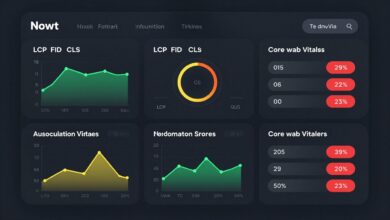
A fast website keeps visitors happy and engaged. Two methods help speed up your site. This guide explores these choices and their impact on user experience.
Speed matters more than ever. If your site feels slow, users will likely leave. Modern developers must master these performance tools for digital success.
Efficient Lazy Loading optimization keeps initial file sizes small. This simple approach makes the first paint much faster for every visitor.
Smart Preloading strategies ensure critical files are ready before the visitor clicks. It’s vital to find the right balance between methods for better rankings and keeping your audience engaged for longer periods.
Table of Contents:
Key Takeaways
- Understand the difference between on-demand and priority fetching.
- Improve page speed with better resource management.
- Focus on user experience by reducing wait times.
- Identify which assets benefit from early retrieval.
- Implement these techniques for best results.
Introduction to Lazy Loading and Preloading
Lazy loading and preloading are two ways to handle web resource loading. They are key for better web performance and user experience.
It’s important for developers and web admins to know the basics of both. This helps them make smart choices about using these techniques.
What is Lazy Loading?
Lazy loading delays the loading of non-essential resources until they’re needed. This method can make websites load faster and use less data.
It works by loading resources only when they’re needed. This is great for websites with lots of content, as it makes them load faster and feel smoother.
What is Preloading?
Preloading loads important resources before they’re needed. This makes websites seem faster by having what’s needed ready to go.
It’s best for things like images, scripts, or stylesheets that are used a lot. Preloading makes sure these resources are ready when you need them.
The Importance of Performance Optimization
A slow website can hurt user experience, causing more people to leave quickly. Today, users expect websites to load fast. Any delay can make them unhappy and harm the brand’s image.
Performance optimization is key to meeting these expectations. It uses lazy loading and preloading to make websites load faster and feel better to use.
Why Performance Matters
Performance affects how users feel about a website. A quick and smooth website makes users happy, keeps them engaged, and boosts sales. But, a slow site can lose customers and money.
The preloading performance impact is big, as it makes important content load faster. Knowing the difference between Lazy Loading vs Eager Loading helps choose the best ways to improve a website.
User Experience and Loading Times
How fast a website loads affects user experience. A slow site makes users leave. Studies show a one-second delay can cut conversions a lot.
It’s vital to make websites load quickly for a good user experience. Using lazy loading can help by loading content only when needed. This makes the site load faster and work better.
Benefits of Lazy Loading
Lazy loading makes websites load faster by only loading what’s needed first. It’s a favorite among web developers for many reasons.
Improved Load Times
Lazy loading cuts down the time it takes for a website to load. This lets users start using the site sooner. Faster load times mean happier users who stick around longer.
For example, big websites with lots of images can use lazy loading. This way, images that aren’t seen right away don’t slow down the site.

Reduced Initial Data Usage
Lazy loading saves bandwidth by only loading what’s needed first. This is great for people with small data plans or slow internet. It reduces data costs for users.
It also makes the web more eco-friendly. Less data means less environmental impact from data transfer and processing.
SEO Advantages
Lazy loading can boost your website’s SEO. Search engines like Google value fast load times. Lazy loading helps make your site better for SEO.
But, lazy loading must be done right to avoid SEO problems. Make sure all important content loads first for both users and search engines.
Benefits of Preloading
Preloading makes critical resources instantly available, which is key for user happiness. It boosts the user experience and site performance.
It loads important resources in the background. This way, they’re ready when needed. It’s great for things needed for the first page load or for important user actions.
Instant Access to Critical Resources
Preloading gives instant access to critical resources. This is vital for a smooth user experience. With preloaded resources, users can use the site without delays.
- Reduces latency by loading resources in advance
- Enhances user experience by providing instant access to necessary resources
- Improves overall website performance and responsiveness
Improved Perceived Performance
Preloading boosts both real and perceived performance. It makes resources instantly available, making the site faster and more responsive.
The effect of preloading on users is big. When a site feels fast, users are more likely to stick around and enjoy it.
- Preloading critical resources reduces the perceived wait time for users.
- Instant availability of resources enhances the overall user experience.
- Improved perceived performance can lead to increased user engagement and satisfaction.
Using good preloading strategies can greatly improve a site’s performance. This leads to a better user experience and might even boost sales.
When to Use Lazy Loading
Lazy loading is great for websites with lots of content. It makes long pages load faster, improving how users feel when they visit.
Best Use Cases
It’s perfect for sites with lots of images, blogs, and online stores. It’s also good for pages that scroll a lot. This way, users don’t have to see everything at once.
- Image-heavy websites: Lazy loading delays images until they’re needed. This cuts down on the initial load.
- Long-scrolling pages: Lazy loading loads content as users scroll. It makes the site seem faster.
- E-commerce sites: It loads product images or details only when they’re seen. This makes browsing better.
Examples of Lazy Loading in Action
Many big websites use lazy loading to get better. For example, Pinterest and Instagram load images as you scroll through.
These examples show how lazy loading makes websites better. It loads content faster and more smoothly.
When to Use Preloading
For Single Page Applications (SPAs) and other interactive platforms, preloading is a big help. It loads resources before they’re needed, making the user experience better.
Ideal Scenarios for Preloading
Preloading works best when user paths are clear. For example, in SPAs, users often go from a product list to a product details page. Loading the next page’s resources beforehand makes the transition smooth.
Key scenarios where preloading excels include:
- Applications with a predictable user flow
- Single Page Applications (SPAs)
- Progressive Web Apps (PWAs)
- Interactive web applications with complex user interactions
As noted by web performance expert,
“Preloading critical resources can significantly improve the perceived performance of an application, making it feel faster and more responsive to user input.”
Examples of Preloading in Real-World Applications
Many big companies use preloading to boost their app’s speed. For instance, Google preloads search results for likely queries. This makes Google’s search results page faster and more user-friendly.
Facebook also preloads content as users scroll through their newsfeed. This reduces the time it takes to load and makes the experience smoother.

Preloading can also be used in e-commerce sites. Preloading product details or checkout steps can make the shopping experience better.
Comparing Lazy Loading and Preloading
Understanding the difference between lazy loading and preloading is key to web performance. Both methods affect performance and resource use differently. It’s important to compare them to make the best choices.
Lazy loading delays loading non-critical resources until they’re needed. Preloading loads important resources early to have them ready when needed.
Performance Metrics
Performance metrics help us see how well lazy loading and preloading work. These include page load times, time to interactive, and user experience. Lazy loading makes pages load faster by not loading unnecessary resources at first. Preloading makes sure important resources are ready right away.
When looking at lazy loading vs preloading, consider how they affect these metrics. Lazy loading can make pages load quicker by reducing the initial size. Preloading can make things load faster by getting critical resources ready sooner.
Resource Management Strategies
Lazy loading and preloading handle resources differently. Lazy loading saves bandwidth and memory by only loading what’s needed. Preloading, on the other hand, needs careful planning to avoid wasting resources on unused assets.
Good resource management means knowing when to use each method. Lazy loading is good for resources that aren’t needed right away. Preloading is better for resources that are key to a good first impression.
In summary, lazy loading vs preloading each has its own benefits and drawbacks. Knowing how they affect performance and resource use helps developers choose the best approach for their web apps.
Technical Considerations for Lazy Loading
Lazy loading is a key technique for better website performance. It works well when planned and executed carefully. Understanding both the technical and strategic sides is essential.
Choosing the right way to implement lazy loading is a big decision. There are many methods, each with its own benefits and drawbacks.
Implementation Techniques
There are several ways to do lazy loading:
- Using JavaScript libraries to detect when an element comes into view
- Utilizing the IntersectionObserver API for more efficient detection
- Implementing a custom solution using scroll and resize event listeners
Each method has its own good points and not-so-good points. For instance, JavaScript libraries make it easier but might slow things down. The IntersectionObserver API is faster but might need extra help for older browsers.
Libraries and Tools for Lazy Loading
Many libraries and tools can make lazy loading easier. Some well-known ones are:
| Library/Tool | Description | Key Features |
|---|---|---|
| Lozad.js | A lightweight JavaScript library for lazy loading | High performance, easy to use |
| IntersectionObserver Polyfill | A polyfill for the IntersectionObserver API | Supports older browsers, improves compatibility |
| lazySizes | A popular JavaScript library for lazy loading images and iframes | Feature-rich, extensible, and customizable |
When picking a library or tool, think about performance, how easy it is to use, and if it works with your current setup.
By looking at these technical points and picking the best method and tools, developers can make websites faster and better for users.
Technical Considerations for Preloading
Preloading is a key technique to make websites faster. It loads important resources early. This makes websites load quicker and improves user experience.
To use preloading well, you need to know the technical side. The <link rel="preload"> HTML attribute is a main tool. It tells browsers to load certain resources quickly.
Implementing Preloading
First, find out which resources are most important for your website. This might be fonts, CSS, or JavaScript. Making these load first helps your website feel faster and more responsive.
Best practices for preloading include using the right as attribute. Also, make sure the resources you preload are actually used on your webpage.
Tools and Frameworks for Preloading
There are many tools and frameworks to help with preloading. Modern web frameworks often have built-in preloading support. Or, they have plugins that make it easier.
Using these tools and following preloading best practices can greatly improve your website’s performance. It makes for a better user experience.
Common Mistakes to Avoid
To get the most out of lazy loading and preloading, it’s key to know what not to do. Both methods can make your site faster and better for users. But, doing them wrong can hurt your SEO and how users feel about your site.
Pitfalls of Lazy Loading
Lazy loading helps by making your site load faster. But, it can cause problems if not done right. Make sure you only lazy load content that users can’t see right away.
Another mistake is not thinking about users who can’t use JavaScript. Have a backup plan so everyone can see your content.
- Not testing lazy loading on different devices and browsers.
- Ignoring how lazy loading affects SEO, like for hidden content.
Pitfalls of Preloading
Preloading makes your site seem faster. But, it can also have downsides. A big mistake is preloading too much, which wastes bandwidth and slows things down. Only preload what’s really important and will be used soon.
Another problem is preloading messing with the browser’s cache. Make sure your preloading fits with your caching plan to avoid extra downloads.
- Preloading things you don’t need right away.
- Not watching how preloading affects your site’s speed.
Knowing these common mistakes and how to avoid them can help you use lazy loading and preloading well. This way, you can make your site faster and better for everyone.
Case Studies: Successful Implementations
Many companies have used lazy loading and preloading to make their websites faster. These methods help improve user experience and keep businesses competitive online.
Companies that Use Lazy Loading
Lazy loading helps websites load faster and use less bandwidth. For example, Amazon uses it for product images. This makes pages load quicker and keeps users engaged.
- Facebook loads newsfeed content as users scroll, using lazy loading.
- Pinterest uses lazy loading to make its image-heavy site perform better.
These companies have seen big improvements. Their pages load faster, and they use less data.
Companies that Use Preloading
Preloading makes websites seem faster. Google preloads important resources for quick page changes.
“Preloading critical resources is a key strategy for improving the user experience on our platform.”
- Bing preloads search results to make them load faster.
- Netflix preloads videos to cut down on buffering and enhance the viewing experience.
By preloading, these companies offer a quicker and more responsive experience.
The success of these companies shows how effective lazy loading and preloading are. By learning to use these strategies, businesses can enhance their online presence and stay competitive.
Best Practices for Implementation
To get the most out of lazy loading and preloading, it’s key to follow best practices. These techniques can greatly improve your website’s performance and user experience.
Tips for Lazy Loading
Lazy loading works best when done right. Here are some tips to make the most of it:
- Use placeholders to keep the layout smooth and prevent content from jumping around as it loads.
- Apply lazy loading to resources that aren’t seen right away, like images below the fold.
- Test your lazy loading to make sure it doesn’t hurt SEO or accessibility.
Prioritizing the loading of critical resources is also key. This makes your website seem faster.

Tips for Preloading
Preloading can make your website faster by loading important resources early. Here are some best practices:
- Find out which resources are key for the first load or are vital for the user experience.
- Preload resources that you’ll need soon, like fonts, CSS, or JavaScript files.
- Don’t preload too many resources, as it can waste bandwidth and slow things down.
Monitoring your website’s performance after adding preloading is vital to see if it’s working well.
Future Trends in Loading Techniques
The world of web performance is always changing. New technologies and user needs drive these changes. We must understand how loading methods like lazy loading and preloading will evolve.
The Evolution of Web Performance
Web performance has grown a lot over the years. At first, we focused on optimizing images and code. Now, lazy loading and preloading are key for fast user experiences. The preloading performance impact is big, making pages load faster and users happier.
As the web grows, so will new loading techniques. The Lazy Loading vs Eager Loading debate will keep going. Each method has its place, depending on what a site or app needs.
Innovations on the Horizon
New trends are coming to change loading techniques. Artificial intelligence and machine learning will predict what users want. This means resources will be ready before users need them, making sites faster and more responsive.
HTTP/3 and QUIC are also on the horizon. They could change how we load web pages. These protocols might make pages load even faster, making preloading and lazy loading more effective.
As web apps get more complex, optimizing loading will become even more important. Developers must keep up with new trends and tech. This way, they can make sure their apps are fast and user-friendly.
Conclusion: Making the Right Choice
Choosing between lazy loading and preloading depends on your website’s needs. Understanding each technique’s strengths and weaknesses helps developers make the best choice for performance.
Key Considerations
Think about the content type, user experience, and performance when deciding. Lazy Loading is great for non-critical resources. On the other hand, Preloading is better for assets that need to load quickly.
Optimizing for Success
The best choice between lazy loading and preloading varies by use case. By following the advice in this article, developers can improve performance and user experience. This is done by using the right strategy for their specific needs.