Table of Contents:
Introduction: Why v0.app Changed UI Development — and Why Alternatives Matter
The way developers build user interfaces has changed dramatically in the last few years. What once required hours of manual layout, component wiring, and styling can now be done in minutes using AI-powered UI generation tools. Among these tools, v0.app (v0 by Vercel) stands out as one of the most influential.
v0.app popularized a simple but powerful idea:
Describe the UI you want in natural language, and get clean React + Tailwind code instantly.
This promise resonated deeply with frontend developers, startup founders, and product teams working with Next.js, Tailwind CSS, and shadcn/ui. v0.app made it possible to go from idea to UI scaffold faster than ever before.
However, as adoption grew, so did the realization that v0.app is not a universal solution.
Many teams quickly discovered limitations:
- It focuses mainly on UI components, not full applications
- It assumes a React + Tailwind ecosystem
- It does not deeply integrate with existing repositories
- It is not design-first (e.g., Figma → code)
- It is not self-hosted or open-source
As a result, developers began actively searching for v0.app alternatives — tools that either:
- Go beyond UI into full-stack app generation
- Start from design files instead of prompts
- Work inside IDEs
- Offer more control, extensibility, or ownership
This article is the most comprehensive guide to v0.app alternatives available today.
What This Guide Covers
In this guide, you’ll learn:
- What v0.app is (and what it isn’t)
- Why teams look for alternatives
- How to evaluate AI UI-to-code tools correctly
- A deep dive into the best v0.app alternatives
- A feature-by-feature comparison table
- Which tool fits which use case
- How to choose the right alternative for your workflow
- SEO-friendly FAQs and future trends
Whether you are:
- A solo developer
- A startup founder
- A frontend engineer
- A designer working with developers
- A CTO evaluating AI tooling
This guide is written to help you make a confident, informed decision.

What Is v0.app?
A Brief Overview
v0.app is an AI-powered UI generation tool created by Vercel, the company behind Next.js. It allows users to describe a user interface using plain English prompts and receive production-ready React components, typically styled with Tailwind CSS.
In many examples, v0.app also generates components compatible with shadcn/ui, making it especially attractive to developers in the modern Next.js ecosystem.
Core Strengths of v0.app
v0.app excels in several areas:
- Speed
You can generate a complete UI layout in seconds. - Code Quality
The generated output is usually readable, modular, and developer-friendly. - Modern Stack Alignment
It fits naturally into:- React
- Next.js
- Tailwind CSS
- shadcn/ui
- Prompt-Based Iteration
You can refine the UI by iterating on prompts.
What v0.app Is Not
Despite its strengths, v0.app has a clear scope:
- ❌ Not a full-stack app builder
- ❌ Not a design-to-code tool
- ❌ Not IDE-native
- ❌ Not framework-agnostic
- ❌ Not open-source or self-hosted
Understanding these boundaries is critical — because most v0.app alternatives exist precisely to address these gaps.
Why Developers Look for v0.app Alternatives
1. UI-Only Limitation
v0.app focuses on UI components, not:
- APIs
- Databases
- Authentication
- Backend logic
- Deployment pipelines
Many teams want tools that go from idea → working app, not just UI.
2. Framework Constraints
v0.app works best with:
- React
- Tailwind CSS
If your stack includes:
- Vue
- Svelte
- Angular
- Plain HTML/CSS
- Native mobile frameworks
You may need an alternative.
3. Design-First Workflows
Product teams often start with:
- Figma designs
- Design systems
- Tokens and components
v0.app is prompt-first, not design-first, which makes it less ideal for designer-led workflows.
4. Codebase Integration
Many developers prefer AI tools that:
- Work directly in their IDE
- Understand existing files
- Respect established patterns
v0.app is more isolated from real repositories.
5. Ownership, Privacy, and Extensibility
Some teams need:
- Self-hosted solutions
- Open-source tools
- Custom pipelines
- Enterprise privacy guarantees
v0.app does not target these needs.
How We Evaluate v0.app Alternatives
Before listing tools, it’s important to define evaluation criteria. Not all alternatives compete on the same axis.
1. Input Method
- Prompt-first
- Design-first (Figma)
- IDE-first
- Hybrid
2. Output Scope
- UI components only
- Full frontend apps
- Full-stack apps
3. Code Quality
- Readability
- Maintainability
- Accessibility
- Responsiveness
4. Framework Support
- React
- Vue
- Next.js
- Backend frameworks
5. Integration
- IDE
- GitHub
- Design tools
- CI/CD
6. Ownership
- Exportable code
- Self-hosting
- Open-source
The Best v0.app Alternatives (In-Depth)

1. Bolt.new — The Best Full-Stack Alternative to v0.app
Overview
Bolt.new, developed by StackBlitz, is one of the most compelling alternatives to v0.app — especially if your goal is building complete applications, not just UI.
Instead of stopping at components, Bolt.new generates:
- Frontend
- Backend
- APIs
- Configuration
- Running environments
All inside a browser-based dev environment.
How Bolt.new Works
Bolt.new combines:
- AI prompting
- A live execution environment
- Editable source code
- Instant preview
You describe the app you want, and Bolt:
- Generates a full project
- Runs it immediately
- Lets you edit, prompt, and iterate
- Allows exporting or deploying
Why Bolt.new Is a Strong v0.app Alternative
| v0.app | Bolt.new |
|---|---|
| UI-focused | Full-stack |
| Component output | App output |
| Static preview | Live runtime |
| Frontend only | Frontend + backend |
Strengths
- True prompt-to-app
- Excellent for MVPs
- Live feedback loop
- Real codebase, not snippets
Limitations
- Less focused on pixel-perfect UI
- Design systems require manual alignment
- Heavier than v0.app for simple UI tasks
Best For
- Startup founders
- Hackathons
- MVP builders
- Full-stack developers

2. Replit Agent — IDE-Centered App Building
Overview
Replit Agent takes a different approach: instead of generating UI in isolation, it acts as an AI teammate inside an online IDE.
You build apps by:
- Chatting with the agent
- Editing files
- Running code
- Debugging collaboratively
Key Differences from v0.app
- v0.app: generate UI → copy code
- Replit Agent: build the app incrementally
Strengths
- Strong full-stack support
- Continuous iteration
- Integrated debugging
- Collaboration-friendly
Limitations
- UI generation is less specialized
- Not optimized for Tailwind/shadcn out of the box
- Browser IDE may not suit all teams
Best For
- Rapid prototyping
- Educational use
- Teams experimenting quickly

3. Builder.io Visual Copilot — Best Figma-to-Code Alternative
Overview
Builder.io Visual Copilot is one of the strongest alternatives if your workflow begins with design rather than prompts.
It converts Figma designs into:
- React
- Vue
- Other frameworks
With a strong emphasis on clean, maintainable code.
Why It Competes with v0.app
- v0.app: prompt → UI
- Visual Copilot: design → code
This is a crucial distinction for product teams.
Strengths
- Excellent Figma integration
- Supports design systems
- Emphasis on production-quality code
- CLI and repo integration
Limitations
- Requires good design input
- Less “instant magic” than prompt tools
- Learning curve for setup
Best For
- Design-led teams
- Companies with design systems
- Scaling frontend teams

4. Locofy — Figma to React at Scale
Overview
Locofy focuses on converting Figma designs into responsive, componentized frontend code, particularly for React and Next.js.
Strengths
- Strong responsive handling
- Component reuse
- Developer-friendly exports
- Practical production focus
Limitations
- Limited backend support
- Best results require clean Figma files
- Less prompt-based creativity
Best For
- Frontend-heavy teams
- Design-to-dev pipelines
- Marketing sites and dashboards

5. Cursor — AI UI Generation Inside Your Codebase
Overview
Cursor is not a UI generator in the traditional sense. Instead, it’s an AI-powered code editor that lets you generate and refactor UI components directly inside your project.
Why It’s a v0.app Alternative
- v0.app generates code externally
- Cursor generates code in context
This is critical for maintainability.
Strengths
- Deep repo understanding
- Great for refactoring
- Excellent long-term maintenance
- Works with any stack
Limitations
- No visual UI preview
- Requires developer experience
- Less beginner-friendly
Best For
- Professional developers
- Large codebases
- Long-lived products

6. GitHub Copilot (and Agent Experiences)
Overview
GitHub Copilot has evolved beyond autocomplete. With agent-style workflows, it increasingly overlaps with UI generation and app scaffolding.
Strengths
- Repo-aware
- Works where developers already are
- Strong ecosystem integration
Limitations
- UI generation is indirect
- Requires prompting skill
- Less visual feedback
Best For
- GitHub-centric teams
- Established codebases

7. Polymet — Prompt-Based UI with Export
Overview
Polymet positions itself closer to v0.app, offering prompt-based UI generation with exportable React/Tailwind code.
Strengths
- Easy to use
- Good UI concepts
- Export-friendly
Limitations
- Smaller ecosystem
- Less customization
- Less full-stack support
Best For
- Early-stage ideas
- UI experimentation

8. v0.diy — Open-Source v0-Like Tool
Overview
v0.diy is an open-source project inspired by v0.app.
Strengths
- Self-hosted
- Customizable
- Community-driven
Limitations
- Less polished
- Requires setup
- Smaller feature set
Best For
- Privacy-sensitive teams
- Hackers and tinkerers
- Open-source enthusiasts
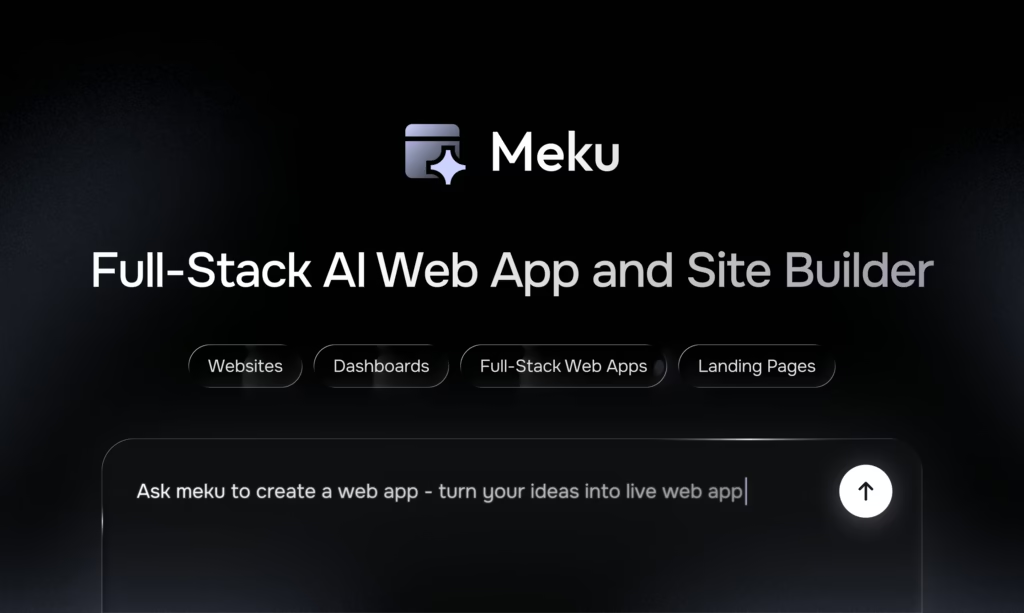
9. Meku — Prompt-to-App Focus
Overview
Meku positions itself as a tool for building deployable apps, not just UI.
Strengths
- Full-stack orientation
- Simple prompt workflow
Limitations
- Smaller ecosystem
- Less UI refinement
Best For
- Solo builders
- Fast shipping

10. UI Bakery — Internal Tool Builder
Overview
UI Bakery is closer to a low-code platform, often compared to v0.app when teams need more than UI components.
Best For
- Internal dashboards
- Business apps
- CRUD-heavy workflows
Comparison Table (Summary)
| Tool | UI | Full-Stack | Figma | IDE | Self-Hosted |
|---|---|---|---|---|---|
| v0.app | ✅ | ❌ | ❌ | ❌ | ❌ |
| Bolt.new | ✅ | ✅ | ⚠️ | ❌ | ❌ |
| Replit Agent | ✅ | ✅ | ❌ | ⚠️ | ❌ |
| Visual Copilot | ✅ | ⚠️ | ✅ | ⚠️ | ❌ |
| Locofy | ✅ | ❌ | ✅ | ❌ | ❌ |
| Cursor | ✅ | ✅ | ❌ | ✅ | ❌ |
| v0.diy | ✅ | ❌ | ❌ | ❌ | ✅ |
Workflows, Use Cases, Migration, and the Future
Practical Use Cases: Choosing the Right v0.app Alternative by Scenario
One of the biggest mistakes teams make when evaluating v0.app alternatives is treating all tools as if they serve the same purpose. In reality, each tool optimizes for a different workflow.
This section breaks down real-world scenarios and maps them to the best alternatives.
Use Case 1: Startup MVP — From Idea to Working Product in Days
Typical Needs
- Speed over perfection
- Full-stack functionality
- Authentication, APIs, basic persistence
- Easy iteration
- Minimal setup
Why v0.app Falls Short
v0.app excels at UI, but startups usually need:
- Backend logic
- Data storage
- User flows
- Deployable apps
UI alone is not enough.
Best Alternatives
✅ Bolt.new
✅ Replit Agent
✅ Meku
Recommended Workflow
- Prompt high-level app idea
- Generate a full-stack scaffold
- Iterate on features, not pixels
- Deploy quickly
- Refine UI later if needed
Example Prompt (Bolt.new / Replit)
Build a full-stack SaaS MVP using React and a simple backend.
Include authentication, a dashboard, CRUD operations, and basic styling.
Focus on functionality over polish.
Use Case 2: Frontend Team Building a Production UI
Typical Needs
- Clean, maintainable code
- Component reuse
- Accessibility
- Consistent styling
- Long-term maintainability
Why v0.app Is Helpful (But Limited)
v0.app is excellent for:
- Scaffolding components
- Exploring layout ideas
But it struggles with:
- Large design systems
- Existing code conventions
- Deep refactoring
Best Alternatives
✅ Cursor
✅ GitHub Copilot
⚠️ v0.app (as a supplement)
Recommended Workflow
- Use AI inside the codebase
- Generate components in context
- Enforce linting, tests, and patterns
- Refactor with AI assistance
Example Prompt (Cursor)
Create a reusable React table component following our existing patterns.
Use our Button and Input components.
Ensure accessibility and keyboard navigation.
Use Case 3: Design-First Teams (Figma → Code)
Typical Needs
- Accurate visual translation
- Design token consistency
- Component mapping
- Reduced designer-developer friction
Why v0.app Is a Poor Fit
v0.app is prompt-first.
Design teams are artifact-first.
This mismatch creates:
- Interpretation gaps
- Extra handoff work
- Inconsistent UI
Best Alternatives
✅ Builder.io Visual Copilot
✅ Locofy
Recommended Workflow
- Design in Figma
- Clean up components & naming
- Generate code
- Integrate into repo
- Manually refine logic
Key Advice
AI design-to-code tools amplify design quality.
Messy Figma files = messy output.
Use Case 4: Agencies and Freelancers
Typical Needs
- Speed
- Flexibility
- Multiple stacks
- Easy export
- Client-friendly handoff
Best Alternatives
✅ Bolt.new
✅ Polymet
✅ Cursor
Recommended Workflow
- Generate baseline UI fast
- Customize manually
- Deliver a clean repo
- Avoid tool lock-in
Use Case 5: Internal Tools & Dashboards
Typical Needs
- CRUD
- Forms
- Tables
- Auth
- Business logic
Best Alternatives
✅ UI Bakery
✅ Replit Agent
⚠️ Bolt.new
v0.app alone is rarely enough here.
Advanced Prompt Engineering for UI-to-Code Tools
The difference between mediocre output and excellent output often comes down to prompt quality.
General Prompt Structure That Works
Context:
- Framework
- Styling system
- Component library

Layout:
- Sections
- Responsiveness
- States

Behavior:
- Interactions
- Validation
- Accessibility

Constraints:
- Performance
- Reusability
- No external dependencies
Example: v0.app-Style UI Prompt (High Quality)
Create a responsive dashboard layout using React and Tailwind.
Include:
- Sidebar navigation
- Header with user menu
- Main content area with cards and charts
Use accessible components and semantic HTML.
Optimize for desktop and mobile.
Example: Design-to-Code Prompt (Builder.io / Locofy)
Convert this Figma frame into React components.
Map design tokens to CSS variables.
Ensure components are reusable and responsive.
Avoid inline styles.
Example: Full-Stack Prompt (Bolt / Replit)
Build a full-stack app with authentication.
Frontend: React
Backend: Node.js
Include:
- Login/signup
- Dashboard
- CRUD operations
- API routes
Use simple styling and focus on functionality.
Migrating from v0.app to an Alternative
Many teams start with v0.app and later outgrow it. Migration does not need to be painful if done correctly.
Migration Strategy 1: v0.app → Cursor
Best for: Long-term products
Steps:
- Use v0.app to generate initial UI
- Paste the code into your repo
- Open the project in Cursor
- Refactor components incrementally
- Enforce your standards
Migration Strategy 2: v0.app → Bolt.new
Best for: MVP expansion
Steps:
- Identify core flows from v0 UI
- Re-prompt Bolt with full-stack requirements
- Rebuild app holistically
- Use v0-generated UI as a reference, not a source of truth
Migration Strategy 3: v0.app → Design-to-Code Tools
Best for: Teams adopting designers later
Steps:
- Redesign UI in Figma
- Generate code via Visual Copilot or Locofy
- Replace v0-generated components gradually
Common Mistakes Teams Make
❌ Treating AI Output as Final Code
AI-generated UI is a starting point, not a finished product.
❌ Ignoring Accessibility
Many tools require explicit accessibility instructions.
❌ Over-Prompting
Long, unstructured prompts confuse the model.
❌ Locking into One Tool
The best teams use multiple AI tools strategically.
The Future of v0.app Alternatives (2026–2028)
AI UI generation is still early. Here’s where the space is clearly heading:
1. From UI Generation → System Generation
Tools will move beyond components to:
- Design systems
- Pattern libraries
- Layout rules
2. Deep IDE Integration
Prompt-to-code outside the repo will feel outdated.
Cursor-style workflows will dominate.
3. Design + Code Convergence
The gap between Figma and code will shrink dramatically.
Design artifacts will become executable.
4. More Open-Source & Self-Hosted Options
Privacy, compliance, and customization will drive adoption.
5. AI as a Maintainer, Not Just a Generator
Refactoring, migrations, accessibility audits, and performance tuning will matter more than first-generation UI.
SEO-Focused FAQ Section (High-Intent Keywords)
What are the best v0.app alternatives?
The best alternatives include Bolt.new, Replit Agent, Builder.io Visual Copilot, Locofy, Cursor, and GitHub Copilot. The right choice depends on whether you need UI-only generation, full-stack apps, or design-to-code workflows.
Is v0.app good for production apps?
v0.app is excellent for generating UI components, but most production apps require additional tools for backend logic, state management, testing, and deployment.
Which v0.app alternative is best for startups?
Bolt.new and Replit Agent are strong choices for startups because they enable the rapid development of full-stack applications and support rapid iteration.
What is the best Figma-to-code alternative to v0.app?
Builder.io Visual Copilot and Locofy are the strongest design-to-code alternatives, especially for teams with established design systems.
Can I self-host a v0.app alternative?
Yes. v0.diy is an open-source, self-hosted option inspired by v0.app, though it is less polished than commercial tools.
Is v0.app better than Cursor?
They solve different problems. v0.app is excellent for generating UI ideas quickly, while Cursor is better for maintaining and evolving real production codebases.
Do v0.app alternatives replace frontend developers?
No. These tools amplify developer productivity but still require engineering judgment, architecture decisions, and maintenance.
Final Verdict: How to Choose the Right v0.app Alternative
Ask yourself three questions:
- Where do I start?
- Prompt → v0, Polymet
- Design → Visual Copilot, Locofy
- Codebase → Cursor, Copilot
- What do I need to build?
- UI only → v0.app
- Full app → Bolt, Replit
- Internal tools → UI Bakery
- How long will this live?
- Short-lived → speed-first tools
- Long-lived → IDE-native tools
Closing Thoughts
v0.app helped define a new category: AI-powered UI generation.
But the ecosystem has matured rapidly.
The future belongs to teams who:
- Combine tools strategically
- Treat AI as a collaborator
- Optimize for maintainability, not just speed
If you choose the right alternative for your workflow, AI won’t just help you build faster —
it will help you build better.
Prompt Library for v0.app Alternatives
Each section below includes prompts organized by use case: Component UI, Full Page UI, Full-App, Design-to-Code, Refactoring, and IDE integration.
🔹 1) v0.app (Prompt-First UI Generation)
Component UI
Generate a reusable React card component using Tailwind CSS.
Include:
- Title
- Subtitle
- Body text
- Two action buttons (primary & secondary)
Ensure accessibility using semantic HTML and proper aria attributes.
Build a responsive navigation bar with logo, links, and a hamburger menu for mobile.
Use React + Tailwind.
Full Page UI
Create a homepage hero section with:
- Full-width background image
- Prominent headline
- Subtext
- Primary call-to-action button
Follow Tailwind CSS conventions.
Design a dashboard layout with:
- Sidebar
- Top header bar
- Card grid in main section
Responsive on mobile and desktop.
UI with States
Generate a form component with:
- Input fields (email, password)
- Validation error messages
- Disabled submit state
Use React + Tailwind and show all states.
🔹 2) Bolt.new (Prompt-to-Full-Stack App)
Full-Stack App
Build a full-stack web app for task management.
Frontend: React with Tailwind
Backend: Node.js with REST API
Features:
- User auth (email/password)
- Task CRUD
- Dashboard with completed/pending filters
Make the app deployable with a single command.
Create a blog platform with:
- Admin login
- Post editor with markdown support
- Public listing page
- API endpoints for posts
Include data validation and server error handling.
Add Features
Add email verification and password reset to the existing app.
Frontend UI for auth and backend APIs.
Extend this app with tag filtering and search on the task list.
Include backend search API.
Data Models
Define data models for:
- Users
- Projects
- Tasks (with deadlines, priority, status)
Generate migrations and update API routes.
🔹 3) Replit Agent (IDE-Assisted App Builds)
Prompt for Structure
Generate the skeleton of a React project with:
- src/
- components/
- pages/
- styles/
Use Create-React-App or Vite.
Add Features
Create a reusable modal component with:
- Accessible focus trap
- Keyboard close
Provide examples of usage.
Add client-side form validation for the signup page using React Hook Form.
Refactor Prompts
Refactor the Authentication module to use context for state management.
Remove redundant code and improve readability.
Generate API helper functions for all backend routes.
🔹 4) Builder.io Visual Copilot (Design-to-Code)
These prompts assume you already have a Figma file open.
Convert Design
Convert this Figma prototype to React components.
Map design tokens (colors, fonts, spacing) to CSS variables or Tailwind.
Create reusable components based on frames with consistent naming.
Advanced Structuring
Group similar buttons, inputs, and layout elements into reusable component families.
Use atomic naming and follow BEM or utility CSS conventions.
Design System Output
Generate a component library structure:
- Buttons
- Forms
- Cards
- Navigation
Each component should map to design tokens and have Storybook examples.
Export navigation components with proper routing placeholders (Next.js or React Router).
🔹 5) Locofy (Responsive Code from Figma)
Base Conversion
Convert the current Figma frame to a responsive React page.
Ensure breakpoints for mobile, tablet, and desktop.
Use Tailwind CSS classes for layout.
Component-Level Prompt
Create a responsive card component from this Figma group.
Map dimensions, padding, typography, and colors accurately.
Page Composition
Build a landing page with:
- Hero
- Features section
- Testimonials
Follow Tailwind CSS utility classes and responsive breakpoints.
🔹 6) Cursor (IDE-Native AI Code Generator)
Cursor works best when you provide contextual prompts based on code in your repo.
Create New Component
In the components directory:
Generate a LoginForm with:
- Controlled inputs (email, password)
- Validation errors
- Submit callback
Write in TypeScript and include basic tests.
Update Existing Code
Refactor this component to use our shared Button component.
Preserve logic but remove inline styles.
Convert class-based components to functional components using hooks.
Cross-File Integration
In app.tsx, import and use the UserProfile component with props typed correctly.
Generate example usage and tests.
🔹 7) GitHub Copilot (+ Copilot Spark/Agents)
Functional Prompts
Generate REST API client functions for these endpoints:
- /auth/login
- /auth/register
- /tasks
Use fetch with async/await and error handling.
Create unit tests for the TaskCard component with Jest and React Testing Library.
Refactor
Simplify this large component by splitting into smaller reusable parts.
Export helpers for shared logic.
Full Feature
Implement dark mode toggle with localStorage persistence.
Include tests and accessibility considerations.
🔹 8) Polymet (Prompt-Based UI → Export Code)
Quick UI Sandbox
Generate a reusable pricing table with three plans:
- Basic, Pro, Enterprise
Include hover states and responsive layout.
Export React + Tailwind code.
UI with Behavior
Create a testimonial carousel with:
- Next/prev controls
- Auto-scroll
Export clean React code.
UI Component Library
Generate a set of form controls (TextInput, Checkbox, Select) with consistent spacing and accessible labels.
Export as reusable components.
🔹 9) v0.diy (Self-Hosted UI Generator)
Assuming local setup with a CLI.
Component Prompt
Generate a hero section with:
- Heading
- Subheading
- Call-to-action button
Use React + Tailwind.
Page Prompt
Create a services page layout with:
- Header
- Three service cards
- Contact form
Utility Prompt
Write utility functions for:
- Date formatting
- API error mapping
🔹 10) Meku (Prompt-to-Deploy Apps)
App Shell
Create a deployable web application with:
- User registration
- Login/logout
- Dashboard
Use React on frontend and add backend API logic.
Deployable via CLI with a single command.
Feature Add-on
Add search and filtering to the dashboard tasks list.
Include backend support for query params.
CLI Prompt
Show all deployment configuration files for this project.
Explain environment variable guidelines.
Prompt Templates You Can Reuse (Copy-Paste)
Data Modeling
Create a data model for:
- Users
- Projects
- Tasks
with fields, validation, and relations.
Responsive Design
Make this layout fully responsive for small, medium, and large screens.
Use utility classes or styled components.
Accessibility
Audit this component for a11y issues.
Add aria roles and improve keyboard support.
Testing
Generate unit and integration tests for the following components.
Use Jest and Testing Library.
Documentation
Generate functional documentation for this component.
Include props, usage examples, and variants.
Prompt Best Practices (Applicable to All Tools)
1) Give Context First
Instead of “Generate a card,” say:
We are building a dashboard UI with Tailwind and React.
Create a card displaying user activity.
Include avatar, title, description, and datetime.
2) Specify Constraints
No inline styles.
Responsive up to mobile.
Accessible labels.
3) Ask for Multiple Variants
Provide three style variations with different layouts.
4) Request Tests
Add unit tests for this component using Jest.
5) Ask for Comments
Add comments explaining why each major section exists.
How to Combine Tools in a Workflow
AI tools are not mutually exclusive — the best teams stack them:
| Stage | Tool |
|---|---|
| Ideation | v0.app / Polymet |
| Design Conversion | Builder.io / Locofy |
| Full App Scaffolding | Bolt.new / Replit |
| In-Repo Refinement | Cursor / Copilot |
| Testing & QA | Copilot Spark / Cursor |
Example Workflow:
- Generate initial UI with v0.app
- Refine Fig-to-code with Builder.io
- Scaffold backend with Bolt.new
- Final editing inside the repo with the Cursor
- Tests & Docs with Copilot
Quick Reference: Which Prompt for Which Goal
| Goal | Best Prompt Focus | Tool |
|---|---|---|
| UI concept | Natural language description | v0.app, Polymet |
| Full app scaffold | Full-stack feature list | Bolt.new, Replit |
| Design fidelity | Design tokens mapping | Builder.io, Locofy |
| Contextual code | Refactor + generate in repo | Cursor, Copilot |
| Export production code | Consistency + naming | Builder.io, Locofy |
Conclusion: Choosing the Right v0.app Alternative in 2026 and Beyond
v0.app has played an important role in shaping the AI UI-to-code category. It proved that natural-language prompts can dramatically accelerate frontend development and lower the barrier between ideas and working interfaces. For many developers, it remains an excellent tool for rapid UI scaffolding, experimentation, and early-stage layout exploration.
However, as this guide has shown, v0.app is only one piece of a much larger ecosystem.
Modern teams rarely need just UI components in isolation. They need:
- Full-stack functionality, not only frontend markup
- Design-to-code workflows that start in Figma
- IDE-native tools that understand existing repositories
- Maintainable, testable code that evolves over time
- Flexibility and ownership, including exportable or self-hosted options
This is why alternatives such as Bolt.new, Replit Agent, Builder.io Visual Copilot, Locofy, Cursor, GitHub Copilot, and open-source options like v0.diy have gained traction. Each solves a different problem that v0.app does not fully address.
The key takeaway is simple:
There is no single “best” v0.app alternative — only the best tool for your workflow.
- If you want to go from prompt to a working full-stack app, tools like Bolt.new or Replit Agent are better suited.
- If your workflow begins with design, Builder.io Visual Copilot or Locofy will dramatically reduce handoff friction.
- If you care about long-term maintainability inside a real codebase, Cursor or GitHub Copilot will outperform UI-only generators.
- If control, privacy, or extensibility matters, open-source and self-hosted options become essential.
The most effective teams don’t replace developers with AI tools — they compose tools intelligently. They use prompt-based UI generation for speed, design-to-code for accuracy, and IDE-native AI for refinement and maintenance.
As AI continues to mature, the focus will shift away from simply generating UI and toward building systems that are easier to evolve, refactor, and scale. Teams that adopt the right tools early — and use them thoughtfully — will gain a lasting productivity advantage.
In short:
v0.app opened the door, but the future belongs to workflows that combine speed, context, and maintainability.
Choose your tools accordingly, and treat AI not as a shortcut, but as a long-term collaborator in your development process.