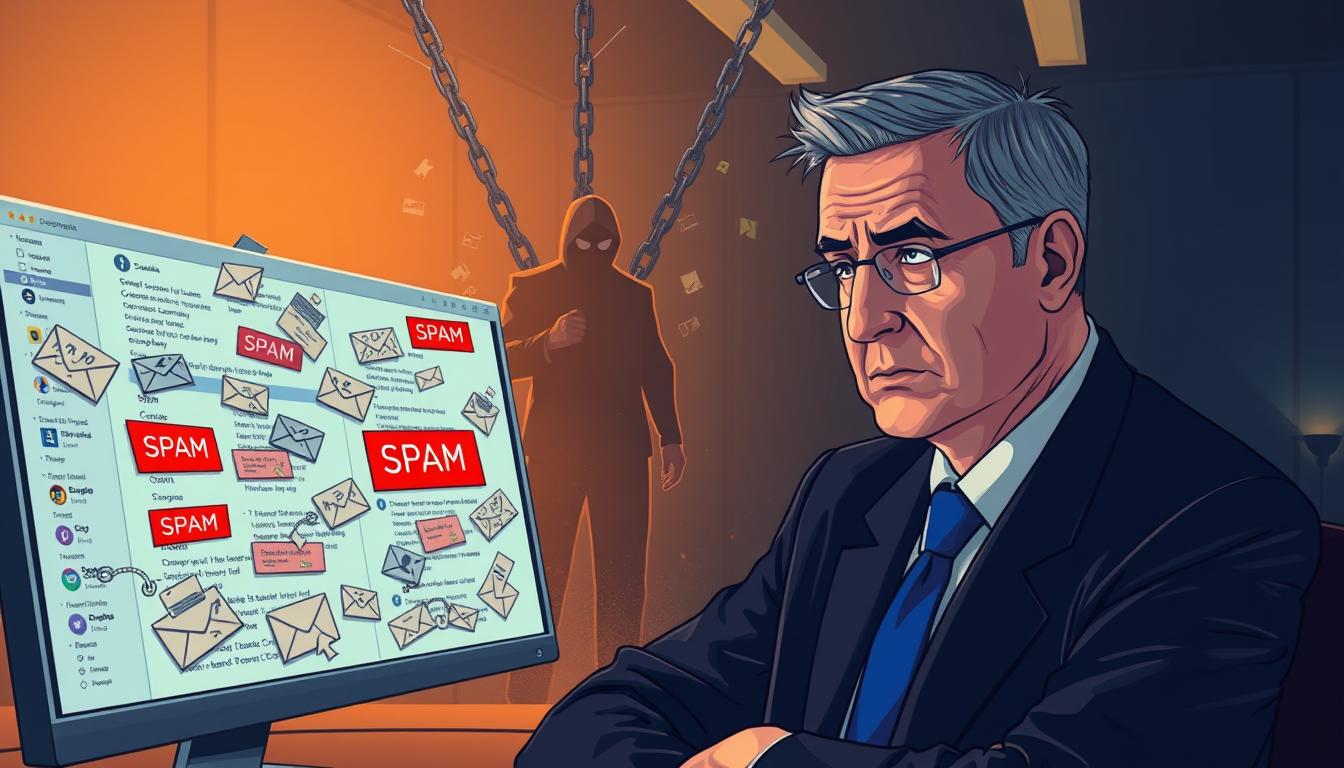
It’s a nightmare when your emails don’t show up in the inbox. You work hard on your messages, but they end up in spam. Figuring out why your emails land in spam is key to getting back on track.
Today’s filters are like digital guards, keeping us safe from bad stuff. Sometimes, good emails get caught too. Don’t worry, you can beat these technical hurdles.
Learning about deliverability means your emails will always reach their destination. This guide will show you how to boost your standing with big email providers. Let’s dive into the main steps to keep your emails seen and impactful.
Table of Contents:
Key Takeaways
- Deliverability issues often stem from strict automated filtering systems.
- Legitimate senders can accidentally trigger these security protocols.
- Improving sender reputation is essential for inbox placement.
- Technical authentication helps verify your identity to providers.
- Consistent monitoring prevents future delivery failures.
Understanding Spam Filters
Ever wondered why your emails sometimes end up in the spam folder? It’s frustrating, but these systems are meant to keep us safe. Learning how they work can help you get your emails delivered.
How Spam Filters Work
Email spam filters are advanced tools. They don’t just look for bad words. They use scores, fingerprints, and learning to check every email.
When an email comes in, the filter gives it a score. If it’s too high, it’s marked as junk. This happens fast, checking everything from the sender’s IP to the email’s code.
The Importance of Reputation
Your sender reputation is like a digital score. Mailbox providers check your history to see if you’re trustworthy. Consistency is key to avoid damage to your reputation.
Building a good reputation takes time. Sending relevant content and keeping your list clean helps. This trust is essential for email deliverability and getting your emails to the inbox.
Different Types of Spam Filters
Spam filters work differently, making success hard to achieve. Some block threats at the gateway. Others are cloud-based or on the user’s computer.
Each provider has its own rules. Understanding these variations helps you tailor your approach. By staying informed, you can meet the standards of modern security systems.
Common Reasons Emails Go to Spam
If you’ve ever wondered why your emails land in spam, you’re not alone. Many businesses face this problem. They often don’t know that small mistakes can trigger filters. Knowing these common mistakes can help you send emails that mailbox providers like.
Poor Sender Reputation
Your sender reputation is like a credit score for your email domain. If you send unwanted messages or if many users mark your emails as spam, your reputation will drop. Mailbox providers watch these signs closely to keep users safe from unwanted emails.
When your reputation falls, it’s harder to get into the main inbox. You need to keep your email practices honest and clear. Keeping a clean history is key to avoiding the junk folder.
Misleading Subject Lines
Subject lines grab attention first, but can also raise red flags. Using tricks or misleading language can harm your delivery. Filters look for words that seem like scams or pushy sales.
If your subject line promises something your email doesn’t deliver, it’s likely to be marked as spam. This hurts your reputation with providers. Be honest and clear to keep your emails reaching the inbox.
Low Engagement Rates
Low engagement can kill your email marketing. If people ignore your emails, providers think your content isn’t valuable. Sending to inactive users who don’t open or click can lead to your emails being blocked.
Regularly clean your email list to remove inactive subscribers. High engagement rates show providers that your audience wants to hear from you. Focus on quality over quantity to avoid spam filters.
Identifying Spam Traps
Many marketers unknowingly harm their success by falling into traps set by mailbox providers. These hidden obstacles are designed to catch senders who use poor list-building habits. When you hit one of these, your email inbox placement can suffer a lot, often leading to permanent blacklisting.
What Are Spam Traps?
Spam traps are email addresses that look like real accounts but are actually controlled by internet service providers or blocklist operators. They are never used by actual people to sign up for newsletters or marketing communications. Any email sent to them shows that the sender is using unethical or lazy data collection methods.
Providers often use these addresses to identify senders who scrape websites for contact information or purchase third-party lists. If you find yourself sending messages to these traps, it means your list hygiene is lacking. This oversight is a major red flag that damages your reputation and prevents your messages from reaching the primary folder.
How to Avoid Spam Traps
Protecting your sender reputation requires a proactive approach to list management. You must ensure that every subscriber on your list has explicitly requested to hear from you. By focusing on organic growth, you can significantly improve your email inbox placement and overall deliverability rates.
Follow these essential steps to keep your list clean and safe:
- Implement a double opt-in process to verify that every email address is valid and owned by a real person.
- Regularly scrub your list to remove inactive subscribers who have not engaged with your content in a long time.
- Avoid purchasing email lists at all costs, as these are often filled with recycled addresses and traps.
- Monitor your bounce rates closely to identify and remove problematic addresses before they cause long-term damage.
By staying vigilant, you ensure that your email inbox placement remains high. A healthy list is the foundation of any successful marketing strategy, keeping your brand out of the spam folder and in front of your audience.
The Role of Authentication
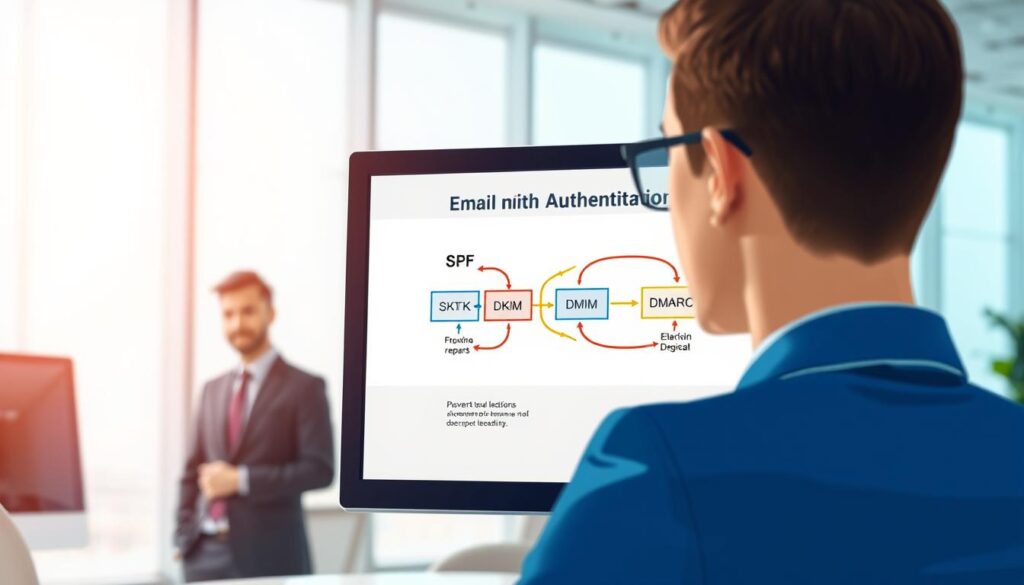
Think of authentication as a digital passport. It tells email providers who you are. When you send a message, they check these credentials to make sure it’s from you. Using strong email authentication methods proves you’re real and keeps your messages out of spam.
DKIM: DomainKeys Identified Mail
DKIM adds a cryptographic signature to your emails. This signature is like a digital wax seal. If it’s broken or missing, the server knows the message might have been tampered with.
SPF: Sender Policy Framework
SPF is a simple DNS record. It lists the IP addresses allowed to send emails on your behalf. It’s like a guest list for your domain. If an email comes from an unauthorized IP, it’s likely flagged as suspicious.
DMARC: Domain-based Message Authentication
DMARC ties everything together. It tells the receiving server what to do if SPF or DKIM checks fail. You can choose to reject the email or send it to spam. By using these email authentication methods, you block scammers from using your domain. This security is a non-negotiable requirement for any business that values its sender reputation and wants reliable delivery.
Crafting a Clean Email List
Keeping your email list clean is key to success in digital marketing. It’s a big step towards avoiding the spam folder. A clean list means your messages go to people who really want to hear from you.
Importance of List Segmentation
Segmenting your list helps you send emails that really matter to your subscribers. By targeting specific groups, you boost engagement. Happy subscribers are less likely to mark your emails as spam.
This method avoids the common mistake of sending the same email to everyone. You can segment based on what they buy, where they are, or how often they open your emails. This keeps your reputation strong and your audience happy.
Benefits of Double Opt-In
Double opt-in is the best way to make sure your subscribers are real. It asks new subscribers to confirm their email address. This step keeps your list clean and protects your domain from fake sign-ups.
Using double opt-in lowers the chance of ending up in spam folders. It shows ISPs that your subscribers really want your emails. This is a key part of keeping your emails out of the spam folder.
| Strategy | Engagement Impact | Deliverability Risk |
|---|---|---|
| Single Opt-In | High Initial Volume | High Risk |
| Double Opt-In | High Quality | Low Risk |
| List Segmentation | Very High | Minimal Risk |
Optimizing Content for Deliverability
To avoid the spam folder, you need to master email content optimization. Spam filters check your message to decide where to send it. Quality and clarity help build trust with your subscribers and internet service providers.
Writing Engaging Subject Lines
Your subject line is the first thing people see. It’s key for spam filters. Stay away from aggressive sales talk and too much punctuation. Instead, offer real value to your readers.
Here are some tips for your subject lines:
- Make them concise and match the email’s content.
- Don’t use all caps or too many exclamation points.
- Make your messages personal to boost engagement.
- Try different versions to see what works best.
Balancing Text and Images
Don’t send emails full of images. Spam filters have trouble with them. Aim for a good mix of text and images for email content optimization.
Also, don’t use “no-reply” email addresses. They’re bad for user experience and can be seen as spammy. Use a real, monitored address to build a good reputation and encourage replies.
Here’s how to keep your emails professional:
- Include a plain-text version for everyone.
- Make sure your HTML code is clean and links work.
- Use alt text for images so screen readers can describe them.
- Keep your email size small for fast loading.
By improving your email content optimization, you make your emails better for your subscribers. Paying attention to these details ensures your messages get to the inbox.
Maintaining Sender Reputation
Your sender reputation is like the heart of your email marketing. It’s a trust score that decides if your emails go to the inbox or junk folder. By following email marketing best practices, you keep your domain trusted by big providers.
Regularly Monitoring Your Reputation
Measuring what you do is key. Use tools like Google Postmaster Tools or Sender Score to watch your domain’s health. These tools give invaluable insights into how people interact with your emails and if your IP is flagged.
By watching closely, you can fix problems before they get worse. If your reputation drops, check your recent emails right away. Finding and fixing issues quickly is a key part of email marketing best practices that keeps your emails delivered.
Best Practices for Sending Frequency
Being consistent builds trust with ISPs. Don’t send out lots of emails at once, as this can trigger spam filters. Instead, send emails at a steady pace that your subscribers can count on.
When starting with a new IP address, be patient. Warm up your new IP address gradually over 4 to 6 weeks to show ISPs you’re a responsible sender. This slow start shows you value quality over sending lots of emails. By following these strategic habits, you keep your domain safe and your emails delivered.
Using a Reputable Email Service Provider
A top-notch ESP does more than send emails; it protects your sender reputation from the start. Your choice of platform is key to your deliverability strategy. With a professional service, you get tools to keep your emails out of spam folders.

Benefits of Trusted ESPs
A good ESP only lets real senders use their platform and keeps spammers out. This careful screening means your emails won’t be mixed with bad ones. Sending from a clean source boosts your chance of reaching the inbox.
Trusted providers also watch over your account health. They help you succeed in the complex world of email. This support is key when you face sudden delivery rate drops.
Features to Look For
When looking at providers, focus on those that give deep insights into your performance. Choose platforms that offer clear, useful email engagement metrics. These metrics help you improve your strategy with real data, not guesses.
Also, make sure the provider has strong authentication tools like SPF, DKIM, and DMARC. A reliable partner will also provide detailed reporting on bounces and spam complaints. Tracking these metrics helps keep your list healthy and ensures inbox success.
Testing Your Emails Before Sending
Sending an email without testing is like walking into a meeting without checking your reflection. You want to make sure your message looks polished and professional before it reaches your subscribers’ inboxes. By catching technical errors early, you protect your sender reputation and help prevent spam.
Tools for Email Testing
Different email clients render code in unique ways, which can lead to broken layouts or missing images. Using dedicated testing platforms allows you to see how your email looks on various devices and browsers. Consistency is key to keeping your audience’s trust.
Consider using these industry-standard tools to streamline your workflow:
- Litmus: Provides detailed previews across dozens of email clients.
- Email on Acid: Offers robust testing for mobile responsiveness and accessibility.
- Built-in ESP Previewers: Most modern email service providers include basic rendering checks.
Importance of A/B Testing
Beyond visual checks, A/B testing is a vital strategy for refining your content. By sending two variations of an email to a small segment of your list, you can see which subject lines or layouts drive higher engagement. This data-driven approach is a powerful tool for long-term spam folder prevention.
When you test different elements, you learn what resonates most with your specific audience. Higher engagement rates signal to internet service providers that your content is valuable and wanted. This means your emails are more likely to land in the primary inbox, not the junk folder.
Analyzing Spam Complaints
A sudden spike in spam complaints means you need to check your recent campaigns. When people mark your emails as spam, they tell you your content isn’t what they want. It’s important to watch these email engagement metrics to find out what’s going wrong.
Understanding Complaint Rates
Your complaint rate shows how many people mark your emails as spam. A high rate can hurt your reputation and make it harder to send emails. Consistent monitoring helps you catch problems before they get worse.
Tracking these email engagement metrics helps you figure out what’s causing the trouble. Look at the subject line, the offer, or when you sent it. This way, you can make your emails better and keep your audience happy.
How to Reduce Complaints
One of the best ways to lower complaints is to make it easy to unsubscribe. If people can’t find the unsubscribe link, they might mark your email as spam. Also, use suppression lists to stop sending to people who have complained before.
Another key strategy is to make sure your emails are relevant. Your emails should be valuable and match what people signed up for. Here’s how different complaint levels affect your email health.
| Complaint Level | Status | Recommended Action |
|---|---|---|
| Below 0.01% | Excellent | Maintain current strategy |
| 0.01% – 0.1% | Warning | Review content and frequency |
| Above 0.1% | Critical | Pause campaigns and audit list |
Acting quickly when you get complaints is key to keeping your email program healthy. By looking at these patterns, you protect your reputation and make sure your messages reach the right people.
Feedback Loops: What Are They?
Feedback loops are a direct way for mailbox providers and email senders to talk to each other. They let big providers tell you when someone marks your email as spam. This way, you get valuable insight into which emails don’t connect with your audience.
Instead of guessing why your emails aren’t getting through, you get real data on what’s not working. This is key to keeping a good reputation as a sender. It helps make sure your future emails land in the inbox. By tracking these complaints, you can tweak your strategy to boost your email engagement metrics.
Setting Up Feedback Loops
To start, you need to sign up your sending domains with mailbox providers. Big names like Microsoft, Yahoo, and AOL have special places for this. After signing up, they send a notice to your email when someone reports your message as spam.
It’s vital to make sure your tech team sets this up right. You’ll need to handle these reports, often in ARF (Abuse Reporting Format) files, to spot the trouble spots. Automating this process is a good idea to catch every important alert.
Benefits of Monitoring Feedback
Keeping an eye on these loops helps you spot and fix issues with your content. By removing problem users, you protect your reputation and boost your delivery rates. This way, your email engagement metrics stay strong, showing providers your content is welcome.
The table below shows how feedback loops differ from usual tracking methods:
| Feature | Standard Analytics | Feedback Loops |
|---|---|---|
| Primary Focus | Open and Click Rates | Spam Complaint Data |
| Data Source | User Interaction | Mailbox Provider Alerts |
| Strategic Value | Optimizing Content | Protecting Reputation |
| Action Taken | Refining Messaging | Cleaning Email Lists |
Using these insights helps you fine-tune your approach based on real user actions. When you focus on this data, you build a better relationship with your subscribers and providers. Regular monitoring is the secret to success in email marketing.
Keeping Up with Email Regulations
Protecting your subscribers’ data is key to building trust. It’s not just a legal must; it’s essential for your brand’s integrity. By following laws, you show you value your audience’s privacy.
This commitment helps you avoid big fines and keeps your domain safe. It’s a win-win for everyone involved.
Using email authentication methods is a technical step towards compliance. These methods prove your messages are real and safe. Together, legal rules and technical standards make your emails secure for all.
Understanding CAN-SPAM
The CAN-SPAM Act is a big deal for commercial emails in the U.S. It makes sure you let people opt out easily. You also need to include your real mailing address in every email.
Your subject lines must be honest about what’s inside. False or misleading headers can cost you a lot. Using email authentication methods shows you’re honest and transparent.
Adhering to GDPR Guidelines
The GDPR is all about keeping personal data safe, mainly in the European Union. It’s all about getting clear consent before adding someone to your list. People can ask for their data at any time.
You must be open about how you collect and store data. Respecting these boundaries is key for lasting relationships. Following these global standards keeps your brand safe and boosts delivery rates.
| Regulation | Primary Focus | Key Requirement |
|---|---|---|
| CAN-SPAM | Commercial Email | Clear Opt-Out Mechanism |
| GDPR | Data Privacy | Explicit User Consent |
| Authentication | Security | Verified Sender Identity |
Adapting to Changes in Spam Filter Algorithms
Today’s email spam filters are smart and keep learning. They use machine learning to sort through billions of emails. This helps them tell good emails from bad ones. Your email marketing strategy needs to keep up with these changes.
Staying Updated on Algorithm Changes
To keep your emails reaching their destination, you need to watch the tech world closely. Big email providers like Gmail and Outlook often update their rules to keep users safe. It’s important to stay in the loop.
Subscribe to newsletters and follow blogs from big mailbox providers. They often share news about changes in rules or new steps to prove you’re a real sender. Keeping up with these updates helps protect your sender reputation.
Deliverability is not a destination, but a continuous journey of alignment with the ever-changing standards of the inbox.
Impact on Email Strategies
The way email spam filters work is always changing. What worked yesterday might not work today. Your best defense is keeping your engagement and authentication up to date. If you don’t adapt, your emails might end up in the junk folder.
Being flexible is key. Instead of sticking to old methods, focus on building real connections with your subscribers. When people engage with your emails, it tells filters that your messages are good to go.
| Evolution Stage | Primary Focus | Strategy Requirement |
|---|---|---|
| Early Era | Keyword Matching | Avoid “spammy” words |
| Middle Era | Sender Reputation | Maintain clean lists |
| Modern Era | User Engagement | Prioritize relevance |
The goal is to match your sending habits with the user-focused approach of today’s email spam filters. Focus on being open and sending quality content. This way, your brand stays trusted, no matter what changes come.
Monitoring Your Email Analytics
If you don’t track your email performance, you’re flying blind. Many marketers just send messages without checking how they do. But, the real magic is in analyzing how those messages perform.
By watching your data closely, you can keep your email inbox placement safe. This way, your hard work reaches the right people.
Key Metrics to Track
To understand your sender health, look beyond simple open rates. Watch your bounce rates to see if your list has bad addresses. High bounce rates are a big warning sign for internet service providers.
Also, keep an eye on your complaint rates. When people mark your emails as spam, it hurts your reputation. Tracking these numbers helps you spot problems before they get worse.
Using Data to Improve Strategy
Data helps you find “graymail,” emails that don’t get much engagement. These emails might not be spam, but they can mess up your email inbox placement. If your engagement is low, it’s time to clean up your list or change your content.
Use your analytics to fine-tune your sending schedule and who you send to. If certain groups aren’t clicking, try sending them less or more relevant content. Regular monitoring lets you adjust your strategy fast, keeping your email inbox placement high.
| Metric | Healthy Range | Action Required |
|---|---|---|
| Open Rate | 20% – 30% | Improve subject lines |
| Bounce Rate | Below 2% | Clean your email list |
| Complaint Rate | Below 0.1% | Review content relevance |
| Click-Through Rate | 2% – 5% | Optimize call-to-action |
Implementing the 7-Point Fix
Learning email marketing best practices means having a solid plan. This plan should cover all technical and creative aspects of your emails. Many struggle because they fix problems one at a time, not as a whole system.
By looking at your strategy as a complete system, you can make sure everything works together. This means your authentication, list cleaning, and content quality will all help keep your emails delivered.
Overview of the 7-Point Fix
The 7-point fix is a detailed guide to better your sender reputation and delivery. It starts with the most important technical fixes, then moves to keeping your list healthy over time. Consistency is the secret ingredient for success in digital communication.
Detailed Steps for Implementation
To see quick improvements, follow these steps in order. Each step builds on the last, making a stronger base for your campaigns.
- Verify Authentication: Make sure your SPF, DKIM, and DMARC records are set up right. This proves your identity to ISPs.
- Clean Your List: Get rid of inactive subscribers and bad email addresses. This boosts your engagement right away.
- Segment Your Audience: Use specific lists for targeted content. This naturally lowers spam complaints.
- Optimize Subject Lines: Stay away from “spammy” words. Use clear, honest subject lines that make people want to open your emails.
- Balance Content: Keep a good mix of text and images. This makes your emails easy to read and trustworthy.
- Monitor Reputation: Use feedback loops and analytics to catch issues early. This prevents big deliverability problems.
- Test Regularly: Always test A/B tests and check your emails on different devices. This ensures they look professional.
By following these email marketing best practices, you build a lasting environment for your brand. Small, gradual changes often lead to big improvements in your open and click-through rates. Start by checking your current setup today. See how these changes improve your email delivery.
Testing and Measuring Success
Improving your email deliverability is a journey, not a one-time task. After fixing technical issues, you need a clear baseline to see how your audience reacts. Tracking your progress helps ensure your efforts are worth it.
How to Evaluate Your Changes
To see how you’ve improved, compare your metrics before and after updates. Look at open rates, bounce rates, and spam complaints. Consistency is key to understand the real effect of your changes.
Setting clear goals helps you know if you’re moving in the right direction. If bounce rates go down and engagement goes up, you’re on track. Use these signs to confirm your changes are working.
Adjusting Strategies Based on Results
Use your data to improve your strategy. If some metrics don’t change, it’s time to try something new. Continuous improvement keeps your sender reputation strong in a fast-changing world.
When you analyze your data, look for patterns that show where you might be losing interest. Changing how often you send emails or refreshing your content might help. Remember, your goal is to add value, and your data will show when you succeed.
Conclusion and Recap
To get your emails delivered, focus on quality and keep an eye on your sender reputation. You now have the tools to make your outreach better. This way, your messages will reach those who want to hear from you.
Core Pillars for Success
Authentication like SPF, DKIM, and DMARC is key to your sender identity. Using these tech tools with a clean, segmented list keeps your domain safe. This makes Gmail and Outlook trust your domain more.
Optimizing your email content is also important. When people engage with your emails, spam filters see you as a valuable sender. This builds trust with your subscribers over time.
Taking Action Today
Begin by checking how you send emails now and apply these strategies to your next campaign. Even small changes to subject lines and list management can boost your open rates a lot.
Improving your inbox placement starts with these steps. Use these techniques in your marketing to see better results right away.