

In today’s digital world, keeping your website safe is more critical than ever. Cyber threats are getting smarter, leaving business owners confused by the many security tools out there. Learning about DDoS Protection Explained: Cloudflare vs Sucuri vs Server-Level WAF is essential for a strong online presence in 2025.
Choosing the right defense strategy depends on your website’s traffic and technical setup. Cloud-based services offer seamless integration and global reach. On the other hand, server-level options give you detailed control for specific needs. We’ll dive into these differences to guide your decision.
Whether you run a small blog or a big e-commerce site, finding the right balance is vital. Let’s see how these solutions can secure your infrastructure against today’s attacks. They help keep your site fast and reliable for all visitors.
Table of Contents:
Key Takeaways
- Cloud-based services provide instant global mitigation for high-traffic websites.
- Server-level tools offer deep customization for unique hosting environments.
- Choosing the right strategy requires balancing budget, performance, and security needs.
- Modern threats require a multi-layered approach to ensure constant uptime.
- 2025 security standards emphasize ease of use alongside robust threat detection.
Understanding DDoS Attacks and Their Impact
Understanding cyberattacks is key to a strong digital setup. DDoS Protection Explained shows these attacks aim to flood servers with fake traffic. This blocks real users from getting to your site, shutting it down.
What is a DDoS Attack?
A DDoS attack uses many hacked computers, called a botnet, to target one server or network. They send a huge amount of data at once, overwhelming the server. This is hard to stop because the traffic comes from many places.
Common Types of DDoS Attacks
Attackers use different ways to harm cybersecurity for websites. Knowing these types helps find the right defenses.
- Volumetric Attacks: These try to use up all the bandwidth to the internet.
- Protocol Attacks: These aim to use up server resources or equipment like firewalls.
- Application Layer Attacks: These are advanced, targeting specific website functions to crash the server.
| Attack Type | Primary Target | Impact Level |
|---|---|---|
| Volumetric | Network Bandwidth | High |
| Protocol | Server Resources | Medium |
| Application | Web Server Software | Critical |
How DDoS Attacks Affect Businesses
A successful attack can cause big problems. Businesses lose a lot of money because customers can’t do transactions. Also, constant outages hurt your reputation and lose customer trust.
For today’s businesses, DDoS attack prevention strategies are a must. By fixing these weaknesses, you keep your business running smoothly. Protecting your online presence is a smart move for your company’s future.
What is DDoS Protection?
DDoS protection is like a shield for your business. It keeps your site running smoothly even when attacked. It works by filtering data, letting in good visitors and blocking bad bots.
Think of it as a gatekeeper. It makes sure only real visitors get to your site. Harmful requests are stopped before they can harm your site.
Importance of DDoS Protection
Many think their hosting plan is enough. But, standard hosting can’t handle big attacks. Without proper protection, your site might go down, hurting your business.
Getting dedicated website security solutions is smart. These tools help handle big traffic spikes. Without them, your site is open to many dangers.
Key Features to Look For
When looking for protection, focus on key features. A good system should block attacks smartly and adapt to new threats.
- Real-time traffic monitoring: Constant watch to catch odd traffic fast.
- Global scrubbing centers: Places that clean traffic before it reaches your server.
- WAF integration: A Web Application Firewall to block bad requests at the app level.
- Scalable bandwidth: Can handle lots of traffic without slowing down.
How DDoS Protection Works
It starts when traffic goes to the provider’s network, not your server. The system checks each data packet. If it’s bad, it’s blocked right away.
Good users get through without any trouble. This keeps your site fast and users happy. Here’s a table showing the main defense layers.
| Security Layer | Primary Function | Benefit |
|---|---|---|
| Network Filtering | Blocks volumetric attacks | Prevents bandwidth saturation |
| WAF Inspection | Analyzes HTTP requests | Stops application-level exploits |
| Traffic Scrubbing | Cleans malicious data | Ensures only clean traffic arrives |
| Global CDN | Distributes content load | Improves site speed and uptime |
Overview of Cloudflare DDoS Protection
When looking at top DDoS protection providers, Cloudflare stands out for businesses of all sizes. It has a huge global network that handles traffic spikes without slowing down your site. This means your site stays fast and available, even under attack.
Many choose Cloudflare for its top-notch cloud-based WAF services. It blocks bad traffic at the edge, keeping your server safe. This is key for keeping your site up and running in a world full of security threats.

Key Features of Cloudflare
Cloudflare offers many tools to protect your web sites. Its network can handle big attacks without a problem.
- Unmetered Mitigation: You get protection no matter the size of the attack.
- Global Anycast Network: Traffic goes to the nearest data center to cut down on delays.
- Real-time Analytics: Get detailed insights into traffic and threats.
Integrated Solutions Offered by Cloudflare
Cloudflare does more than just block attacks. It’s a holistic ecosystem for web security. It combines many services into one easy-to-use interface for IT teams.
It has a built-in Content Delivery Network (CDN) to speed up sites. It also has a strong firewall and bot management tools. These tools help spot and block bad bots, making it hard for attackers to get through.
Pros and Cons of Using Cloudflare
Cloudflare is powerful, but it has its downsides. Knowing the pros and cons helps decide if it’s right for your business.
| Feature | Advantage | Consideration |
|---|---|---|
| Performance | Global speed optimization | Requires DNS configuration |
| Security | Enterprise-grade protection | Complex settings for beginners |
| Support | Extensive documentation | Premium support costs extra |
The big plus is their unmatched scale network, giving peace of mind during busy times. But, their advanced settings might be too much for small teams. Careful planning is key to setting up your security right for your specific needs.
Overview of Sucuri DDoS Protection
Many businesses look for strong security and find it in cloud-based WAF services from Sucuri. It’s a top choice for DDoS protection and supports popular sites like WordPress and Magento. It offers more than just traffic filtering.
Key Features of Sucuri
Sucuri has tools to keep your site safe and running well. Its integrated malware removal service is great for small businesses. It keeps your site clean and blocks bad traffic.
The platform uses a global Anycast network. This network keeps your site up and running everywhere. It makes sure visitors don’t see slow loading times, no matter where they are.
How Sucuri Handles DDoS Attacks
Sucuri’s defense is smart traffic routing. It spots threats and sends requests to the nearest node. This absorbs the attack before it hits your server.
With its cloud-based WAF services, Sucuri blocks bad traffic. It lets good users in without trouble. It keeps up with new threats to protect your site.
Pros and Cons of Using Sucuri
Choosing a security partner means looking at the good and the bad. Sucuri is easy to use and great for CMS sites. It’s a top pick for many.
- Pros: Great at cleaning malware, easy to use, and optimized for CMS sites.
- Cons: Advanced features cost more, and it might not fit non-CMS sites as well.
Sucuri is a reliable and efficient choice for businesses. It’s simple and fast, making it perfect for growing online businesses.
Server-Level WAF Explained
A server-level firewall is key to a strong hosting setup. It works right on your hosting setup, blocking bad traffic. Knowing about Cloud-Based WAF Services is good, but understanding the local option is vital for full security.
What is a Web Application Firewall (WAF)?
A Web Application Firewall (WAF) is a tool that checks and blocks HTTP traffic to and from websites. It’s different from a regular network firewall because it focuses on the application layer. It looks at incoming data packets to stop common web attacks like SQL injection or cross-site scripting.
When you look at Web Application Firewall Options, server-level solutions are often managed by your hosting provider. These tools sit in front of your server software, like Apache or Nginx. Because they’re installed locally, they can block threats before they reach your website’s core files.
How Server-Level WAFs Protect Against DDoS
Server-level WAFs fight DDoS attacks by checking traffic patterns in real-time. They look for signs of automated attacks, like unusual request rates or bad headers. If they find something suspicious, they block the connection to prevent server crashes.
But, these tools can only do so much based on your host server’s resources. If an attack is huge, the server might get overwhelmed, even with the WAF’s help. That’s why many turn to Cloud-Based WAF Services to handle the traffic.
Benefits of Using a Server-Level WAF
One big plus of a server-level WAF is low latency. The security check happens on the same machine as your website, so there’s no extra time for data packets. This makes it great for smaller sites that need fast, affordable protection.
- Full Control: You can tailor rules to fit your app’s needs.
- Privacy: Your traffic data stays within your own system.
- Cost-Efficiency: Often part of managed hosting packages.
| Feature | Server-Level WAF | Cloud-Based WAF |
|---|---|---|
| Deployment | Local Server | Edge Network |
| Latency | Very Low | Minimal |
| DDoS Capacity | Limited by Server | Massive/Scalable |
| Management | Manual/Host-led | Automated/Global |
Comparing DDoS Protection Solutions
It’s key to compare DDoS mitigation options to protect your online presence well. Every site has its own traffic and security needs. By looking at these options, you can pick the best fit for your tech goals and budget.

Cloudflare vs. Sucuri: A Direct Comparison
Cloudflare and Sucuri offer strong cloud protection but for different needs. Cloudflare is known for its huge global network and exceptional edge performance. It’s great at blocking big volumetric attacks before they hit your server.
Sucuri focuses more on cleaning up your site and removing malware. In a Cloudflare vs Sucuri vs Server-Level WAF showdown, Sucuri is good for those who want a dedicated security team.
“Security is not a product, but a process that requires constant vigilance and the right tools for the job.”
Cloudflare vs. Server-Level WAF: Which is Better?
A server-level WAF works directly on your hosting, giving you detailed control over requests. Unlike Cloudflare, it checks traffic only after it reaches your server. This makes it great for complex application-layer rules.
But, a server-level WAF can be hard on your hardware during big attacks. Cloudflare is better at handling huge traffic spikes. A server-level WAF is better for detailed, custom checks of real traffic.
Sucuri vs. Server-Level WAF: Understanding the Differences
Sucuri and a server-level WAF differ mainly in management. Sucuri is a shield in front of your site, while a server-level WAF is part of your server software. This DDoS mitigation comparison shows server-level solutions need more upkeep but give full control over your security.
| Feature | Cloudflare | Sucuri | Server-Level WAF |
|---|---|---|---|
| Deployment | DNS/Edge | DNS/Proxy | Local Server |
| Ease of Use | High | High | Low |
| Control | Moderate | Moderate | Very High |
The right choice in this Cloudflare vs Sucuri vs Server-Level WAF debate depends on your team’s skills. Cloud options are best for a managed service. A server-level WAF is a reliable choice for deep customization and technical management.
Scalability and Performance Considerations
Protecting your digital assets is a delicate task. It requires balancing strict filtering with fast response times. When using DDoS Attack Prevention Strategies, your security system should not slow down your visitors. It should grow to handle sudden traffic spikes without hurting the user experience.
How Scalability Affects DDoS Protection
Scalability means your security can grow to handle more traffic. If it can’t, it might block good users or crash. Cloud-based solutions are good because they spread the load across many servers.
Using a distributed network helps your site handle bad traffic far from your main server. This keeps your main server stable even under attack. Good DDoS Attack Prevention Strategies let your business grow without worrying about downtime.
Performance Metrics to Evaluate
To keep your website fast, watch certain technical numbers. These numbers show if your security tools slow down your site. Look at these key performance indicators:
- Time to First Byte (TTFB): How fast your server answers a request.
- Latency: The time from when a user does something to when the server responds.
- Throughput: How much data your site can process in a set time.
The table below shows how different security methods affect your site’s speed during busy times.
| Metric | Cloud-Based WAF | Server-Level WAF |
|---|---|---|
| Latency Impact | Minimal | Moderate |
| Scalability | High | Limited |
| Resource Usage | Low | High |
Choosing the right DDoS Attack Prevention Strategies means focusing on both speed and safety. By checking these metrics, you can give your customers a smooth experience while keeping your site safe from harm.
Customer Support and Resources
When a digital crisis hits, your support team is key. Automated tools handle most traffic, but humans are needed for complex attacks. Experts who know your setup can prevent big problems.
Importance of Reliable Support
Many can’t afford a full-time security team. That’s why reliable 24/7 support is vital. You need a partner that responds fast, keeping your business running.
Good support does more than fix issues. It also guides you on how to protect yourself better. Knowing help is just a call away gives your IT team peace of mind.
Available Resources with Each Solution
Top security vendors share knowledge. They offer lots of guides, forums, and self-help sites. These help you solve problems on your own.
When picking a provider, look at their learning materials. A good library of guides helps your team learn fast. Make sure you get:
- 24/7/365 availability via live chat, email, or phone.
- Comprehensive knowledge bases with step-by-step guides.
- Active community forums for learning from others.
- Regular security blogs on new threats.
- Dedicated account management for big clients.
Using these resources, your team can handle threats better. Whether it’s a cloud service or a server firewall, the right support and guides make your security strong.
Pricing Models for DDoS Protection
Understanding cybersecurity pricing can be tough without a clear plan. Every business has different needs. Finding a balance between robust protection and cost is key for success.
“An investment in knowledge pays the best interest,” Benjamin Franklin said. This is true for digital security too. The right plan prevents downtime and protects your brand.
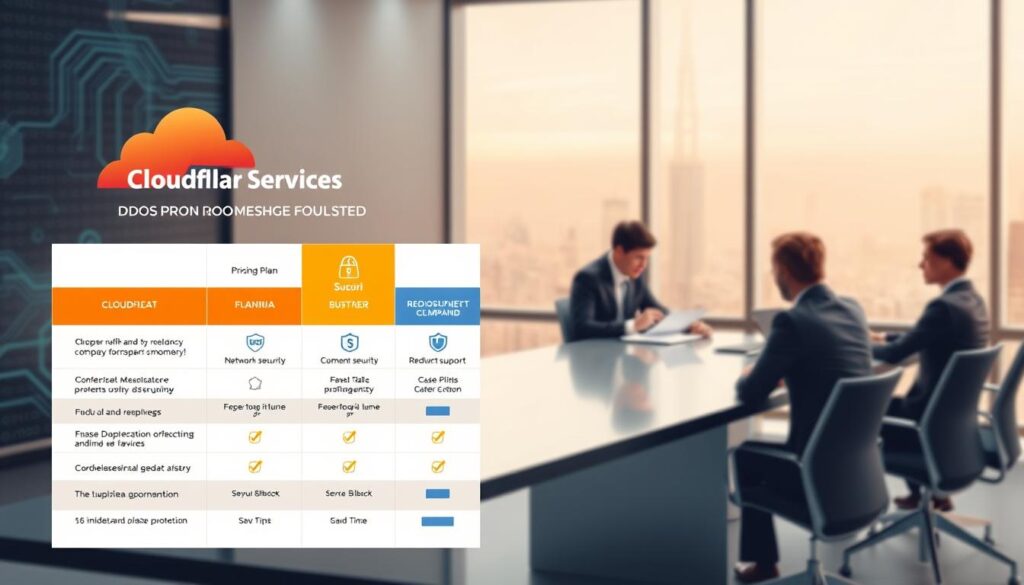
Overview of Cloudflare’s Pricing
Cloudflare has a flexible pricing structure for all sizes. Their free plan is great for small websites. It offers basic protection.
As your site grows, you can upgrade to Pro, Business, or Enterprise plans. These plans offer advanced features like custom WAF rules and unmetered mitigation. You only pay for what you need.
Overview of Sucuri’s Pricing
Sucuri uses a subscription model for all-inclusive security. They bundle their WAF with malware scanning and cleanup. This is good for those who want a simple solution.
With Sucuri, you pay a flat annual fee. This gives you peace of mind. If a breach happens, professional support is included.
Comparing Pricing with Server-Level WAFs
Server-level WAFs have hidden costs. While the software might be free or low-cost, managing it in-house can be expensive. You need to consider the time your IT team spends on it.
Managed services, on the other hand, handle this for you. This can lead to a more predictable monthly cost.
| Service Type | Primary Cost Model | Best For |
|---|---|---|
| Cloudflare | Tiered Subscription | Scalable growth |
| Sucuri | Bundled Annual Fee | Comprehensive support |
| Server-Level WAF | License/Labor Costs | Custom environments |
The best choice depends on your resources. If you have a dedicated security team, a server-level solution might be right. But for most, managed cloud services offer better value and lower risk.
Real-World Examples of DDoS Protection
Looking at how security tools work in real life helps you pick the best DDoS protection service for you. By checking out real events, we see how different methods handle big attacks. These stories show why a strong defense is essential for today’s businesses.
Case Study: Cloudflare’s Effectiveness in Action
Cloudflare is often tested by huge, record-breaking attacks. In one big case, they stopped a massive attack on a major gaming site. Their global network took in the traffic, keeping the site up and running smoothly for users.
This shows the power of a distributed edge network. By filtering traffic at the edge, they stop bad requests from reaching the server. This makes them a top choice for high-traffic sites.
Case Study: Sucuri Protecting an Online Retailer
An e-commerce site faced a targeted attack during a busy holiday sale. The attackers tried to crash the checkout process, costing the site thousands. Sucuri blocked the bad traffic, keeping the site running.
Their WAF let real shoppers through while stopping bots. This shows the best DDoS protection service can tell real customers from bots. The site stayed up and running the whole time.
Case Study: Server-Level WAF in a Corporate Environment
A mid-sized company used a server-level WAF for strict control over their data. When they faced a series of smart attacks, their local firewall blocked the bad packets. This let their IT team make rules based on their specific needs.
This method needs more hands-on work but offers top security for private networks. It shows that for some, a server-level solution is the best DDoS protection service for total control. The table below shows how these methods handle different threats.
| Solution Type | Primary Strength | Best Use Case |
|---|---|---|
| Cloudflare | Massive Volumetric Defense | Global High-Traffic Sites |
| Sucuri | Application Layer Filtering | E-commerce & Small Business |
| Server-Level WAF | Granular Custom Control | Private Corporate Networks |
Future of DDoS Protection Technology
Cybersecurity is moving into a new era. Defense systems must keep up with threats. Now, the focus is on proactive, automated defense systems. These tools spot and stop dangers before they hit your server.
It’s key for businesses to know about these new tools. By using them, companies can keep their online presence safe. This helps them stay strong in a changing digital world.
Emerging Trends in DDoS Mitigation
Cloud-native strategies are becoming big. They offer huge traffic scrubbing power that grows fast during attacks. This means users stay online, even under heavy attacks.
Security is also getting more spread out. By placing security closer to users, attacks are stopped sooner. This reduces latency and makes responses faster than old firewalls.
The Role of AI and Machine Learning in Protection
AI and Machine Learning are changing how we fight cyber threats. They let systems learn from past attacks and predict new ones quickly. AI firewalls can tell the difference between real users and bots.
The goal is for systems to react fast on their own. When they find something odd, they can change security rules right away. This quick action stops attackers before they can do harm.
Together, AI and machine learning make a self-healing network. This approach keeps your system safe from known and unknown threats. Investing in these smart systems is the smartest way to protect your online future.
Key Takeaways
Understanding digital security is key. Knowing your options helps protect your data and keep your services online. By choosing the right platform, you can create a strong defense.
Summary of Cloudflare vs Sucuri vs Server-Level WAF
Looking at Cloudflare vs Sucuri vs Server-Level WAF, each has its own strengths. Cloudflare is great for big sites with lots of traffic. It cleans traffic well.
Sucuri is good for those who want a hands-on approach. It’s known for its malware removal services. On the other hand, a server-level WAF gives you control over your site. It’s best for those needing custom rules or meeting specific security standards.
“Security is not a product, but a process that requires constant vigilance and the right tools to adapt to evolving threats.”
Choosing the Right Solution for Your Business
Choosing the right solution depends on your needs and budget. Here’s a checklist to help you decide on your Website Security Solutions:
- Traffic Volume: Sites with lots of traffic do well with cloud providers.
- Budget Constraints: Server-level options might save money but need more upkeep.
- Technical Expertise: If you don’t have a security team, Sucuri’s managed services are a good choice.
- Customization Needs: For unique rules, a server-level WAF is the most flexible.
The debate between Cloudflare vs Sucuri vs Server-Level WAF is about finding the best fit for you. Focus on your most important assets. Choose a solution that grows with your business.
Frequently Asked Questions
Online security can seem scary, but asking questions is the first step to feeling safe. Many website owners get lost in the technical talk about cybersecurity. Let’s make things clear by answering the most common questions.
Addressing Common Concerns
Many people wonder about the difference between monitoring tools and active defense systems. Monitoring tools just tell you when traffic goes up, but active systems block bad requests right away. When comparing DDoS Mitigation, choose solutions that act fast, not just alert you.
Some worry if small businesses need big protection. Every website online is a target for bots. Getting good security early saves you from big problems and keeps your reputation safe.
Clarifying Misunderstandings in DDoS Protection
Many think a basic firewall can stop big attacks. But, basic firewalls can’t tell good users from bad traffic. Looking into Web Application Firewall Options helps find the right tool for your site.
Some think security tools are set it and forget it. But, good security needs constant watching and updates to fight new threats. Stay informed about how your tool handles new attacks to keep your site safe.
Final Thoughts on DDoS Protection
Keeping your online presence safe is key. Using the best DDoS protection service is like having a shield for your digital assets. It keeps out harmful traffic.
Making an Informed Decision
Choosing the right defense is all about matching your traffic needs with your budget. Cloudflare, Sucuri, and server-level WAFs each have their own strengths. Look for tools that let you see how your network is doing.
Good cybersecurity means picking a partner that grows with you. Take your time to see how each platform handles threats. Your choice today affects your users’ experience tomorrow.
Emphasizing Continuous Improvement in Security Measures
Digital threats change fast, making old defenses useless. Your security setup needs regular checks and updates. Keeping an eye on your defenses helps them stay strong against new threats.
Creating a safe culture protects your brand and keeps customers trusting you. Stay up-to-date with new trends to keep your online space safe. Constant improvement is the best way to keep your digital world secure.