Cyber attacks cost businesses over $8 trillion annually. Your website faces constant threats from hackers seeking to steal data, disrupt operations, or damage your reputation.
This comprehensive website security checklist provides actionable steps to protect your site in 2026. Whether you manage a small business site or enterprise web application, these security measures will strengthen your defenses.
Website security isn’t optional anymore. It’s a business requirement that affects your revenue, customer trust, and legal compliance.
Table of Contents:
Get Your Free Security Checklist
Download our complete 2026 Website Security Checklist PDF with implementation guides and vulnerability assessment templates.
Understanding Website Security Threats in 2026
The threat landscape evolves constantly. Understanding current attack vectors helps you prioritize protection measures for your website and business assets.
Modern hackers use sophisticated techniques targeting vulnerabilities in your web application, network infrastructure, and user access controls. Data breaches expose sensitive customer information, leading to financial losses and reputation damage.
Common Attack Types Targeting Websites
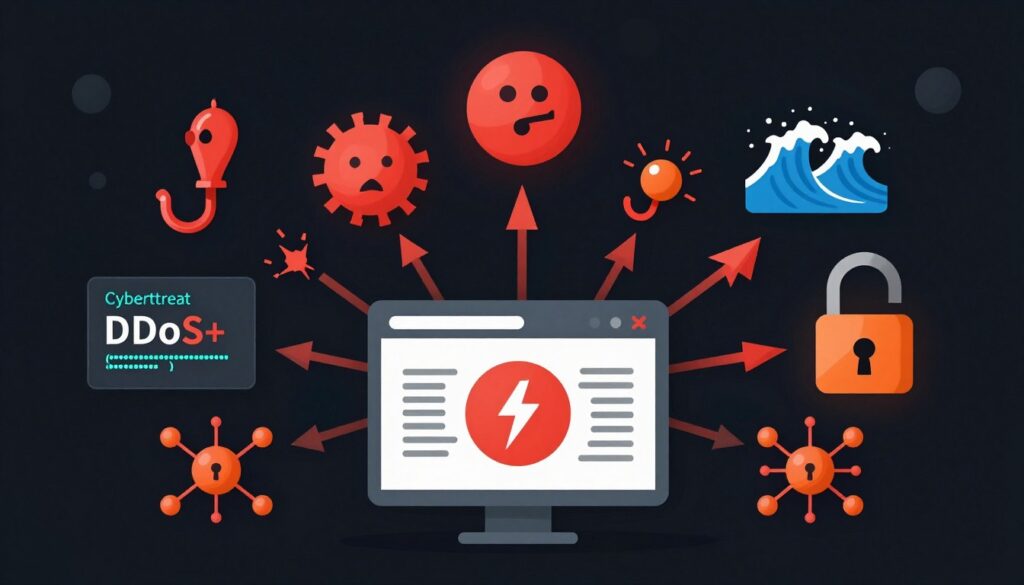
Recognizing attack patterns helps you implement appropriate security controls. Each attack type requires specific defense mechanisms and monitoring protocols.
SQL Injection Attacks
Hackers insert malicious SQL code into input fields to access your database. This attack exposes customer data and business information stored in your systems.
- Database compromise and data theft
- Unauthorized access to admin accounts
- Complete system takeover potential
- Customer information exposure
Cross-Site Scripting (XSS)
Attackers inject malicious scripts into web pages viewed by other users. These scripts steal session cookies and redirect traffic to malicious sites.
- Session hijacking capabilities
- Credential theft from users
- Malware distribution to visitors
- Website defacement risks
DDoS Attacks
Distributed denial-of-service attacks overwhelm your server with traffic. Your website becomes unavailable, disrupting business operations and customer access.
- Complete service disruption
- Revenue loss during downtime
- Resource exhaustion
- Customer trust damage
Ransomware
Malicious software encrypts your website files and database. Attackers demand payment to restore access, threatening permanent data loss.
- Complete data encryption
- Business operation paralysis
- Financial extortion demands
- Potential permanent data loss
Emerging Threats for 2026
New attack methods emerge as technology advances. AI-powered attacks automate vulnerability discovery and exploitation at unprecedented scale.
- AI-generated phishing campaigns with personalized content targeting specific users
- Automated vulnerability scanning and exploitation using machine learning algorithms
- Supply chain attacks targeting third-party plugins and dependencies
- API security breaches exploiting authentication weaknesses
- Quantum computing threats to current encryption standards
- IoT device compromises affecting website infrastructure
Important: The average cost of a data breach reached $4.45 million in 2023. Implementing proper security measures costs significantly less than recovering from an attack.
Core Security Fundamentals Every Website Needs
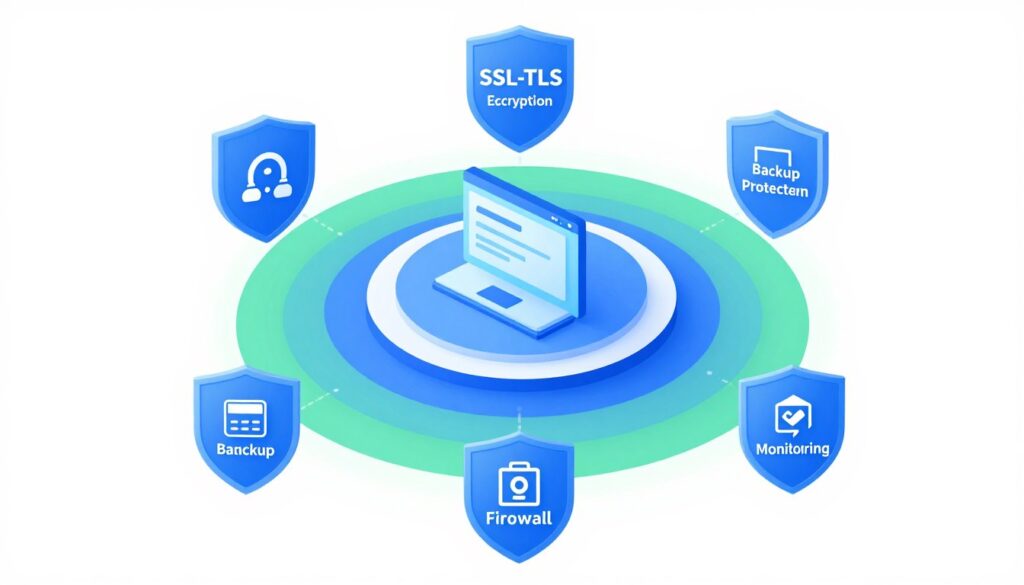
Building a secure website starts with fundamental protection layers. These essential security measures create your first line of defense against attacks and unauthorized access.
Every website requires baseline security regardless of size or industry. These core elements protect your site, user data, and business operations from common threats.
SSL/TLS Certificates and HTTPS Implementation
SSL certificates encrypt data transmitted between your website and users. This encryption prevents hackers from intercepting sensitive information like passwords, credit card numbers, and personal data.
Search engines rank HTTPS sites higher than non-secure sites. Browsers display warnings for non-HTTPS sites, damaging user trust and reducing traffic to your website.
- Encrypt all data in transit between server and user browsers
- Verify your website identity to visitors through certificate validation
- Prevent man-in-the-middle attacks that intercept communications
- Improve search engine rankings with secure protocol implementation
- Build customer confidence with visible security indicators
- Meet compliance requirements for payment processing and data protection
Implementation Tip: Use at minimum TLS 1.2, but TLS 1.3 provides better security and performance. Free certificates from Let’s Encrypt work well for most sites.

Free SSL Certificates
Let’s Encrypt provides automated, free SSL certificates that renew automatically. Perfect for small to medium websites needing basic encryption.
- No cost for certificates
- Automatic renewal process
- Easy installation
Extended Validation SSL
EV certificates display your company name in the browser address bar. Provides highest level of trust validation for e-commerce and financial sites.
- Company name verification
- Maximum trust indicators
- Rigorous validation process

Wildcard SSL
Single certificate secures unlimited subdomains under your main domain. Cost-effective solution for businesses with multiple web properties.
- Unlimited subdomain coverage
- Single certificate management
- Reduced administrative overhead
Web Application Firewall (WAF) Protection
A web application firewall filters and monitors HTTP traffic between your website and the internet. WAF protection blocks malicious requests before they reach your server.
Modern WAF solutions use machine learning to identify attack patterns. They protect against OWASP Top 10 vulnerabilities including SQL injection, XSS, and other common exploits.
- Block malicious traffic and bot attacks before reaching your server
- Filter requests based on configurable security rules and policies
- Protect against zero-day exploits with behavioral analysis
- Reduce false positives through machine learning algorithms
- Monitor and log all traffic for security analysis
- Comply with PCI DSS and other security standards
Regular Backup Systems and Recovery Plans
Backups provide recovery options when attacks compromise your website. Regular automated backups ensure you never lose more than a few hours of data.
Store backups in multiple locations separate from your production environment. Test your restoration process regularly to verify backup integrity and recovery procedures.
- Complete database snapshots with all tables
- Website files and application code
- Configuration files and environment settings
- User uploads and media libraries
- Email accounts and messages
Daily Backups Include
- Multiple geographic locations for redundancy
- Cloud storage with encryption at rest
- Off-site physical backup drives
- Version control for file changes
- Automated backup verification
Storage Best Practices
- Monthly restoration drills
- Document recovery procedures
- Measure restoration time requirements
- Verify backup file integrity
- Train team on recovery process
Recovery Testing
Critical: Ransomware often targets backup systems. Keep offline backups that attackers cannot access through your network.
Authentication and Access Control Security
Strong authentication prevents unauthorized access to your website admin panel, databases, and sensitive areas. Weak passwords remain the leading cause of account compromises.
Access control ensures users only reach resources appropriate for their role. Implementing least-privilege principles limits damage from compromised accounts.

Multi-Factor Authentication (MFA) Implementation
MFA adds security layers beyond passwords. Users provide additional verification through phones, hardware tokens, or biometric data.
Even if hackers steal passwords, they cannot access accounts without the second authentication factor. This simple measure blocks 99.9% of automated attacks.
- Enable MFA on all administrator and privileged accounts immediately
- Require MFA for remote access and VPN connections to network
- Use authenticator apps rather than SMS for better security
- Implement hardware security keys for highest-value accounts
- Establish backup authentication methods for account recovery
- Enforce MFA policies through identity management systems
Password Management and Policies
Strong password policies prevent brute force attacks and credential stuffing. Enforce minimum complexity requirements and regular password updates.
Password managers help users maintain unique, complex passwords for every account. They eliminate password reuse that enables cross-site compromises.
| Password Requirement | Minimum Standard | Best Practice | Purpose |
| Length | 12 characters | 16+ characters | Resist brute force attacks |
| Complexity | Upper, lower, numbers | Add special characters | Increase entropy and randomness |
| Expiration | 90 days | When compromised | Limit credential exposure window |
| History | Remember last 5 | Remember last 12 | Prevent password recycling |
| Attempts | 5 failed logins | 3 failed logins | Block brute force attempts |
User Role and Permission Management
Assign permissions based on job requirements. Users should access only data and systems necessary for their role.
Regular access reviews identify unused accounts and excessive permissions. Remove access immediately when employees change roles or leave your organization.
- Create specific user roles with defined permission sets
- Apply least-privilege principle to all user accounts
- Conduct quarterly access reviews and permission audits
- Disable accounts immediately upon employee termination
- Log all administrative actions and privilege escalations
- Require manager approval for elevated access requests
- Implement time-limited access for temporary requirements
Session Management and Security
Secure session handling prevents hijacking and unauthorized access. Sessions should expire after reasonable inactivity periods.
Regenerate session identifiers after login to prevent fixation attacks. Implement secure cookie attributes to protect session data.
Session Security Checklist
- Set reasonable timeout periods
- Use secure and httponly cookie flags
- Regenerate session IDs after authentication
- Invalidate sessions on logout
- Monitor for concurrent session anomalies
Recommendation: Configure sessions to expire after 15 minutes of inactivity for admin panels. Use 30-60 minutes for regular user sessions.
Software and Plugin Security Management
Outdated software creates vulnerabilities that hackers actively exploit. Regular updates patch security holes before attackers discover them.
Third-party plugins and extensions introduce additional risks to your website security posture. Each plugin represents potential entry points for attacks.

Keeping Core Software Updated
Content management systems release security patches regularly. Apply these updates within 48 hours of release to minimize exposure windows.
Enable automatic updates for minor security patches. Test major updates in staging environment before deploying to production systems.
- Subscribe to security mailing lists for your platform
- Test updates in staging environment first
- Schedule regular maintenance windows for updates
- Create backup before applying any updates
- Document your current software versions in inventory
- Monitor for emergency security patches requiring immediate attention
Plugin and Extension Security
Only install plugins from trusted sources with regular updates. Abandoned plugins create security risks as vulnerabilities go unpatched.
Review plugin permissions and access requirements before installation. Remove unused plugins completely rather than just disabling them.
- Install only from official repositories
- Check last update date and compatibility
- Review user ratings and security reports
- Verify developer reputation and support
- Monitor plugin update announcements
- Audit plugin permissions regularly
Safe Plugin Practices
- No updates in over 6 months
- Poor user reviews or ratings
- Requests excessive permissions
- Unknown or new developer
- No documentation or support
- Incompatible with current version
Warning Signs to Avoid
Dependency and Library Management
Modern websites rely on numerous third-party libraries and dependencies. These components require the same security attention as your core application code.
Use dependency scanning tools to identify vulnerable libraries. Update dependencies regularly to incorporate security fixes from upstream projects.
- Maintain inventory of all dependencies and their versions
- Scan for known vulnerabilities using automated tools
- Subscribe to security advisories for critical libraries
- Update dependencies as part of regular maintenance
- Remove unused dependencies from your project
- Use lock files to ensure consistent dependency versions
Tool Recommendation: Services like Snyk, Dependabot, and npm audit automatically scan dependencies for known vulnerabilities and create update pull requests.
Development and Staging Environment Security
Development and staging environments often have weaker security than production. Attackers target these systems to discover vulnerabilities and access data.
Apply the same security standards to all environments. Restrict access to development systems and avoid using production data in testing environment.
Secure Development Practices
- Use separate credentials for each environment
- Implement network isolation for staging systems
- Apply security patches to all environments
- Use synthetic test data instead of production data
- Enable MFA for development system access
Common Development Risks
- Using production data in testing environments
- Weak authentication on staging servers
- Exposed development servers to internet
- Hardcoded credentials in source code
- Insufficient access controls on repositories
Monitoring and Threat Detection Systems
Continuous monitoring detects attacks in progress before significant damage occurs. Real-time alerts enable rapid response to security incidents.
Security monitoring tools analyze traffic patterns, user behavior, and system logs. They identify anomalies indicating potential compromise or attack attempts.

Security Information and Event Management (SIEM)
SIEM systems aggregate logs from all security tools and infrastructure. They correlate events across systems to identify sophisticated attack patterns.
Configure alerts for critical security events requiring immediate attention. Balance sensitivity to catch real threats while minimizing false positives that cause alert fatigue.
- Centralize log collection from all systems and applications
- Configure correlation rules for known attack patterns
- Set up real-time alerts for critical security events
- Retain logs for minimum 90 days for forensic analysis
- Integrate threat intelligence feeds for known indicators
- Create dashboards for security team visibility
- Establish escalation procedures for different alert types
Intrusion Detection and Prevention
Intrusion detection systems monitor network traffic for suspicious activity. Prevention systems automatically block detected threats.
Deploy IDS/IPS at network perimeter and critical internal segments. Configure them to detect both known signatures and anomalous behavior patterns.
| Monitoring Component | What It Detects | Response Action |
| Network IDS | Port scans, network attacks, suspicious traffic patterns | Alert security team, block source IP addresses |
| Host IDS | File modifications, unauthorized access, privilege escalation | Alert and isolate affected system immediately |
| Web Application Firewall | SQL injection, XSS, application attacks | Block malicious requests automatically |
| File Integrity Monitor | Unauthorized file changes, malware injection | Alert and restore files from backup |
| Behavior Analytics | Unusual user activity, insider threats, account compromise | Investigate and require re-authentication |
Vulnerability Scanning and Assessment
Regular vulnerability scans identify weaknesses before attackers exploit them. Schedule automated scans weekly for external-facing systems.
Prioritize remediation based on vulnerability severity and exploitability. High-risk vulnerabilities require immediate patching within 24-48 hours.
Free Website Security Scan
Discover vulnerabilities in your website with our comprehensive security assessment. Get detailed report with prioritized recommendations.
Log Analysis and Retention
Security logs provide forensic evidence after incidents. They help identify attack methods, compromised systems, and data accessed during breaches.
Implement log rotation and archival to manage storage costs. Protect logs from tampering by storing copies in immutable storage systems.
- Enable logging on all systems, applications, and security devices
- Collect logs centrally in tamper-resistant storage
- Retain logs for compliance requirements and investigation needs
- Implement log integrity verification through cryptographic hashing
- Create automated reports for security team review
- Archive older logs to cost-effective long-term storage
- Establish procedures for log analysis during investigations
Compliance Note: Many regulations require specific log retention periods. PCI DSS requires one year with three months immediately available. HIPAA requires six years in some cases.
Data Protection and Encryption Standards
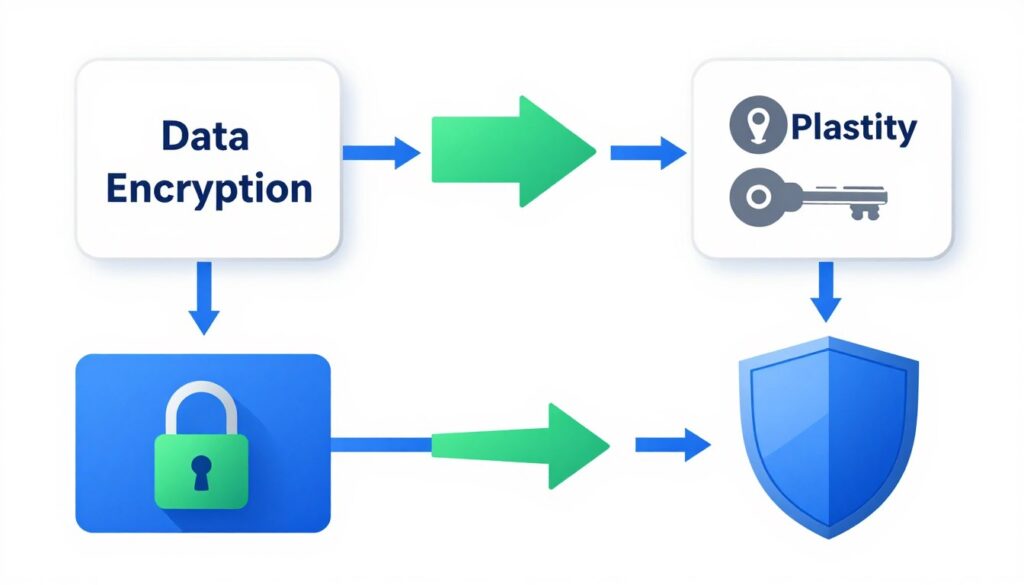
Data protection safeguards sensitive information from unauthorized access and disclosure. Encryption renders data unreadable without proper decryption keys.
Protecting customer data builds trust and meets compliance requirements. Data breaches damage reputation and result in significant financial penalties.
Data Classification and Handling
Not all data requires the same protection level. Classify data based on sensitivity and apply appropriate security controls.
Establish clear policies for handling each data classification. Train employees on proper procedures for accessing and storing sensitive information.
- Payment card information and CVV codes
- Social security numbers and tax IDs
- Healthcare records and medical data
- Authentication credentials and passwords
- Biometric data and identity documents
Highly Sensitive Data
- Customer contact information and addresses
- Purchase history and transaction records
- Email communications and messages
- Business contracts and agreements
- Employee personal information
Moderately Sensitive Data
- Marketing materials and press releases
- Published product information
- Public website content and blogs
- General company information
- Non-confidential business data
Public or Low Sensitivity
Encryption Implementation Requirements
Encrypt data both at rest and in transit. Use industry-standard encryption algorithms approved by security experts.
Manage encryption keys securely separate from encrypted data. Rotate keys regularly and establish key recovery procedures.
- Encrypt all sensitive data stored in databases using AES-256
- Use TLS 1.3 for encrypting data transmitted over networks
- Implement full disk encryption on all servers and workstations
- Encrypt backup files before storing in cloud or off-site
- Use hardware security modules for key storage and management
- Establish key rotation schedule based on data sensitivity
- Document encryption standards in security policies
Database Security Measures
Databases store your most valuable business and customer data. Implement multiple security layers to protect against unauthorized access and data theft.
Restrict database access to application service accounts only. Eliminate direct database connections from user workstations.
Database Hardening Steps
- Change default administrator passwords
- Remove unnecessary database features and services
- Implement network segmentation for database servers
- Use parameterized queries to prevent SQL injection
- Enable database activity monitoring and auditing
- Apply least-privilege access to database accounts
Security Tip: Store database connection strings and credentials in environment variables or secure vaults, never in application code or configuration files committed to version control.
Secure Data Disposal Procedures
Properly destroying data prevents recovery by unauthorized parties. Simply deleting files doesn’t remove data from storage media.
Use certified data destruction methods that meet compliance requirements. Document disposal activities to demonstrate proper data lifecycle management.
- Overwrite deleted data multiple times using secure deletion tools
- Physically destroy storage media containing sensitive information
- Degauss magnetic media before disposal or reuse
- Obtain certificates of destruction from disposal vendors
- Sanitize virtual machines and cloud storage before deletion
- Maintain inventory of disposed media and destruction dates
Compliance and Regulatory Requirements
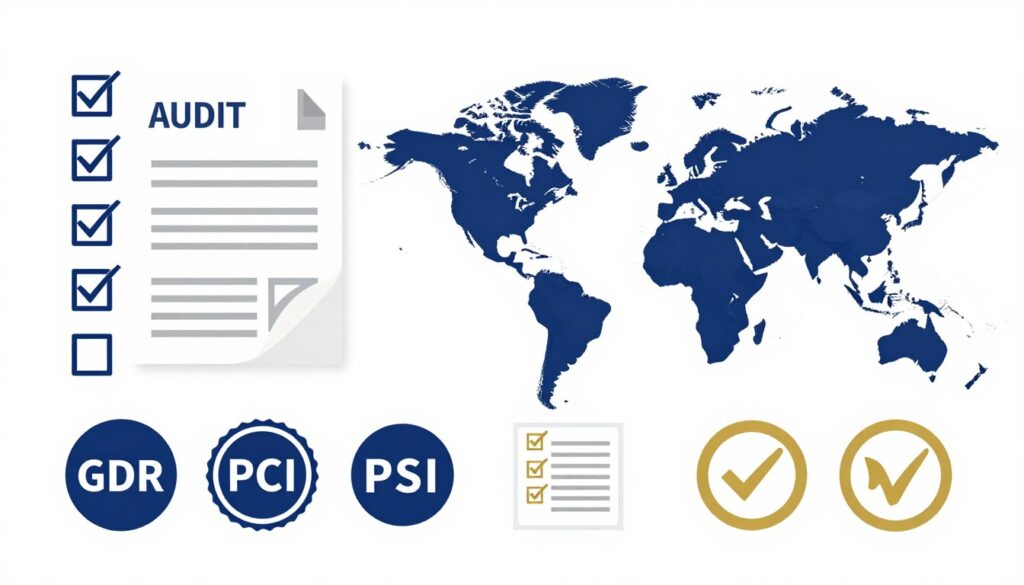
Compliance regulations mandate specific security controls for protecting customer data. Non-compliance results in fines, legal action, and business restrictions.
Different industries and regions have unique requirements. Understanding applicable regulations helps prioritize security investments and avoid penalties.
GDPR and Data Privacy Regulations
General Data Protection Regulation applies to any website processing EU resident data. Requirements include consent management, data portability, and breach notification.
Similar laws like CCPA in California and LGPD in Brazil create global privacy compliance obligations. Implement privacy-by-design principles in all systems.
- Obtain explicit consent before collecting personal data
- Provide clear privacy policies explaining data usage
- Enable users to access, correct, and delete their data
- Notify authorities of breaches within 72 hours
- Appoint data protection officer for large-scale processing
- Document data processing activities and legal basis
- Implement privacy impact assessments for new systems
PCI DSS for Payment Processing
Payment Card Industry Data Security Standard applies to any business accepting credit cards. Compliance protects cardholder data and reduces fraud risk.
Requirements include network segmentation, encryption, access controls, and regular security testing. Non-compliance can result in losing ability to process card payments.
| PCI DSS Requirement | Security Control | Implementation Example |
| Secure Network | Firewall configuration | Segment payment systems from other networks |
| Protect Cardholder Data | Encryption | Encrypt stored card data using AES-256 |
| Vulnerability Management | Regular updates | Patch systems within 30 days of release |
| Access Control | Least privilege | Restrict access based on job role |
| Testing | Security scans | Quarterly vulnerability scans by approved vendor |
HIPAA for Healthcare Information
Health Insurance Portability and Accountability Act protects medical information. Any website handling patient data must implement HIPAA security controls.
Requirements cover physical, technical, and administrative safeguards. Business associates handling healthcare data must also maintain compliance.
- Conduct risk assessments identifying threats to patient data
- Implement encryption for data at rest and in transit
- Establish access controls limiting who views patient records
- Maintain audit logs of all access to protected health information
- Train workforce on HIPAA privacy and security requirements
- Execute business associate agreements with vendors
- Develop breach notification and response procedures
Industry-Specific Requirements
Many industries have additional security standards beyond general regulations. Financial services, government contractors, and critical infrastructure face stricter requirements.
Research requirements specific to your industry and geographic region. Consult legal and compliance experts to ensure complete coverage.
SOC 2 Compliance
Service Organization Control 2 demonstrates security controls for service providers. Required for many B2B SaaS businesses serving enterprise customers.
- Trust Services Criteria coverage
- Independent auditor assessment
- Annual or continuous monitoring
ISO 27001 Certification
International standard for information security management systems. Demonstrates comprehensive security program to global customers.
- Risk management framework
- Security controls implementation
- Continuous improvement process
NIST Cybersecurity Framework
Framework for managing cybersecurity risks used by government agencies and contractors. Provides comprehensive security guidance.
- Identify, Protect, Detect functions
- Risk-based approach
- Industry-standard practices
Compliance Assessment and Gap Analysis
Not sure which regulations apply to your business? Our compliance experts identify your requirements and assess current security posture against standards.
Incident Response Planning and Procedures
Security incidents will happen despite preventive measures. Effective response plans minimize damage and recovery time when breaches occur.
Incident response requires preparation, clear procedures, and practiced execution. Teams that train regularly respond faster and more effectively during actual incidents.

Building Your Incident Response Team
Assemble a cross-functional team with clear roles and responsibilities. Include technical, legal, communications, and management representatives.
Define authority levels for making critical decisions during incidents. Establish communication channels for rapid team coordination.
- Security analysts investigate incidents
- System administrators contain threats
- Network engineers isolate compromised systems
- Forensic specialists preserve evidence
- Database administrators protect data
Technical Response Team
- Legal counsel advises on obligations
- Communications manages public statements
- Executive leadership approves decisions
- Human resources handles personnel issues
- Customer service addresses user concerns
Business Response Team
- Cyber insurance representatives
- External security consultants
- Law enforcement contacts
- Breach notification services
- Crisis management advisors
External Resources
Incident Detection and Classification
Early detection limits damage from security incidents. Establish clear criteria for identifying and escalating potential security events.
Classify incidents by severity to prioritize response efforts. Critical incidents affecting customer data require immediate executive notification.
| Severity Level | Impact Description | Response Time | Escalation |
| Critical | Active data breach, system compromise, business disruption | Immediate (within 15 minutes) | Executive team, all hands |
| High | Attempted breach, vulnerability exploitation, service degradation | Within 1 hour | Security manager, technical leads |
| Medium | Suspicious activity, policy violations, minor incidents | Within 4 hours | Security team, relevant managers |
| Low | Security alerts, false positives, informational events | Next business day | Security analyst review |
Containment and Eradication Steps
Contain incidents quickly to prevent spread across systems. Isolate compromised systems while preserving evidence for investigation.
Eradicate threats completely before restoring systems. Verify removal of malware, backdoors, and attacker access before returning to production.
- Isolate affected systems from network immediately upon detection
- Preserve system state and memory for forensic analysis
- Identify attack vectors and additional compromised systems
- Remove malware and attacker access from all systems
- Change credentials for all potentially compromised accounts
- Patch vulnerabilities exploited during the attack
- Verify system integrity before reconnecting to network
- Monitor systems closely for signs of persistent threats
Recovery and Post-Incident Activities
Restore systems to normal operations after confirming threat removal. Monitor recovered systems for signs of continued compromise.
Conduct post-incident reviews to identify improvement opportunities. Update security controls and procedures based on lessons learned.
- Restore systems from verified clean backups when necessary
- Gradually return services to production with monitoring
- Document all actions taken during incident response
- Analyze root causes and attack progression
- Update security controls to prevent recurrence
- Share lessons learned with entire organization
- Report incidents to appropriate authorities and stakeholders
- Review and update incident response procedures
Best Practice: Conduct tabletop exercises quarterly to practice incident response procedures. Simulate realistic scenarios to test team readiness and identify gaps in your plan.
Emerging Threats Specific to 2026
Cyber threats evolve as technology advances. New attack vectors emerge targeting artificial intelligence systems, quantum computing vulnerabilities, and expanding IoT environments.
Staying ahead of emerging threats requires continuous learning and adaptive security strategies. Understanding tomorrow’s risks helps you prepare defenses today.

AI-Powered Attack Automation
Artificial intelligence enables attackers to automate reconnaissance, vulnerability discovery, and exploitation at scale. Machine learning identifies patterns in defenses to craft targeted attacks.
Deepfake technology creates convincing phishing content and fraudulent communications. AI-generated social engineering attacks personalize messages using scraped data.
- Automated vulnerability scanning discovers zero-day exploits faster
- AI generates personalized phishing emails bypassing traditional filters
- Machine learning adapts malware to evade detection systems
- Deepfake audio and video enable convincing impersonation attacks
- Automated password cracking tests billions of combinations quickly
- AI-powered bots mimic human behavior to bypass CAPTCHAs
Defending Against AI Threats
- Deploy AI-powered security tools for threat detection
- Implement behavioral analysis beyond signature matching
- Train employees to recognize sophisticated social engineering
- Use multi-factor authentication resistant to deepfakes
- Monitor for AI-generated content indicators
2026 Prediction: By 2026, over 60% of cyberattacks will incorporate some form of AI assistance, according to leading security researchers.
Quantum Computing Cryptographic Risks
Quantum computers threaten current encryption algorithms. These powerful systems can break RSA and ECC encryption protecting sensitive data today.
Organizations must prepare for post-quantum cryptography transitions. Start planning migration strategies even though large-scale quantum attacks remain years away.
- Inventory systems using vulnerable encryption algorithms
- Monitor NIST post-quantum cryptography standardization
- Plan migration roadmap to quantum-resistant algorithms
- Prioritize protecting long-term sensitive data first
- Test post-quantum algorithms in non-production environments
- Update security policies for quantum threat timeline
Supply Chain and Third-Party Risks
Attackers increasingly target vulnerable supply chain partners. Compromising a single vendor provides access to multiple downstream customers.
Software supply chain attacks inject malicious code into legitimate updates and dependencies. These attacks affect thousands of organizations simultaneously.
- Compromised software updates from vendors
- Malicious code in open source libraries
- Vulnerable third-party integrations
- Cloud service provider breaches
- Managed service provider compromises
- Hardware implants in devices
Supply Chain Threats
- Vet all vendors and service providers
- Monitor third-party access continuously
- Require security certifications
- Implement least-privilege for integrations
- Verify software signatures and checksums
- Maintain vendor risk assessments
Mitigation Strategies
API Security Challenges
APIs power modern web applications and mobile apps. Poorly secured APIs expose sensitive data and functionality to unauthorized users.
API attacks increased 400% in recent years. Broken authentication, excessive data exposure, and lack of rate limiting create vulnerabilities.
- Implement OAuth 2.0 or similar authentication frameworks
- Apply rate limiting to prevent abuse and DDoS attacks
- Validate and sanitize all input data rigorously
- Use API gateways for centralized security controls
- Monitor API usage for anomalous patterns
- Document and version APIs with security considerations
- Encrypt API traffic using TLS 1.3 minimum
- Implement proper error handling avoiding information disclosure
IoT and Edge Computing Vulnerabilities
Internet of Things devices create expansive attack surfaces. Many IoT devices lack basic security controls and receive infrequent updates.
Edge computing pushes processing to distributed locations. Securing these remote environments challenges traditional perimeter-based security models.
IoT Security Requirements
- Change default credentials on all devices
- Segment IoT devices on separate networks
- Disable unnecessary device features and services
- Monitor device communications for anomalies
- Apply firmware updates promptly when available
- Implement network access controls
Common IoT Weaknesses
- Hardcoded default passwords
- Lack of encryption for data transmission
- Infrequent or no security updates
- Weak authentication mechanisms
- Vulnerable web interfaces
- Insufficient logging and monitoring
Cloud-Native Security Challenges
Cloud environments introduce unique security considerations. Misconfigurations remain the leading cause of cloud breaches.
Shared responsibility models require understanding which security controls you manage versus cloud provider responsibilities. Container and serverless architectures need specialized security approaches.
| Cloud Security Area | Common Risks | Required Controls |
| Identity Management | Overprivileged accounts, weak authentication | MFA, least privilege, regular audits |
| Storage | Public buckets, unencrypted data | Access controls, encryption, monitoring |
| Network | Open security groups, exposed services | Segmentation, firewall rules, VPC design |
| Containers | Vulnerable images, runtime attacks | Image scanning, runtime protection, secrets management |
Security Training and Awareness Programs
Employees represent both your greatest security risk and strongest defense. Human error causes over 80% of security incidents.
Regular training transforms staff into active security participants. Awareness programs help employees recognize and report threats before they cause damage.

Building Security Culture
Security culture makes protection a shared responsibility across the organization. Everyone from executives to entry-level staff plays a role in defending systems.
Leadership must demonstrate commitment to security through actions and resources. Recognize and reward employees who identify and report security issues.
- Establish executive sponsorship for security initiatives
- Include security objectives in performance evaluations
- Celebrate security wins and lessons learned publicly
- Provide resources and time for security training
- Create safe reporting channels for security concerns
- Integrate security into all business processes
- Communicate security importance regularly from leadership
Phishing Simulation and Testing
Simulated phishing attacks test employee awareness in realistic scenarios. Regular testing identifies vulnerable individuals requiring additional training.
Use results to improve training programs, not punish employees. Focus on education and building recognition skills through practice.
Effective Simulation Program
- Start with easy-to-identify phishing attempts
- Gradually increase sophistication over time
- Vary attack types and scenarios
- Provide immediate feedback and training
- Track improvement trends organization-wide
- Adjust frequency based on results
Success Metric: Organizations with quarterly phishing simulations report 50% fewer successful real phishing attacks compared to those without regular testing.
Role-Specific Security Training
Different roles face unique security challenges requiring specialized training. Developers need secure coding education while customer service staff need data handling training.
Tailor content to job responsibilities and actual threats each role encounters. Make training relevant to daily work for better retention.
Developer Security Training
Secure coding practices, OWASP Top 10 vulnerabilities, input validation, authentication implementation, and secure API design principles.
- Secure coding standards
- Vulnerability prevention
- Code review practices
- Security testing methods
Administrator Training
System hardening, patch management, access control configuration, log analysis, incident detection, and response procedures.
- System configuration security
- Privilege management
- Monitoring and detection
- Emergency response
Employee Security Basics
Password best practices, phishing recognition, social engineering awareness, physical security, mobile device safety, and incident reporting.
- Threat recognition
- Safe browsing habits
- Data protection
- Reporting procedures
Continuous Education and Updates
Security threats evolve constantly requiring ongoing education. Annual training becomes outdated quickly in the fast-changing threat environment.
Implement continuous learning through micro-training sessions, security newsletters, and real-time alerts about emerging threats.
- Send monthly security tips and updates to all staff
- Conduct quarterly awareness sessions on new threats
- Share relevant security news and incidents
- Provide on-demand training resources and guides
- Update training content as threats evolve
- Measure knowledge retention through periodic assessments
Implementing Your Website Security Checklist
This comprehensive website security checklist provides your roadmap to protection. Implementation requires planning, prioritization, and consistent execution.
Start with critical security fundamentals before addressing advanced controls. Layer defenses to create defense-in-depth protection for your website and data.

Prioritization Framework
Not all security measures offer equal protection value. Prioritize based on risk level, implementation difficulty, and resource availability.
Address high-risk vulnerabilities with easy implementations first for quick security improvements. Build momentum with early wins before tackling complex projects.
| Priority Level | Implementation Timeline | Key Actions | Expected Impact |
| Critical – Do First | Week 1-2 | SSL/TLS, backups, MFA, basic firewall | Block 60% of common attacks |
| High – Do Soon | Week 3-4 | WAF, monitoring, updates, access controls | Reduce risk by additional 25% |
| Medium – Schedule | Month 2-3 | Advanced monitoring, compliance, training | Comprehensive coverage achieved |
| Ongoing – Maintain | Continuous | Updates, testing, reviews, improvements | Sustain security posture |
Quick Wins for Immediate Security Improvements
Certain security measures provide significant protection with minimal effort. Implement these quick wins immediately while planning larger initiatives.
These actions require hours or days rather than weeks or months. They establish security baseline while building organizational momentum.
Immediate Actions (Today)
- Enable HTTPS and force SSL on all pages
- Change all default passwords immediately
- Enable MFA on administrator accounts
- Remove unused plugins and software
- Update all software to latest versions
- Configure automated daily backups
This Week Actions
- Implement web application firewall
- Set up basic security monitoring
- Audit user accounts and permissions
- Enable login attempt limiting
- Configure security headers properly
- Document current security controls
Resource Allocation and Budgeting
Security investments require financial resources and staff time. Build business case demonstrating breach cost versus prevention investment.
Consider both one-time implementation costs and ongoing maintenance expenses. Factor in staff training time and external consultant fees.
- Assess current security spending and gaps in coverage
- Calculate potential breach costs for risk quantification
- Prioritize investments based on risk reduction value
- Consider managed security services for expertise gaps
- Budget for security tools and monitoring platforms
- Allocate staff time for security activities and training
- Plan for regular security assessments and audits
Budget Guideline: Industry best practice recommends allocating 10-15% of IT budget to security programs. Small businesses should budget minimum $15,000-30,000 annually for basic security.
Measuring Security Posture Improvement
Track metrics demonstrating security program effectiveness. Measure both leading indicators of security health and lagging indicators of incidents.
Regular reporting keeps leadership informed and maintains security visibility. Use metrics to justify continued investment and program expansion.
- Percentage of systems fully patched
- Time to patch critical vulnerabilities
- MFA adoption rate across users
- Security training completion rates
- Phishing simulation click rates
- Open vulnerability count trends
Leading Indicators
- Number of security incidents
- Time to detect and respond
- Systems compromised in incidents
- Data records exposed in breaches
- Downtime from security events
- Cost of security incidents
Lagging Indicators
Protecting Your Website in 2026 and Beyond
Website security requires continuous attention and adaptation. Threats evolve constantly, demanding vigilance and proactive defense strategies.
This comprehensive website security checklist provides the foundation for protecting your site, data, and users. Implementation creates multiple security layers defending against diverse attack types.
Start today with critical security fundamentals. Build incrementally toward comprehensive protection covering all aspects of website security and compliance.

Security investments protect your business reputation, customer trust, and financial stability. The cost of prevention remains significantly lower than breach recovery expenses.
Regular reviews and updates maintain security effectiveness as threats evolve. Schedule quarterly security assessments to identify gaps and improvement opportunities.
Remember that security is a journey, not a destination. Continuous improvement and adaptation ensure your website remains protected against emerging threats in 2026 and future years.
Professional Website Security Audit
Get comprehensive security assessment from certified experts. We identify vulnerabilities, prioritize fixes, and provide implementation roadmap tailored to your business needs and risk profile.
How often should I update my website security measures?
Review and update your website security measures quarterly at minimum. Apply critical security patches within 48 hours of release. Conduct comprehensive security assessments annually or after major system changes. Stay informed about emerging threats through security newsletters and threat intelligence services. Regular updates ensure your protection adapts to evolving attack methods.
What is the most important security measure for my website?
While comprehensive security requires multiple layers, SSL/TLS encryption combined with regular backups provides foundational protection. SSL encrypts data in transit protecting user information. Backups enable recovery from ransomware and other destructive attacks. Together, these measures address the most common threats facing websites. Add multi-factor authentication and web application firewall for robust baseline security.
How much should I budget for website security?
Budget allocation depends on website size, complexity, and data sensitivity. Small businesses should allocate minimum $15,000-30,000 annually for basic security tools, monitoring, and professional assessments. Medium businesses typically need $50,000-150,000 for comprehensive programs. Enterprise organizations often spend 10-15% of total IT budget on security. Consider both technology costs and staff time requirements when budgeting.
Do I need a security expert or can I handle it myself?
Basic security measures like SSL certificates, backups, and updates can be implemented by technical website owners. However, comprehensive security programs benefit significantly from expert guidance. Consider hiring security professionals for initial assessment, architecture design, and complex implementations. Managed security services provide ongoing monitoring and threat response when internal expertise is limited. Even with internal staff, annual third-party assessments provide valuable external perspective.
What should I do immediately if my website is hacked?
Take your website offline immediately to prevent further damage and data theft. Contact your hosting provider and web development team. Preserve evidence by making complete system backups before cleaning. Change all passwords and access credentials across all related systems. Notify appropriate parties including customers if data was compromised. Engage security professionals to investigate the breach, remove malware, and identify vulnerabilities exploited. Restore from clean backups after confirming threat removal.