Every day, thousands of websites fall victim to cyberattacks. Business owners watch helplessly as customer data disappears and their reputation crumbles overnight. The harsh truth is that most of these disasters are preventable.
Website security isn’t just a technical concern anymore. It’s a business imperative that affects your bottom line, customer trust, and legal compliance. One security breach can cost millions in damages and destroy years of hard work.
This comprehensive guide walks you through the most dangerous website vulnerabilities threatening your online presence. You’ll discover exactly how attackers exploit these weaknesses and learn practical solutions to protect your digital assets. Whether you’re a business owner or a developer, understanding these threats is your first line of defense.
Table of Contents:
Why Website Security Matters More Than Ever
The digital landscape has become a battlefield. Attackers are more sophisticated, and the stakes have never been higher. Understanding why website security demands your immediate attention isn’t optional anymore.
The Real Cost of Security Breaches
Data breaches devastate businesses on multiple fronts. Financial losses average millions of dollars per incident. Companies face regulatory fines, legal fees, and compensation costs that can drain resources quickly.
The damage extends beyond money. Customer trust evaporates when personal information gets compromised. Rebuilding your reputation takes years, and some organizations never recover from a major security incident.
Business operations grind to a halt during attacks. Systems go offline, employees can’t work, and revenue streams stop flowing. The ripple effects touch every aspect of your organization.
Regulatory Requirements and Compliance
Laws like GDPR and CCPA impose strict security requirements. Organizations must implement proper safeguards to protect user data. Failure to comply results in massive fines and legal consequences.
Industry standards such as PCI DSS mandate specific security measures for businesses handling payment information. These regulations exist because weak security creates systemic risk across entire industries.
Compliance isn’t just about avoiding penalties. It demonstrates your commitment to protecting customer information and maintaining professional standards in your industry.
The Evolving Threat Landscape
Attackers constantly develop new techniques to exploit web applications. What worked as a defense last year might be obsolete today. Staying ahead requires continuous vigilance and adaptation.
Automated tools make it easier than ever for criminals to scan thousands of websites for vulnerabilities. Your site faces constant probing from malicious actors seeking any weakness they can exploit.
The number of attack vectors continues to grow. Mobile applications, APIs, and cloud services create new opportunities for security vulnerabilities. Modern web applications present a complex attack surface that demands comprehensive protection.
Get Your Free Website Security Checklist
Download our comprehensive checklist to identify and fix the most critical security vulnerabilities in your website. This actionable guide helps you protect your business from common threats.
Understanding Web Application Vulnerabilities
Web application security forms the foundation of protecting your digital presence. Before diving into specific threats, you need to grasp what makes web applications vulnerable and how attackers think.
What Makes Web Applications Vulnerable
Web applications operate in a hostile environment. They accept user input from untrusted sources and process requests from anywhere on the internet. This openness creates inherent security challenges.
Complex code bases contain thousands of lines that must work together flawlessly. A single oversight in any component can create an exploitable weakness. Developers face pressure to deliver features quickly, sometimes at the expense of security.
Third-party components and libraries introduce additional risk. Your application security depends partly on code written by others. Vulnerabilities in these dependencies can compromise your entire system.
How Attackers Find and Exploit Weaknesses
Attackers use systematic approaches to discover vulnerabilities. They start with reconnaissance, gathering information about your technology stack and infrastructure. Automated scanners probe for common weaknesses across thousands of sites simultaneously.
Once they identify a potential vulnerability, attackers craft specific attacks to exploit it. They test different inputs and observe how your application responds. Patient attackers spend weeks mapping your system before launching their main assault.
Social engineering often supplements technical attacks. Attackers manipulate users or employees to gain access credentials or sensitive information. The human element remains one of the weakest links in security.

The OWASP Top 10 Framework
The Open Web Application Security Project maintains a list of the ten most critical security risks. This framework helps organizations prioritize their security efforts based on real-world data and expert consensus.
The OWASP Top 10 evolves as the threat landscape changes. New vulnerabilities emerge while others become less prevalent. Following this framework ensures you’re addressing the most significant risks facing web applications today.
Organizations worldwide use OWASP guidance to structure their security programs. It provides a common language for discussing application security and helps teams focus resources where they’ll have the greatest impact.
SQL Injection: The Database Destroyer
SQL injection stands as one of the most dangerous and prevalent security vulnerabilities. Attackers exploit this weakness to manipulate database queries and gain unauthorized access to sensitive data. Understanding how SQL injection works is essential for protecting your information assets.
How SQL Injection Attacks Work
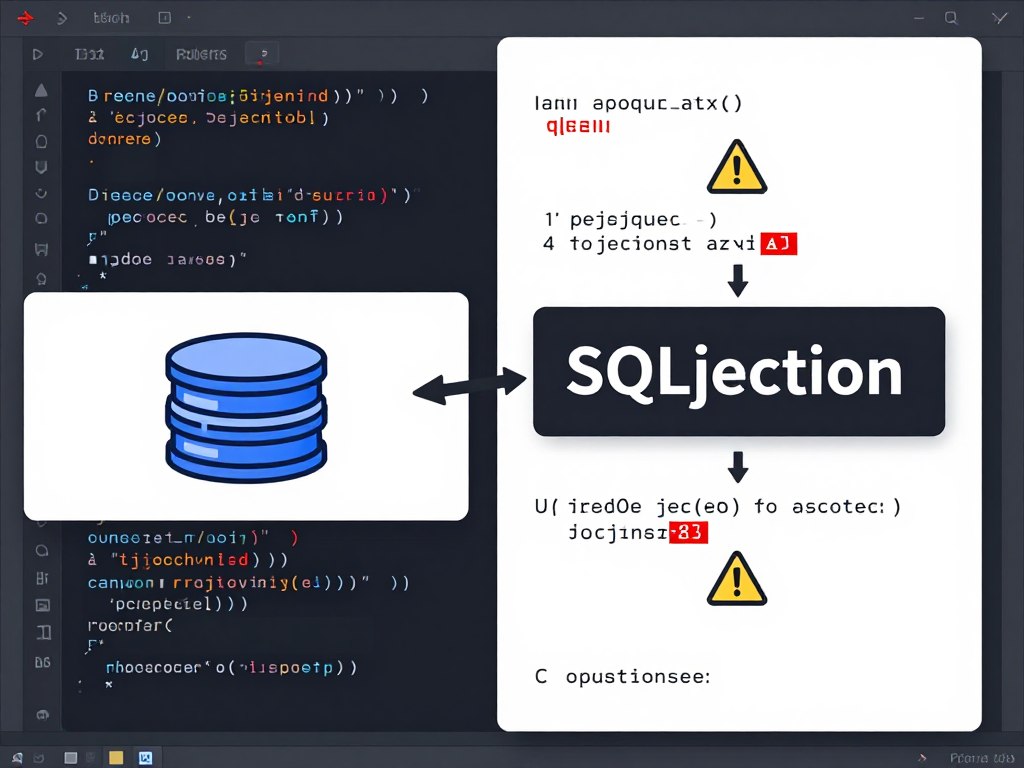
SQL injection occurs when attackers inject malicious code into database queries through user input fields. The application fails to properly validate or sanitize this input, allowing the attacker’s code to execute directly against the database.
Consider a login form that constructs a database query using user-provided credentials. If the application doesn’t validate input, an attacker can insert SQL commands that change the query’s logic. This manipulation can bypass authentication entirely.
The consequences of successful injection attacks range from data theft to complete system compromise. Attackers can read sensitive information, modify database contents, or execute administrative operations on the database server itself.
Attack Example
A vulnerable login form might construct this query:
SELECT * FROM users WHERE username = 'admin' AND password = 'pass123'
An attacker enters: admin' OR '1'='1 as the username. The resulting query becomes:
SELECT * FROM users WHERE username = 'admin' OR '1'='1' AND password = 'pass123'
Since ‘1’=’1′ is always true, the attacker gains access without knowing the actual password.
Types of SQL Injection Attacks
In-band SQL injection is the most straightforward attack type. The attacker uses the same communication channel to launch attacks and gather results. Error-based injection leverages database error messages to extract information about the database structure.
Blind SQL injection attacks work when the application doesn’t display error messages. Attackers ask true/false questions through their queries and observe how the application behaves differently based on the answer.
Time-based blind injection uses database functions that cause delays. Attackers inject code that makes the database wait before responding. By measuring response times, they can infer information even when the application shows no visible differences.
Preventing SQL Injection Vulnerabilities
Parameterized queries provide the most effective defense against SQL injection. These prepared statements separate SQL code from data, making it impossible for user input to alter query structure.
Input validation adds another layer of protection. Implement strict rules about what characters and formats your application accepts. Reject any input that doesn’t match expected patterns before it reaches your database.
Least privilege principles limit damage if an attack succeeds. Database accounts used by your application should have only the permissions absolutely necessary for their function. Never connect to databases using administrative credentials.
- Use parameterized queries or prepared statements for all database interactions
- Implement strict input validation and sanitization on all user-provided data
- Apply the principle of least privilege to database user accounts
- Use stored procedures with proper parameter handling
- Deploy web application firewalls to filter malicious requests
- Conduct regular security testing including SQL injection vulnerability scans
- Keep database management systems updated with latest security patches
Testing for SQL Injection Vulnerabilities
Manual testing involves submitting special characters and SQL syntax in input fields. Watch for error messages or unusual application behavior that might indicate vulnerability. Try single quotes, double dashes, and SQL keywords in various combinations.
Automated scanners efficiently test large applications for SQL injection flaws. These tools submit thousands of payloads and analyze responses to identify vulnerable parameters. However, automated tools can’t catch every vulnerability.
Combine automated scanning with manual penetration testing for comprehensive coverage. Security professionals use their expertise to craft sophisticated attacks that automated tools might miss. This combination provides the strongest assurance against SQL injection risks.
Cross-Site Scripting (XSS): Hijacking User Sessions
Cross-site scripting attacks inject malicious scripts into trusted websites. These attacks exploit the trust users place in legitimate sites, turning them into weapons against visitors. XSS vulnerabilities affect countless web applications and pose serious risks to user security.
Understanding XSS Attack Vectors
XSS attacks occur when applications include untrusted data in web pages without proper validation or escaping. The malicious script executes in the victim’s browser with the same privileges as legitimate site code.
Attackers inject malicious code through any input that gets displayed to users. This includes form fields, URL parameters, HTTP headers, and even database records if they originated from user input. The attack surface for XSS is extensive.
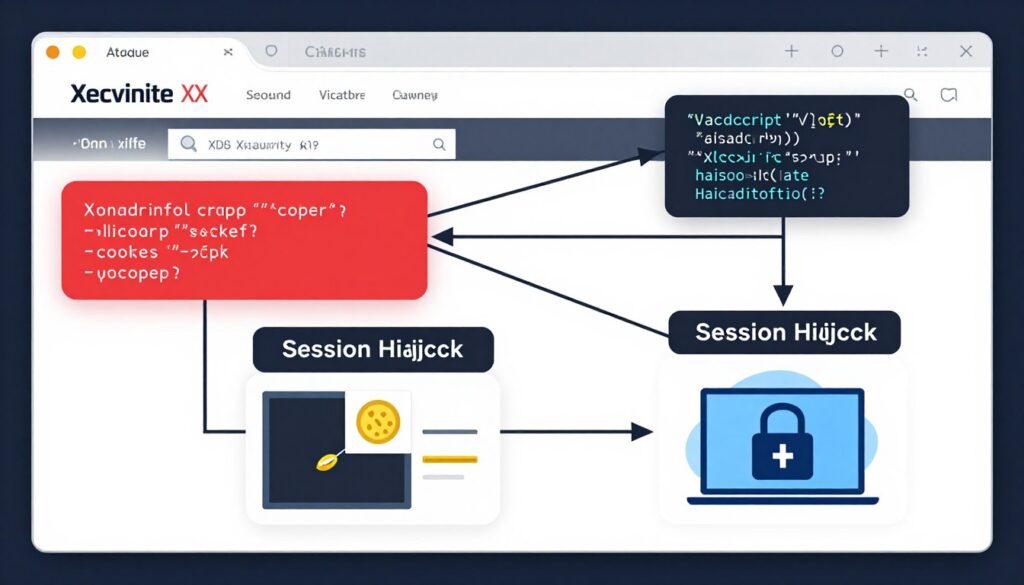
Once the malicious script executes, it can access cookies, session tokens, and other sensitive information retained by the browser. Attackers use this access to impersonate users, steal credentials, or manipulate page content to deceive visitors.
Types of XSS Vulnerabilities
Stored XSS is the most dangerous variant. The attacker’s payload gets saved in the application’s database. Every user who views the infected page executes the malicious code. This creates a persistent threat affecting multiple victims.
Reflected XSS attacks embed malicious code in URLs or form submissions. The application immediately returns this code to the user without proper sanitization. Attackers typically distribute these URLs through phishing emails or malicious websites.
DOM-based XSS exploits client-side code vulnerabilities. The attack payload never reaches the server but manipulates the Document Object Model directly in the victim’s browser. This makes DOM-based XSS particularly difficult to detect through traditional security measures.
Real-World XSS Attack Scenarios
Session hijacking represents a common XSS exploitation technique. Attackers steal session cookies and use them to impersonate legitimate users. This grants them complete access to victim accounts without needing passwords.
Credential theft through fake login forms is another prevalent attack. Malicious scripts create convincing login prompts that capture usernames and passwords. Users unknowingly submit credentials to attacker-controlled servers.
Keyloggers installed via XSS record everything users type on compromised pages. This captures sensitive information including passwords, credit card numbers, and personal data. The attack remains invisible to victims.
Defending Against XSS Attacks
Output encoding prevents browsers from interpreting user input as executable code. Convert special characters into their HTML entity equivalents before displaying them. This ensures browsers treat all user input as plain text.
Content Security Policy headers provide powerful XSS protection. CSP allows you to whitelist trusted content sources and block inline scripts. This dramatically reduces the attack surface for injection attacks.
Input validation complements output encoding. Define strict rules for acceptable input formats and reject anything that doesn’t comply. However, never rely solely on input validation as your primary XSS defense.
- Implement context-aware output encoding for all user-generated content
- Deploy Content Security Policy headers to restrict script execution
- Use HttpOnly flags on session cookies to prevent JavaScript access
- Validate and sanitize all user input on both client and server sides
- Employ template engines with automatic escaping features
- Regularly scan your application for XSS vulnerabilities
- Educate developers about secure coding practices for preventing XSS
Free Website Vulnerability Scan
Discover hidden security weaknesses in your website before attackers do. Our comprehensive scan checks for SQL injection, XSS attacks, and other critical vulnerabilities threatening your business.
Cross-Site Request Forgery (CSRF): Forcing Unwanted Actions
Cross-site request forgery attacks trick users into performing actions they didn’t intend. These attacks exploit the trust that web applications have in authenticated users. CSRF vulnerabilities can lead to unauthorized transactions, account modifications, and data manipulation.
How CSRF Attacks Operate
CSRF attacks work by submitting malicious requests using a victim’s authenticated session. The attacker crafts a request that appears to come from the legitimate user. Since the browser automatically includes authentication cookies, the application accepts the fraudulent request.
Attackers typically embed these malicious requests in emails, websites, or advertisements. When victims click links or load pages, their browsers automatically send requests to the target application. The victim remains unaware that they’ve triggered potentially harmful actions.
The attack succeeds because web applications often fail to verify that requests genuinely originate from the authenticated user. They trust any request that includes valid session credentials, regardless of how that request was generated.
Common CSRF Attack Examples
Financial transactions represent high-value CSRF targets. Attackers craft requests that transfer money, change payment settings, or modify account details. Victims discover these unauthorized changes only after significant damage occurs.
Email filter manipulation through CSRF can forward all victim emails to attacker-controlled addresses. This grants attackers access to sensitive communications and enables further attacks using information gathered from intercepted messages.
Social media accounts face CSRF risks that enable attackers to post content, send messages, or modify privacy settings. These actions appear to come from the legitimate account owner, damaging their reputation and relationships.
CSRF Attack Flow
- User logs into trusted website and receives authentication cookie
- Attacker tricks user into visiting malicious page while still authenticated
- Malicious page contains request to trusted site using user’s credentials
- Browser automatically includes authentication cookie with malicious request
- Trusted site processes request as if it came from legitimate user
CSRF Impact
- Unauthorized fund transfers
- Account credential changes
- Email forwarding rules
- Privacy setting modifications
- Content posting or deletion
- Administrative action execution
Implementing CSRF Protection
Anti-CSRF tokens provide the primary defense against these attacks. Generate unique, unpredictable tokens for each user session or request. Include these tokens in forms and verify them on the server before processing state-changing requests.
SameSite cookie attributes prevent browsers from sending cookies with cross-origin requests. Setting cookies to SameSite=Strict or SameSite=Lax blocks most CSRF attacks by default. This simple configuration change dramatically improves security.
Double-submit cookie patterns offer an alternative CSRF protection method. Send the same random value in both a cookie and a request parameter. Verify that both values match on the server. Attackers can’t read cookies from other domains to forge valid requests.
- Implement anti-CSRF tokens in all state-changing operations
- Use SameSite cookie attributes to restrict cross-origin cookie transmission
- Verify the origin and referer headers for sensitive requests
- Require re-authentication for critical actions like password changes
- Implement custom request headers that browsers won’t send cross-origin
- Use frameworks with built-in CSRF protection mechanisms
- Educate users about the risks of clicking unknown links while authenticated

Broken Authentication: The Gateway to Account Takeover
Authentication vulnerabilities give attackers unauthorized access to user accounts. These weaknesses stem from poor implementation of identity verification mechanisms. When authentication breaks down, attackers gain the keys to your kingdom.
Common Authentication Vulnerabilities
Weak password policies allow users to create easily guessable credentials. Many systems still permit short passwords or don’t require complexity. Attackers exploit this through brute force attacks that try thousands of common password combinations.
Session management flaws create opportunities for session hijacking. Applications that generate predictable session identifiers or fail to properly invalidate sessions after logout leave users vulnerable. Attackers can steal or guess valid session tokens.
Credential stuffing attacks leverage passwords stolen from other breaches. Attackers know users reuse passwords across multiple sites. Automated tools test millions of username-password combinations against target applications.
Multi-Factor Authentication Bypass Techniques
Even multi-factor authentication isn’t foolproof. Attackers use social engineering to trick users into sharing one-time codes. Phishing sites intercept authentication codes in real-time and immediately use them against the legitimate application.
SMS-based two-factor authentication faces SIM swapping attacks. Attackers convince phone carriers to transfer the victim’s number to a new SIM card. Once they control the phone number, they receive all authentication codes.
Push notification fatigue exploits user psychology. Attackers repeatedly trigger authentication prompts hoping users will eventually approve one just to stop the notifications. This technique has successfully compromised high-profile targets.
Securing Authentication Systems
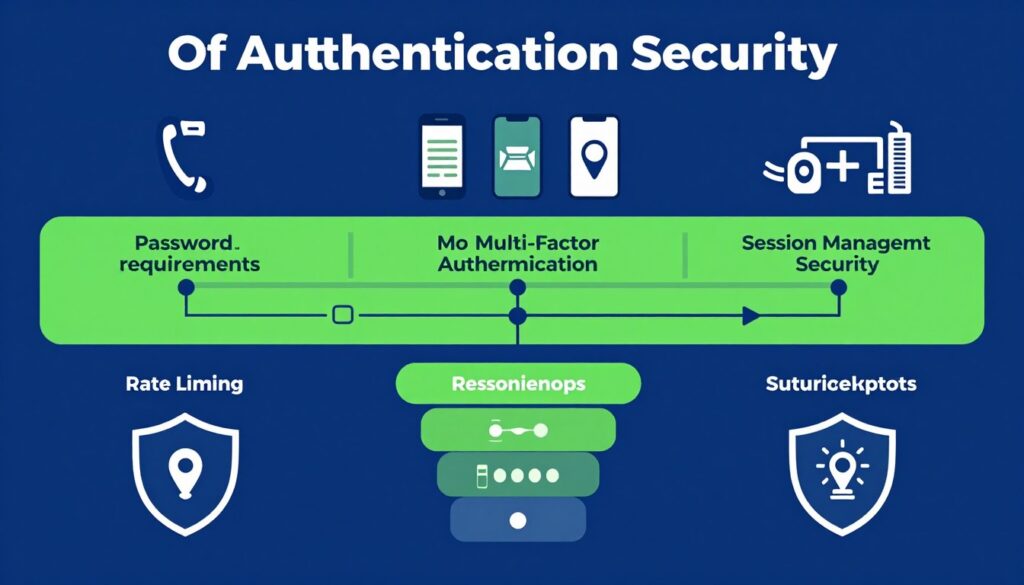
Strong password requirements form the foundation of authentication security. Enforce minimum length, complexity rules, and prohibit commonly compromised passwords. Consider implementing passphrase systems that are both secure and memorable.
Rate limiting prevents brute force attacks by restricting authentication attempts. Lock accounts temporarily after several failed login attempts. Implement progressive delays between authentication retries to slow down automated attacks.
Secure session management protects authenticated users. Generate cryptographically random session identifiers with sufficient entropy. Set appropriate timeout values and invalidate sessions on logout. Use secure and HttpOnly flags on session cookies.
- Enforce strong password policies with length and complexity requirements
- Implement multi-factor authentication using app-based or hardware tokens
- Deploy rate limiting and account lockout mechanisms
- Use secure session management with cryptographically random identifiers
- Monitor for credential stuffing attempts and unusual login patterns
- Implement password breach detection and force resets for compromised credentials
- Never store passwords in plain text; use strong hashing algorithms
- Educate users about password managers and unique password practices
Password Storage Best Practices
Never store passwords in plain text or using weak hashing algorithms. Use modern password hashing functions like Argon2, bcrypt, or scrypt. These algorithms are designed to be computationally expensive, making brute force attacks impractical.
Salt every password hash with a unique random value. Salting prevents attackers from using precomputed hash tables to crack passwords. Generate salts using cryptographically secure random number generators.
Consider implementing pepper values in addition to salts. A pepper is a secret key added to passwords before hashing. Store this value separately from your database to provide defense in depth if your database gets compromised.
Schedule Your Security Consultation
Don’t wait for a breach to discover your vulnerabilities. Our security experts will assess your authentication systems and recommend practical improvements to protect your users and business.
Security Misconfigurations: The Silent Killer
Security misconfigurations represent one of the most common yet preventable vulnerabilities. These issues arise from improperly configured security settings, default configurations, or incomplete setups. The breadth of potential misconfigurations makes this category particularly dangerous.
Types of Security Misconfigurations
Default credentials plague countless systems. Administrators fail to change factory-set usernames and passwords on routers, databases, and application servers. Attackers maintain extensive databases of default credentials and systematically test them against discovered systems.
Unnecessary features and services expand your attack surface. Development frameworks include debugging tools and sample applications that should never exist in production. These features often bypass security controls and provide attackers with valuable information.
Verbose error messages reveal sensitive system details. Stack traces expose internal file paths, database structures, and software versions. Attackers use this information to craft targeted attacks against specific system components.
Cloud Security Misconfigurations
Publicly accessible storage buckets have caused massive data breaches. Cloud storage defaults to private, but misconfigurations make buckets publicly readable. Organizations inadvertently expose customer data, credentials, and proprietary information.
Overly permissive security groups allow unrestricted access to resources. Network configurations that permit traffic from any IP address create unnecessary exposure. Attackers scan for these weaknesses and exploit them to gain initial access.
Missing encryption for data at rest and in transit leaves information vulnerable. Cloud services offer encryption features, but they require explicit configuration. Unencrypted data becomes accessible if other security controls fail.
Server Misconfigurations
- Default administrator accounts
- Directory listing enabled
- Unnecessary services running
- Missing security patches
- Weak encryption protocols
Application Misconfigurations
- Debug mode in production
- Detailed error messages
- Sample content installed
- Insecure session settings
- Missing security headers
Network Misconfigurations
- Open firewall rules
- Unrestricted database access
- Missing network segmentation
- Unencrypted communications
- Exposed administrative interfaces
Preventing Security Misconfigurations
Hardening guides provide step-by-step instructions for secure configurations. Follow established security benchmarks from organizations like CIS. These guides cover every aspect of system configuration based on security best practices.
Automated configuration management ensures consistency across your infrastructure. Tools like Ansible, Puppet, or Chef enforce security policies programmatically. This eliminates configuration drift and reduces human error.
Regular security audits identify misconfigurations before attackers do. Scan your systems with configuration assessment tools. Review settings against security baselines and remediate any deviations promptly.
- Change all default credentials immediately after installation
- Disable unnecessary features, services, and accounts
- Implement custom error pages that hide system details
- Remove sample applications and development tools from production
- Configure appropriate file and directory permissions
- Enable security headers like HSTS, CSP, and X-Frame-Options
- Regularly review and update security configurations
- Use infrastructure-as-code to maintain consistent security settings

Insecure Direct Object References (IDOR): Unauthorized Access to Data
IDOR vulnerabilities occur when applications expose direct references to internal objects. Attackers manipulate these references to access resources belonging to other users. This simple technique bypasses authorization controls and leads to significant data breaches.
Understanding IDOR Vulnerabilities
Applications often use predictable identifiers for database records, files, or user accounts. URLs might include parameters like “userid=123” or “invoice=456”. Attackers simply change these values to access other users’ information.
The vulnerability exists because applications check authentication but skip authorization. The system verifies you’re logged in but doesn’t confirm you should access the specific resource. This oversight creates a massive security gap.
IDOR attacks require minimal technical skill. Attackers don’t need specialized tools or deep technical knowledge. They simply modify URL parameters or form values and observe the results. This accessibility makes IDOR attacks prevalent.
Common IDOR Attack Scenarios
File download functions frequently suffer from IDOR vulnerabilities. Applications might allow users to download files by specifying a file ID. Attackers iterate through possible IDs to access documents they shouldn’t see.
Profile viewing features create IDOR opportunities. An application might construct URLs like “/user/profile/123”. Changing the number lets attackers view any user’s profile information, potentially including sensitive personal data.
Transaction history access through manipulated IDs exposes financial information. E-commerce platforms sometimes use predictable order numbers. Attackers access other customers’ orders, addresses, and payment details through simple ID manipulation.
Implementing Access Control
Server-side authorization checks must verify every access request. Don’t rely on client-side controls or obscurity. For each resource access, confirm the authenticated user has permission to view or modify that specific object.
Indirect reference maps eliminate predictable identifiers. Replace sequential IDs with random, unpredictable tokens for external access. Maintain a mapping table that translates external tokens to internal IDs on the server.
Access control lists define permissions for each resource. Implement role-based or attribute-based access control systems. Check user permissions against these lists before granting access to any object.
- Implement proper authorization checks for all resource access
- Use indirect reference maps instead of exposing internal identifiers
- Validate user permissions on every request at the server level
- Apply the principle of deny-by-default for access control
- Avoid exposing database keys or sequential IDs in URLs
- Implement logging and monitoring for unauthorized access attempts
- Conduct regular access control testing and penetration testing
Vulnerable Code Pattern
The application retrieves user data based solely on URL parameter:
user_id = request.GET['id']
user_data = database.get_user(user_id)
return render(user_data)
This code fetches any user’s data without checking if the logged-in user should access it.
Secure Implementation
Proper authorization check before data access:
user_id = request.GET['id']
current_user = get_authenticated_user()
if not current_user.can_access(user_id):
return error("Unauthorized")
user_data = database.get_user(user_id)
return render(user_data)
Sensitive Data Exposure: Protecting Information at Rest and in Transit
Sensitive data exposure vulnerabilities occur when applications fail to adequately protect critical information. This includes financial data, health records, personal identifiable information, and authentication credentials. Proper data protection is both a security necessity and a legal requirement.
Types of Data Requiring Protection
Personal identifiable information includes names, addresses, social security numbers, and dates of birth. This data enables identity theft and fraud when exposed. Regulations like GDPR impose strict requirements for PII protection.
Financial information such as credit card numbers, bank accounts, and transaction histories demand the highest security. Payment card industry standards specify detailed protection requirements. Exposure of financial data triggers mandatory breach notifications and potential fines.
Authentication credentials represent high-value targets. Passwords, API keys, session tokens, and encryption keys must receive special protection. Compromised credentials grant attackers extensive access to systems and data.

Encryption Requirements
Transport layer security protects data moving between systems. Always use TLS 1.2 or higher for all network communications. Configure strong cipher suites and disable outdated protocols that contain known vulnerabilities.
Data at rest encryption protects information stored in databases, files, and backups. Use industry-standard encryption algorithms like AES-256. Implement full-disk encryption for physical servers and enable encryption features in cloud storage services.
End-to-end encryption ensures only intended recipients can decrypt messages. This proves especially important for communications containing sensitive information. Implement encryption at the application level for maximum protection.
Key Management Best Practices
Encryption is only as strong as key management. Store encryption keys separately from encrypted data. Use dedicated key management services or hardware security modules for critical keys.
Rotate encryption keys regularly according to your security policy. Implement automated rotation procedures to ensure consistency. Maintain secure key escrow for recovery scenarios while preventing unauthorized access.
Never hard-code encryption keys in application source code. Use environment variables, secure configuration files, or key management services. Implement access controls that restrict which services and personnel can access encryption keys.
- Classify data based on sensitivity and apply appropriate protection
- Encrypt sensitive data both in transit and at rest
- Use strong, industry-standard encryption algorithms
- Implement proper key management and rotation procedures
- Disable unnecessary data caching that might expose sensitive information
- Apply secure deletion methods for data that must be destroyed
- Conduct regular audits of data protection measures
- Minimize collection and retention of sensitive data
Preventing Data Leakage
Log files often inadvertently capture sensitive information. Review logging configurations to ensure passwords, credit cards, and personal data don’t appear in logs. Implement log scrubbing to remove sensitive content before storage.
Error messages can leak information about system internals. Never include database queries, file paths, or system details in messages displayed to users. Log detailed errors server-side while showing generic messages to clients.
Backup files require the same protection as production data. Encrypt backups and store them securely. Regularly test backup restoration procedures while maintaining proper access controls throughout the backup lifecycle.
Missing Function Level Access Control: Protecting Administrative Functions
Function level access control vulnerabilities allow users to access administrative or privileged functions they shouldn’t reach. Applications might hide sensitive functionality in the user interface but fail to enforce restrictions on the server. Attackers bypass client-side restrictions to invoke privileged functions directly.
How Function Level Access Failures Occur
Developers often implement security through obscurity. They hide administrative links from regular users but don’t check permissions when those functions execute. Attackers who discover hidden URLs can access administrative capabilities.
APIs frequently lack proper authorization checks. Each endpoint should verify the caller has permission to execute that specific function. Many APIs only authenticate users without checking if they’re authorized for the requested operation.
Role-based access control implementation errors create vulnerabilities. Applications might check if a user has any administrative role without verifying they have the specific role needed for the function. This overly broad authorization grants excessive privileges.
Common Exploitation Techniques
URL manipulation enables direct access to restricted pages. Attackers modify URLs to access administrative interfaces, management consoles, or privileged functions. They might simply change “/user/dashboard” to “/admin/dashboard” to reach admin functions.
API enumeration reveals undocumented endpoints. Attackers probe for standard administrative paths like “/api/admin”, “/api/users/delete”, or “/api/config”. They test these endpoints to find functions lacking proper authorization.
Parameter tampering modifies requests to invoke privileged operations. An attacker might change “role=user” to “role=admin” in a request parameter. If the application trusts this client-supplied value, it grants inappropriate access.
Vulnerable Patterns
- Checking user authentication only, not authorization
- Relying on client-side access control
- Hiding functions without server-side enforcement
- Trusting user-supplied role or privilege indicators
- Inconsistent access control across different functions
- Missing authorization checks in API endpoints
Secure Implementation
- Verify authorization for every function invocation
- Implement centralized access control logic
- Use deny-by-default authorization policies
- Maintain proper role and permission hierarchies
- Test authorization enforcement regularly
- Log and monitor access to privileged functions
Implementing Robust Authorization
Centralized authorization logic ensures consistent enforcement. Create a single point where all access control decisions occur. This prevents inconsistencies and makes your security policy easier to maintain and audit.
Explicit permission checks for each function verify users have specific rights. Don’t assume authentication implies authorization. Check permissions against the user’s role and the specific function being invoked.
Regular access control testing identifies enforcement gaps. Attempt to access administrative functions using unprivileged accounts. Automated security tests should verify authorization for every protected endpoint.
- Implement function-level authorization checks on all sensitive operations
- Use centralized access control mechanisms across your application
- Deny access by default and explicitly grant required permissions
- Never trust client-supplied values for authorization decisions
- Maintain detailed access control matrices defining permissions
- Regularly audit and test authorization enforcement
- Log all access to administrative and privileged functions

Using Components with Known Vulnerabilities
Modern web applications depend heavily on third-party libraries, frameworks, and components. These dependencies introduce security risks when they contain known vulnerabilities. Attackers actively exploit outdated components, making this one of the easiest and most common attack vectors.
The Dependency Challenge
Applications include dozens or hundreds of external dependencies. Each dependency may have its own dependencies, creating a complex web of third-party code. Tracking vulnerabilities across this ecosystem presents a significant challenge.
New vulnerabilities are discovered constantly in popular components. A library that was secure yesterday might have a critical vulnerability announced today. Staying current requires continuous monitoring and rapid response.
Open source components dominate modern development. While open source offers tremendous benefits, it also means you’re responsible for monitoring security updates. No vendor automatically patches your systems when vulnerabilities appear.
High-Profile Component Vulnerabilities
The Apache Log4j vulnerability affected millions of applications worldwide. This critical flaw allowed remote code execution through a simple string injection. Organizations spent months identifying and patching affected systems.
Heartbleed compromised OpenSSL implementations across the internet. This vulnerability leaked sensitive information from server memory including encryption keys and user credentials. The widespread use of OpenSSL meant nearly every organization was affected.
Struts framework vulnerabilities led to massive breaches including Equifax. Attackers exploited known vulnerabilities in outdated Struts versions to gain access to sensitive data. These attacks succeeded because organizations failed to apply available patches.
Identifying Vulnerable Components
Software composition analysis tools scan your dependencies for known vulnerabilities. These tools compare your components against databases like the National Vulnerability Database. They alert you when vulnerable versions are detected.
Package managers provide security audit features. Tools like npm audit, pip check, or OWASP Dependency Check identify vulnerable packages in your project. Run these checks regularly as part of your development process.
Manual tracking through security advisories supplements automated tools. Subscribe to security mailing lists for components you use. Monitor vendor websites and security bulletins for announcements affecting your dependencies.
- Maintain an inventory of all components and their versions
- Subscribe to security advisories for components you use
- Use automated tools to scan for vulnerable dependencies
- Establish a process for rapid patching when vulnerabilities appear
- Remove unused dependencies to reduce attack surface
- Prefer actively maintained components with good security records
- Test updates in non-production environments before deployment
- Consider using software composition analysis in your CI/CD pipeline

Managing Component Updates
Establish a regular update schedule for dependencies. Don’t wait for vulnerability announcements to review your components. Proactive updates reduce the window of exposure when new vulnerabilities are disclosed.
Test updates thoroughly before production deployment. New versions sometimes introduce breaking changes or new bugs. Balance security needs with stability by testing in staging environments first.
Prioritize security updates based on risk. Critical vulnerabilities in internet-facing components require immediate attention. Lower-severity issues in internal components can follow your normal update schedule.
Unvalidated Redirects and Forwards: Phishing Enablers
Unvalidated redirect vulnerabilities occur when applications redirect users to URLs specified in request parameters. Attackers exploit these features to redirect victims to malicious sites. The redirect appears to come from a trusted domain, making phishing attacks more convincing.
How Redirect Attacks Work
Applications often implement redirects for user convenience. After login, they might redirect to the page the user originally requested. This functionality becomes dangerous when the application doesn’t validate redirect destinations.
Attackers craft URLs that include malicious redirect parameters. The URL starts with a trusted domain but includes a parameter directing to an attacker-controlled site. Victims trust the initial domain and click the link.
The trusted application processes the redirect without validation. It sends the user to the attacker’s site, which might host a phishing page mimicking the legitimate application. Victims enter credentials, believing they’re on the real site.
Real-World Redirect Exploitation
Phishing campaigns leverage trusted redirect vulnerabilities. Attackers send emails with links to legitimate domains that redirect to phishing sites. Email filters have difficulty detecting these threats because the initial URL is valid.
Malware distribution uses redirects to bypass security controls. A link to a trusted site might redirect to malware download pages. Users’ security software trusts the initial domain, potentially missing the malicious destination.
SEO manipulation exploits open redirects to boost malicious site rankings. Attackers create links from high-authority domains to their sites through redirect vulnerabilities. This artificially inflates their search engine rankings.
Preventing Redirect Vulnerabilities
Avoid using redirects based on user-supplied input whenever possible. Implement application-controlled redirect mechanisms that don’t expose destination URLs in parameters. Use internal references or session data instead.
Whitelist approved redirect destinations when user-supplied redirects are necessary. Maintain a list of valid redirect URLs and verify requested destinations against this list. Reject any redirect that doesn’t match an approved destination.
Warn users before external redirects occur. Display an intermediate page informing users they’re leaving your site. This gives users an opportunity to verify the destination and cancel if it looks suspicious.
- Avoid redirects and forwards based on untrusted input
- Implement whitelist validation for allowed redirect destinations
- Use indirect reference maps for redirect parameters
- Display warnings before redirecting to external sites
- Validate redirect URLs against expected patterns
- Log and monitor redirect usage for suspicious patterns
- Implement rate limiting on redirect functionality
Vulnerable Redirect Code
The application blindly redirects to user-supplied URL:
redirect_url = request.GET['url']
return redirect(redirect_url)
An attacker can craft URLs like:
trusted.com/redirect?url=evil.com
The application sends users to the malicious site without validation.
Secure Redirect Implementation
Proper validation before redirecting:
redirect_url = request.GET['url']
allowed_domains = ['trusted.com', 'partner.com']
parsed = urlparse(redirect_url)
if parsed.netloc not in allowed_domains:
return error("Invalid redirect")
return redirect(redirect_url)
API Security Vulnerabilities: Protecting Your Interfaces
APIs have become the backbone of modern web applications. They enable integrations between systems and power mobile applications. However, APIs introduce unique security challenges that require specialized attention beyond traditional web security.
Common API Security Issues
Broken object level authorization plagues APIs. Unlike web interfaces with clear access boundaries, APIs expose numerous endpoints that each require authorization checks. Developers sometimes implement authentication but skip authorization for individual objects.
Excessive data exposure occurs when APIs return more information than necessary. Developers might return entire database objects instead of filtering to required fields. This leaks sensitive information to API consumers who shouldn’t see it.
Rate limiting failures enable abuse of API resources. Without proper throttling, attackers can overwhelm APIs with requests, causing denial of service. They can also use unlimited requests to brute force credentials or extract data at scale.

API Authentication and Authorization
Token-based authentication using JWT or OAuth provides secure API access. Tokens eliminate the need to send credentials with every request. Implement proper token validation including signature verification and expiration checks.
API keys offer simpler authentication for certain scenarios. However, keys alone don’t identify individual users. Combine API keys with additional authentication for user-specific operations. Rotate keys regularly and revoke compromised keys immediately.
Scope-based authorization limits what operations tokens can perform. Define granular scopes for different API operations. Issue tokens with only the scopes necessary for their intended use following least privilege principles.
API Design Security Considerations
Version your APIs to maintain security as requirements evolve. Deprecated API versions with known vulnerabilities should be sunset and removed. Provide clear migration paths to secure versions for API consumers.
Input validation is critical for APIs processing data from diverse sources. Validate all inputs against strict schemas. Reject requests that don’t conform to expected formats before processing any data.
Output filtering prevents accidental data exposure. Define response schemas that include only necessary fields. Never return entire database objects without filtering sensitive attributes.
- Implement strong authentication for all API endpoints
- Enforce authorization checks at the object level
- Apply rate limiting to prevent abuse
- Validate all inputs against strict schemas
- Filter outputs to include only necessary data
- Use HTTPS for all API communications
- Implement comprehensive API logging and monitoring
- Document security requirements for API consumers
Securing API Documentation
API documentation can inadvertently reveal security weaknesses. Review documentation to ensure it doesn’t expose internal system details, security mechanisms, or sensitive endpoints. Balance developer needs with security requirements.
Separate internal and external documentation. Internal documentation can include implementation details needed by your team. External documentation should focus on interface contracts without revealing internal architecture.
Keep authentication and authorization requirements prominent in documentation. Make security expectations clear to API consumers. Provide examples of properly secured API calls and common security pitfalls to avoid.
File Upload Vulnerabilities: Dangerous User Content
File upload functionality creates numerous security risks. Users can upload malicious files designed to compromise your server or attack other users. Improperly secured upload features have led to complete system compromises and widespread malware distribution.
Types of File Upload Attacks
Remote code execution through uploaded files represents the most severe risk. Attackers upload web shells or scripts that execute on your server. Once executed, these files give attackers control over the server and access to all its data.
Malware distribution through uploaded files infects other users. Attackers upload files containing viruses or trojans. When other users download these files, their systems become compromised. Your platform becomes an unwitting distribution mechanism for malware.
Path traversal attacks use specially crafted filenames to write files outside intended directories. Attackers might upload a file named “../../etc/passwd” to overwrite critical system files. This can lead to privilege escalation or system compromise.
Implementing Secure File Upload
File type validation restricts uploads to expected formats. Check file extensions against a whitelist of allowed types. However, don’t rely solely on extensions since attackers easily rename files. Validate the actual file content matches its claimed type.
File size limitations prevent resource exhaustion attacks. Set maximum file sizes appropriate for your use case. Enforce these limits at multiple levels including web server, application, and storage layer.
Filename sanitization prevents path traversal and other injection attacks. Remove or encode special characters from filenames. Generate new filenames server-side rather than trusting user-supplied names. Store original filenames separately if needed for display.
- Validate file types based on content, not just extensions
- Enforce file size limitations to prevent resource exhaustion
- Sanitize filenames to prevent path traversal attacks
- Store uploaded files outside the web root directory
- Scan uploaded files for malware before making them available
- Use separate domains for serving user-uploaded content
- Implement proper access controls on uploaded files
- Strip metadata from image files to prevent information disclosure
Dangerous File Types
- Executable files (.exe, .dll, .app)
- Scripts (.php, .jsp, .asp, .py, .sh)
- Server-side includes (.shtml)
- Batch files (.bat, .cmd)
- HTML files with embedded scripts
- Archive files that might contain executables
Additional Protections
- Serve uploaded files with restrictive content types
- Disable script execution in upload directories
- Implement virus scanning on uploads
- Use Content-Disposition headers to force downloads
- Generate random, unpredictable filenames
- Implement upload quotas per user
Content Security for Uploaded Files
Serve uploaded content from a separate domain to isolate it from your main application. This prevents uploaded scripts from accessing your application’s cookies or storage. Use a dedicated CDN or subdomain specifically for user content.
Content-Type headers must be set correctly for uploaded files. Force browsers to download files rather than rendering them when appropriate. Use the Content-Disposition header to control how browsers handle files.
Image processing should strip potentially dangerous metadata. EXIF data in images can contain malicious code or sensitive information. Re-encode images server-side to remove metadata and validate they’re genuine image files.

Server-Side Request Forgery (SSRF): Internal Network Exploitation
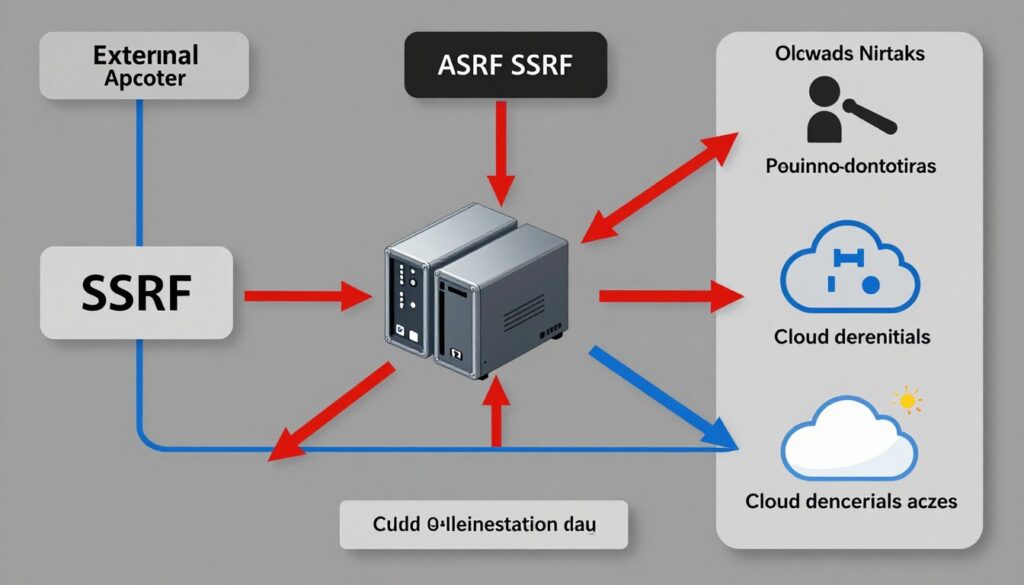
SSRF vulnerabilities allow attackers to make requests from your server to internal resources. Applications that fetch external resources based on user input create SSRF opportunities. Attackers leverage your server’s trusted position to access internal systems and cloud metadata services.
Understanding SSRF Attacks
SSRF exploits occur when applications fetch URLs specified by users. The application might provide features to preview websites, fetch images, or integrate with external services. Attackers manipulate these features to target internal resources.
Internal networks often trust requests from application servers. Firewalls block external access but permit communication from trusted internal sources. SSRF attacks bypass these network security controls by routing through the application server.
Cloud metadata services provide sensitive information to authorized requestors. Attackers use SSRF to query these services and retrieve credentials, configuration data, and other secrets. This information enables further attacks against cloud infrastructure.
SSRF Attack Scenarios
Port scanning through SSRF maps internal network topology. Attackers use the application to probe internal IP addresses and ports. Response timing differences reveal which services are running on internal systems.
Accessing cloud metadata APIs yields valuable credentials. Attackers make requests to AWS metadata endpoints, Azure Instance Metadata Service, or Google Cloud metadata server. These services return credentials the attacker uses for lateral movement.
Internal API abuse through SSRF enables attackers to invoke administrative functions. Many organizations run internal services without authentication, trusting network controls. SSRF bypasses these network controls, granting access to privileged operations.
Preventing SSRF Vulnerabilities
Validate and sanitize all user-supplied URLs before fetching them. Implement a whitelist of allowed domains and protocols. Reject requests to private IP ranges, localhost, and cloud metadata endpoints.
Disable unnecessary URL protocols like file://, gopher://, and dict://. Only permit HTTP and HTTPS if those are the intended protocols. Different protocols enable various attack techniques beyond simple HTTP requests.
Network segmentation limits SSRF impact. Place application servers in isolated network segments with strict firewall rules. These servers should only access specific external services and required internal resources.
- Validate user-supplied URLs against strict whitelists
- Block requests to private IP ranges and localhost
- Disable unnecessary URL schemes and protocols
- Implement network segmentation and egress filtering
- Use DNS resolution validation before making requests
- Block access to cloud metadata services at network level
- Monitor outbound requests for suspicious patterns
- Implement request timeouts to limit attack duration
XML External Entity (XXE) Attacks: Parsing Dangers
XXE vulnerabilities exploit XML parsers configured to process external entity references. Applications parsing XML input without proper configuration allow attackers to read local files, perform SSRF attacks, or cause denial of service. Despite being well-known, XXE vulnerabilities remain common.
How XXE Attacks Work
XML parsers can process external entity declarations by default. These entities reference resources like local files or network resources. Attackers craft malicious XML that declares entities pointing to sensitive files or internal services.
When the vulnerable parser processes attacker-controlled XML, it resolves external entity references. The parser reads the referenced file or makes the specified network request. The results might be returned in parser output or error messages.
XXE attacks don’t require direct response visibility. Blind XXE techniques exfiltrate data through out-of-band channels. Attackers use DNS queries or HTTP requests to external servers they control to smuggle data out.
XXE Attack Impacts
File disclosure through XXE exposes sensitive system files. Attackers read configuration files, source code, or data files accessible to the application. On Windows systems, they might access password hashes stored in SAM files.
SSRF capabilities enable internal network reconnaissance. XXE can make HTTP requests to internal services from the application server. This bypasses network security controls similar to dedicated SSRF vulnerabilities.
Denial of service attacks exploit XML parser weaknesses. The billion laughs attack uses recursive entity expansion to consume server resources. A small malicious XML file can cause parsers to allocate gigabytes of memory.
Preventing XXE Vulnerabilities
Disable external entity processing in XML parsers. Most parsers provide configuration options to disable this dangerous feature. Set these options explicitly rather than relying on defaults that might change between versions.
Use less complex data formats when possible. JSON doesn’t have equivalent external entity features. Consider whether XML is necessary for your use case or if simpler formats would suffice.
Update XML processing libraries regularly. Older versions might have XXE vulnerabilities even with external entities disabled. Keep libraries current to benefit from security improvements.
- Disable XML external entity processing in parser configuration
- Disable DTD processing if not required by your application
- Use simple data formats like JSON instead of XML when possible
- Update XML processing libraries to latest secure versions
- Implement input validation on XML content before parsing
- Use less privileged accounts for application services
- Monitor for XXE exploitation attempts in logs
Malicious XML Example
XXE payload designed to read local files:
<!DOCTYPE foo [<!ENTITY xxe SYSTEM "file:///etc/passwd"> ]>
<data>&xxe;</data>
The parser resolves the entity and includes file contents in the parsed data.
Secure Parser Configuration
Python example disabling dangerous features:
from lxml import etree
parser = etree.XMLParser(
resolve_entities=False,
no_network=True
)
tree = etree.parse(xml_file, parser)
Business Logic Vulnerabilities: Exploiting Intended Functionality
Business logic vulnerabilities exploit legitimate application features in unintended ways. Unlike technical flaws that violate security rules, these vulnerabilities abuse correct code implementing flawed logic. They require deep understanding of application workflows and can be difficult to detect through automated scanning.
Common Business Logic Flaws
Race conditions occur when applications don’t properly handle concurrent operations. Attackers submit multiple simultaneous requests to exploit timing windows. This might allow double-spending of credits, duplicate reward claims, or inventory manipulation.
Price manipulation exploits flaws in e-commerce logic. Attackers modify price parameters, apply coupons multiple times, or manipulate discount calculations. Applications that trust client-side pricing calculations are particularly vulnerable.
Workflow bypass vulnerabilities skip required steps in multi-stage processes. Attackers might complete transactions without payment, access resources without completing registration, or elevate privileges without proper authorization checks.
Identifying Business Logic Weaknesses
Manual testing proves most effective for finding logic flaws. Security testers must understand business processes to identify potential abuse scenarios. Automated tools can’t recognize when legitimate functionality creates security risks.
Threat modeling helps identify business logic vulnerabilities during design. Consider how attackers might abuse each feature for unintended benefit. Think about edge cases and unusual input combinations that might create problems.
Code review by security-aware developers catches logic flaws before deployment. Review conditional logic, state transitions, and business rule implementations. Question assumptions about how features will be used.
- Implement server-side validation for all business rule enforcement
- Use atomic transactions to prevent race condition exploitation
- Verify state transitions follow expected workflows
- Implement rate limiting on sensitive business operations
- Log business-critical operations for audit and fraud detection
- Conduct threat modeling during feature design
- Perform manual security testing focused on business logic
- Implement fraud detection systems to identify abuse patterns

Protecting Business Logic
Never trust client-side calculations or validation. Perform all business logic on the server where attackers can’t manipulate it. Treat client-side controls as user convenience features only, not security measures.
Implement idempotency for critical operations. Design systems so repeating operations produces the same result. This prevents race condition exploitation and makes retry logic safer.
Use database constraints to enforce business rules at the data layer. Constraints provide defense in depth if application logic contains flaws. They prevent data inconsistencies even when application code is buggy.
Denial of Service: Protecting Availability
Denial of service attacks attempt to make your application unavailable to legitimate users. Attackers overwhelm systems with traffic, exploit resource-intensive operations, or crash services through malicious input. Availability is a critical security property that DoS attacks directly target.
Types of DoS Attacks
Volumetric attacks flood network connections with traffic. Attackers use botnets to generate massive request volumes that exceed bandwidth capacity. Your infrastructure can’t process legitimate requests amid the flood of malicious traffic.
Application-layer attacks exploit expensive operations. Attackers find functions that consume significant server resources and repeatedly invoke them. A small number of carefully crafted requests can exhaust CPU, memory, or database connections.
Amplification attacks leverage third-party services to multiply attack traffic. Attackers send small requests to services that generate large responses directed at the target. This multiplies the attacker’s effective bandwidth by factors of hundreds or thousands.
Application-Level DoS Vulnerabilities
Algorithmic complexity attacks exploit inefficient code. Attackers provide input that triggers worst-case performance in sorting, searching, or processing algorithms. A single request might consume minutes of CPU time.
Resource exhaustion through file uploads overwhelms storage systems. Attackers upload large files or numerous small files to fill disk space. This prevents legitimate users from storing data and can crash services.
Regular expression denial of service exploits poorly constructed patterns. Certain regex patterns have exponential time complexity for specific inputs. Attackers craft input that causes regex engines to process for extended periods.
DoS Protection Strategies
Rate limiting restricts request volume from individual sources. Implement limits based on IP address, user account, or API key. Enforce these limits before expensive operations execute to conserve resources.
Resource quotas prevent single users from consuming excessive resources. Limit file storage per user, database queries per request, or processing time per operation. These quotas ensure fair resource distribution.
Input validation prevents resource exhaustion through malicious data. Limit input sizes, restrict file uploads, and validate data formats before processing. Reject excessive or malformed input quickly without consuming significant resources.
- Implement rate limiting at multiple levels (network, application, user)
- Use CDN and DDoS protection services for network-level attacks
- Set resource quotas and timeouts for expensive operations
- Monitor resource usage and set up automatic scaling
- Optimize algorithms to prevent complexity attacks
- Implement caching to reduce server load
- Deploy load balancing across multiple servers
- Have incident response procedures for DoS attacks
Protect Your Website Today – Complete Security Audit
Don’t wait until it’s too late. Our comprehensive security audit identifies all vulnerabilities threatening your website. Get expert recommendations and priority-based remediation guidance from security professionals who understand your business needs.
Security Testing and Continuous Monitoring
Identifying and fixing vulnerabilities requires systematic testing and ongoing monitoring. Security isn’t a one-time project but a continuous process. Organizations must integrate security practices throughout the software development lifecycle and maintain vigilance after deployment.
Types of Security Testing
Vulnerability scanning automates the discovery of known weaknesses. Scanners probe applications for common vulnerabilities, misconfigurations, and outdated components. Run scans regularly to catch newly introduced issues.
Penetration testing simulates real-world attacks by security professionals. Testers attempt to exploit vulnerabilities and chain them together for maximum impact. This reveals how attackers might compromise your systems.
Code review identifies vulnerabilities in source code before deployment. Security-focused reviewers examine code for common flaws, dangerous functions, and insecure patterns. Early detection prevents vulnerabilities from reaching production.

Implementing Continuous Security
Integrate security testing into CI/CD pipelines. Run automated security scans on every code commit. Block deployments when critical vulnerabilities are detected. This prevents insecure code from reaching production.
Security monitoring detects attacks in real-time. Implement logging for security-relevant events. Use security information and event management systems to analyze logs and identify attack patterns.
Bug bounty programs leverage external security researchers. Offer rewards for responsibly disclosed vulnerabilities. This supplements internal security efforts with diverse perspectives and testing approaches.
- Run automated vulnerability scans regularly
- Conduct penetration testing at least annually
- Implement security code review processes
- Integrate security testing into development pipelines
- Deploy web application firewalls for runtime protection
- Monitor logs for security events and attack patterns
- Establish incident response procedures
- Consider bug bounty programs for external testing
Building a Security Culture
Security awareness training helps developers avoid common mistakes. Educate teams about secure coding practices, common vulnerabilities, and attack techniques. Regular training keeps security top of mind.
Establish secure development standards and guidelines. Document security requirements, approved libraries, and forbidden practices. Make these resources easily accessible to development teams.
Celebrate security victories and learn from incidents. Recognize team members who identify vulnerabilities. Conduct blameless post-mortems after security incidents to improve processes.
Incident Response: Preparing for the Inevitable
Despite best efforts, security incidents will occur. How you respond determines the ultimate impact on your organization. Proper incident response planning minimizes damage, reduces recovery time, and helps prevent similar incidents in the future.
Developing an Incident Response Plan
Identify potential security incidents your organization might face. Consider data breaches, ransomware attacks, website defacement, and service disruptions. Document response procedures for each scenario.
Define roles and responsibilities for incident response. Establish a security incident response team with clear authority. Include technical staff, legal counsel, public relations, and executive leadership as appropriate.
Establish communication protocols for internal and external stakeholders. Define who needs notification, when to involve law enforcement, and requirements for public disclosure. Clear communication prevents confusion during high-stress situations.
Incident Detection and Analysis
Security monitoring systems generate alerts about potential incidents. Establish processes to triage alerts and distinguish genuine threats from false positives. Prioritize investigation based on potential impact and available evidence.
Preserve evidence immediately when incidents are confirmed. Collect logs, take system snapshots, and document all observations. Proper evidence handling supports legal action and enables thorough investigation.
Analyze incidents to determine scope and impact. Identify affected systems, compromised data, and attack vectors. Understanding what happened guides containment and recovery efforts.
Containment and Recovery
Isolate affected systems to prevent further damage. Disconnect compromised servers from the network. Change credentials that might be compromised. Containment limits attacker access and prevents incident escalation.
Eradicate the threat completely before restoring services. Remove malware, close exploited vulnerabilities, and verify attackers no longer have access. Incomplete eradication allows attackers to regain access.
Restore services from clean backups verified to pre-date the incident. Test restored systems thoroughly before returning them to production. Monitor closely for signs of recurring compromise.
- Develop documented incident response plans
- Establish an incident response team with defined roles
- Conduct incident response training and drills
- Implement detection systems and monitoring
- Define communication protocols for stakeholders
- Maintain current system backups for recovery
- Document all incident details for analysis
- Conduct post-incident reviews to improve processes
Incident Response Phases
- Preparation – Planning and readiness
- Detection – Identifying security events
- Analysis – Determining scope and impact
- Containment – Limiting damage spread
- Eradication – Removing the threat
- Recovery – Restoring normal operations
- Lessons Learned – Post-incident review
Post-Incident Activities
- Document timeline and actions taken
- Analyze root cause and attack vectors
- Update security controls to prevent recurrence
- Review and improve response procedures
- Communicate findings to stakeholders
- Implement recommended improvements
Security Compliance and Regulatory Requirements
Legal and regulatory frameworks mandate security practices across industries. Compliance isn’t just about avoiding penalties. These regulations codify best practices that genuinely improve security. Understanding applicable requirements helps prioritize security investments.
Major Security Regulations
The General Data Protection Regulation affects any organization processing EU residents’ data. GDPR requires appropriate technical and organizational security measures. It mandates breach notification within 72 hours and imposes severe penalties for violations.
The California Consumer Privacy Act and similar state laws create privacy requirements in the United States. These laws grant consumers rights regarding their personal information and impose security obligations on businesses.
Payment Card Industry Data Security Standard applies to organizations handling credit card transactions. PCI DSS specifies detailed security controls for protecting cardholder data. Compliance is mandatory for accepting payment cards.
Industry-Specific Requirements
Healthcare organizations must comply with HIPAA security rules. These regulations protect patient health information through administrative, physical, and technical safeguards. Violations result in significant fines and potential criminal charges.
Financial institutions face regulations like SOX, GLBA, and various banking standards. These frameworks mandate controls over financial data and systems. Regulatory examinations verify compliance implementation.
Government contractors must meet NIST and FedRAMP requirements. These standards establish security controls for federal information systems. Compliance is required for government contracts involving sensitive data.
Implementing Compliance Programs
Gap analysis identifies differences between current state and regulatory requirements. Document existing controls and compare them against applicable standards. Prioritize remediation based on risk and compliance deadlines.
Policy and procedure documentation formalizes security practices. Written policies demonstrate compliance commitment and guide consistent implementation. Regular policy reviews ensure they remain current with evolving requirements.
Regular audits verify ongoing compliance. Internal audits identify issues before official examinations. External audits by qualified assessors provide independent validation of compliance.
- Identify all applicable security regulations and standards
- Conduct gap analysis against compliance requirements
- Develop security policies and procedures
- Implement required technical and administrative controls
- Maintain documentation of compliance efforts
- Conduct regular compliance audits
- Train staff on compliance requirements
- Monitor regulatory changes and update programs accordingly
General Security Best Practices and Prevention Strategies
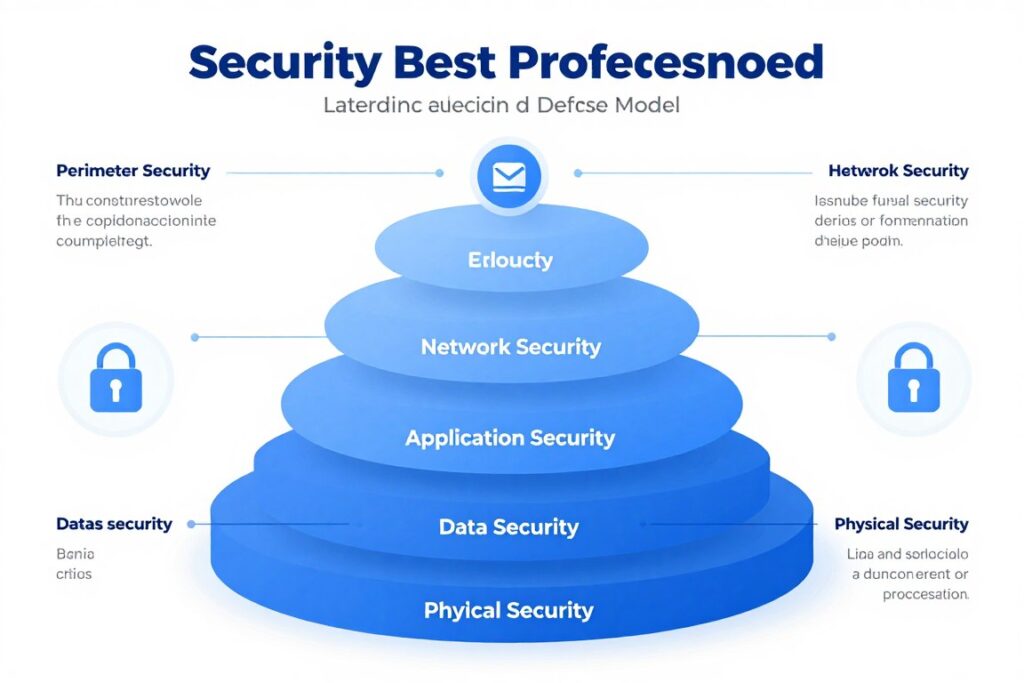
Beyond addressing specific vulnerabilities, organizations should implement comprehensive security programs. These foundational practices create defense in depth. Multiple security layers ensure that if one control fails, others continue protecting your systems.
Secure Development Lifecycle
Integrate security from project inception through deployment. Requirements should include security considerations. Design reviews should identify potential vulnerabilities before implementation begins.
Threat modeling during design identifies security risks early. Consider potential attackers, their capabilities, and likely attack paths. Design security controls to address identified threats.
Secure coding standards prevent common vulnerabilities. Establish guidelines for input validation, authentication, cryptography, and error handling. Code reviews verify adherence to standards.
Defense in Depth Strategy
Layer multiple security controls throughout your infrastructure. Network firewalls, web application firewalls, intrusion detection, and endpoint protection each provide partial coverage. Together they create comprehensive defense.
Redundancy ensures security even when individual controls fail. Don’t rely on a single security mechanism for critical protections. Multiple overlapping controls catch threats that slip through other layers.
Least privilege principles limit damage from compromised accounts. Grant users and services only the minimum permissions needed. Regularly review and revoke unnecessary access rights.
Security Automation
Automate routine security tasks to improve consistency and speed. Security scanning, patch management, and log analysis benefit from automation. This frees security teams to focus on complex threats requiring human judgment.
Automated response to detected threats contains incidents quickly. Security orchestration platforms can isolate compromised systems, block malicious IPs, or revoke suspicious credentials. Fast automated response limits damage.
Continuous security validation ensures controls remain effective. Automated testing verifies security configurations, validates patches are applied, and confirms monitoring systems function properly.
- Implement defense in depth with multiple security layers
- Follow the principle of least privilege for all access
- Keep all software and systems patched and updated
- Use strong authentication and authorization throughout
- Encrypt sensitive data both at rest and in transit
- Implement comprehensive logging and monitoring
- Conduct regular security assessments and audits
- Maintain current backups and test recovery procedures
- Develop and practice incident response plans
- Foster security awareness across the organization
Vendor and Third-Party Risk Management
Assess security practices of vendors and partners who access your systems or data. Require security certifications and audit reports. Include security requirements in vendor contracts.
Monitor third-party services for security incidents. Subscribe to vendor security bulletins. Have contingency plans if critical vendors experience breaches or service disruptions.
Limit third-party access to only what’s necessary. Use separate accounts for vendor access with appropriate restrictions. Regularly review and terminate unused vendor access.
Emerging Threats and Future Considerations
The security landscape constantly evolves as technology advances and attackers develop new techniques. Staying ahead of emerging threats requires awareness of developing trends. Forward-thinking security strategies anticipate future challenges.
AI and Machine Learning Security Challenges
Artificial intelligence introduces new attack surfaces. Machine learning models can be poisoned through malicious training data. Adversarial examples fool AI systems into incorrect classifications with imperceptible input modifications.
AI-powered attacks grow more sophisticated. Attackers use machine learning to optimize phishing campaigns, identify vulnerabilities, and automate reconnaissance. Defensive AI helps detect these attacks but creates an escalating arms race.
Privacy concerns around AI systems continue growing. Models trained on sensitive data might leak that information through their outputs. Protecting privacy while leveraging AI capabilities requires careful implementation.
IoT and Edge Computing Vulnerabilities
Internet of Things devices expand attack surfaces dramatically. Many IoT devices lack basic security features like secure boot, encryption, or update mechanisms. Compromised IoT devices enable large-scale botnet attacks.
Edge computing distributes processing to numerous locations. This creates challenges for consistent security policy enforcement. Each edge location represents a potential compromise point requiring protection.
Supply chain attacks targeting IoT firmware affect millions of devices. Attackers compromise devices during manufacturing or distribution. These compromises persist through device lifetimes unless firmware can be updated.
Zero Trust Architecture
Traditional perimeter-based security proves insufficient for modern environments. Zero trust architecture assumes breach and verifies every access request. This approach better addresses remote work, cloud services, and mobile devices.
Implementing zero trust requires identity-centric security controls. Strong authentication, least privilege access, and continuous authorization become fundamental. Micro-segmentation limits lateral movement within networks.
Zero trust adoption is gradual and ongoing. Organizations implement zero trust principles incrementally. Start with critical systems and expand coverage systematically.
- Monitor developments in AI security and adversarial machine learning
- Implement security requirements for IoT and edge devices
- Adopt zero trust principles for access control
- Prepare for quantum computing threats to current encryption
- Address security implications of emerging technologies early
- Participate in security communities and information sharing
- Invest in security research and innovation
Conclusion: Building a Secure Digital Future
Website security is a complex challenge requiring continuous attention. The vulnerabilities discussed in this guide represent serious threats to organizations of all sizes. Understanding these risks and implementing proper defenses protects your business, customers, and reputation.
Security isn’t achieved through a single technology or tool. It requires a comprehensive approach combining technical controls, secure processes, and security-aware culture. Defense in depth, regular testing, and incident preparedness form the foundation of effective security programs.
Start addressing your most critical vulnerabilities today. Prioritize based on risk to your specific business. Even incremental improvements significantly reduce your attack surface. Security is a journey, not a destination.
The threat landscape will continue evolving. New vulnerabilities will emerge as technology advances. Maintain vigilance through ongoing monitoring, regular assessments, and continuous improvement. Your security program must adapt as threats change.
Don’t face these challenges alone. Security professionals bring expertise and experience to identify risks you might miss. Whether through consulting services, security tools, or training programs, leverage available resources to strengthen your security posture.
Remember that security enables business success. Customers trust organizations that protect their information. Strong security prevents costly breaches and regulatory penalties. Most importantly, good security practices give you confidence to innovate and grow without fear of catastrophic security failures.
Take action now to protect your digital assets. Review your current security measures against the vulnerabilities discussed here. Implement fixes for identified weaknesses. Develop comprehensive security programs that address both current and emerging threats. Your business’s future depends on the security decisions you make today.