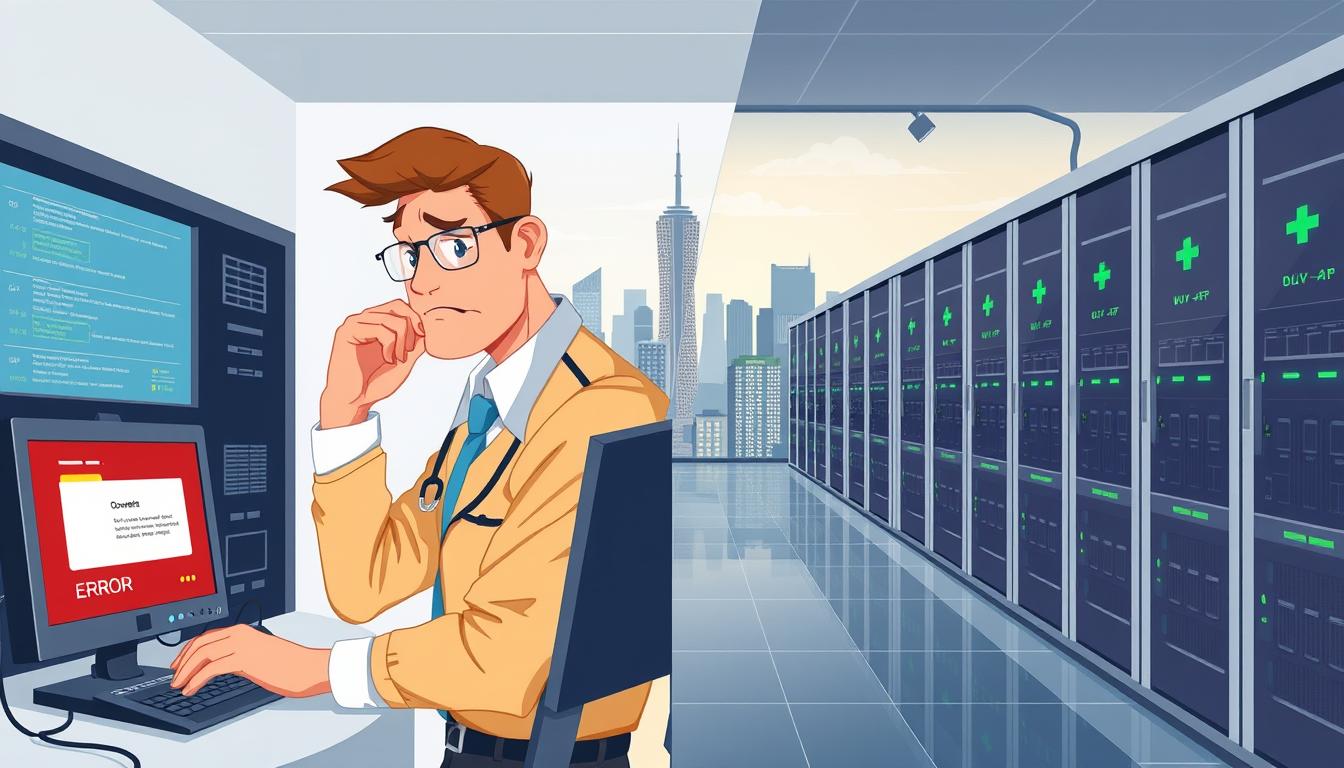
Website owners in the United States face a silent risk: brief outages and slow pages cost real sales. Kissmetrics shows many visitors leave after just three seconds. That brief wait can feel like complete downtime to shoppers.
A small outage or lag reduces uptime and chips away at customer trust. Research shows the average site sees about three hours of host downtime each month and hundreds of brief outages per year. A one-second delay can cut satisfaction dramatically.
This guide previews the causes of outages and the hosting features that cut risk. We cover redundancy, monitoring, security, backups, and fast support—more than a single fast server. By the end, you will spot your top outage risks, lower the chance of website downtime, and recover faster when incidents occur.
Table of Contents:
Key Takeaways
- Short waits feel like outages and drive customers away.
- Many sites suffer hours of downtime and frequent outages each year.
- Preventing incidents needs redundancy, monitoring, and backups.
- Performance issues harm sales, reputation, and return visits.
- This guide helps you find risks, cut downtime, and speed recovery.
Website downtime explained for website owners
When a page won’t load or a checkout fails, visitors notice immediately and abandon the task. This section defines common failure modes and shows what owners see so they can act fast.
What broken pages look like to users
Website downtime can mean blank screens, endless loading spinners, or 502/503 errors. Missing images, failed payments, and broken search or form controls also count.
Soft downtime occurs when parts of a site fail — a checkout button that never responds or a video player that won’t start. These issues cost conversions just like full outages.
Types of downtime that affect uptime
Planned downtime covers maintenance windows and updates. Owners can schedule and announce these to reduce impact.
Unplanned downtime comes from crashes, attacks, or misconfigurations. These events harm reputation the most because users are surprised and lose trust.
Think server problems as foundation failures: when servers go down the whole site stops. System or software failures sit above that layer but still take the experience offline.
- Plain definition: Anything preventing users from accessing content or completing key actions like login, checkout, forms, or streaming controls.
- Examples: blank pages, 404 paths, failed payments, and endless loads.
- Next steps: Match each type of failure to fixes later in this guide — from redundancy to monitoring and recovery plans.
The real business impact of website downtime in the United States
Even brief interruptions turn curious visitors into lost conversions within seconds. Visitors expect pages to load fast: Kissmetrics finds many leave in about three seconds. A one-second delay also cuts user satisfaction by roughly 16%.
Customer loyalty and reputation suffer quickly. After a bad experience, 79% of shoppers say they are unlikely to return and 44% will tell others. That negative word-of-mouth multiplies the cost of a single outage.
Search engine consequence and content visibility
When search engine crawlers hit repeated errors, rankings can slip. Extended outages risk deindexing, which reduces organic traffic and harms long-term SEO.
Revenue, wasted marketing, and internal impact
Paid ads, email campaigns, influencer links, and PR all lose value when landing pages fail. The result is wasted ad spend and missed conversions.
Inside the company, employees lose access to admin panels, CRMs, and databases. Work stalls, deadlines slip, and payroll still runs—raising hidden operational cost.
High-stakes industries most affected
- Ecommerce: lost sales and trust during peak campaigns.
- Finance: failed payments and blocked account access.
- Healthcare: disrupted access to critical information.
- Media: missed time-sensitive audience opportunities.
Goal: reduce outage frequency and duration by improving uptime through better infrastructure and smarter site operations. The next section explains infrastructure choices that lower risk.
Why Downtime Happens and How Reliable Hosting Prevents It
Strong infrastructure and fast response cut both the chance of outages and the time a site stays offline. That split—how often you go down (probability) and how long you remain down (duration)—frames every hosting decision.
How infrastructure, SLAs, and support shape risk
Uptime guarantees are useful benchmarks. Aim for at least 99.9% as a baseline and check the provider’s real track record, not just marketing copy.
Modern hardware, ample network capacity, tenant isolation, and resilient cloud platforms cut common failure modes. These elements lower probability by avoiding single points of failure.
What dependable hosting actually includes
- Redundancy: multiple paths for compute, storage, and network so one failure won’t stop the site.
- Monitoring & alerting: proactive tools spot incidents before users do.
- Backups & DR: daily offsite backups and tested recovery procedures.
- Security: WAF, DDoS protection, and hardened environments.
- 24/7 support: fast response and clear escalation to cut duration.
“Fast, documented response can turn a multi‑hour outage into a short incident with minimal business impact.”
Later sections map maintenance, overload, hardware and power, attacks, updates, and human error to concrete fixes. Use that checklist when you vet any web hosting provider or cloud service.
Server maintenance and mismanaged maintenance that take a site offline
Planned server work keeps sites healthy, but poor timing turns routine updates into avoidable outages.
Schedule maintenance during low-traffic windows by checking analytics, sales peaks, and US time zones. Pick a slot that hits the fewest visitors across your core regions.
Communicate clearly using a public status page. Announce start and end times, list features that may be impacted, and post follow-ups when the work completes. Clear notices cut surprise and support load.

Recurring tasks and audit cadence
Keep a simple schedule: weekly log reviews, monthly updates to OS and dependencies, and quarterly database health checks. Run full security audits once or twice a year.
Monitoring during windows
Use monitoring tools that support maintenance windows, like UptimeRobot, so planned work doesn’t flood alerts. Configure notifications to avoid alert fatigue and to keep incident data clean.
- Essentials: patching, certificate checks, backups, access reviews.
- Benefits: fewer surprise outages, better long-term performance, stronger security posture for your company.
“A short, well-communicated maintenance plan prevents most planned outages.”
Server overload and traffic spikes that lead to server crashes
Sudden surges in visitors can turn a healthy server into a bottleneck within seconds. That pressure forces CPUs, RAM, and database connections to compete, so pages slow or fail under heavy load.
How overload happens in plain terms
Too many requests arriving at once exhaust server resources. When the web process queue fills, users see timeouts and error pages instead of content.
Shared servers and high-profile examples
Shared environments are vulnerable because neighbors share CPU, memory, and I/O. A viral post or big campaign can push a site past those limits quickly.
Even major brands felt this: a 2022 Coinbase QR promotion triggered massive scans and an hour-long outage, while a Taylor Swift release led to thousands of Spotify reports. These events show that scale matters for uptime.
Layered defenses to reduce load
- CDNs: offload static files and serve users from nearby edges.
- Caching: cut repeated work for popular pages and API responses.
- Load balancing: spread requests across multiple servers or cloud instances.
- Rate limiting: throttle abusive bursts and protect critical endpoints.
- Optimize code and queries: reduce backend work per request.
When to upgrade resources
Watch for persistent timeouts, rising error rates, high CPU/RAM saturation, and slow queries reported by monitoring tools. Those are signals to move from shared plans to managed VPS or cloud servers with reserved CPU and memory.
The goal: keep load steady so users stay engaged and uptime remains high.
Hardware failure and data center power issues
Physical faults in racks and power gear can halt a site faster than software bugs.
Even modern hardware has limits. Components age, motors wear, and thermal stress takes a toll on performance.
Common failure points include disk faults, memory errors, overheating, and firmware or driver problems. These often begin as intermittent issues and then become full failure.

Power systems as a top outage driver
UPS and power supply failures are not rare. The Uptime Institute found that 43% of data center operator outages tie back to UPS or power issues.
Generators, transfer switches, and battery systems need testing. When those fail, whole rows of servers can go offline in seconds.
What to ask a provider
- Redundancy: multi‑zone design and cross‑site failover.
- Power testing: documented generator and UPS drills.
- Replacement cycles: proactive swap plans for disks and batteries.
- Incident playbooks: clear escalation and recovery steps.
“Proactive hardware monitoring and tested power systems cut the risk of sudden, costly outages.”
| Failure point | Immediate effect | Detection | Mitigation |
|---|---|---|---|
| Disk faults | Corruption, slow I/O | SMART alerts, perf monitoring | RAID, hot spares, regular replacements |
| Memory errors | Crashes, application errors | ECC logs, kernel oops | Redundant servers, error monitoring |
| Power/UPS failure | Site‑wide outages | Power alarms, transfer tests | Generators, dual feeds, tested UPS |
| Overheating | Throttling, component wear | Temp sensors, thermal alerts | HVAC, rack airflow, load balancing |
Business note: hardware and power incidents often carry high cost. They are sudden, disrupt users, and may require restores or failovers that consume time and money.
Cyberattacks and security issues that trigger downtime
Cyber threats now arrive as constant background noise that business owners must plan for. Cobalt estimates about 2,220 attacks per day, so incidents are common for US ecommerce, SaaS, and content sites.
DDoS floods send huge waves of requests that fill bandwidth and exhaust server resources. When legitimate users can’t connect, pages time out and the service stops responding.
Application-layer intrusions work inside the site. Malware, compromised plugins, and XSS inject or alter code. These threats break features, redirect traffic, or create heavy backend work that mimics an outage.
Defenses reduce risk. Use a web application firewall, bot management, DDoS scrubbing, rate limits, and least-privilege access. Hardened environments with isolation and timely patches stop many common attacks.
Remember: service interruptions raise data risk and harm reputation. Choose a provider with clear patching schedules, strong logging, isolation policies, and tested incident playbooks to protect uptime and customer trust.
CMS, plugin, and release updates that break your website
Routine updates protect a site but can also trigger failures when components conflict. Compatibility gaps between CMS core, themes, plugins, and third‑party integrations are common causes of outages.

Common compatibility problems
A payment plugin update may stop a gateway from completing transactions. A theme patch can break page builder templates. API changes often disrupt forms or scheduling tools.
Safe release workflow
Staging first: always test changes in an environment that mirrors production. Run automated tests where available, then perform manual QA for key user paths like login and checkout.
Controlled deploys: use narrow release windows, deploy small, frequent updates, and monitor error rates and response times immediately after launch.
Backup and rollback plans
Back up database plus files before any change. Store backups offsite and document restore steps so rollbacks are quick, repeatable, and not improvised.
“A tested rollback plan turns a bad release into a short incident with minimal data loss.”
| Risk | Example | Prevention | Recovery |
|---|---|---|---|
| Plugin conflict | Checkout fails | Staging test, version pinning | Restore backup, revert plugin |
| Theme update | Broken layouts | Test templates, incremental deploys | Revert theme, clear caches |
| API change | Form errors | Contract tests, dev preview | Rollback client, update integration |
| Patch regression | Performance issues | Performance tests, monitoring tools | Restore snapshot, investigate |
Final note: treat updates as part of operations. A simple plan with staging, backups, rollback steps, and post‑deploy monitoring keeps content safe and limits site outages.
Human error, misconfiguration, and DNS issues
Operational slips—like wrong CLI commands or bad DNS edits—turn healthy servers into unreachable targets.
People make up a large share of incidents because systems are complex and changes happen often. The Uptime Institute found about 40% of significant outages trace to human error. The 2017 Amazon S3 outage shows how one mistaken command can cascade into massive cost and downtime.
Practical prevention cuts risk. Train teams, use checklists, and automate repeatable tasks with scripts or deployment tools. Limit high‑risk access via roles and permissions so fewer people can run risky commands.
Change management must be simple and enforced. Require approvals for risky edits, log every change, and run blameless post‑mortems after incidents to stop repeats.
DNS issues cause “false downtime”: the server and service stay healthy, but the domain fails to resolve because of misspelled nameservers or propagation errors. Premium DNS pays off when you need faster global resolution, higher availability, and extra security features.
“Guardrails, automated checks, and clear change logs are the best defenses against avoidable outages.”
How to choose a reliable web hosting provider to maximize uptime
Compare service records and real metrics before you sign; uptime claims need proof.
What uptime guarantees mean in practice
Look for at least 99.9% uptime in the SLA and read the fine print. That level implies minutes of permitted interruption per year, not perfect availability.
Check what the provider counts as downtime, the remedy for breaches, and whether scheduled windows are excluded. Ask for historical incident reports.
Scalability checklist for growth
Plan for spikes: ensure the vendor supports quick CPU/RAM adjustments and storage expansion.
- Managed VPS or cloud options with reserved resources.
- Auto‑scale or easy vertical upgrades during promotions.
- Clear limits on concurrent connections and load thresholds.
Redundancy and failover features to ask about
Ask whether systems use clustering, RAID, load balancing, and multi‑node setups. Confirm if failover is automatic or requires manual intervention.
Backup and disaster recovery requirements
Require daily offsite backups with documented retention. Verify that the provider runs restore tests and shares recovery RTO/RPO targets.
Support and monitoring expectations
Expect 24/7 access, defined response times, and an escalation path. Prefer teams that offer proactive monitoring that flags growing resource saturation before services fail.
Validate claims with real performance data
Use independent uptime monitoring tools and multi‑region checks. Compare the provider’s reports to third‑party monitoring data, latency charts, and historical incidents.
| Area | Question to ask | Expected answer |
|---|---|---|
| Uptime SLA | What percent and exclusions? | 99.9%+, scheduled maintenance defined |
| Scaling | How fast to add CPU/RAM? | Minutes to hours, API or console control |
| Redundancy | Failover method? | Automatic multi‑node failover, load balancer |
| Backups | Frequency and test policy? | Daily offsite backups, routine restore tests |
| Support | Availability and SLA? | 24/7 support, documented response times |
“Validate promises with independent monitoring and real incident logs before you commit.”
Conclusion
Treat uptime as a business metric. Protecting your website reduces lost sales, reputation damage, and SEO penalties when pages fail or respond too slowly.
Website downtime and short slowdowns both cost customers—many leave within three seconds. Track uptime and site health so you see issues before they cost more.
Use proven measures: redundancy, proactive monitoring, tested rollback steps, and a clear support path. Audit your current hosting and rank risks by impact—maintenance, overload, hardware, attacks, updates, DNS or human error.
Start small: add monitoring tools, run restore drills, use staging for releases, and pick scalable web hosting or cloud plans that fit expected traffic. No provider can promise perfect uptime, but careful work saves most incidents and protects reputation and performance.